

In 2026, top PMs (especially at Meta/Google and AI-native companies) treat Claude Code as a daily tool. Here’s the zero-to-one path I’d give a PM today.
When looking for a job, expect:
“How do you use AI/Claude in your day-to-day?”
Vibe coding / prototype rounds: from PRD to evals
Portfolio/case studies: Show agents/prototypes built with AI
Questions focused on AI product sense + execution with agents
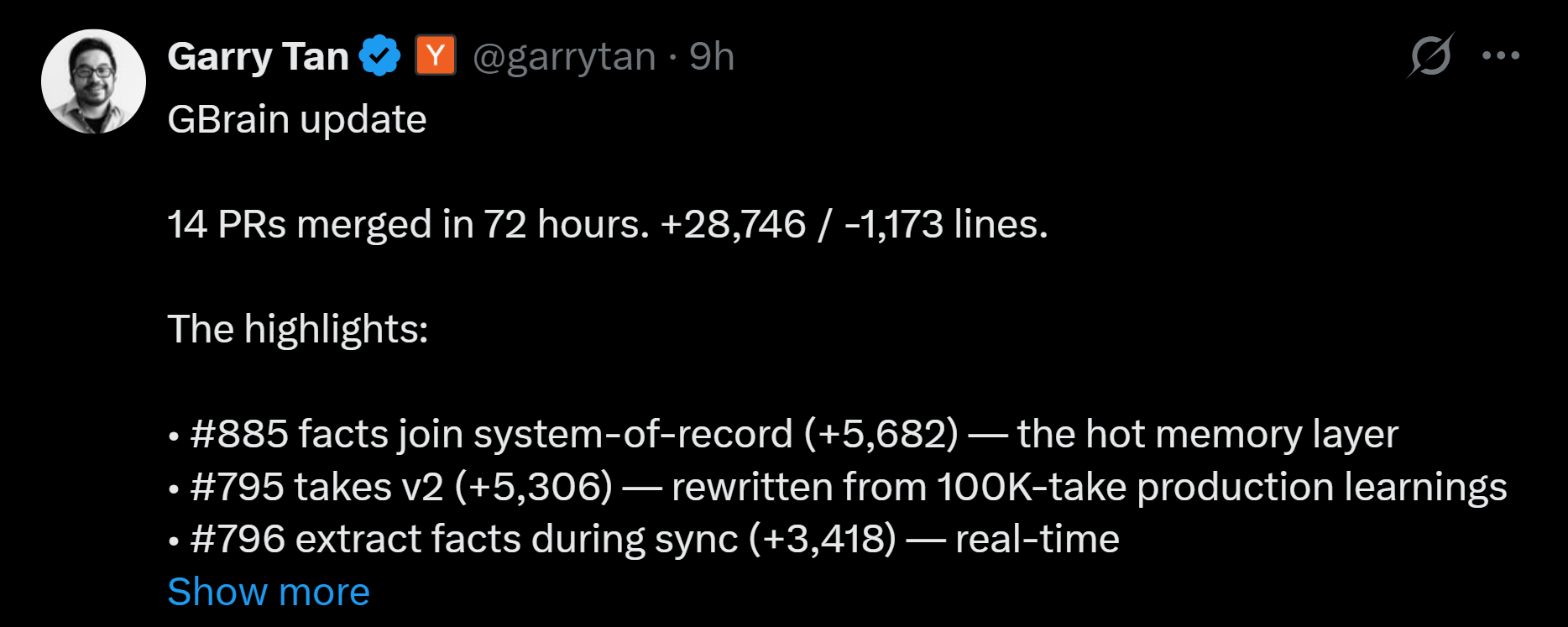
Even people like Garry Tan (Y Combinator) went back to "coding" and ships a custom brain for agents after work hours:
In the past, we’ve discussed many aspects:
What I Learned Building a Self-Improving Agentic System with Claude
Three CLAUDE.md Blocks That Make Claude Get Smarter Every Session
Claude Code's Limits Are Generous. The Problem Is Your Setup.
The first Guide above assumes you’ve used Cowork. Talking to the community, I realized many PMs haven’t, and they need a zero-to-one path.
This article has everything you need to start:
How to install Claude Code step-by-step
A ready-to-use Claude Code solution template
How to configure MCP servers in Claude Code step-by-step
How to use and create skills in Claude Code step-by-step
How to use Claude Code with free frontier models
1. How to Install Claude Code Step-By-Step
This combines Claude Code with the recommended interface, Claude Code extension in VS Code.
Step 1: Install Visual Studio Code for MacOS or Windows
Step 2: Launch VS Code, click “Extensions,” and install “Claude Code for VS Code”
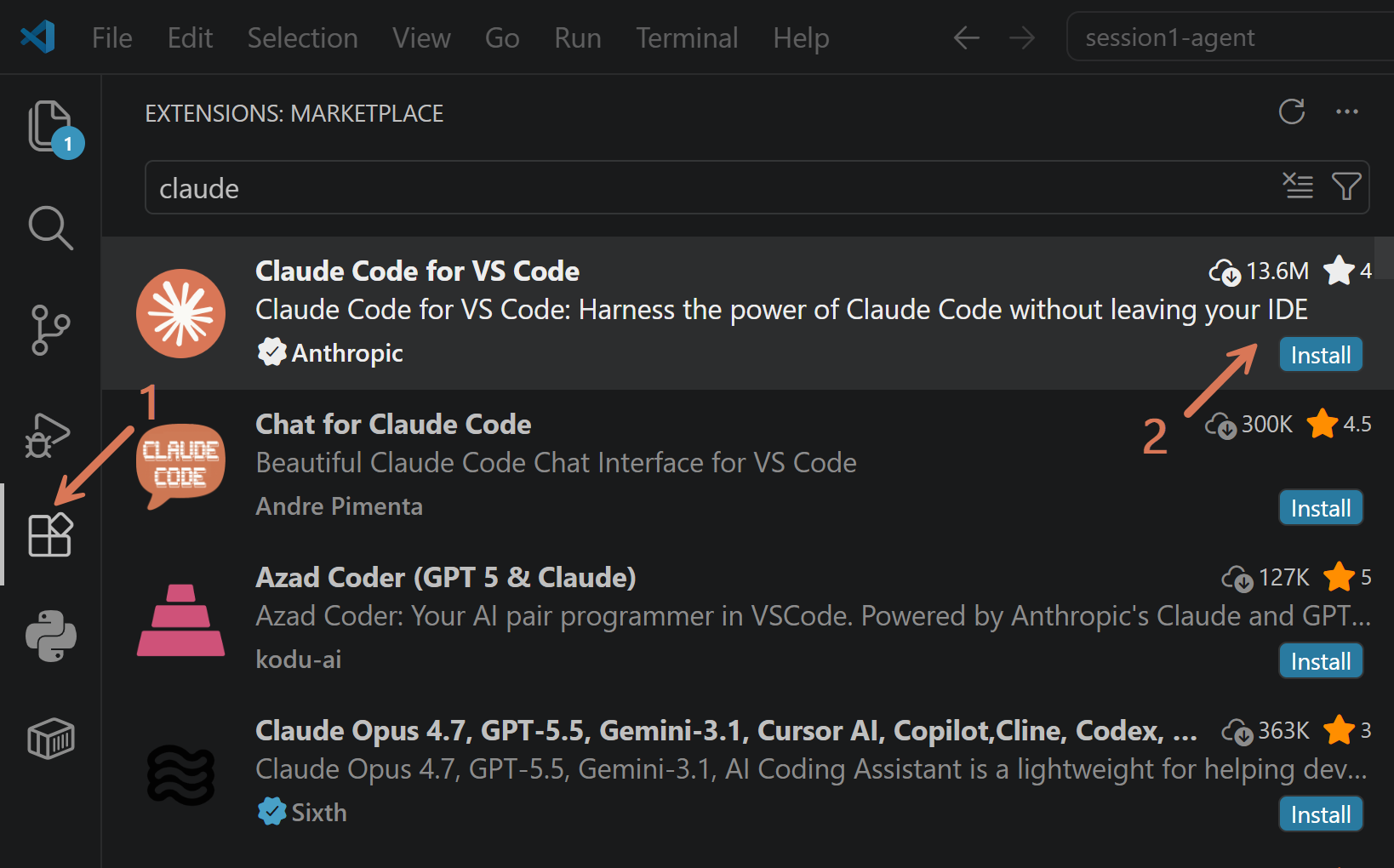
Step 3: Log in with Claude.ai Subscription after typing “/login” in the Claude window. There are two interfaces, it’s easy to get confused:
Skip this one: Claude Code in Terminal - opens at the center
Use by default: Claude Code Extension for VS Code - opens in the secondary side bar on the right
Note: On the right side in the video you can see two tabs:
[Codex] - OpenAI extension I installed earlier
[Claude Code] - that’s our Claude Code extension
Sometimes you may also see “Chat” - it’s a Microsoft solution. Ignore it.
2. A Ready-To-Use Claude Code Solution Template
This knowledge work template contains everything you need to start:
Preconfigured plugins, skills, and permissions
My minimal CLAUDE.md that makes your agent more autonomous
Setup that reduces costs by at least 50% by managing models, subagents, and context windows better
Ready-to-use configuration so you can work with free frontier LLM models
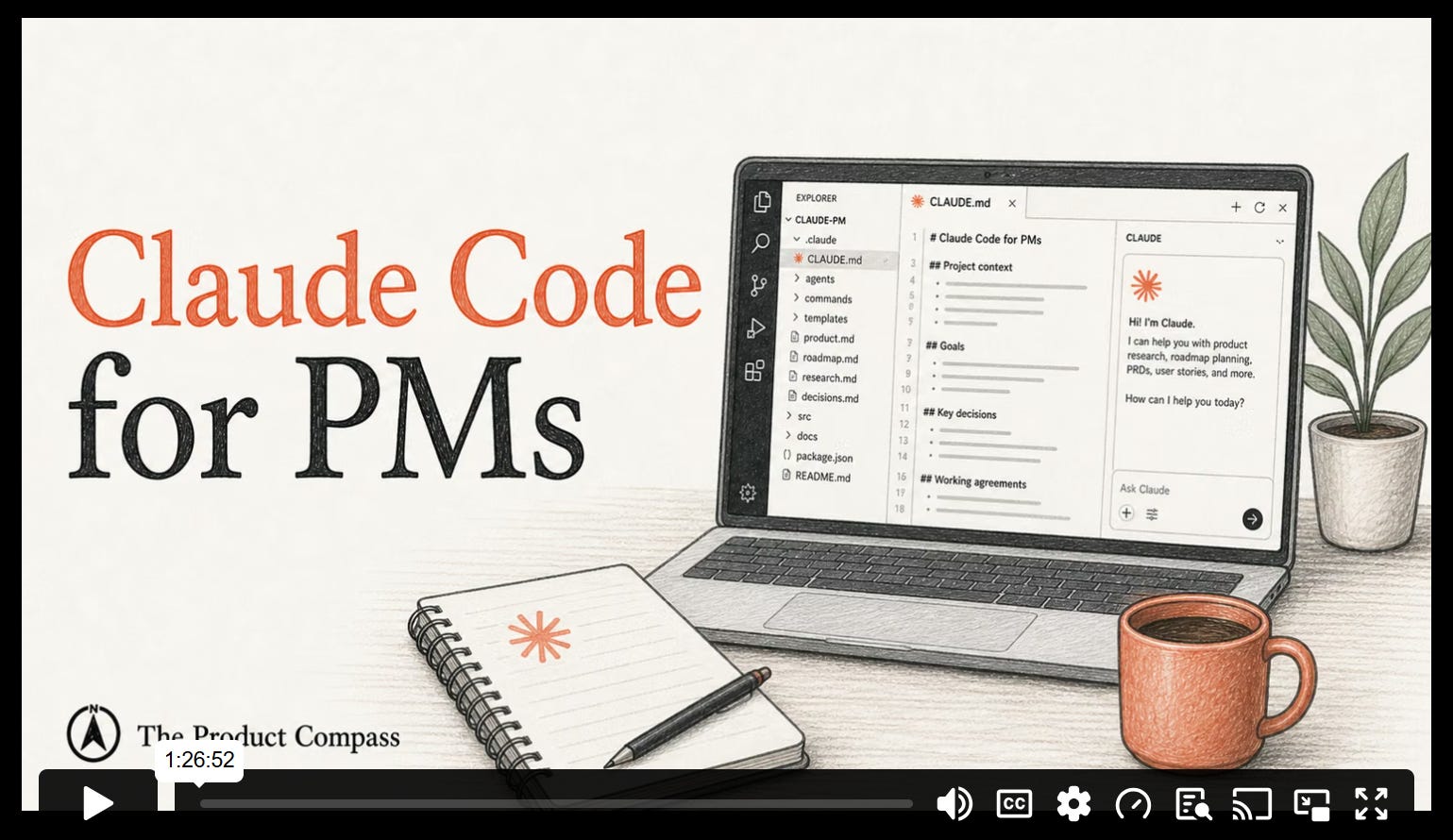
You can watch our Claude Code video session download the template below (click File > Download):
🔒This content is free for all subscribers. Sign up and get full access (don’t pay anything).
Extract the archive and open it with VS Code:
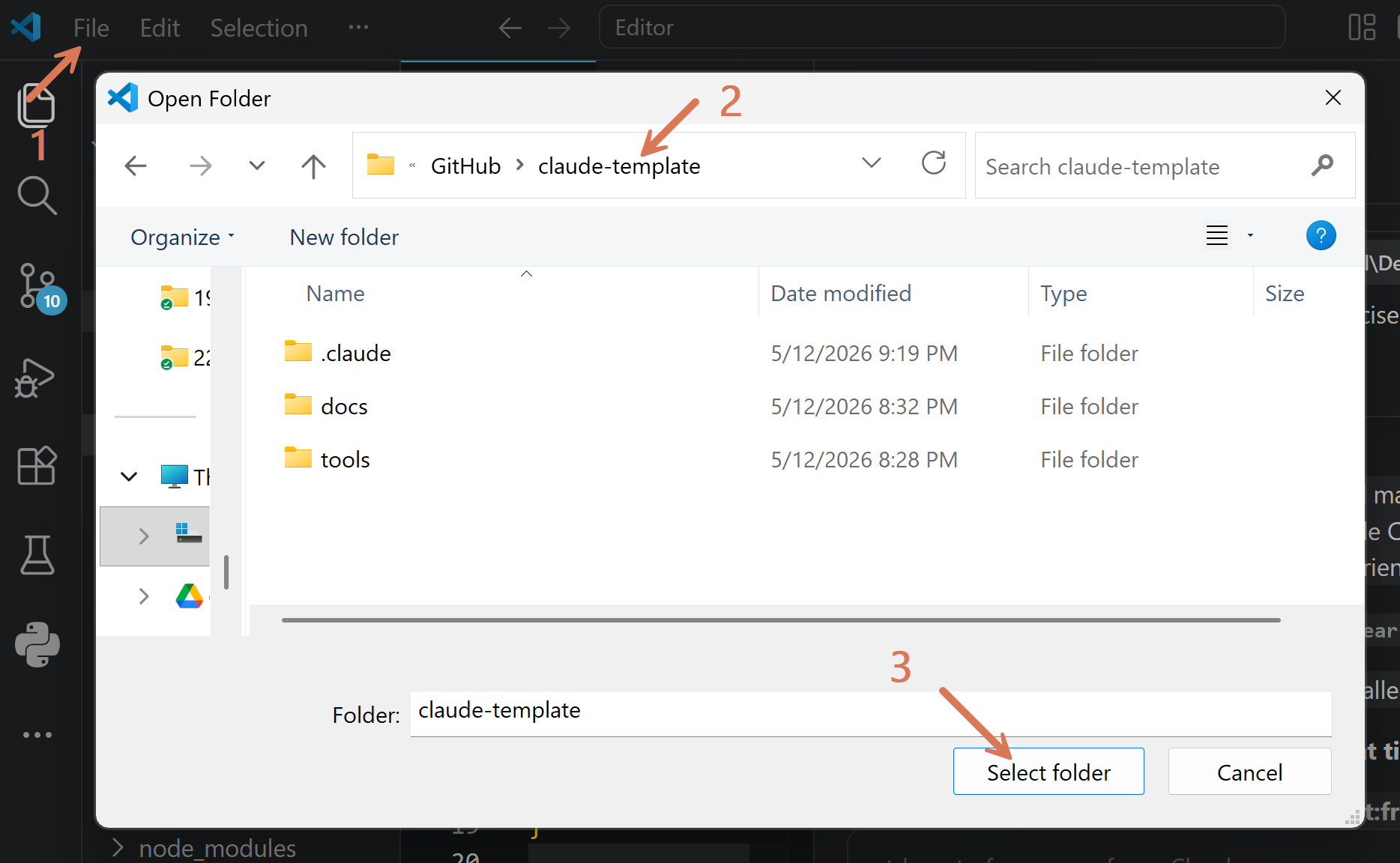
You will see:
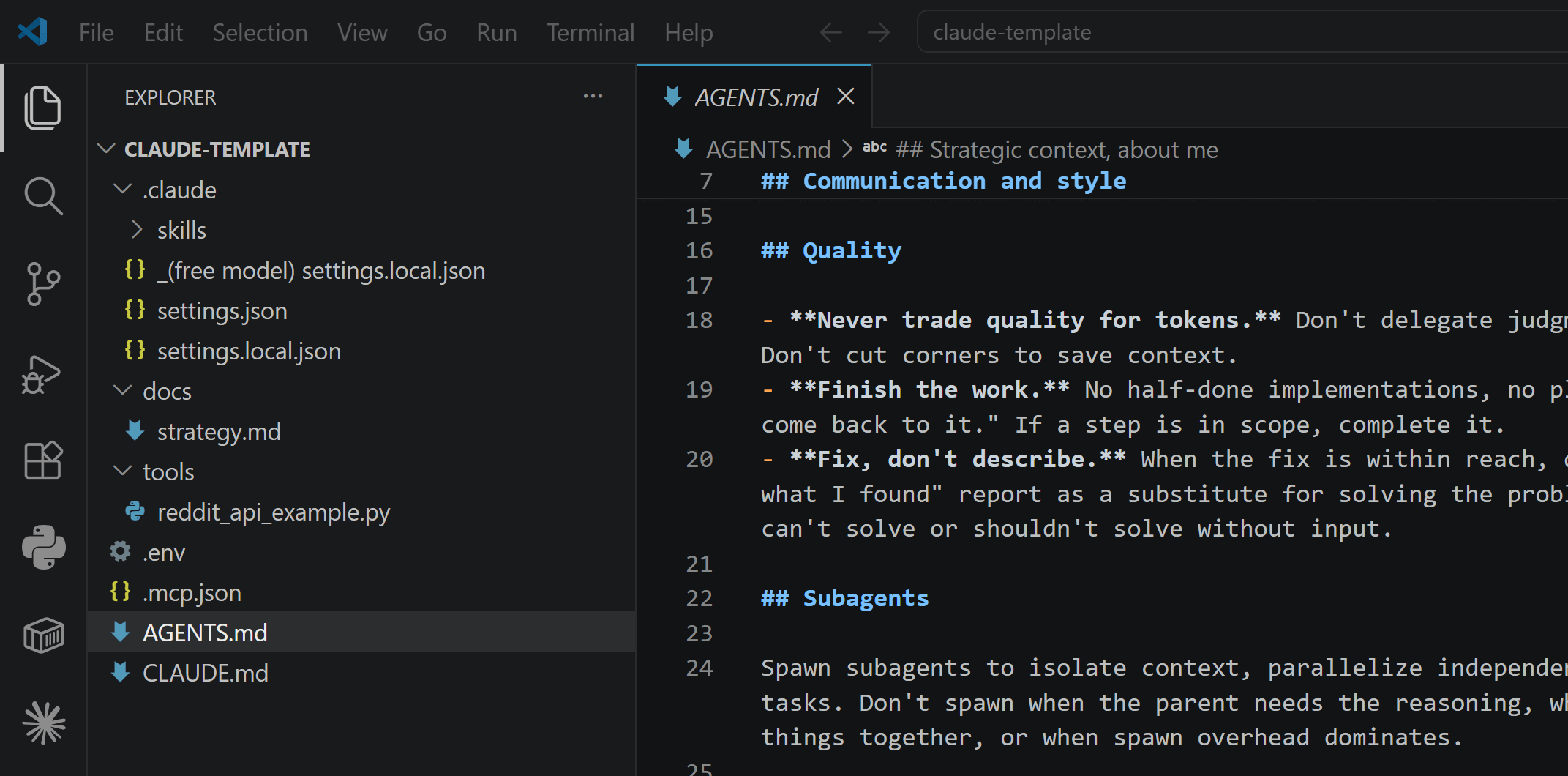
Inside:
Predefined configuration:
CLAUDE.md / AGENTS.md - agent’s constitution
settings.json - cross-team project settings, predefined permissions and plugins
settings.local.json - your local project settings with 200K context window and 80% autocompact
Examples:
SKILL.md - an example custom skill, you can remove it.
tools/reddit_api_example.py - an example custom tool generated by Claude. You can remove it, in that case remove line 53 from AGENTS.md too.
.env - here, you configure your API keys. Not committed to GitHub. You can remove two lines: REDDIT_CLIENT_ID and REDDIT_CLIENT_SECRET.
.mcp.json - an example custom MCP server. You can remove Linear (lines 3-6), if you don’t need it.
Tasks for you:
Review and remove or adapt examples listed above.
Update ## Strategic context, about me in AGENTS.md with a brief summary of your strategy or/and about you (for an individual)
Update ## Communication and style in AGENTS.md so it follows your writing style and preferences
Update docs/strategy.md with a information about your product
3. How to Configure MCP Servers in Claude Code Step-By-Step
MCP is a common protocol to connect apps such as Stripe, Gmail, Notion, Jira, or Slack. The easiest way is to go to https://claude.ai/customize/connectors and configure them there:
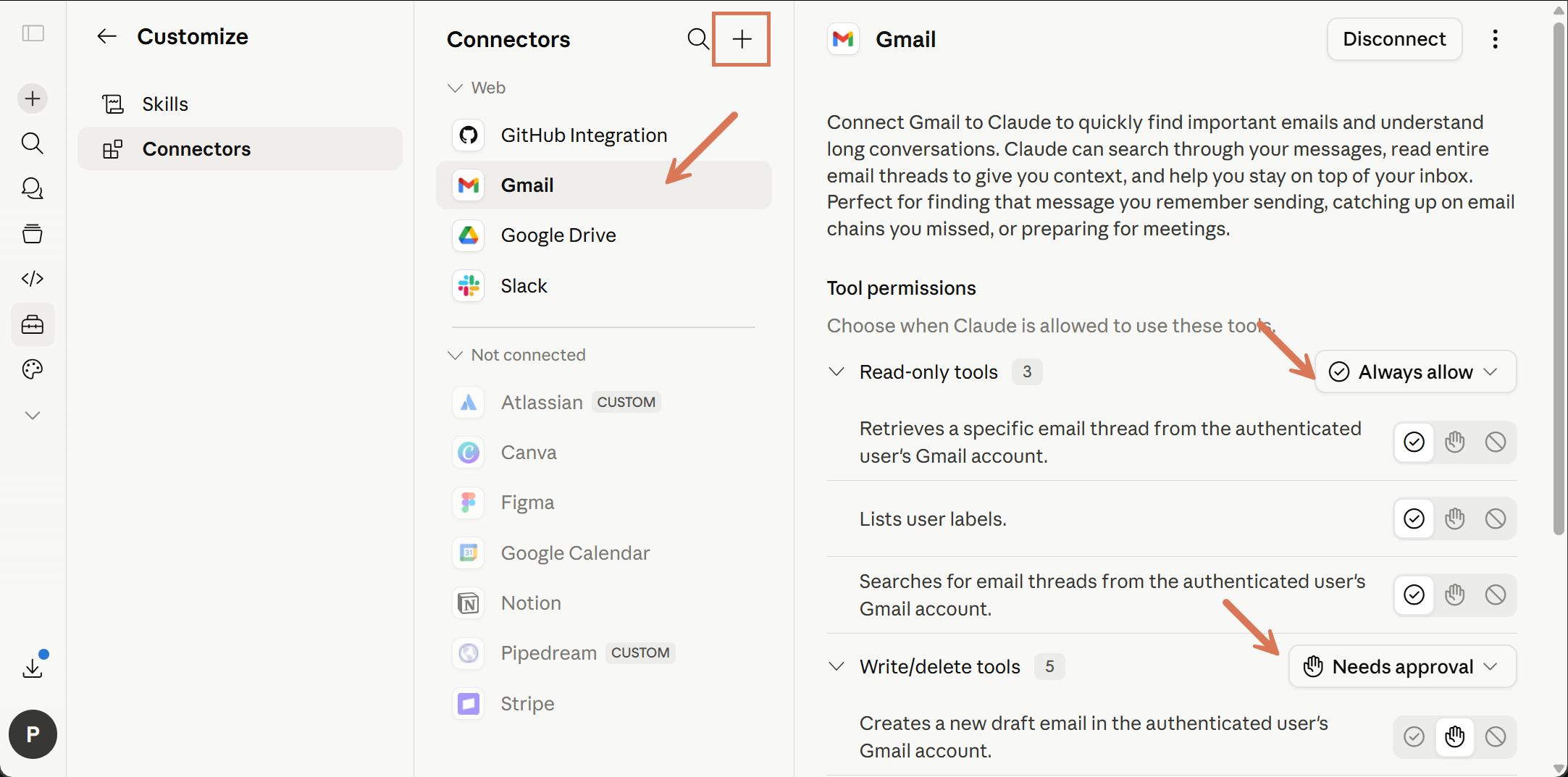
Those connectors are automatically available in Claude Code, too, as long you use a Claude subscription. Here’s how Claude works with my Gmail Connector:
Task for you: Connect the apps you use the most, such as Gmail, Notion, or Google Calendar. Configure actions that require your approval, such as sending an email, in claude.ai (presented in the screenshot above).
For apps not available in the Claude catalogue or when using a free LLM, use Google to find a dedicated MCP server and ask Claude to configure it in a chat based on the documentation:
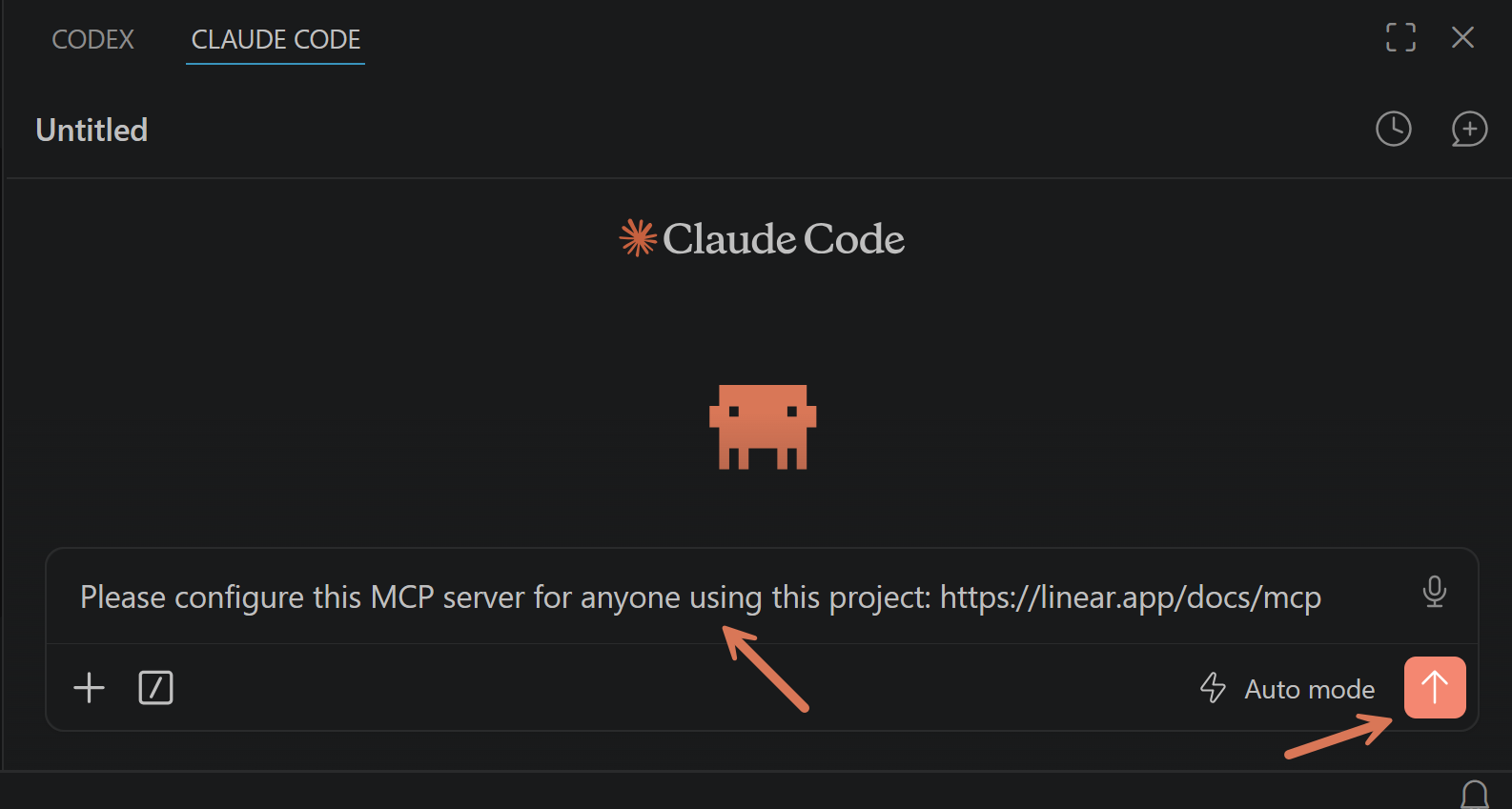
MCP servers can be available:
Only for you when using this project
For any user using this project
For any project on your local machine
Include your preference in the prompt.
4. How to Work with Skills in Claude Code Step-By-Step
Each skill gives Claude domain knowledge, analytical frameworks, or a guided workflow for a specific task.
They always contain SKILL.md file and can also include additional resources, for example:
---
name: substack-to-pdf
description: Export Substack posts to self-contained PDFs
  with embedded images.
---

# When to use
When asked to create PDFs from Substack posts.

# Steps
1. Fetch post HTML
2. Download images, embed as base64
3. Render with Playwright

# Files
- script.py
- styles.css
By default Claude can see only the frontmatter ("description"). The full skill is loaded automatically when relevant to the conversation.
4.1 Skills and plugins available publicly
Top recommended public repos. Each contains installation instructions. You can also give your agent an URL and ask to import specific skills:
github.com/phuryn/pm-skills: PM Skills Marketplace — 100+ agentic skills, commands, and plugins — from discovery to strategy, execution, launch, and growth
claudemarketplaces.com: Browse and discover plugin marketplaces you can add to Cowork or Code
github.com/travisvn/awesome-claude-skills: Community-curated collection with battle-tested skills for TDD, debugging, collaboration
github.com/sickn33/antigravity-awesome-skills: 868+ universal agentic skills — covers security, DevOps, full-stack, AI/ML, and more. Role-based bundles (Startup Founder, Marketing & Growth, etc.) let you pick what’s relevant. Works with Claude Desktop, Claude Code, Cursor, Gemini CLI, Codex, OpenCode, and Antigravity
skills.sh: Vercel’s open skills ecosystem — directory and leaderboard, CLI installer (npx skills add). PM-relevant skills include product strategy frameworks, pricing strategy, launch playbooks, discovery interview guides, PRD generator, analytics tracking setup, resume optimizer, and more. Full repo also covers marketing, SEO, copywriting, and web design.
The bottom line: don't install skills you don't need. Start with none and add one when a real task forces it. Even unloaded skills cost context - the frontmatter description always loads.
4.2 How to create your own Claude Code skills
When you perform a specific task multiple times, ask Claude to turn it into a skill. It's way easier than editing markdown files manually.
Here, I continue the example from point 3:
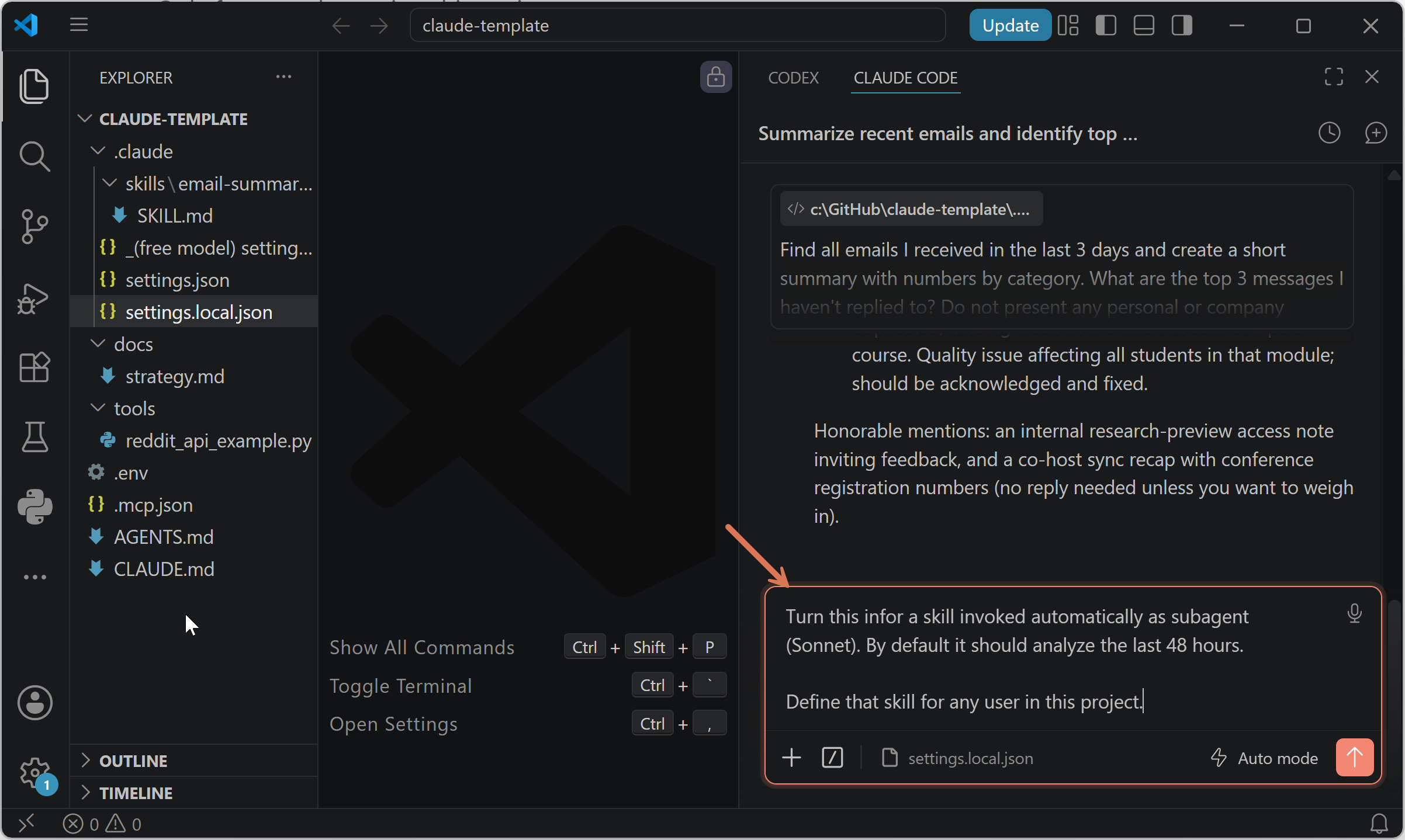
Next time you ask Claude to summarize emails, it will reuse that logic while saving tokens.
Tip: Skills can be available for any user using this project or for any project on your local machine. It can also be called as subagent - use this option when the skill doesn't need your entire conversation history. Include your preferences in the prompt.
Task for you: When you notice a recurring pattern, ask Claude to turn it into a skill.
5. How to Use Claude Code with Free Frontier Models
Before you start: There is an open Anthropic bug, 36179. Using alternative models works only with Claude Code in terminal, not with the Claude Code extension for VS Code. Start by using your Claude subscription, especially if you're not comfortable with Claude Code yet.
Step 1: Go to OpenRouter, sign up: https://openrouter.ai/
Step 2: Verify your email address by clicking a link in an email message
Step 3: Add $5 credits to your account (to verify the account): https://openrouter.ai/settings/credits
Step 4: Create a free API key: https://openrouter.ai/workspaces/default/keys
Step 5: Open a folder with your project. Create settings.local.json in the .claude folder. Inside:
{
  "env": {
    "ANTHROPIC_BASE_URL": "https://openrouter.ai/api",
    "ANTHROPIC_AUTH_TOKEN": "{your-API-key}",
    "ANTHROPIC_API_KEY": ""
  },
  "model": "inclusionai/ring-2.6-1t:free"
}
You can also rename this file, already in your template. Create a backup of the original settings.local.json:
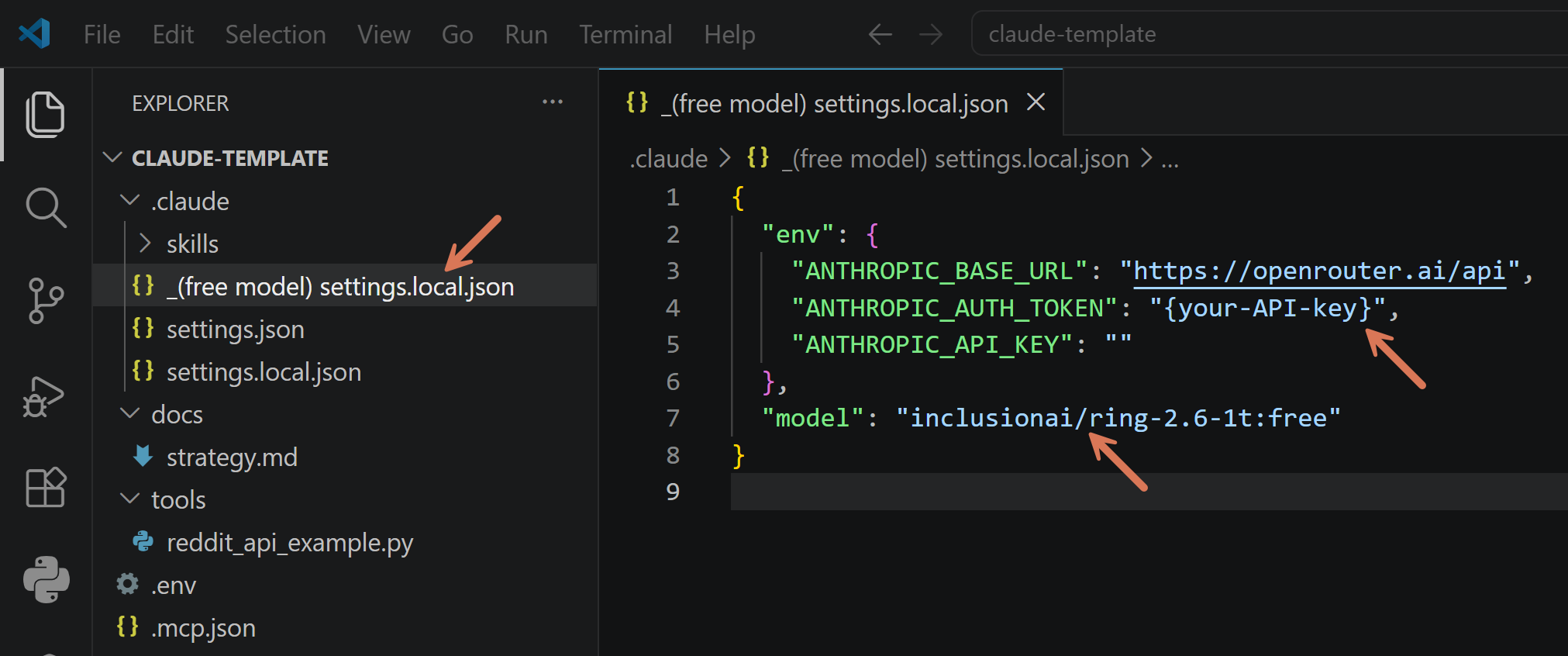
I suggested inclusionai/ring-2.6-1t:free. It’s a 63B model with a 262K context window. Note: free models on OpenRouter change regularly.
Here’s how it works with Claude Code in terminal, completely free:
Task for you: Get comfortable with Claude Code and Anthropic models before switching to alternative models. You don’t want to learn Claude Code and solve OpenRouter issues simultaneously.
Closing
You have everything you need to start.
Install it this week. Connect apps (MCP servers) you’ll actually use. Build one skill from a task you already do twice.
The more you use Claude Code, the easier it becomes. Later, review other posts listed in the intro:
What I Learned Building a Self-Improving Agentic System with Claude
Three CLAUDE.md Blocks That Make Claude Get Smarter Every Session
Claude Code’s Limits Are Generous. The Problem Is Your Setup.
Thanks for Reading The Product Compass
It’s amazing to learn and grow together.
Have an amazing rest of the week, Paweł