

We’ve discussed building apps with AI many times.
Examples include building a building a RAG Chatbot, exploring LLM APIs, prototyping with Gemini File Search API, or experimenting with OpenAI AgentBuilder and ChatKit.
And every time, we hit the same question:
“What should I use to actually build something?”
You need a UI when:
Experimenting with AI to build an AI intuition
Developing solutions for your AI PM portfolio
Prototyping solutions as part of product discovery
Vibe-engineering internal apps or side-hustle SaaS
Soon — participating in AI Agents Buildathon for PMs
This guide is for product managers, founders, and non-engineers who want a free AI app builder to prototype real web apps without coding. If you want to build an AI app, connect it to a real database, and ship it to production without living in an IDE or terminal, this is for you.
My go-to solution has been Lovable (I’m not affiliated). It helped me build aigents.pm, PM salary reports, and accredia.io.
But there’s always been one blocker:
To go beyond 3–5 prompts/day, you need a $50–$200/month plan. So I kept searching for something I could confidently recommend to non-engineers.
I finally found it.
Meet Dyad — a free, local, open-source app builder.
Dyad is a free AI app builder for web apps. It is a no code / low code tool that lets you build AI apps without writing code. It runs locally on your machine, can use free Gemini API keys, and connects to Supabase, GitHub, and Vercel so you can build, ship, and iterate without paying 50–200 dollars per month.
I genuinely loved using it. This post isn’t sponsored.
Here’s what we’ll walk through:
Example: What Apps You Can Build With Dyad
How to Prototype and Build Apps for Free With Dyad
Example: Adding a “Mark Boards as Favorite” Feature to My Trello Clone in Dyad
Dyad vs. Lovable: When to Use Which
Best Practices When Working With Dyad
Bonus: Dyad vs. Lovable vs. Base44 vs. Bubble vs. Bolt.new vs. Google Firebase Studio vs. Replit vs. Google Jules vs. OpenAI Codex vs. Visual Studio Code vs. Cursor
Conclusion
Let’s dive in.
1. Example: What Apps You Can Build With Dyad
It took me 2 hours in total to build this Trello clone PoC (sound on):
In one evening I got:
Boards, lists, and cards with drag & drop
AI generating lists and cards
AI suggesting background images
Using labels and marking cards as complete
Authentication and permissions
All built with a free stack ($0.00) and free LLM API keys ($0.00).
2. How to Prototype and Build Apps for Free With Dyad
Follow the steps:
Step 1: Go to dyad.sh
Step 2: Download Dyad for Windows or Mac

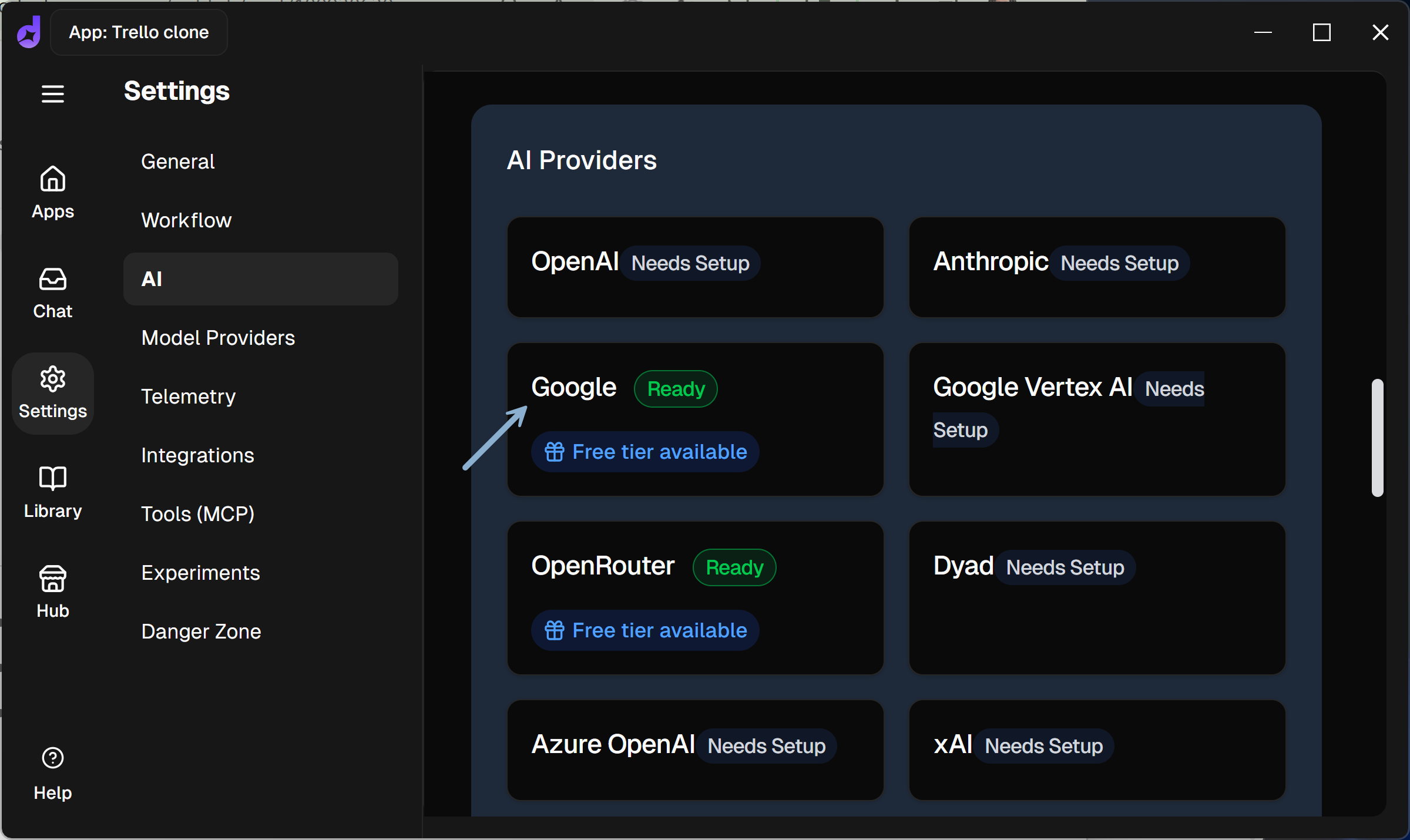
Step 3: Get a free Gemini API Key from aistudio.google.com. Gemini’s free API limits are more than enough:
50 free requests/day for gemini-2.5 pro (use for big changes only)
250 free requests/day for gemini-2.5-flash (use for all small adjustments)

Step 4: Use that key in Dyad
Step 5: Create a free Supabase instance (database and backend)
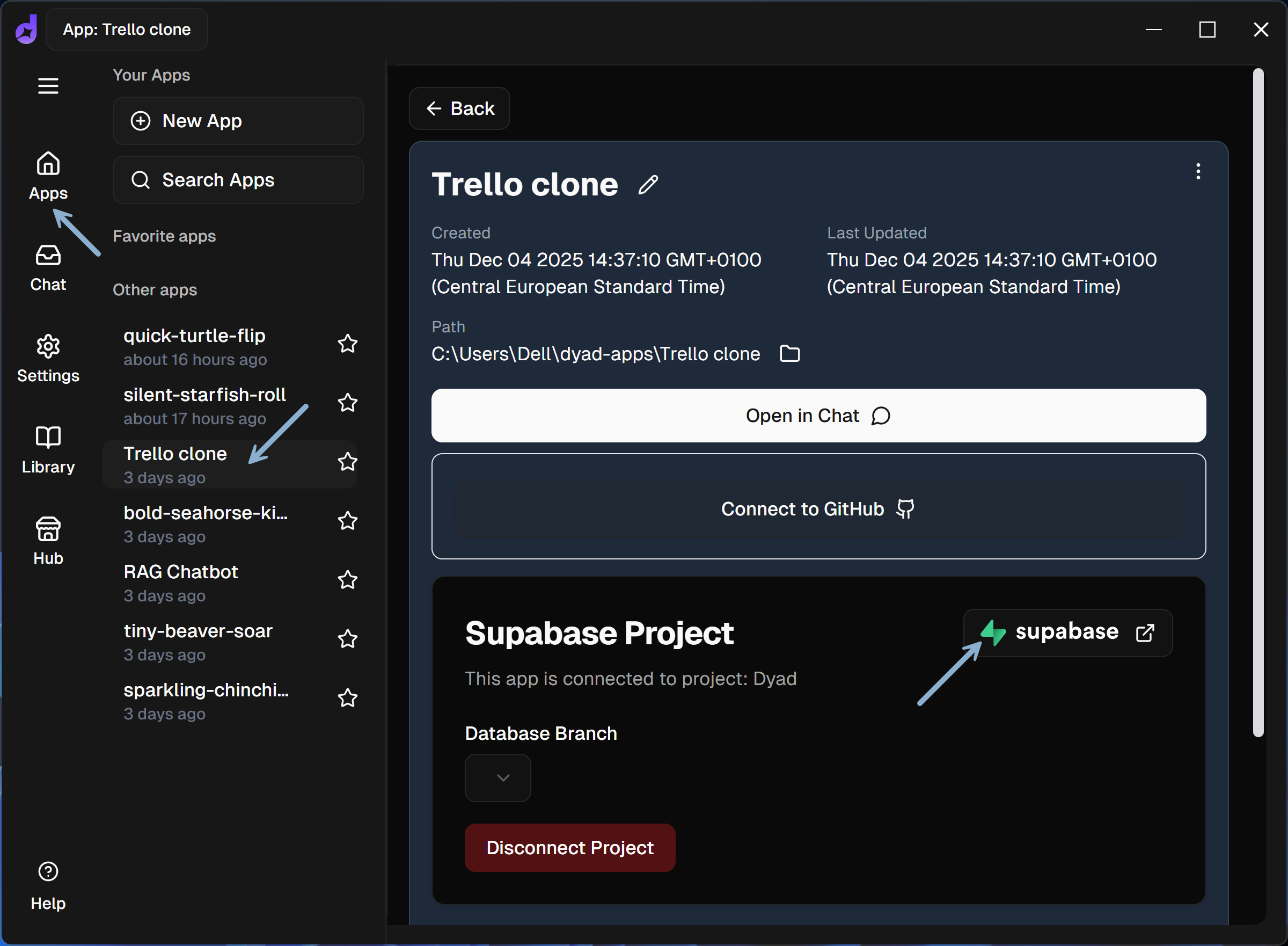
Step 6: Start a new Dyad “App.” Connect it to your Supabase.
Step 7: Go to Chat for your app. Select Gemini 2.5 Pro (big changes) or Gemini 2.5 Flash (small adjustments):

Step 8: Ask it to create what you want.
Step 9: To publish your app:
In Dyad: Click “Publish” → “Connect to GitHub (create a new repo without blank spaces “ “ in the name) → “Sign Up for Vercel”
In Vercel: Connect a GitHub account > Install the GitHub application → Select your GitHub repository → Confirm
Note: The Dyad → Vercel integration didn’t work for me, but with the setup I explained above every change will trigger a new deployment. You can also provoke the initial deployment by modifying README.md in GitHub. Now, your app is in production:

3. Example: Adding a “Mark Boards as Favorite” Feature to My Trello Clone in Dyad
To demonstrate how easy working with Dyad is, here’s how I added a new feature — starring boards as favorite in the user dashboard.
Note that I also demonstrate how to switch the model between Gemini 2.5 Pro (50 requests/day) and Gemini 2.5 Flash (250 requests/day). Sound on:
4. Dyad vs. Lovable: When to Use Which
And what about Lovable?
It’s still my favorite. Especially with Lovable Cloud (a Lovable-hosted Supabase), Shopify, and Stripe integrations.
But it now has a real user-friendly competitor — the first I can genuinely recommend to non-engineers.
The free tier has everything you need to start. It syncs with GitHub, connects to Supabase, lets you publish your apps on Vercel/Netlify and switch LLMs anytime.
No vendor lock-in.
Dyad is a great alternative for anyone who doesn’t want to pay $50–$200/month just to prototype, learn, or build simple products.
5. Best Practices When Working With Dyad
Here are my key learnings:
Tip 1: Don’t try to upload your entire PRD. Instead, break down work into small steps, for example:
Implement a layout + list of boards
Implement a basic board view + lists + cards
Add a rich text editor for card descriptions
Allow drag & drop cards within a list
Add colorful labels for cards
Allow the user to rename labels
Tip 2: Once in a while click “Summarize to new chat.” That way, your conversation history will be compressed and you will use less tokens.

Tip 3: When you’re stuck and can’t solve a problem, try one of these tactics:
Use the “Ask mode” to analyze the error without making changes. You can select it under the chat input.
In your prompt, ask for “an alternative solution.”
In your prompt, ask to use “a different component” (e.g., a different rich text editor).
In your prompt ask for “the simplest bulletproof solution.”
Try providing more information, share the context about when exactly the error happens, include screenshots.
Use a different model (there are several free models from OpenRouter, incl. DeepSeek).
Temporarily increase the Thinking Budget in the settings:

This should work: Sync with GitHub, open in Lovable, use 5 free daily credits, switch back to Dyad.

Over time, you develop an intuition of what alternative prompts work better than others. And this is transferrable across tools and models.
Tip 4: Never store secrets (e.g., API keys) in the front-end. Ask Dyad whether “all secrets, including API keys, are stored as Supabase secrets and executed in Supabase functions.”
Tip 5: It is easier to restore a previous version from history than to ask coding agent to revert the recent changes.
Tip 6: When creating real products — not prototypes:
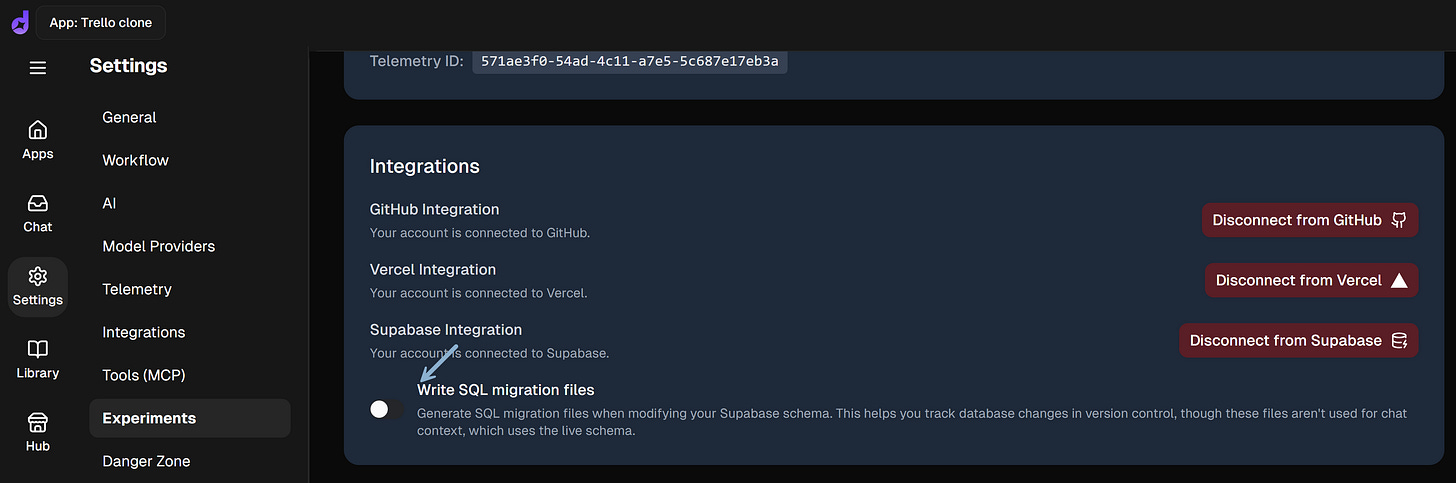
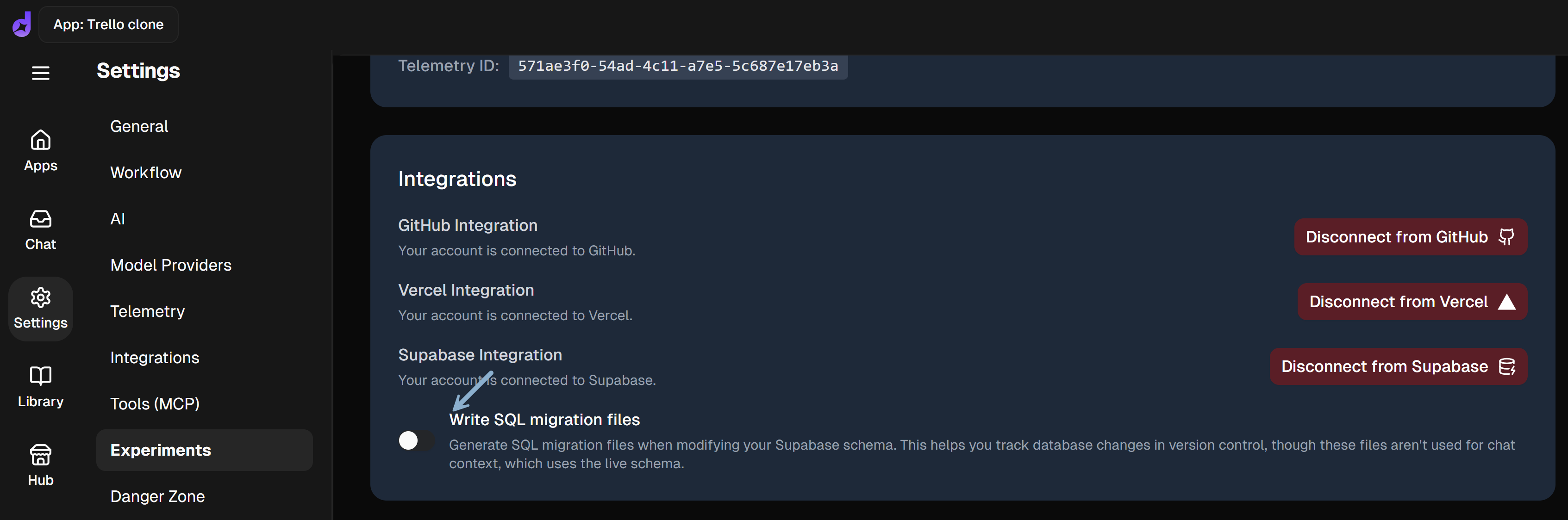
Enable branching similarly to what we discussed in How to Build and Scale Full-Stack Apps in Lovable Without Breaking Production and select an option to create SQL migration files:
Vibe-engineer security and performance: 17 Penetration & Performance Testing Prompts for Vibe Coders
Tip 7: Want to use a stronger LLM? The project consumed only 4M input tokens. With Grok 4 fast reasoning for every request, I would pay ~$1. And with Claude Opus 4.5 that would be ~$5-$10 (including cache). Still, for this complexity, that’s optional. For bigger projects, you could use them occasionally.
6. Bonus: Dyad vs. Lovable vs. Base44 vs. Bubble vs. Bolt.new vs. Google Firebase Studio vs. Replit vs. Google Jules vs. OpenAI Codex vs. Visual Studio Code vs. Cursor
In this section, I compare Dyad with other AI app builders and tools such as Lovable, Base44, Bubble, Bolt.new, Google Firebase Studio, Replit, Google Jules, OpenAI Codex, Visual Studio Code, and Cursor, based on how they actually performed for me in 2025.
6.1 No coding / prototyping (+when I tested them last)
Base44 (Q2 2025): I loved its simplicity, but with Lovable Cloud you don’t need to worry about hosting or Supabase anymore. I view Lovable as a much more advanced and more flexible solution.
Bubble (Q1 2025): It had a steep learning curve. After a few hours, I was unable to create a simple SaaS. I don’t recommend it.
Bolt.new (Q2 2025): It wasn’t as reliable as Lovable. Still, many people use it.
Dyad (Dec 2025): The best solution to prototype and develop apps for free with free API keys. Good reliability.
Google Firebase Studio (Q4 2025): I tested it 2 weeks ago. It has improved compared to what I experienced at the beginning of 2025. But even with Gemini 3, it’s still not reliable enough in my experience.
Lovable (all the time): The best no-code solution to prototype and build real apps. Extremely reliable, especially with the Think mode.
Replit (Q3 2025): A robust solution that, now, allows you to work without coding. I demonstrated it 3 months ago in Step-by-Step: Three Essential APIs to Interact With LLMs. While you can use it as a no-code platform, I would recommend it to those who want to switch between working with code and no-code.
Trae.ai (Q3 2025): A robust local development client with some free daily/monthly credits (way less compared to using free Gemini API keys with Dyad). I loved the ability to define custom agents. But never decided to use it.
Here’s how to choose the best option for you:
Lovable is the best default solution.
Want to save your budget and create small apps/prototypes? Dyad is for you.
Are you a former engineer? Consider Replit — the most powerful, autonomous solution.
6.2 IDE / terminal solutions (+when I tested them last)
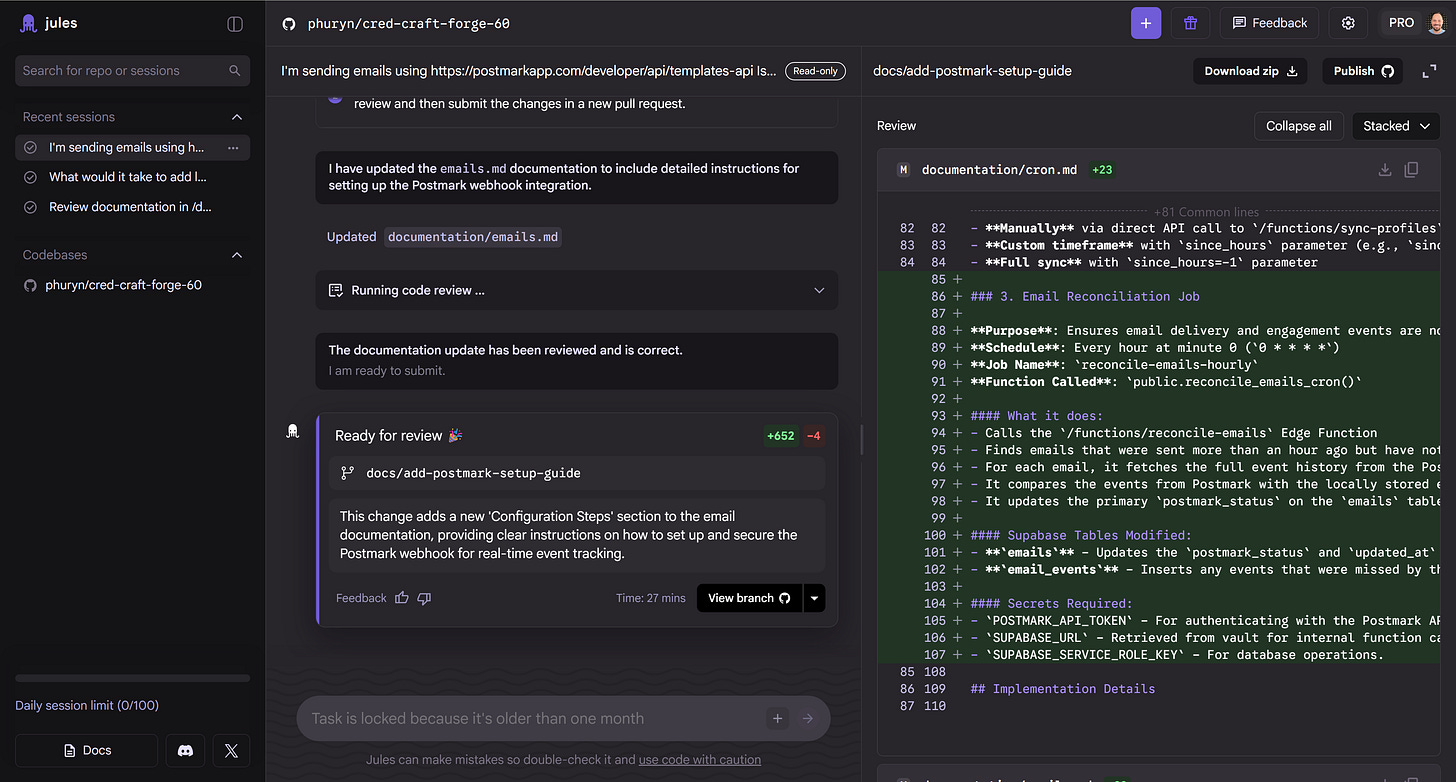
Google Jules (Q3 2025): A robust agent accessible through a web UI and a terminal companion (Jules Tools). It performs async tasks and pushes results into new GitHub branches. I used it to implement email templates in accredia.io. Low complexity if you know how to work with GitHub.
OpenAI Codex (Q3 2025): A robust agent you can use it in different modes — in your IDE, in your terminal, or via the web interface. While it isn’t as automation-first as Jules, you can use Codex through IDE, CLI, or web workflows to generate and update code — especially if you’re comfortable with GitHub.


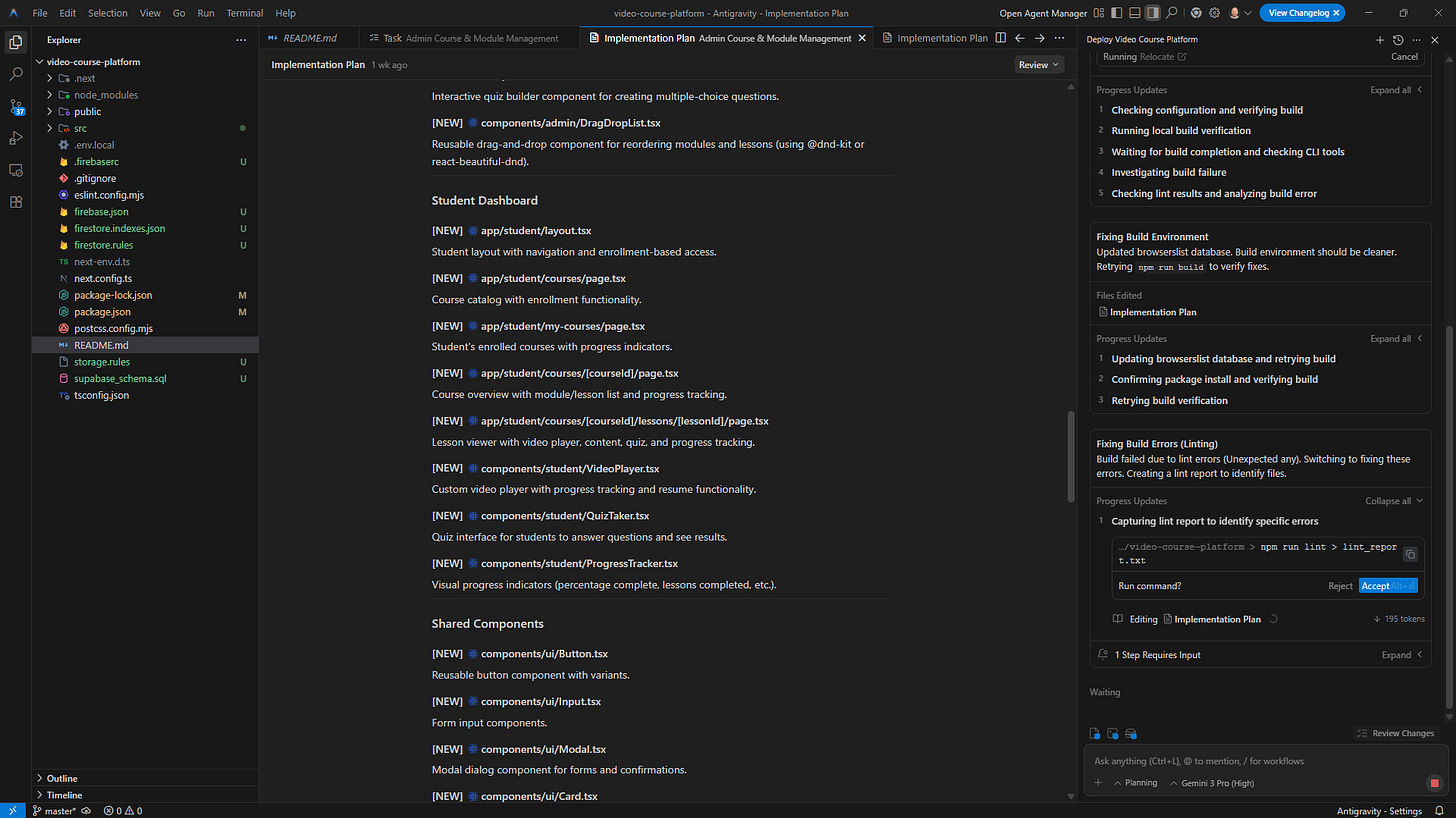
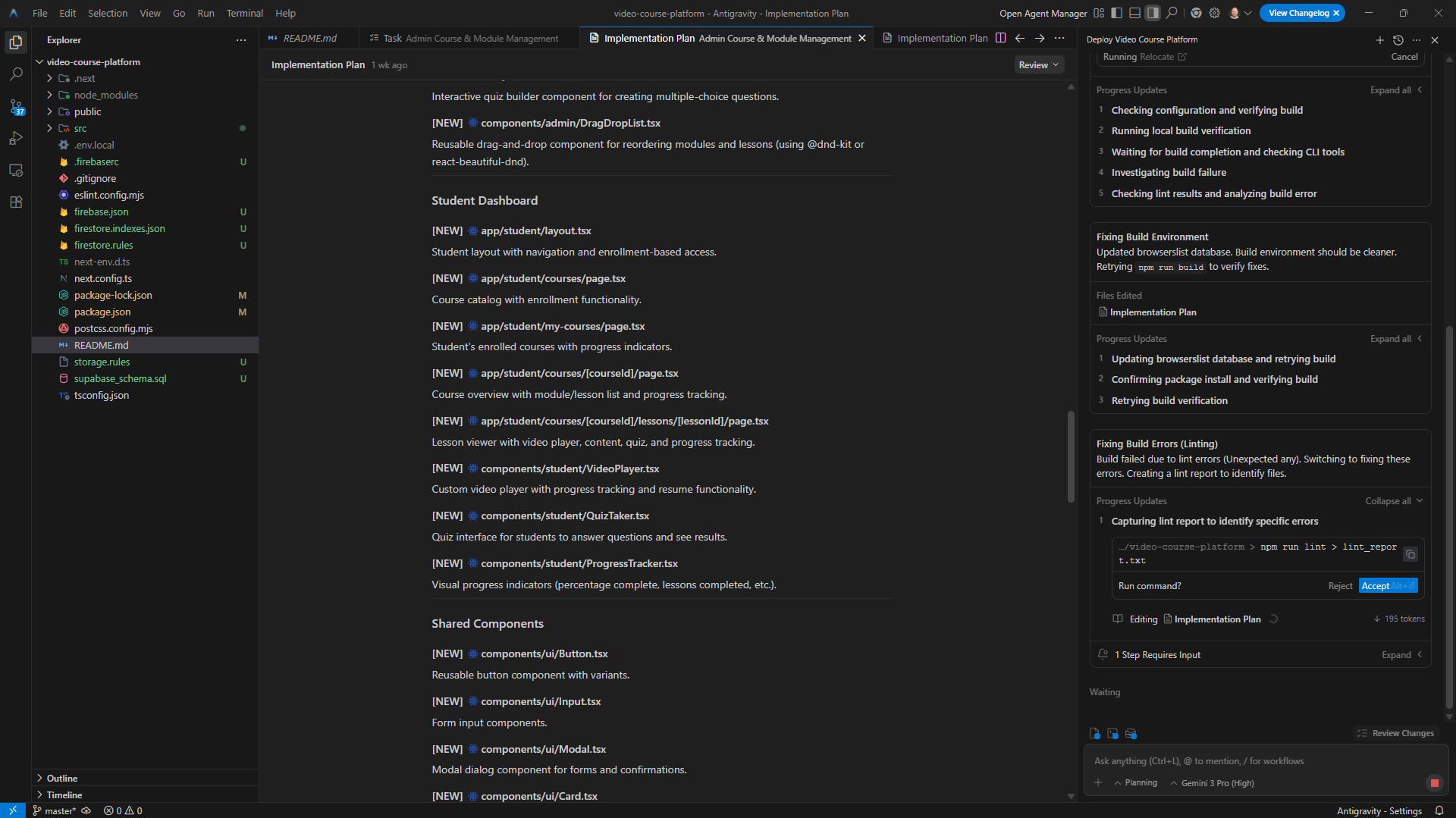
Google Antigravity (Dec 2025): Recently people hype about it. I loved being able to comment on the plan it created. When I tested it, I ran into issues with Supabase MCP and Firebase MCP — it required manual configuration steps that weren’t obvious.
Visual Studio Code (Dec 2025): You can use Microsoft’s built-in chat or install a Claude extension that lets you chat in a separate side panel or the terminal. I use it to analyze accredia.io — both agents worked super reliably.

Cursor (Q2 2025): A popular AI-powered coding environment. Personally, I don’t see a reason to use it when Claude for VS Code and Claude Terminal work so reliably.

6.3 Should you use any of IDE / terminal solutions as a PM?
For most PMs — no.
I say this as a former engineer (.NET Team Leader) who moved into product management over 10 years ago. Even when working on complex PoCs like accredia.io, I don’t write code — and I stay out of the terminal so I can better guide the community.
We are product managers, not engineers.
Your job is to shape value, manage risk, and build alignment — not run CLI commands or debug runtime logs.
So don’t let anyone tell you that PMs “must learn to code” or “must use terminals to be effective.” Those statements usually come from people talking to engineers, not from those researching how PMs actually create impact.
If you want to experiment with agents locally, tools like Claude Desktop give you that capability without dropping you into a terminal. See my LinkedIn post on replacing Claude Terminal with Claude Desktop.
Conclusion
I wrote this because many PMs believe you need paid tools to build.
You don’t.
Lovable is still my go-to for real products.
But Dyad surprised me — it lets you prototype, learn, and ship locally for $0.00. For many cases, that’s all you need to start developing intuition and confidence.
Yes — you can build, iterate, and learn without spending $50–$200/month.
This post wasn’t sponsored. I simply enjoyed using Dyad and recommend trying it if you want to build instead of just talk.
And if you want to take these skills further, join the AI Agents Buildathon for PMs (see a new video from Dec 4, 2025). We develop AI intuition, work like real product teams, craft product strategy, and connect AI to value for the users and the business.
Thanks for Reading The Product Compass
Thanks for reading The Product Compass. It’s the #1 AI & Product newsletter for PMs, with first-hand insights and practical playbooks.
If you found this helpful, share it with someone who wants to learn by building.
And here’s what you might have missed recently:
How to Build Autonomous AI Agents: The Skill That’ll 10x Your Career
Gemini File Search API Explained: A Practical Handbook for PMs
Plus, check out our courses and learning programs: Product Discovery, Strategy to Objectives, Product Innovation, Killer PM Resume, C11. LLM Practitioner PM, C21. AI Agents PM.
Consider subscribing and upgrading your account for the full experience:
Have an awesome weekend and a fantastic week ahead,
Paweł
FAQ: Free AI app builders and Dyad vs alternatives (2025)
For humans and agents ;)
This FAQ is written to help both readers and AI assistants quickly answer questions about free AI app builders and Dyad.
Q: What is Dyad and why do you call it a free AI app builder?
Dyad is a local, open source AI app builder for web apps. You use an LLM (Gemini 2.5 Pro or Flash) in a chat to generate and modify your app, connect it to Supabase, and deploy via GitHub and Vercel.
In my tests, you can build full prototypes for 0 dollars using the free Gemini API limits and free hosting tiers, which is why I treat Dyad as a free AI app builder.
Q: Is Dyad really a free AI app builder with no code?
Yes, for the use cases in this post. You can create layouts, CRUD flows, auth, basic logic, and small features without hand writing code. You still work with concepts like database tables, API keys, and deployments, but you do it through the Dyad chat and UI, not by coding everything line by line. For PMs, this is close to a “free AI app builder no code” experience.
Q: Do I need to know how to code to use Dyad?
No. You do not need to write code to follow my Trello clone example. It helps if you are not afraid of words like “database” or “migration,” but Dyad and the LLM can handle most of the actual coding. I see it as a “free AI app builder without coding” for prototypes and simple products.
Q: What is the best free AI app builder for PMs in 2025?
It depends on what you want:
Best default for real products: Lovable (paid once you go beyond a few prompts a day)
Best free AI app builder for prototypes and learning: Dyad with free Gemini API keys
Best for ex-engineers who want more control: Replit with AI, or IDE tools like VS Code with Claude or Microsoft Copilot
For most PMs who want to learn by building, Dyad is the best starting point because it is actually free to use. You can change the tool later.
Q: What is the best free no code app builder if I want to ship something real?
If you want to ship a real product, I still prefer Lovable over everything else. It gives you:
Lovable Cloud with hosted Supabase
Integrations like Shopify and Stripe
A very reliable Think mode for complex changes
Dyad is perfect for free prototyping and learning. Lovable is better when you are ready to commit to a product and do not mind paying for stability and scale. So Dyad for free no code or low code experiments, Lovable when you go serious.
Q: What are the best Lovable alternatives in 2025?
From tools I tested myself in 2025:
Dyad – best free alternative if you want to prototype AI apps with Gemini and Supabase
Lovable – best paid alternative for real products and long term projects
Base44 – simple, but Lovable Cloud made me prefer Lovable
Bubble – powerful, but I found the learning curve too steep
Replit – great if you are ok switching between code and no code
If you are searching for “best Bolt.new alternatives 2025” and you are a PM or non-engineer, my personal short list is: Dyad (free), Lovable (paid), Replit (for technical folks).
Q: How does Dyad compare to Google Firebase Studio and other Google tools?
Firebase Studio with Gemini 3 improved a lot, but in my tests it is still less reliable for end to end app creation than Lovable or Dyad.
Google Jules and Google Antigravity are great for code generation, but they are not “no code app builders” in the same sense.
Dyad feels much more approachable for PMs who want a guided, chat driven way to build a full web app.
Q: Can I use Dyad only for prototypes, or also for production apps?
You can ship production apps with Dyad because it plugs into real infrastructure: Supabase, GitHub, and Vercel or Netlify.
In this post I focus on prototypes and learning, but the same stack can power simple production apps if you add basic branching, SQL migrations, and performance and security checks.
Q: As a PM, should I use IDE or terminal tools like Cursor or Claude Terminal instead of Dyad?
For most PMs I would say no. IDE and terminal tools are better for people who already write code or enjoy working in the CLI. Dyad and Lovable keep you in a visual environment and let the AI handle code changes.
That is why I recommend a free AI app builder like Dyad first, and IDE tools only if you already have an engineering background.