
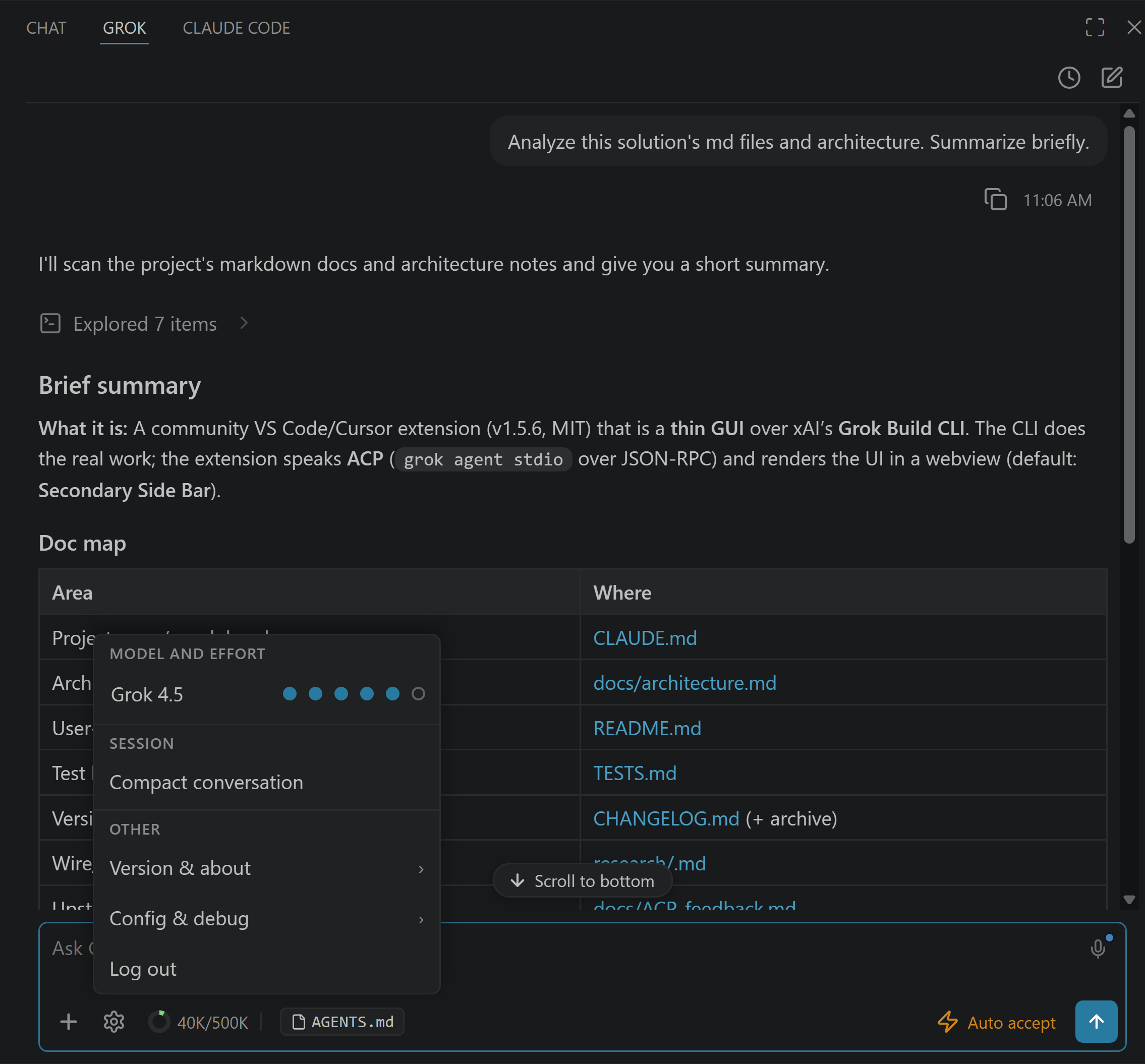
Grok Build has no first-party GUI. SpaceXAI (formerly xAI) ships its coding agent terminal-first: a terminal UI, headless scripting, and an integration protocol (ACP) for third-party tools. Editors like Zed and clients like T3 Code speak ACP too. This page covers the two free community interfaces I built. Grok Build for VS Code (Community) runs the official CLI inside VS Code, Cursor, and Antigravity. Grok Build Desktop (Community) runs the same agent as a standalone app on Windows, macOS and Linux, with no editor at all. Neither is affiliated with or endorsed by SpaceXAI.
The GUI Options, Honestly Compared
Last updated: September 29, 2026.
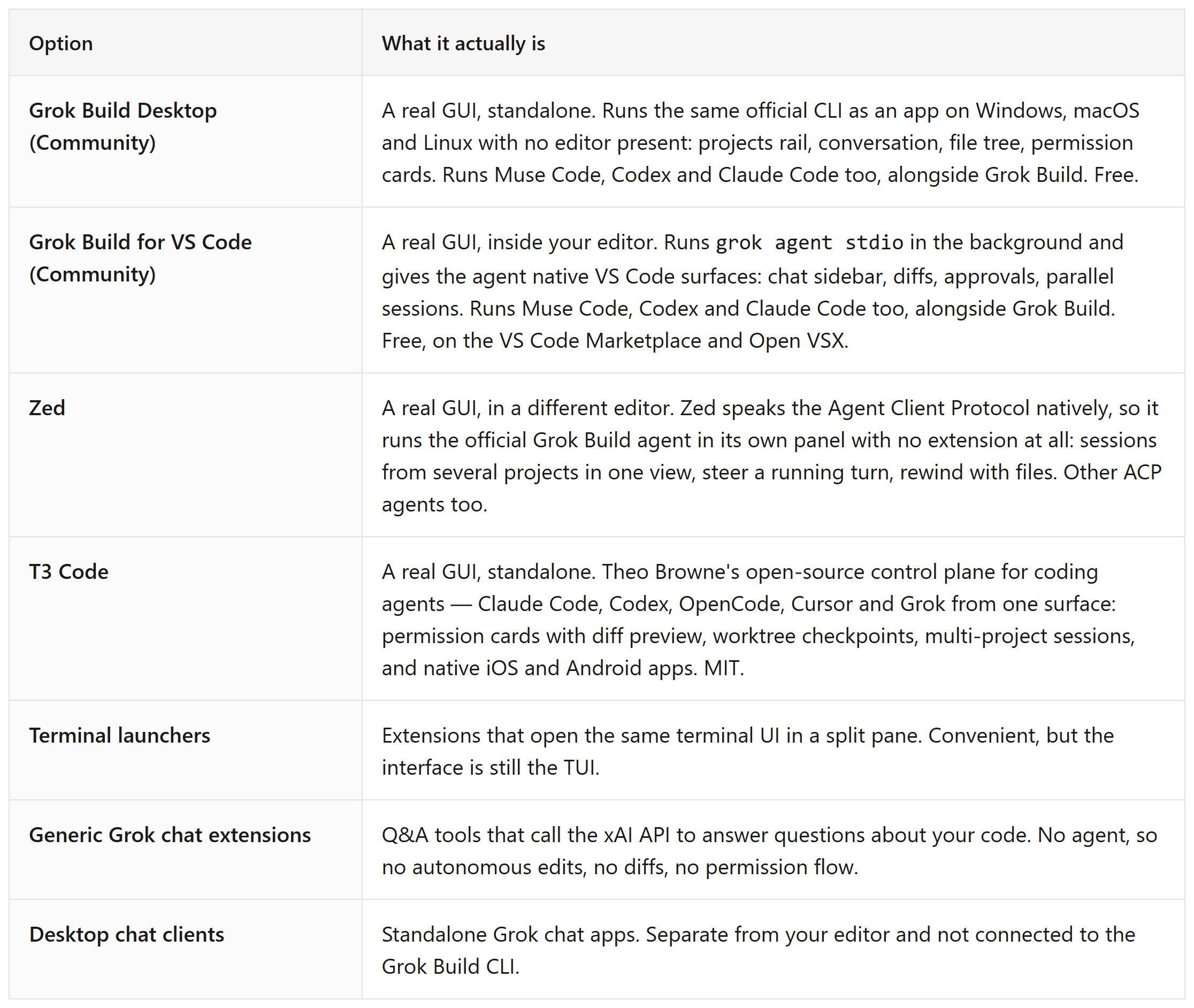
If what you want is “the Grok Build agent, but with an interface”: the first row is the one. I built it, and the distinction from launchers is the whole point. The chat, the edit approvals, and the session management are native editor UI, not a wrapped terminal.
Install: VS Code Marketplace · Open VSX Registry · Source: GitHub
Which GUI Should You Use?
Both run the same agent, so this is a question about where you want to work, not about capability.
Choose Grok Build Desktop (Community) if you want a standalone Windows, macOS or Linux app and would rather not install or configure an editor first.
Choose Grok Build for VS Code (Community) if you already live in VS Code or Cursor and want the agent in the sidebar next to your files.
Either way, you can add AFK Pilot later to drive the one you picked from your phone. Since September 2026 there is a third place to run it: an AFK Pilot Cloud machine, a dedicated Linux box with the same interface and the agents preinstalled, for when you do not want a computer running at home.
Why SpaceXAI’s Own Answer Is “use ACP”
SpaceXAI’s docs describe three supported ways to use Grok Build: the interactive terminal UI, headless mode for scripts, and the Agent Client Protocol for connecting other apps. ACP is the sanctioned door for graphical clients. The community extension speaks ACP to the unmodified CLI, so the agent, the models (including Grok 4.7, the current default), the memory, and the MCP servers are all official. Only the interface is community-built. The CLI itself is open source too (github.com/xai-org/grok-build), which keeps the split clean: official engine, community interface.
What the Grok Build GUI Changes in Practice
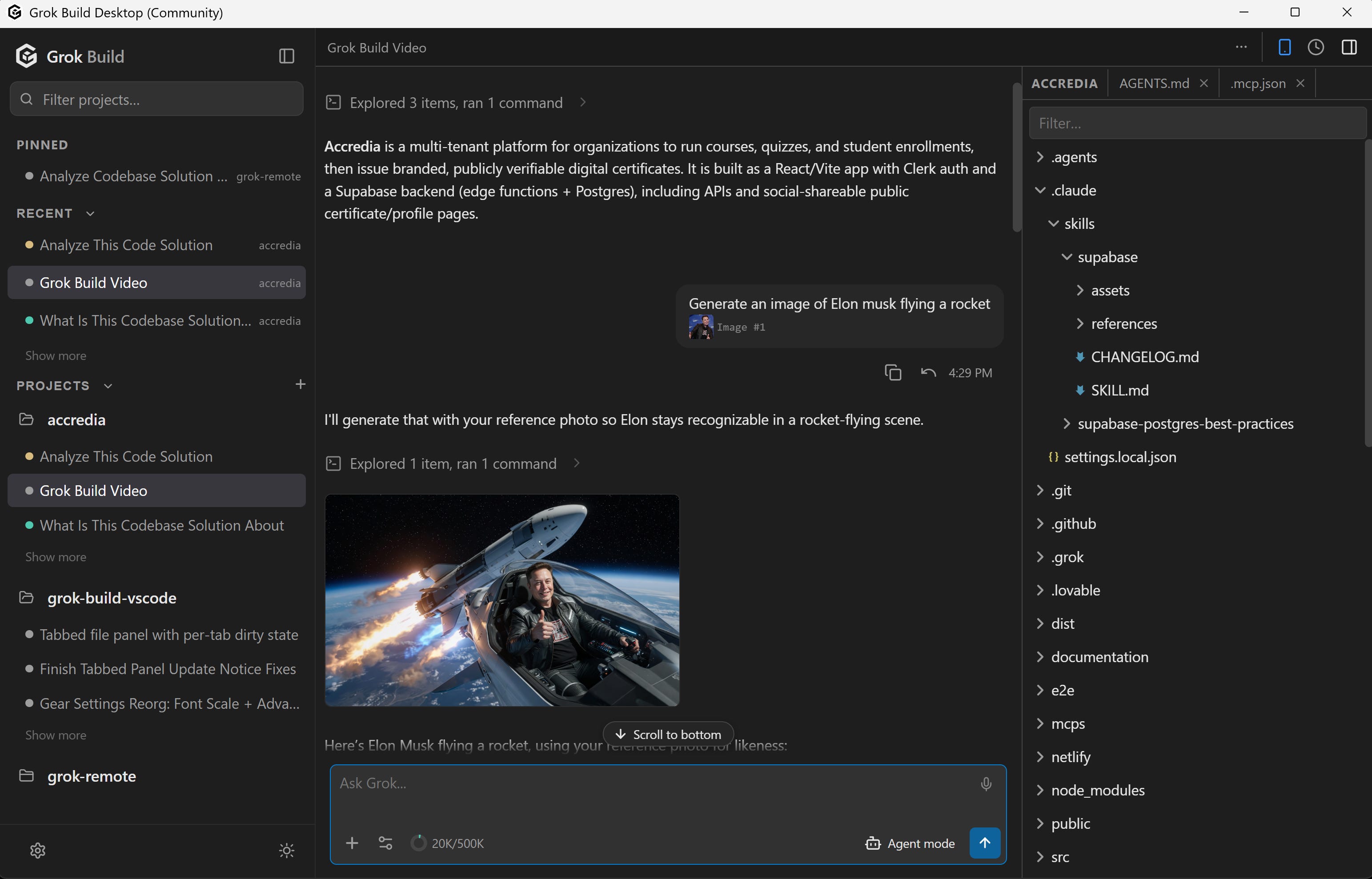
Four things, mainly:
You see every edit before it happens. Proposed changes render as native VS Code diffs with approve/reject cards. In the terminal you approve text descriptions.
You run sessions in parallel. Multiple agent sessions with background execution and an activity dashboard, instead of one terminal per task.
Context stops being manual. Files attach as @-chips from the Explorer, screenshots paste straight in.
Projects stop being silos. The projects rail shows every project and its recent conversations side by side, and you start work in any of them without switching folders. It is in the extension, the desktop app, and the phone client.
The full feature list, requirements, and setup live on the extension's page: Grok Build for VS Code (Community). If your goal is specifically the new model, start here instead: How to Use Grok 4.7 in VS Code. No editor at all: Grok Build Desktop (Community).
FAQ
Is there an official GUI for Grok Build? No. xAI ships Grok Build as a terminal tool with an integration protocol. Graphical interfaces come from third parties, and xAI officially supports third-party integrations (Kilo Code, for example, for Grok models in editors).
Can I use Grok Build without VS Code? Yes. Grok Build Desktop (Community) is a standalone app for Windows, macOS and Linux that runs the same agent with no editor installed. Full detail: Grok Build Desktop.
Is the community GUI free? Yes. Both the extension and the desktop app are free to install. Since v2.0.0 the source is public under Fair Source (FSL-1.1-MIT), and each release converts to plain MIT two years after it ships. Running the agent itself is free to try with usage limits on any X or Grok account; sustained use needs SuperGrok, X Premium+, or an xAI API key.
Does the community GUI work with other agents? Yes. Both the extension and the desktop app speak the Agent Client Protocol, so the same interface also runs OpenAI Codex and Claude Code, connected under Settings, Providers, each with its own sign-in. Meta's Muse Code runs there too, through a small adapter, since it speaks Meta's own protocol. Grok Build is the default and the one both are tuned against.
Is there a GUI for Muse Code too? Yes, the same one. Meta ships Muse Code terminal-first as well, with no GUI of its own, and since September 2026 both community interfaces run it, which is why the Marketplace now lists the extension as GUI for Grok Build & Muse Code. Full detail: Muse Code GUI.
Does the GUI work with Grok 4.7? Yes. Grok 4.7 is the model a fresh Grok Build install starts on, and the extension’s model picker switches models live, so Grok 4.6 and 4.5 stay one click away. Full setup: How to Use Grok 4.7 in VS Code.
Is there a Grok 4.7 GUI? Yes, this one. Since Grok 4.7 is what Grok Build starts on, a GUI for Grok Build is a Grok 4.7 GUI: install the extension and you’re using Grok 4.7 with diffs, approvals, and sessions, with Grok 4.6 and 4.5 one click away. Grok Build Desktop (Community) gives you the same thing without an editor. Note that standalone Grok chat apps also exist, but they are chat clients and are not connected to the coding agent.
Is there a Grok Build UI I can use today? Yes, two. The community extension puts the full agent UI in VS Code, Cursor, or Antigravity, and Grok Build Desktop (Community) is the same UI as a standalone Windows, macOS and Linux app. Both are free; the comparison above covers the rest of the field.
Is a GUI slower than the terminal? The CLI does the work either way. The extension is a local front end talking to it over JSON-RPC, so you are not routing your session through anything extra. If you want that same agent on your phone, see Grok Remote Control.
I built both of these interfaces, and I write up what building them teaches me about product work. That is what this newsletter is for: not the tool tour, but what changes for PMs and builders once the building stops being the constraint.