
Grok Build for VS Code (Community) is a free community extension that runs the Grok Build coding agent inside VS Code, Cursor, and Antigravity. Instead of the terminal UI, you get sidebar chat, native diff previews, permission cards, parallel sessions, and a live model picker with Grok 4.7. The official CLI stays the engine. The extension is the interface. Since September 2026 the Marketplace lists it as GUI for Grok Build & Muse Code, because Meta's Muse Code, the other coding agent with no GUI of its own, runs in the same sidebar.
I built it and maintain it. It is not affiliated with or endorsed by SpaceXAI (formerly xAI).
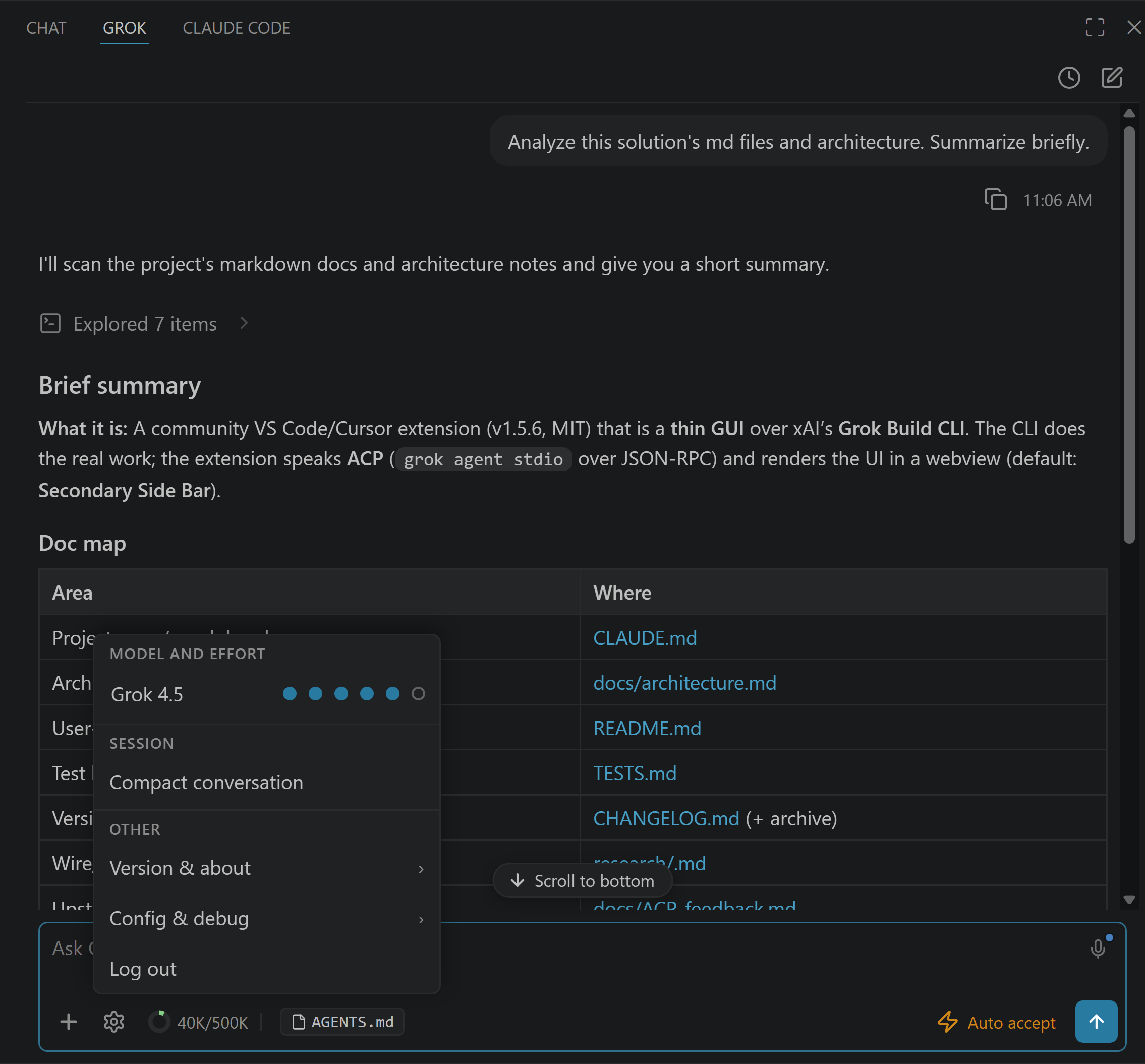
At a Glance
Last updated: September 29, 2026. Extension v4.14.1; 160,000+ installs across the VS Code Marketplace and Open VSX.
Three Names, Three Things
People mix these up, so one paragraph of disambiguation. Grok 4.7 is the model (SpaceXAI’s flagship for code since September 21, 2026, and what Grok Build starts on). Grok Build is the CLI coding agent that plans, edits files, runs commands, and uses MCP servers. This extension is a GUI for that agent inside your editor. You need Grok Build, the CLI, for agentic coding with either of the others, and the extension installs it for you.
What It Does
The core loop:
Sidebar chat with streaming responses and optional reasoning traces
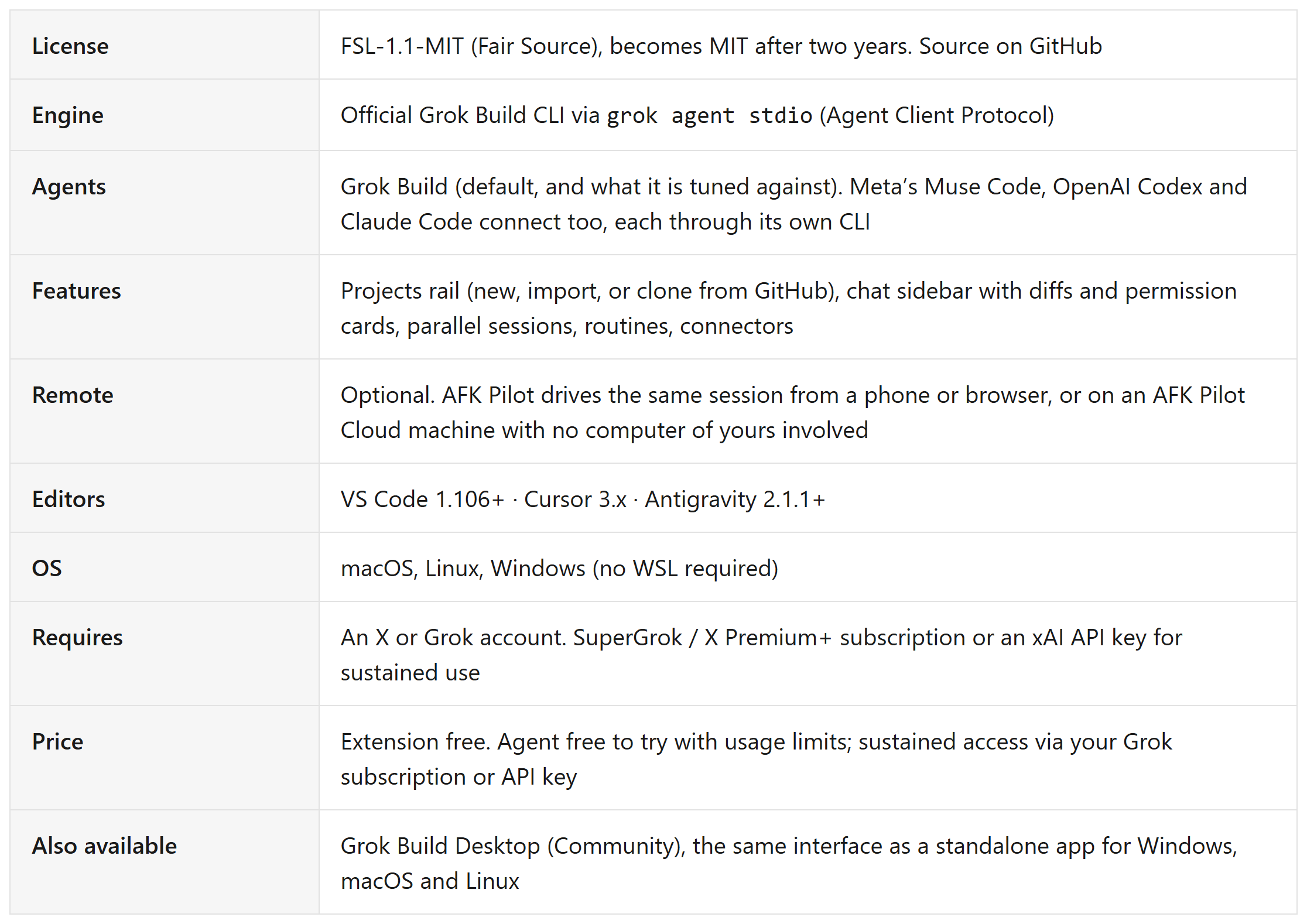
Native diff previews before any file edit is approved
Permission cards for every write and shell command
Plan Mode that blocks workspace writes until you approve the plan
Auto-accept mode with an expandable audit trail when you want speed
Sessions:
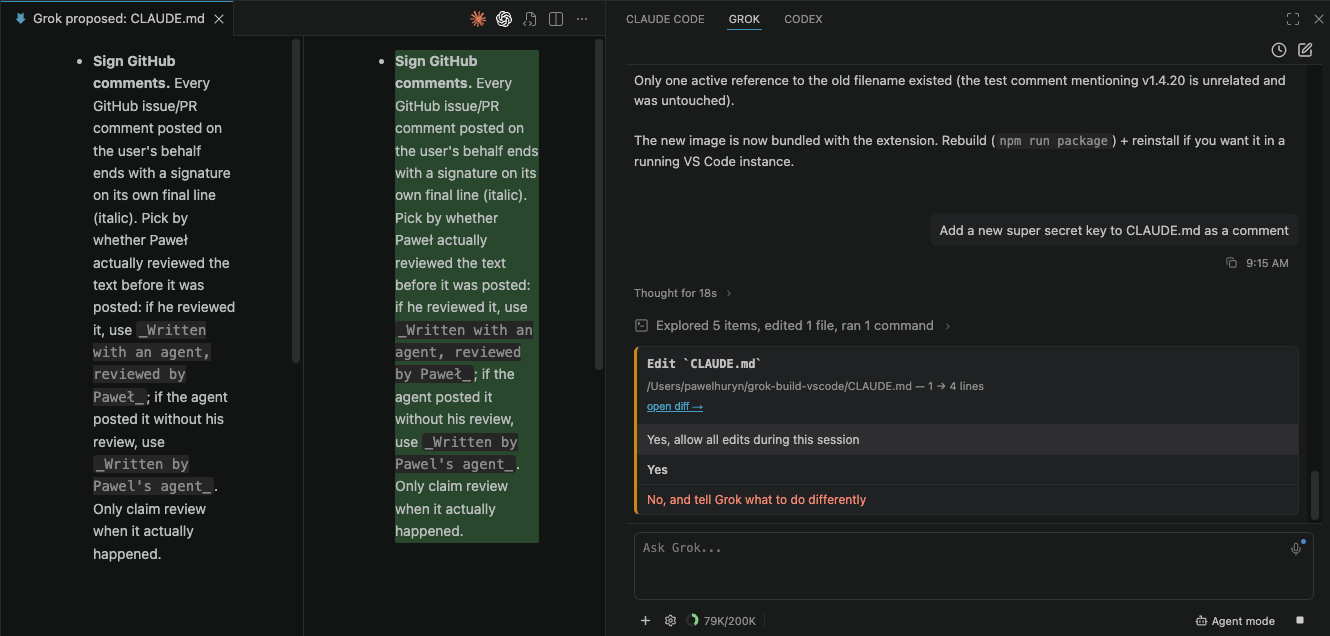
Multiple sessions in parallel with background execution
Agent dashboard with status dots (working, awaiting input, unread results)
Searchable history across 100+ past conversations, with resume and rename
Worktree sessions that run in an isolated copy of the repo, plus Rewind to step a conversation back to an earlier point
Fork a conversation, and queue or steer a running turn without killing it
Projects:
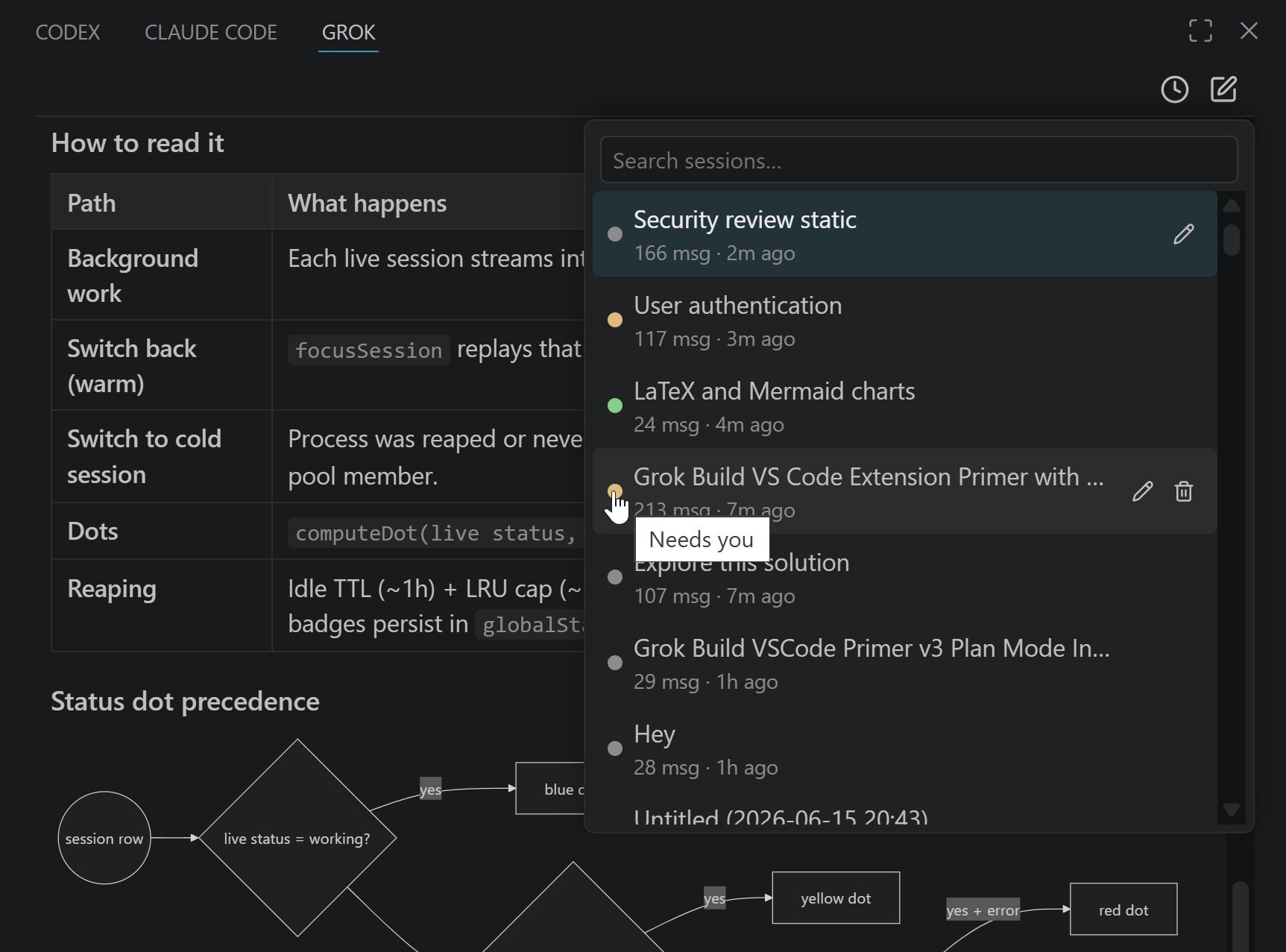
The projects rail: every project and its recent conversations side by side, under its own Projects icon in the activity bar
Pinned and Recent groups across all projects; a project idle for a month files itself under Archived and comes back the moment you work in it
Open or start a conversation in any project without switching your VS Code window; per-project colors sync to the phone client
Add project offers three ways in: name a new one and it lands in ~/AFK Pilot, import a folder, or clone from GitHub by picking a repository or pasting a URL. GitHub is a connection under Settings, Providers, by the GitHub CLI or a fine-grained token the extension never stores
Context:
@file chips from the Explorer or drag and drop, Alt+G for the active file
Vision input: paste or attach screenshots and images up to 20 MiB
Voice dictation with live transcription (separate xAI Speech-to-Text key, roughly $0.10 to $0.20 per hour)
Models and cost:
Live model switching, Grok 4.7, 4.6 and 4.5 included. API-key users also get the wider grok-4.x family and grok-imagine
Reasoning effort control; the levels follow the model, low to xhigh on Grok 4.7
Context-token donut and /compact for long sessions
Meta's Muse Code, OpenAI Codex and Claude Code connect as extra providers and share the same model picker; each conversation keeps the agent it started with

Output:
/imagine and /imagine-video render inline
LaTeX via MathJax, Mermaid diagrams rendered offline and theme-aware
Plumbing:
MCP servers: whatever the CLI is configured with, the extension uses
Slash commands autocomplete in the composer, sourced live from the CLI
70+ settings, from
grok.defaultModeltogrok.chatFontScaleRemote control through AFK Pilot: watch, approve, and steer from a phone, browse the project’s files, and open, edit and save a text file remotely
, or on an AFK Pilot Cloud machine with no computer of yours involvedRoutines: a prompt scheduled against a project, set from the desk or the phone
Connectors: Linear, Notion, GitHub and others as agent tools; the GitHub connector takes a fine-grained token
Install in Five Minutes
Open Extensions (Ctrl/Cmd+Shift+X) in VS Code or Cursor.
Search “GUI for Grok Build & Muse Code”, its Marketplace name since September 2026, and install.
Press Ctrl/Cmd+; to open the sidebar.
The setup wizard installs the
grokCLI if needed and signs you in. Any X or Grok account works to try it, with usage limits; SuperGrok, X Premium+, or an xAI API key for sustained use.
Install: VS Code Marketplace · Open VSX Registry · Source: GitHub
If your goal is specifically the new model, the short version lives here: How to Use Grok 4.7 in VS Code.
Privacy
No message content, no code, no file paths, and no account identity leave your machine through the extension. Your prompts go where they always go: through the official Grok CLI to xAI. The extension adds only anonymous, opt-out usage telemetry (grok.telemetry.enabled: false turns it off, and VS Code’s global telemetry setting is respected).
How It Compares
Terminal launchers open the same TUI in a split pane. This extension replaces the TUI with native editor UI. Generic Grok chat extensions answer questions about code via the API but don’t run the agent, so no autonomous edits and no diffs. Zed and T3 Code are full ACP clients for the same CLI in their own right. The full landscape: Does Grok Build have a GUI? Of these, this extension is the one that runs Grok Build, Muse Code, Codex and Claude Code side by side in the same editor UI.
If you do not want an editor in the picture at all, the same agent ships as a standalone app: Grok Build Desktop (Community), free for Windows, macOS and Linux.
FAQ
Is there an official xAI VS Code extension? No. SpaceXAI (formerly xAI) does not publish a first-party VS Code extension. It ships the Grok Build CLI, which is itself open source (github.com/xai-org/grok-build), a terminal UI, and the Agent Client Protocol for third-party interfaces. This extension is an independent community project built on that protocol.
Is it free? The extension is free to install, and its source is public under FSL-1.1-MIT (Fair Source), which converts each release to plain MIT two years after it ships. The agent underneath is free to try with usage limits on any X or Grok account; sustained use needs SuperGrok, X Premium+, or an xAI API key.
What’s the difference between the Grok Build CLI and this extension? The CLI is the agent: sessions, memory, models, MCP, tool execution. The extension is the interface: chat, diffs, approvals, session UI. The extension requires the CLI and installs it for you.
Does it work with Codex and Claude Code? Yes. The extension speaks the Agent Client Protocol rather than anything Grok-specific, so the same chat, diffs, permission cards and history drive OpenAI Codex and Claude Code as well. Connect them under Settings, Providers; each signs in through its own CLI, from the desk or from the phone. All of them run side by side and every conversation keeps the agent it started with. Grok Build is the default and the one this is built and tested against.
Does it work with Muse Code? Yes. Since v4.11 (September 2026) Meta's Muse Code is the fourth agent, and the reason the Marketplace listing is now called GUI for Grok Build & Muse Code: Grok Build and Muse Code are the two agents with no graphical interface of their own. Muse speaks Meta's own protocol rather than ACP, so the extension ships a small adapter for it. Connect it under Settings, Providers; if the CLI is missing, the panel offers Meta's installer. Muse keeps its own approval modes: Allow all, Prompt unmatched, and On request. Full detail: Muse Code GUI.
Does it work with Cursor and Antigravity? Yes. Cursor 3.x and Antigravity 2.1.1+ both run it, alongside VS Code 1.106+. Antigravity 2.0.x had a version-reporting bug that made it reject extensions with a “not compatible with Code 2.0.6” error; Google fixed it in 2.1.1, so update Antigravity first if you see that.
How is this different from Kilo Code? Kilo Code is a multi-provider agent extension that can call Grok models through the API, alongside other providers. This extension is the GUI for the official Grok Build CLI: the agent loop, the memory, the MCP servers, and your SuperGrok or X Premium+ plan are the official stack, and the interface is the only community part. Both reach more than one provider now; the difference is that Kilo Code calls models over an API, while this runs the vendors' own CLI agents.
Can I use this without VS Code? Yes, but not this extension. Grok Build Desktop (Community) is a separate standalone app for Windows, macOS and Linux that runs the same agent with no editor installed. It is free, and it shares conversation history with the extension under ~/.grok. Full detail: Grok Build Desktop.
Is it safe to use on a real codebase? Every file edit and shell command shows a permission card before it runs, Plan Mode gates work behind an approved plan, and the source is public if you want to check what the extension itself does.
Does it support Grok 4.7? Yes. Grok 4.7 is what a fresh install starts on, and the model picker switches live, so Grok 4.6 and 4.5 stay one click away. Setup guide: How to Use Grok 4.7 in VS Code.
Can I use it from my phone? Yes, through the AFK Pilot companion client, including browsing the project’s files and editing text files from the phone. Setup: Grok Remote Control. The same session can also live on an AFK Pilot Cloud machine, a dedicated Linux box with the agents preinstalled, if you would rather not keep a computer on.
Where do I report bugs? GitHub issues on the repo.
I build this extension in the open and write up what it teaches me. The newsletter is the other half: what changes about product work once agents do the building.