
Update, September 29, 2026: Grok 4.7 shipped on September 21, 2026, after Grok 4.6 on August 12, and it is what a fresh Grok Build install now starts on. Setting up today? Start here: How to Use Grok 4.7 in VS Code. Grok 4.5 is still in the model picker, and everything below still applies to it.
Yes, you can run Grok 4.5 inside VS Code today. Grok 4.5 is still in the model picker of Grok Build, xAI’s coding agent, alongside the newer Grok 4.6 and 4.7, and the free Grok Build for VS Code (Community) extension puts that agent in a sidebar with diff previews, permission cards, and session history. Setup takes about five minutes.
How to Access Grok 4.5
Grok 4.5 is not a separate install. It is a model in the Grok chat products and in Grok Build, the coding agent, so access is a question of which door you walk through:
For chat: grok.com or the X app. Grok 4.5 is available on the free tiers there.
For coding, free: Grok Build is free to try with usage limits on any X or Grok account. That free allowance is sized for evaluating a model rather than working through one. Sustained agent use needs SuperGrok, X Premium+, or an xAI API key.
In your editor: the free community extension below walks you through installing the grok CLI and signing in, one click per step. About five minutes.
In GitHub Copilot: Copilot ships Grok 4.5 as a chat model since July 28, 2026. That is the model inside Copilot’s workflow, not the Grok Build agent with its diffs, permissions, and sessions.
Three Ways to Run Grok in VS Code
Last verified: August 12, 2026 (extension v3.6.0. Grok 4.5 was Grok Build’s default from July 8 until Grok 4.6 shipped on August 12, 2026).
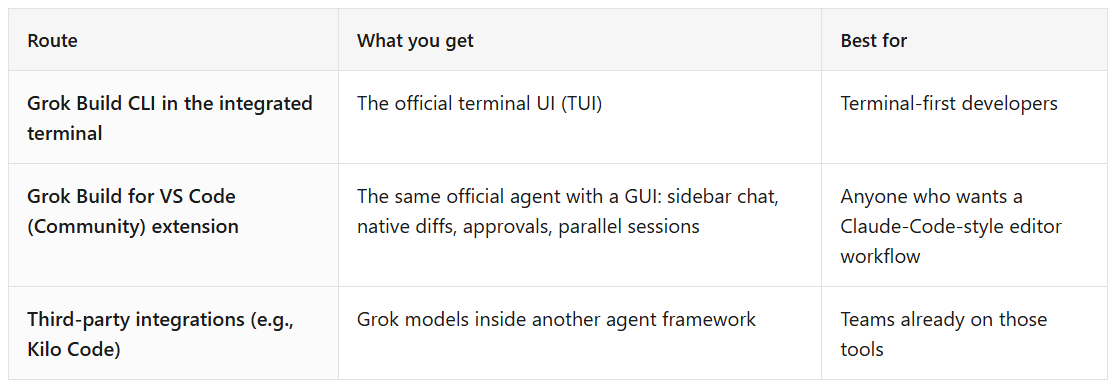
A note on “official”: SpaceXAI (formerly xAI) does not publish a first-party standalone VS Code extension. It does officially support using Grok through third-party integrations, including Kilo Code. The Community extension runs the official Grok Build CLI underneath through the Agent Client Protocol, so the agent, models, and memory are xAI’s. The interface is the source-available part.
The rest of this guide uses the extension route. I built it, it is free, and it has 60,000+ installs across the VS Code Marketplace and Open VSX. The full feature breakdown lives on its page: Grok Build for VS Code (Community). And if you're deciding between the GUI options first: Does Grok Build have a GUI?
Not in VS Code and not planning to be? The same agent runs as a standalone app: Grok Build Desktop (Community), free for Windows, macOS and Linux.
Setup, Step by Step
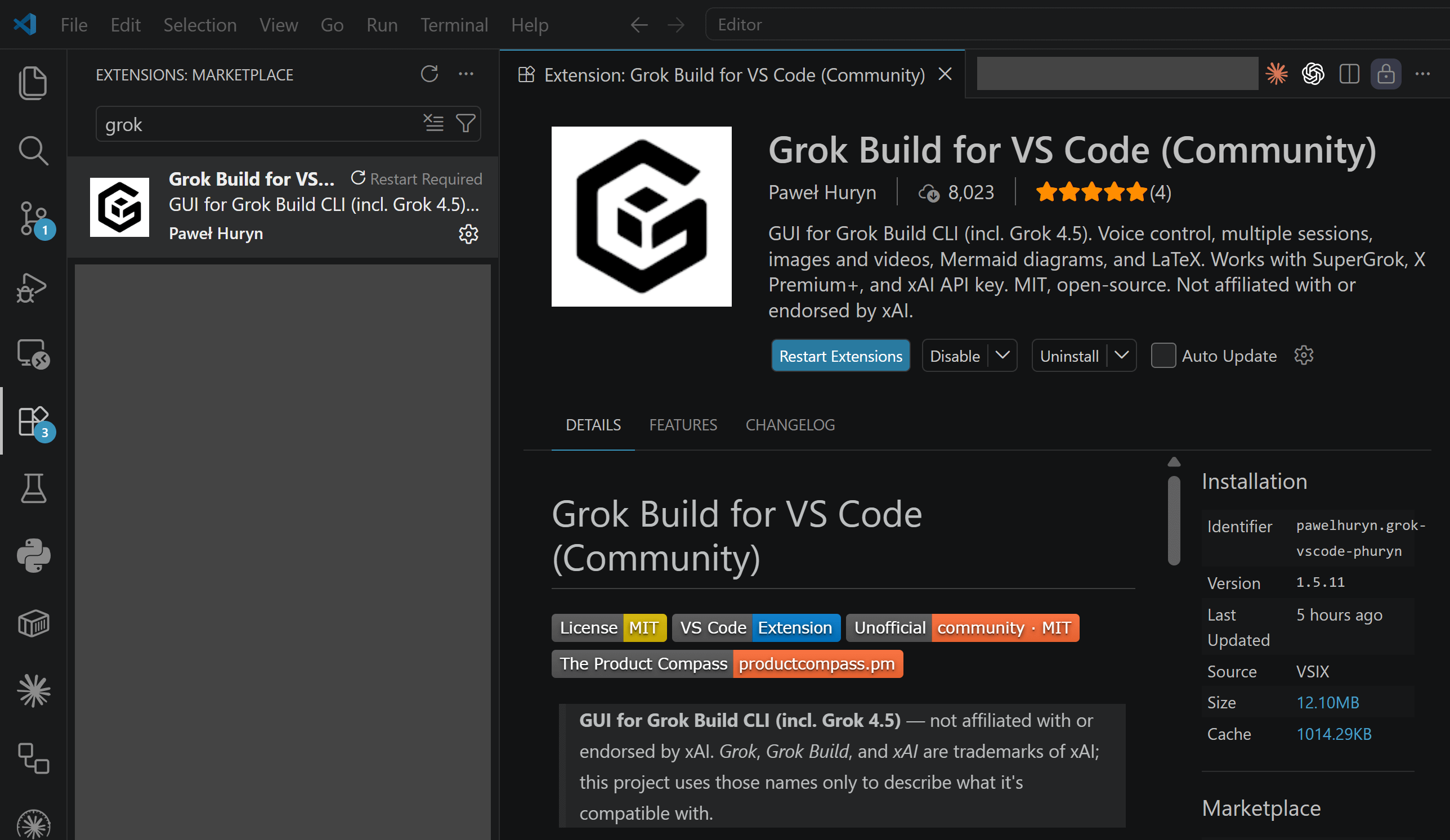
Install the extension. Open Extensions (Ctrl/Cmd+Shift+X), search “Grok Build for VS Code (Community)”, install. Works in VS Code 1.106+ and Cursor 3.x.
Open the sidebar with Ctrl/Cmd+;.
Run the setup wizard. It installs the
grokCLI if it’s missing and walks you through sign-in.Sign in. Any X or Grok account works to try it, with usage limits. For sustained use, sign in with SuperGrok or X Premium+, or paste an xAI API key.
Say something. Attach the active file with Alt+G, or drag files in as context chips.
Install: VS Code Marketplace · Open VSX Registry · Source: GitHub
Windows runs natively, no WSL required. macOS and Linux likewise.
Grok Build with Grok 4.5 in Cursor
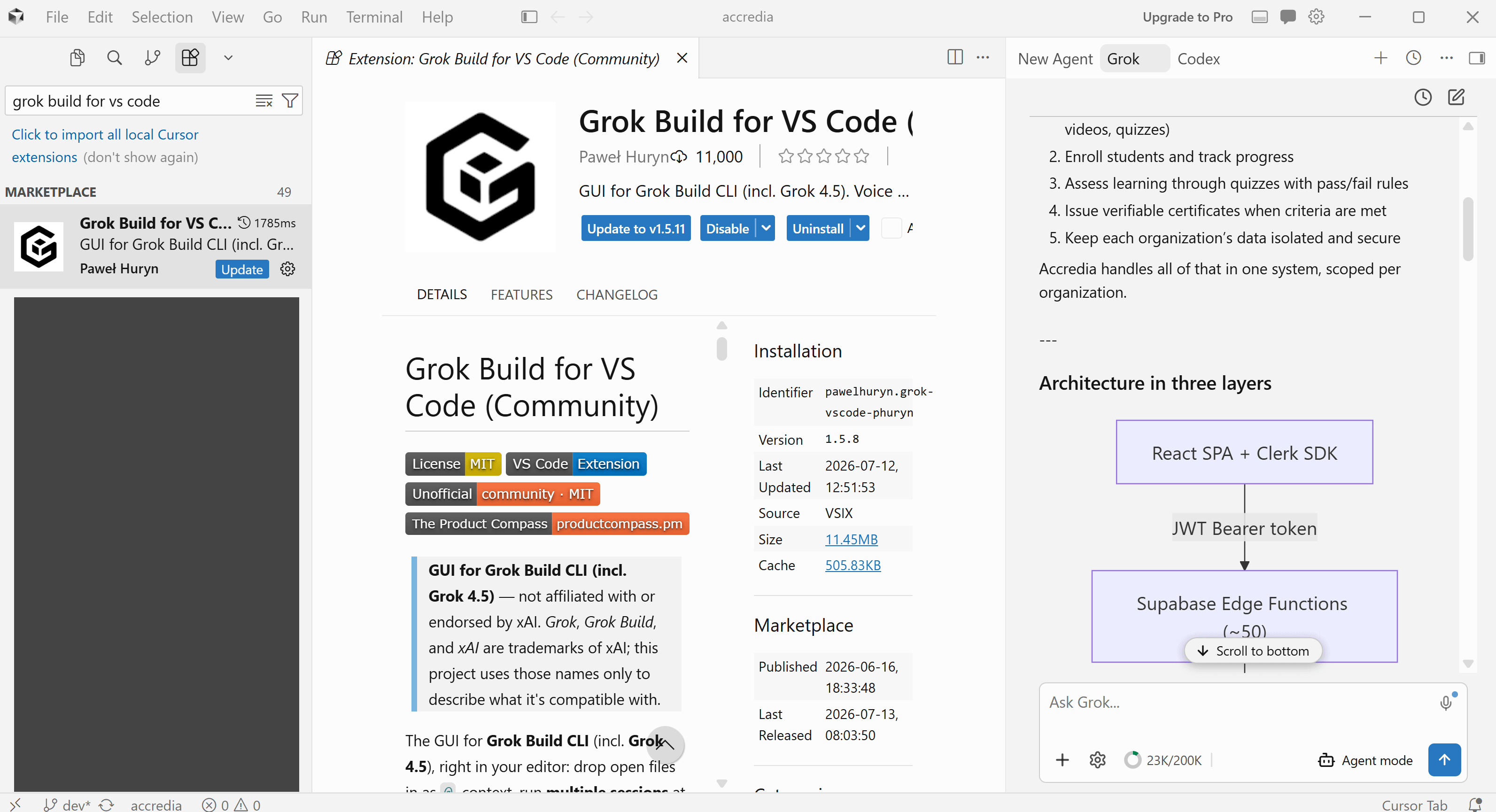
Grok Build for VS Code (Community) works in Cursor, too.
The same installation procedure:
How to Select Grok 4.5
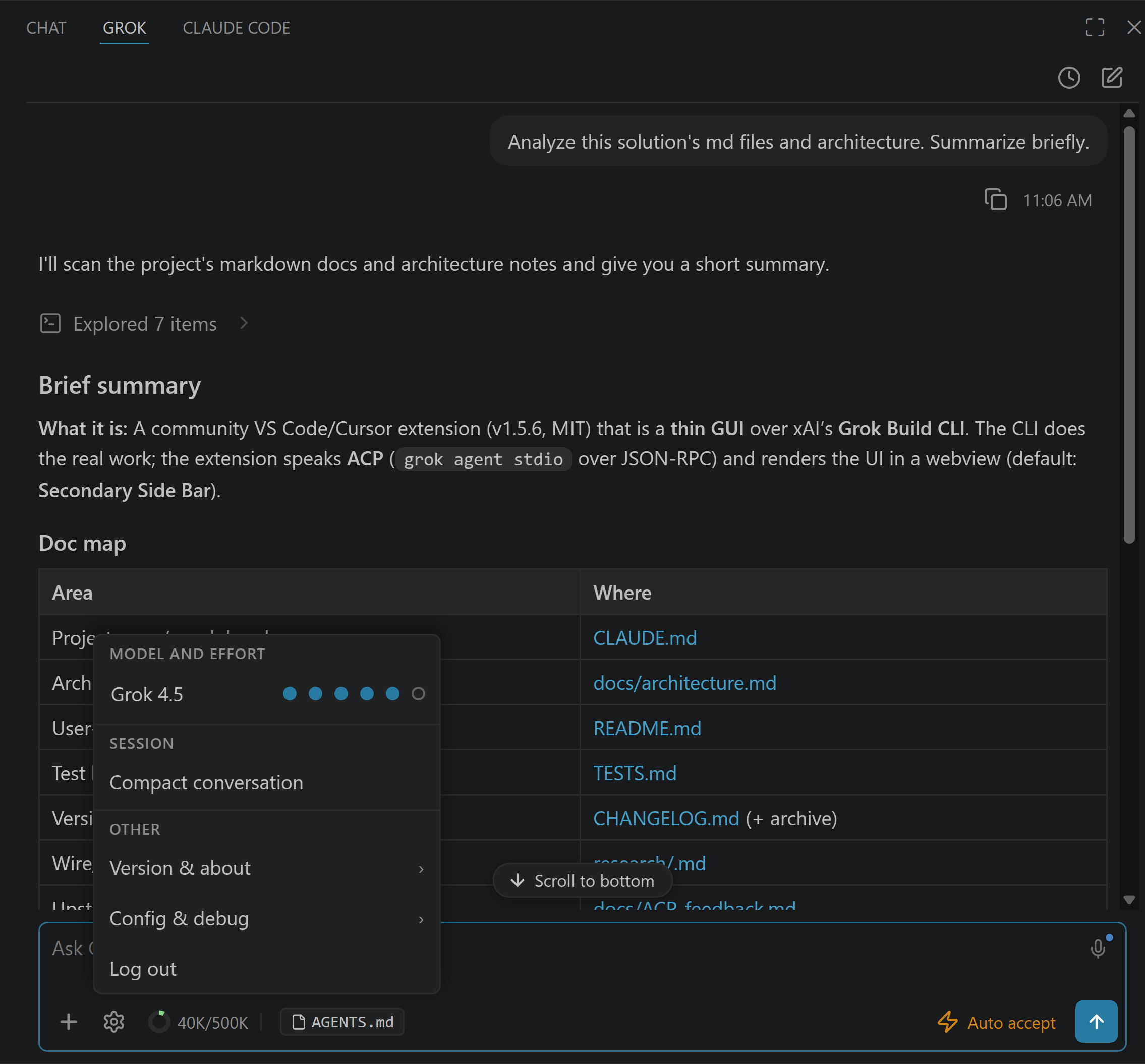
Grok 4.5 was Grok Build’s default model from July 8, 2026 until Grok 4.6 shipped on August 12, and Grok 4.7 has been the default since September 21, so a fresh install now starts on 4.7 and Grok 4.5 is one click away (EU access rolled out in mid-July 2026). To confirm or switch models: open the gear menu in the sidebar and check the model picker. You can switch models live, mid-session. Reasoning effort is set in the same menu.
API-key users also see the wider grok-4.x family and grok-imagine in the picker.
What to Expect from Grok 4.5 as a Coding Agent
SpaceXAI’s launch numbers: 80 tokens per second, $2 per million input tokens and $6 per million output on the API, and roughly twice the token efficiency of comparable models. I’ve been testing it since launch day. It’s a strong agentic coder, and the extension shows you every proposed edit as a native diff before it touches your files, which is where an agent this fast earns or loses trust.
One cost note from my testing: a cheap rate card doesn’t automatically mean a cheap bill. Long agentic sessions re-read a lot of context. Watch the context-token donut in the sidebar and use /compact when a session gets heavy.

If Something Doesn’t Work
“Model not available” or sign-in loops in the EU: Grok 4.5 was not available in the EU at launch. xAI rolled out EU access in mid-July 2026, so update the extension and re-check your region if you still see this.
CLI not found: the wizard installs it, but if you manage your own binary, point
grok.cliPathat it in Settings.Hitting usage limits: free-tier access is capped. SuperGrok, X Premium+, or an API key raises the ceiling.
Old VS Code: the extension needs 1.106 or newer.
FAQ
Can I use Grok 4.5 in Visual Studio Code? Yes. Install the Grok Build for VS Code (Community) extension, sign in with SuperGrok, X Premium+, or an xAI API key, then pick Grok 4.5 in the model picker. A fresh install now starts on Grok 4.7.
Is there an official xAI extension for VS Code? No first-party standalone extension exists. xAI officially supports third-party routes (like Kilo Code), and the Community extension drives the official CLI through ACP.
Does this work in Cursor? Yes, Cursor 3.x is supported. Cursor also ships Grok 4.5 natively on all plans. The extension gives you the Grok Build agent workflow (diffs, permissions, sessions) rather than Cursor’s own.
Do I need SuperGrok? Not to try it. Grok Build is free to try with usage limits on any X or Grok account. Sustained use needs SuperGrok, X Premium+, or an xAI API key. The extension itself is free to install.
Can I use Grok 4.5 for free? Yes, two ways. For chat, Grok 4.5 is on the free tiers of grok.com and the X app. For coding, Grok Build is free to try with usage limits on any X or Grok account. That free allowance is sized for evaluating a model rather than working through one. Sustained agent use needs SuperGrok, X Premium+, or an API key.
How do I switch back to another model? Gear menu, model picker, click. Switching is live and per-session.
Does it support MCP servers? Yes. Whatever MCP servers your Grok CLI is configured with, the extension picks up automatically.
How do I install Grok 4.5? Grok 4.5 isn’t a separate install. It’s a model, and it’s in Grok Build’s model picker. Install the Grok Build CLI or the extension above, sign in with a Grok subscription or API key, and select Grok 4.5.
Can I use Grok 4.5 in other IDEs? This extension covers VS Code and Cursor. JetBrains IDEs ship Grok model support in their AI assistant, and xAI documents third-party routes like Kilo Code. For the full Grok Build agent workflow in your IDE (diffs, permissions, sessions), VS Code and Cursor are the supported editors. Once a session is running you can also drive it from a phone browser: Grok Remote Control.
Setup is the easy part. What I write about here is what changes for PMs and builders once the agent is running and the building stops being the constraint.