

Hi, Pawel here. We’re living in crazy times.
Corporate skansens aside, agentic coding is solved.
Engineers are worried that their engineering skills aren't needed anymore. Product people are trying to become more technical to leverage agents.
I agree with Thariq (former Claude Code team member):

People often ask me about skills for coding agents.
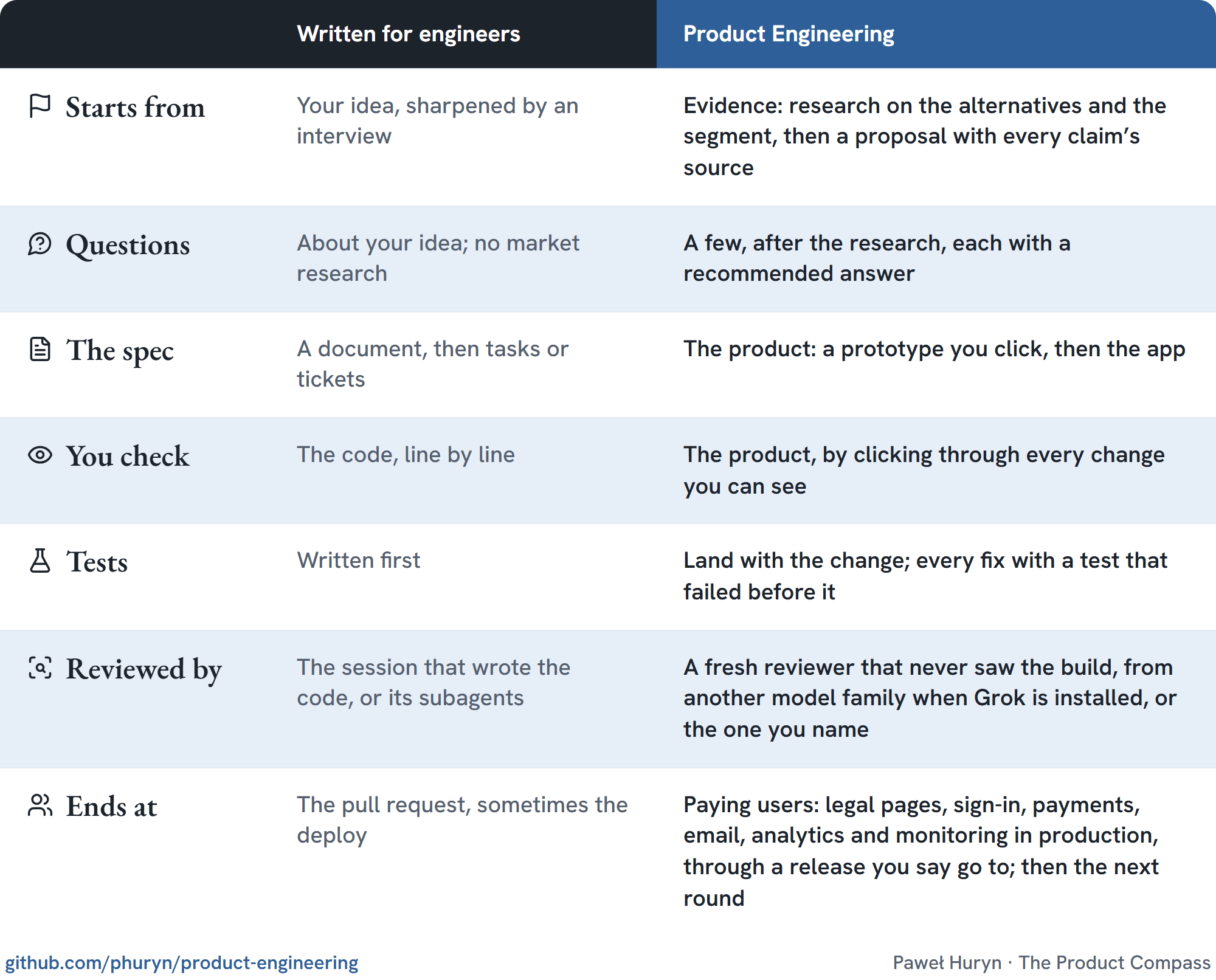
Popular AI engineering skill collections are written for engineers who work with the code a lot. They also skip the product lifecycle (discovery, value proposition, growth, analytics, etc.) that engineers tend to ignore.
I wanted to create something for people not living and breathing code, focused on the user and business value. In particular, a set of skills that helps you:
research the market and competitors,
listen to the users, e.g., on Reddit,
identify value proposition and value curve against competitors,
decide how to grow,
learn from people using your product for real.
Today, I'm sharing it for free with everyone: phuryn/product-engineering (GitHub).
The collection contains 43 skills, most never shared before, most learned by building products such as AFK Pilot (coding agents), AskOne (free, live Q&A), and Staygreen (free uptime monitoring). Without ever looking into code.
P.S. It’s 100% free. Star it if it helps ⭐ I’ll also be adding extra docs and templates to the repo in the coming days.
1. The Product Engineering Skills
All 43 skills, by pack:
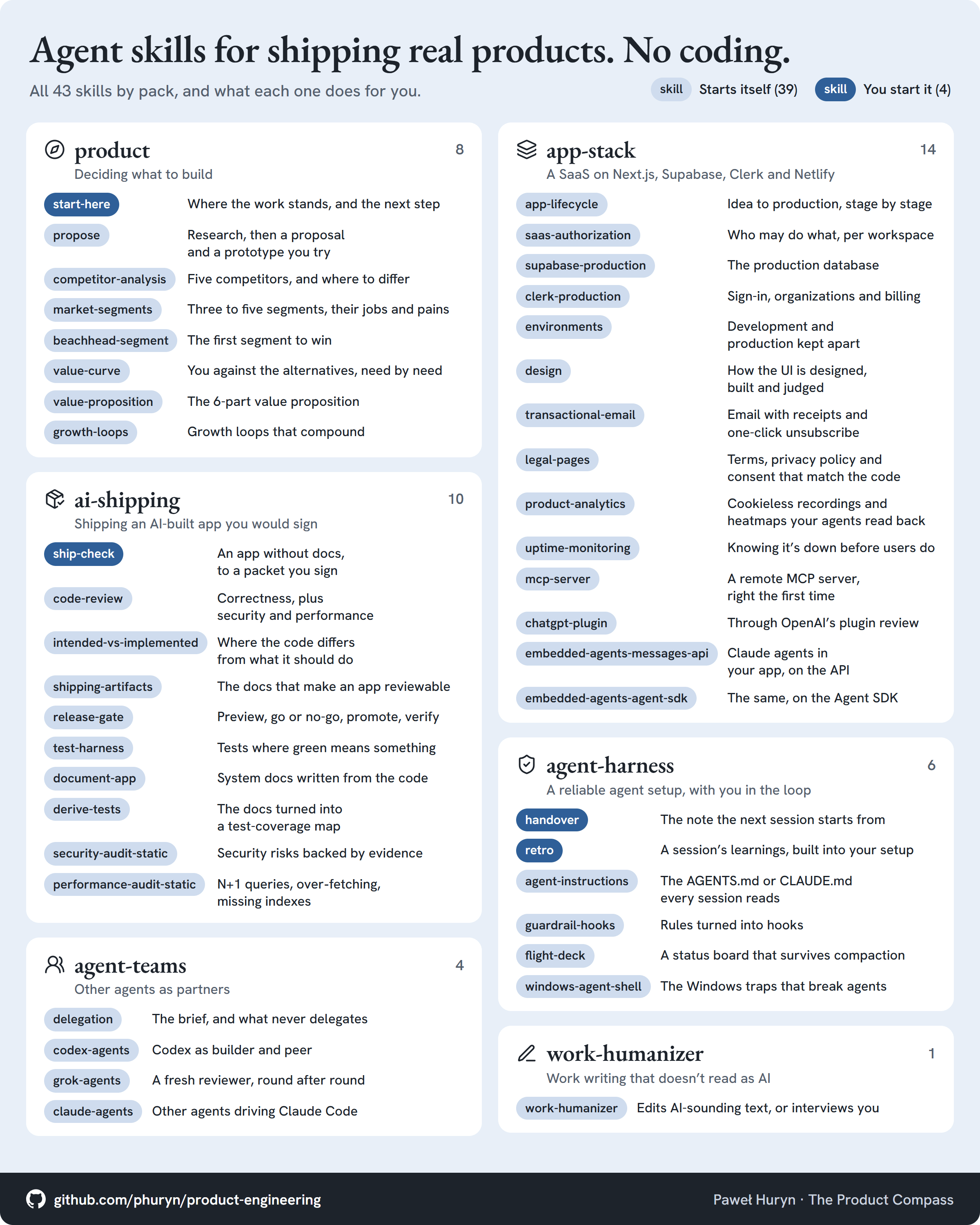
Most of them auto-activate: 39 of the 43. You start only four: start-here, ship-check, handover and retro.
2. How to Install It
The repo is the source of truth: https://github.com/phuryn/product-engineering. Inside, you can find install instructions for popular coding agents.
But my favorite approach is just asking the agent in the chat:
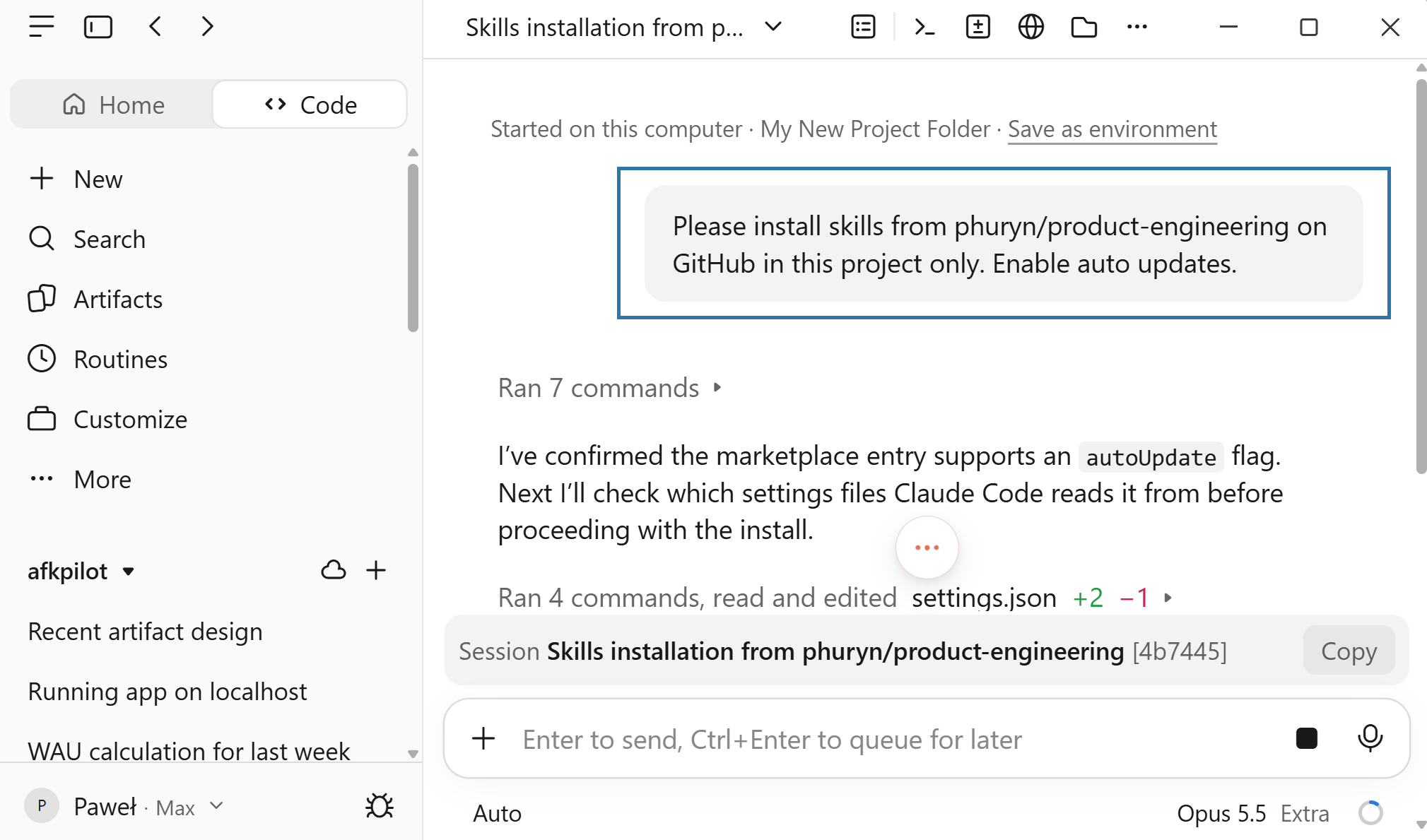
For your convenience:
Please install skills from phuryn/product-engineering on GitHub in this project only. Enable auto updates.And yes. This works in Claude Desktop, too. To learn more, see: Claude Desktop v2.0: You Don't Need VS Code Anymore!
3. How You Work With It, Step by Step
Quick overview (you don’t have to memorize it):
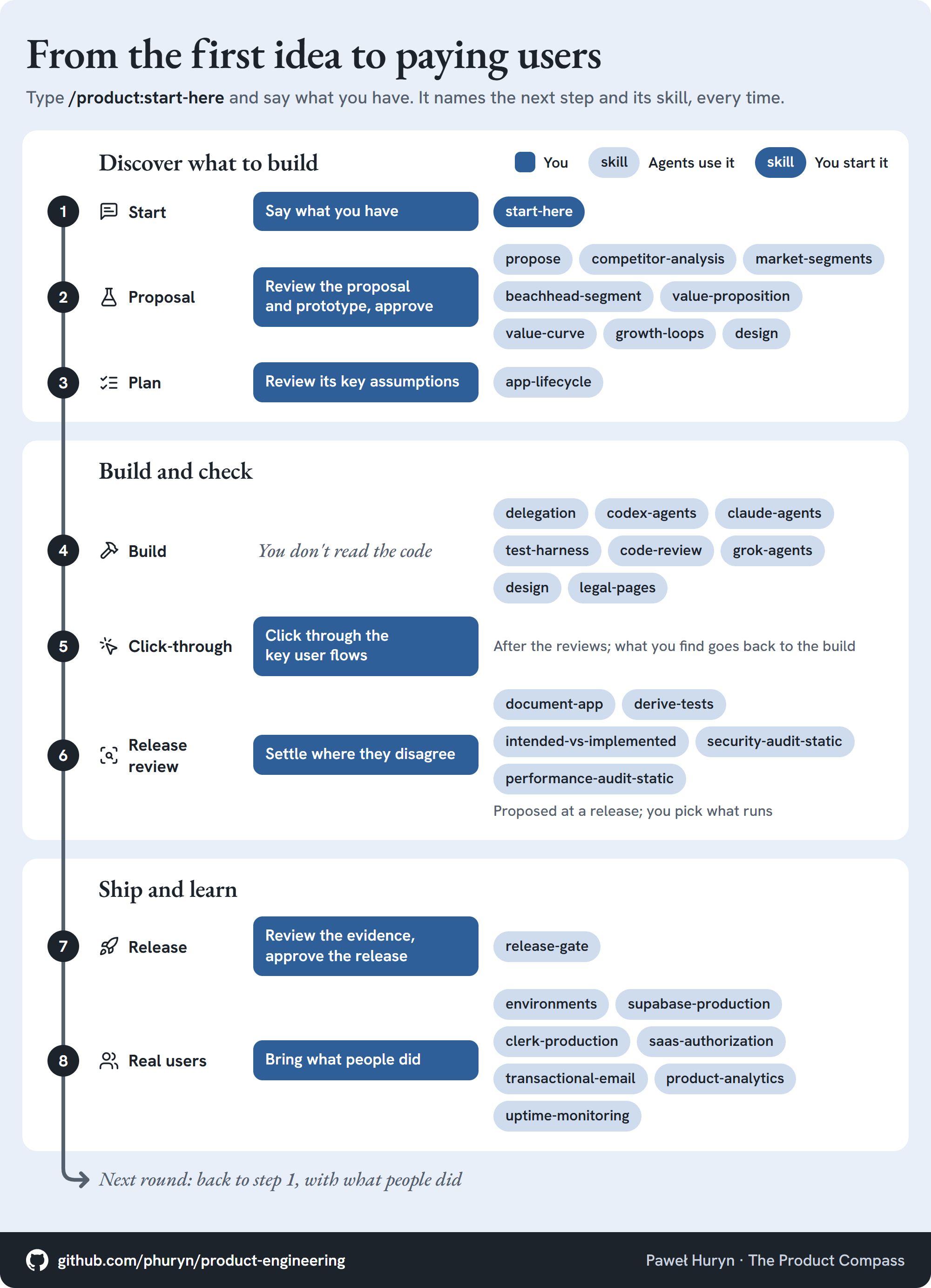
There is one skill that guides you anytime you feel lost - explains where you are, what’s done, and the next steps:
/product:start-here [what you have: an idea, a change, a bug, a release; or nothing, to find out where you are]It autocompletes on typing, for example:

Here is what happens at each step:
Start: you say what you have: an idea, evidence from users, a bug, or a release.
Proposal: agents research the alternatives people use and the segment, propose a direction, and build a prototype. You review interactive artifacts, answer the few questions it asks, and approve.
Plan, for complex changes only: before starting the work, the agent creates a plan. You review the key assumptions and answer any questions it may have.
Build: one session coordinates, another builds while updating docs and automatic tests. A different session reviews every change.
Depending on what’s installed, the review uses one (Claude) or multiple coding agents (e.g., Claude, Codex, Grok). You can tell it your preferences.
Agents build frontend, backend, sign-in, payments, email, monitoring, and analytics (by default without cookies, this simplifies your life).
When agents need accounts, keys or a domain, they ask you to set up the environments and walk you through it.
Before the first user sees anything, agents draft the legal pages for you to approve.
Click-through: you click through the key user flows. About 15 to 20 minutes for a mid-size app. What you find goes back to the build.
Release review: before a release, agents propose deeper checks: the docs, the tests, the legal pages, security, and performance.
Release: agents collect the evidence (tests, docs, etc.). You review it and approve the release. Silence is not go.
Real users: people start using your product. You bring product analytics and feedback from the users, and the next round starts from step 1.
📌 You do not need to be technical to use it. You need to know what the product was supposed to do.
4. How It Differs From Collections Written for Engineers
5. Example Implementation
Paid app monitoring services were driving me crazy:
$30/mo for a custom status page domain
$34/mo for webhooks alerts
$330/mo for white-label
Unable to monitor Stripe or Supabase
So, I just launched free staygreen.io:
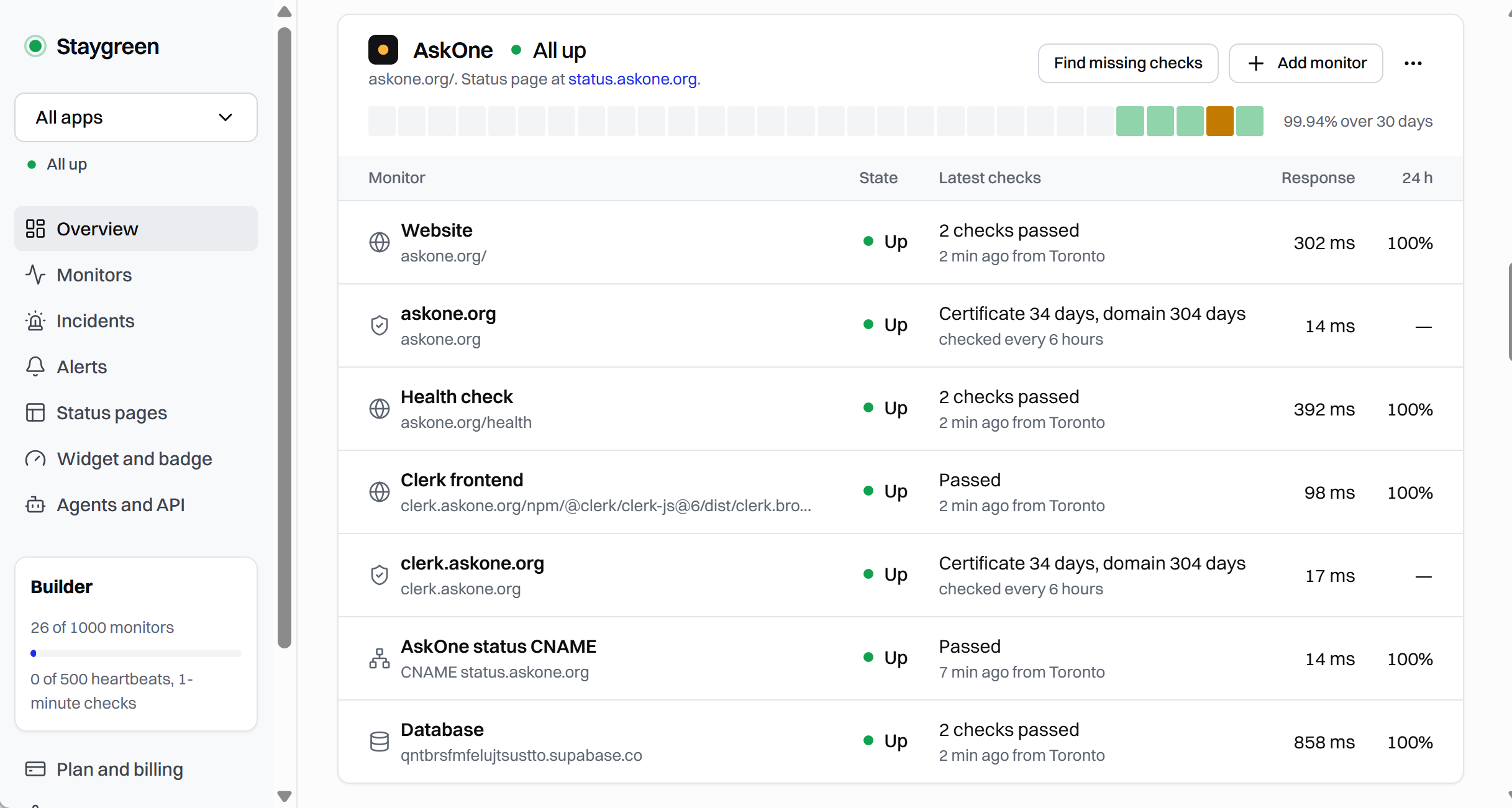
It’s open source: https://github.com/phuryn/staygreen. You can get a free hosting:
Your app checked every 3 minutes from 2 locations: San Francisco, Toronto.
Slack, Discord, email, and Telegram notifications when the incident is confirmed.
Just give it your app name and URL. It will suggest all monitors, thumbnails, branding color, etc. + help you create a public status page:
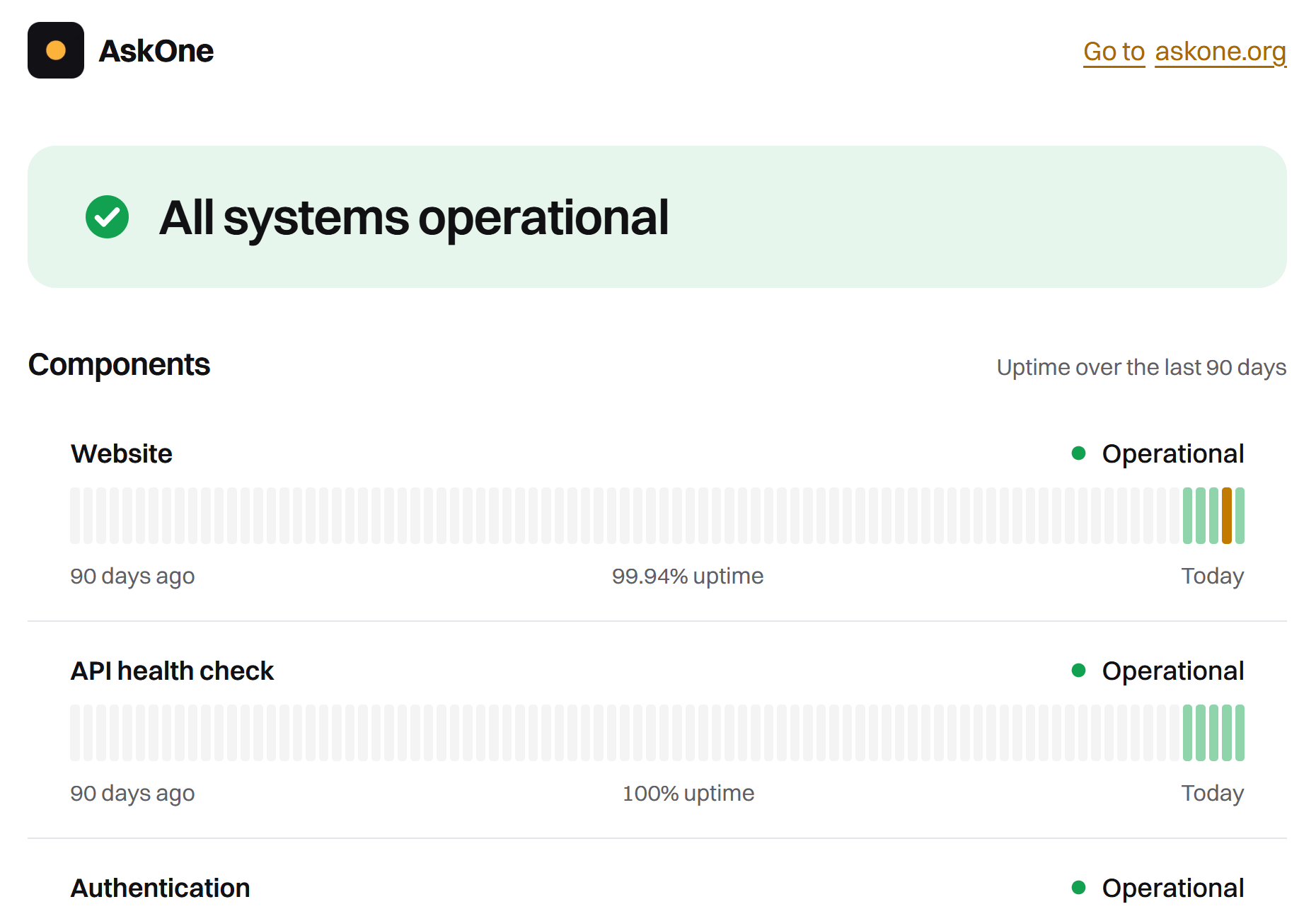
6. If You Want to Practice
I recommend the Product Engineering for PMs series. We build a real SaaS app with this process, step by step:
7. How It Works With PM Skills
The two collections work together.
PM Skills (phuryn/pm-skills) covers more detailed techniques (discovery, strategy, marketing, growth, execution). Product Engineering (phuryn/product-engineering) focuses on builders and covers the basic elements you need to discover and ship real products with coding agents.
📌 The AI Shipping Kit moved here, as the ai-shipping pack. Once it's installed, turn off pm-ai-shipping in pm-skills
Everything is free and MIT-licensed. If it helps, star the repo so the next PM finds it.
8. My Favorite Skill: Flight Deck
A few weeks ago, I stopped scrolling through the Claude chat history. This was too chaotic.
Instead, for every project Claude maintains an interactive artifact:
What’s done
What’s in in progress
What’s next
Where it needs me
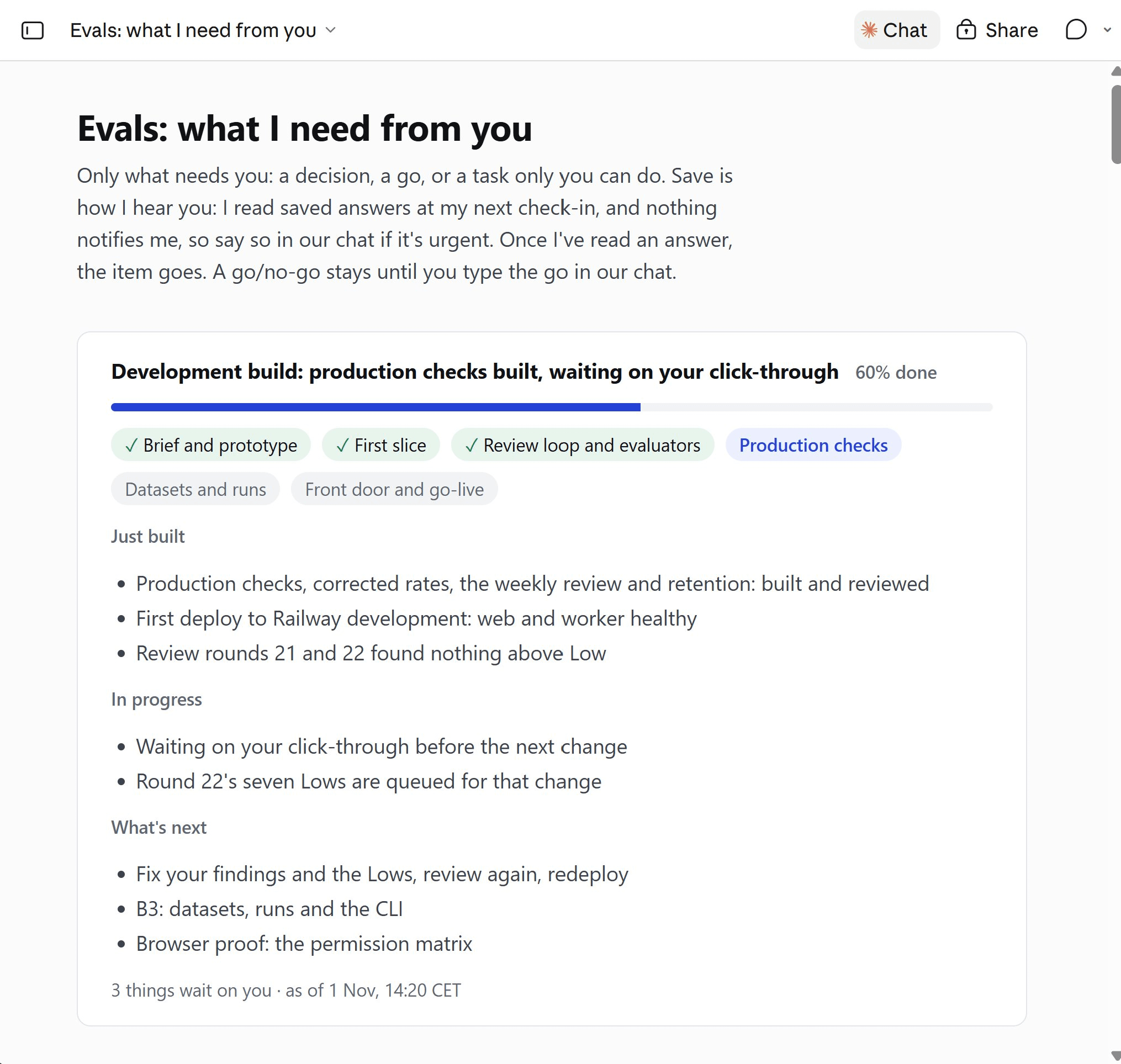
The last one saves me so much time. Pick an option > [Save] > Claude reads it the next time and removes the question:
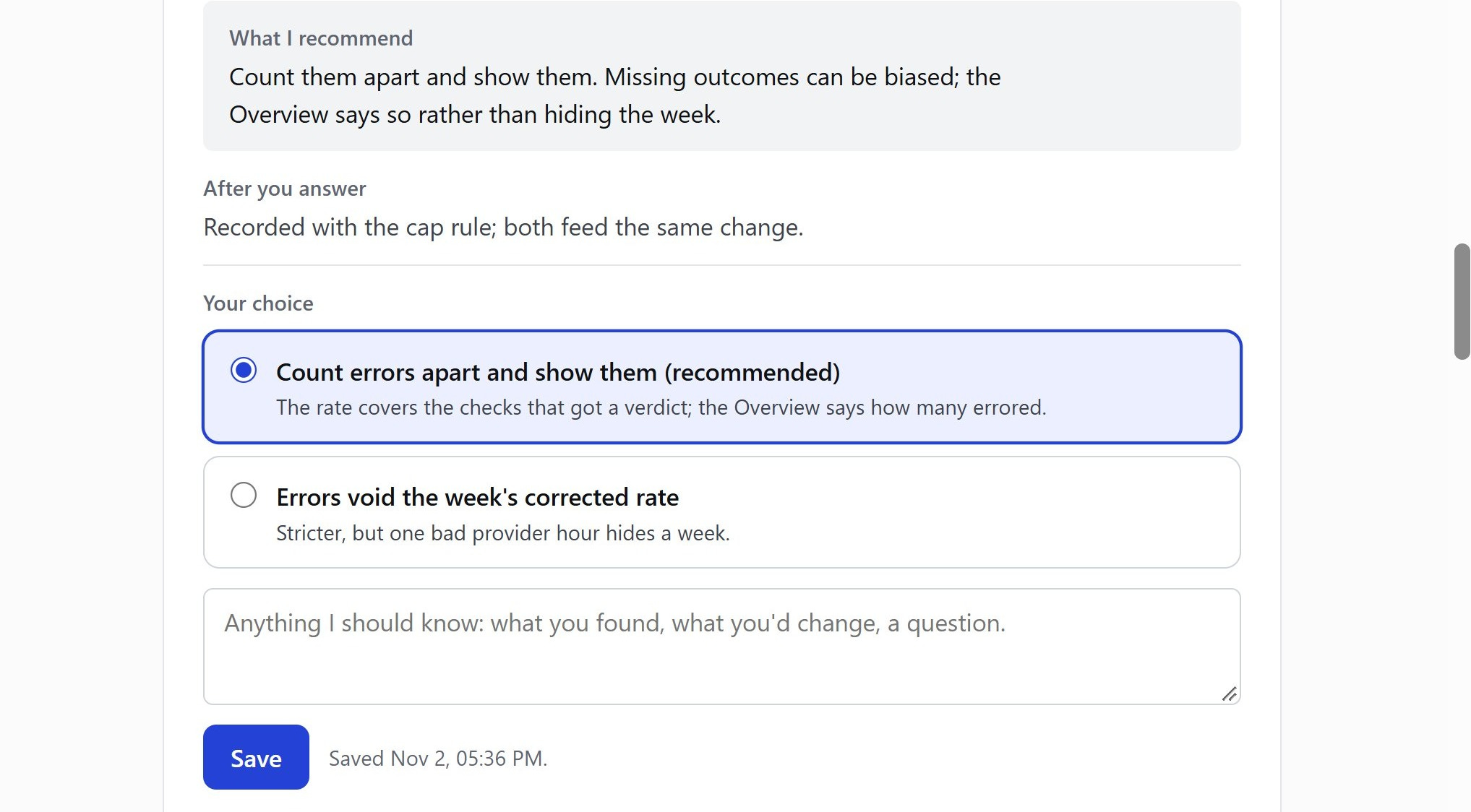
The skill is called “flight-deck.” You know where to find it 😀
Thanks for Reading The Product Compass
It's amazing to learn and grow together.
Have a great rest of the week,
Paweł
More Resources
Get the collections (free):
Go deeper (The Product Compass):
Product Engineering for PMs, Part 1 - design, build, secure and deploy a real multi-tenant SaaS app.
Product Engineering for PMs, Part 2 - take it to production.
Product Engineering for PMs, Part 3 - real Stripe payments, a web application firewall, and agentic reviews.
Claude Desktop v2.0: You Don’t Need VS Code Anymore - the new home for less-technical people.
I don't review the code, I review the artifacts - the review method behind the AI Shipping Kit.
Three CLAUDE.md Blocks That Make Claude Get Smarter Every Session - critical concepts for building self-improving agentic systems.
Thanks for sharing this! One thing I’ve been struggling with is how many skills to use to guide the agent and which skill pack to go with. I tried Compound Engineering before but it felt too complicated. Any thoughts on the right balance between letting the agent’s native harness handle the SDLC stuff and layering skills on top?
Glad "listen to users on Reddit" made it into the skills. It's the step builders skip, and reading the top threads in a subreddit before building tells you more than a week of guessing. Does the skill pull real threads, or lean on what the model already remembers about Reddit?