

At Meta, PMs vibe code prototypes and demo them to Zuckerberg. Their product sense interviews now include a live prototyping round.
So recently, I ran a live workshop with a group of PMs using popular tools. We built the same simple CRM in Lovable, in Google AI Studio, in Claude Design, and Claude Code.
In this issue:
Why AI Prototyping (+Why Now)
The Four AI Prototyping Tools: Helicopter View
Iterate. Don't Spec.
Lovable: From Prompt to Published App
Google AI Studio: Good Enough to Prototype
Claude Design: The Best-Looking Prototype, With a Ceiling
Claude Code: The Prototype That's a Real App
How to Instrument Your Prototypes
Conclusion
1. Why AI Prototyping (+Why Now)
In product, most of our ideas don't work. As Marty Cagan says, “at least half of our ideas are just not going to work.” Good teams assume at least three-quarters of their ideas won't perform as they hope.
The last time I worked as a PM, at Ideals, I worked with 7-8 engineers, and building anything still took us 2-4 weeks. So, like many product teams, we tested our ideas, mostly with user prototypes (Figma) before committing.
That's a standard in product discovery.
AI has changed a lot. That prototyping part is not gone. It changed, in two ways:
PMs prototype themselves now. Designers didn’t disappear, but it makes no sense to wait for a designer with every simple question when a working prototype is one or two prompts away. You show the thing to peers, stakeholders, or even users, instead of describing it.
Ideas get tested as production-ready features. For cheap, reversible ideas, shipping behind a feature flag and measuring real usage is often easier than running a separate experiment. High-risk or hard-to-reverse ideas still get experiments.
Keep this in mind when we compare the tools below: prototype and feature, those two terms are closer than ever. The boundary is blurring.
It's not just my experience:
In Productboard's survey of enterprise product teams, 60% already use two different AI tools just for prototyping.
And you? Do you prototype as a PM?
2. The Four AI Prototyping Tools: Helicopter View
Below, a helicopter view of the four popular tools you will work with as a PM.
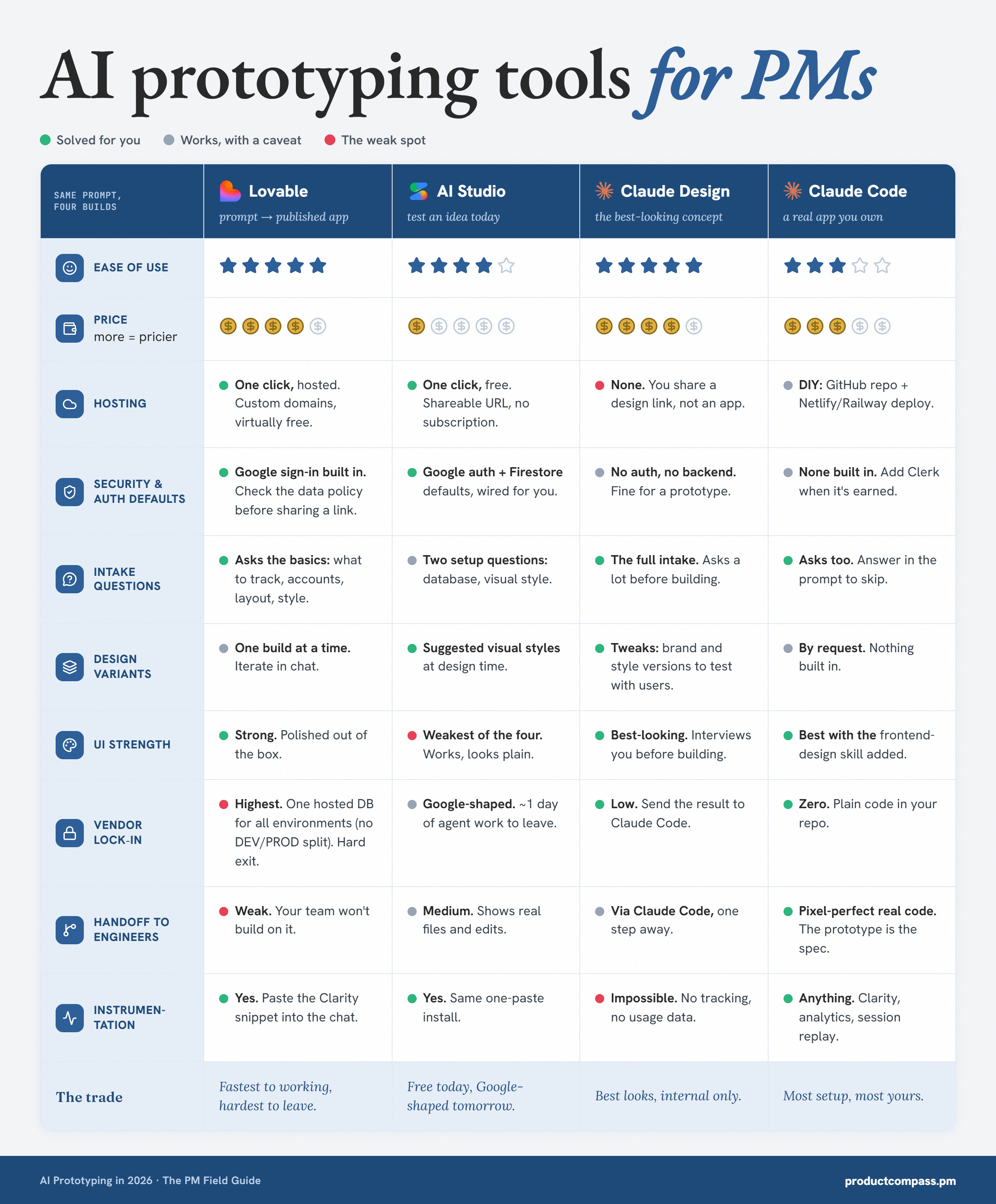
Selected insights:
Lovable: hosting and Google auth solved in one click, strong UI. Check the default data policy (RLS) before publishing. Hardest to leave if you use Lovable Cloud, and your engineers are unlikely to build on it.
Google AI Studio: test an idea today, no subscription. Weakest UI. Firestore and Google auth tie you to Google.
Claude Design: the best-looking prototype, and it interviews you first. No tracking, no analytics, no databases. It doesn’t allow you to build features end-to-end.
Claude Code: the most setup, zero lock-in. Real code in your repo, instrument anything, the strongest handoff.
People often ask me about Bolt or Magic Patterns. I don't recommend those tools. Magic Patterns creates a mess and breaks when multiple people work on the same design. Bolt is not a bad tool. There are just better alternatives.
I also didn’t include chatbots such as ChatGPT. They are easy to use and can create static HTML pages, but you’re unlikely to use them for prototyping in a professional environment - you can’t instrument them. Use Google AI Studio instead.
3. Iterate. Don't Spec.
Do you believe you can document a solution, hand it to the developers, and hope the documentation is complete? That is waterfall. It has never worked.
But for some reason, people have been proposing specs-driven development, where you do exactly the same thing with agents.
Of course, it cannot work. We understand what should be adjusted only once we see the product. And we will get much better feedback from the users interacting with what we built.
I'm not alone. Allen Holub, in April 2026:
“I really don't get 'spec-based development,' which is nothing but a fancy way to describe a phase-gated 'waterfall.' An upfront specification is never correct.”
So what is the alternative? The one Scrum and Agile discovered long ago: iterating.
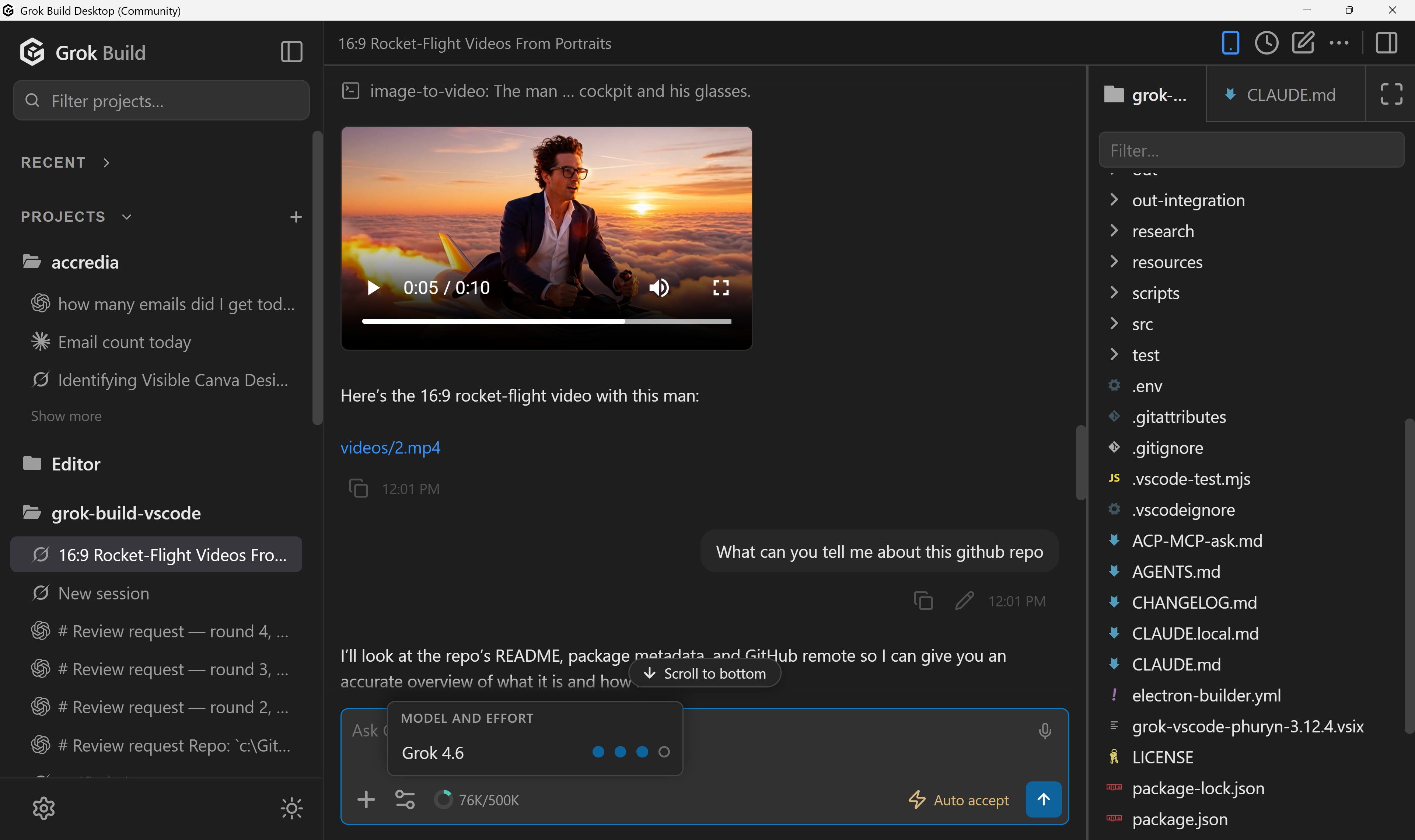
That's how I develop Grok Build (Open VSX, VS Code Marketplace) and AFK Pilot (75K+ installs), with production releases sometimes twice a day:
3.1 Don't iterate blindly: define the strategic context
While I encourage iteration, we shouldn't iterate blindly. What we can define before starting is the strategic context:
Users: who is this product for
Problems: what hurts them today
What matters most: their jobs to be done
For an existing product, this should be part of your CLAUDE.md, the file that provides the strategic context for your agent. If you are not working with Anthropic's tools, this file is called AGENTS.md.
I explained it in more detail in: Claude Code for PMs: The Beginner’s Guide
In most cases, this context is enough for an agent to make good decisions. More on leading agents with context, not control: The Intent Engineering Framework.
3.2 The prompt: a new feature or a new product
When you prototype a new feature for an existing product, the strategic context is already in the file. The prompt carries only the context relevant to the feature:
Prototype [feature] for our existing product.

For this feature:
- Users: [who has this problem]
- Problem: [what hurts them today]
- The specific job it solves: [what the user is trying to do]
- What we know: [data, interviews, support tickets]

I think it could work like [your idea], but my idea is not binding.
Think about alternative solutions and propose one if it's better.
When you prototype a new product, there is no context file yet. So the context goes in the prompt, and you ask the agent to save it:
Build a prototype of a simple CRM.

Context, not requirements:
- Users: a 2-5 person B2B sales team
- Problem(s): follow-ups slip through the inbox
- The job(s) to be done: show what needs follow-up today
- Out of scope: billing, admin, integrations
- Rough idea (optional, not binding): a simple pipeline with a "due today" view
- What we know so far (optional): [interviews, data, anything relevant]

Decide the screens and the interface yourself.
Ask me up to 5 questions before you start.
Then save this context to CLAUDE.md.
Two notes on those prompts:
If you suggest a solution, still encourage the agent to think about alternatives. Many times agents suggested ideas I hadn’t thought about.
A one-line prompt (“Help me build a simple CRM for a small organization”) also works, especially with the “ask me 5 questions” line (some agents do it without the prompt, more on that later in this post).
4. Lovable: From Prompt to Published App
We started with Lovable. It's the simplest path from a prompt to something working, potentially in production.
Step 1: Open Lovable and type the prompt
Go to lovable.dev:
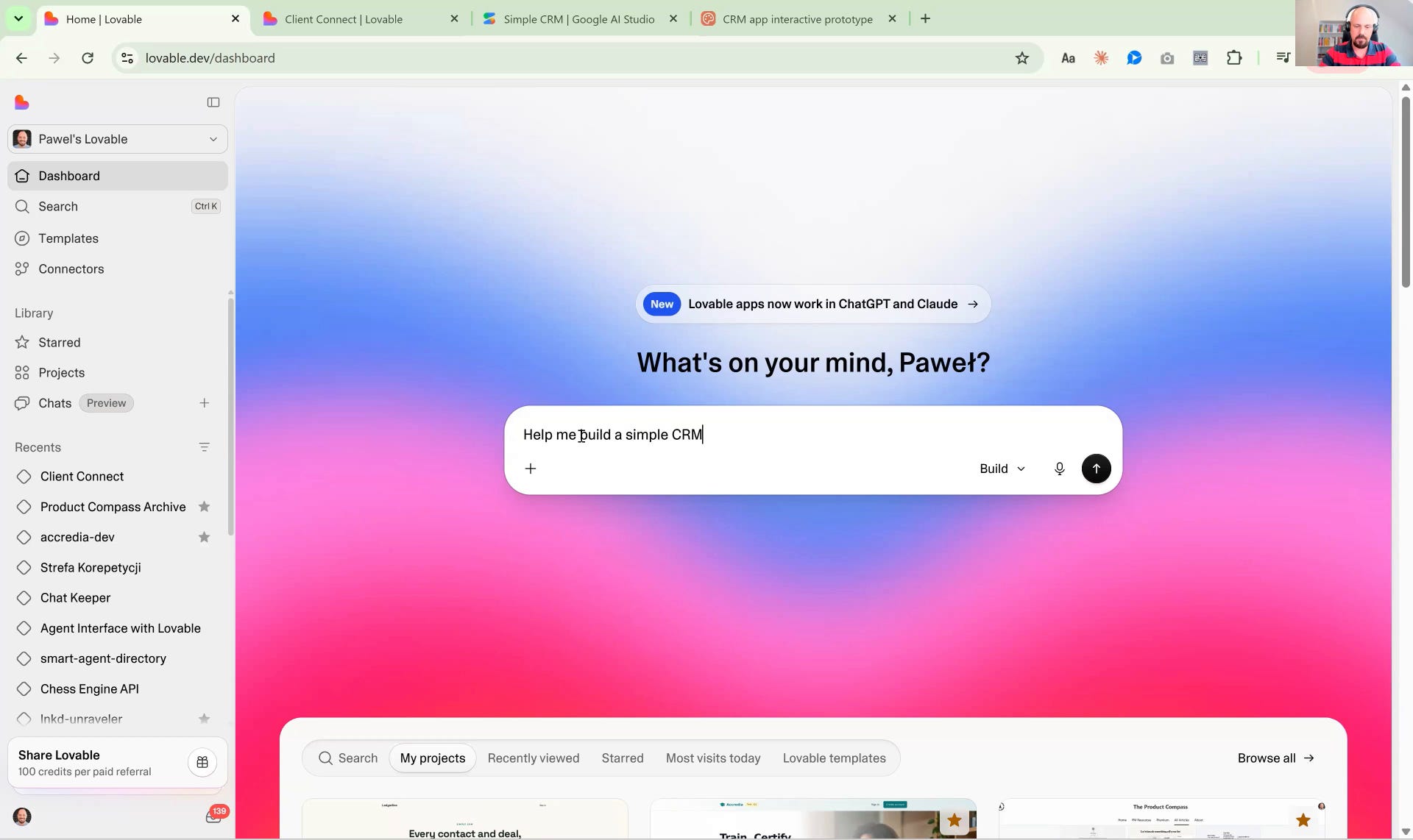
Help me build a simple CRM for a small organizationYou don’t have to think about hosting. By default, Lovable will use Lovable Cloud, a Supabase they host. You just publish.
And you don't have to think about authentication, because their Google sign-in works out of the box. You pay for the editor. Hosting is virtually free.
You can also bring your own design system: import it as a design.md or upload a zip.
Step 2: Answer the interview
If your prompt was not precise, Lovable will ask you a few questions before it starts. Mine asked who uses it, what the CRM should track first, how deals should be displayed, and whether I had a style preference:
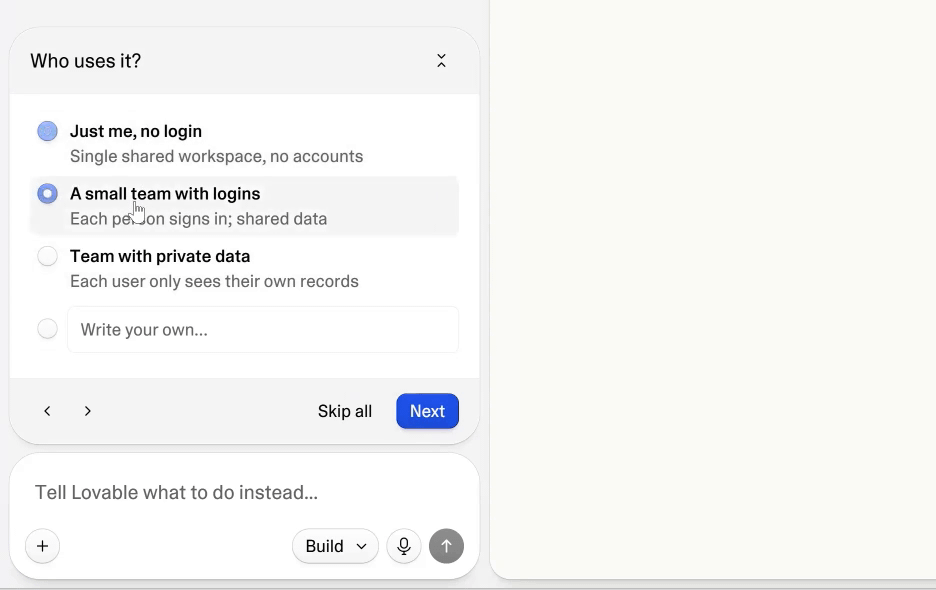
I picked a small team with logins, shared data, and not "each user only sees their own records." Then contacts, deals, activity notes, and a style.
Step 3: Sign in with Google
Lovable finished. You can open the preview in a separate tab and sign in with Google:
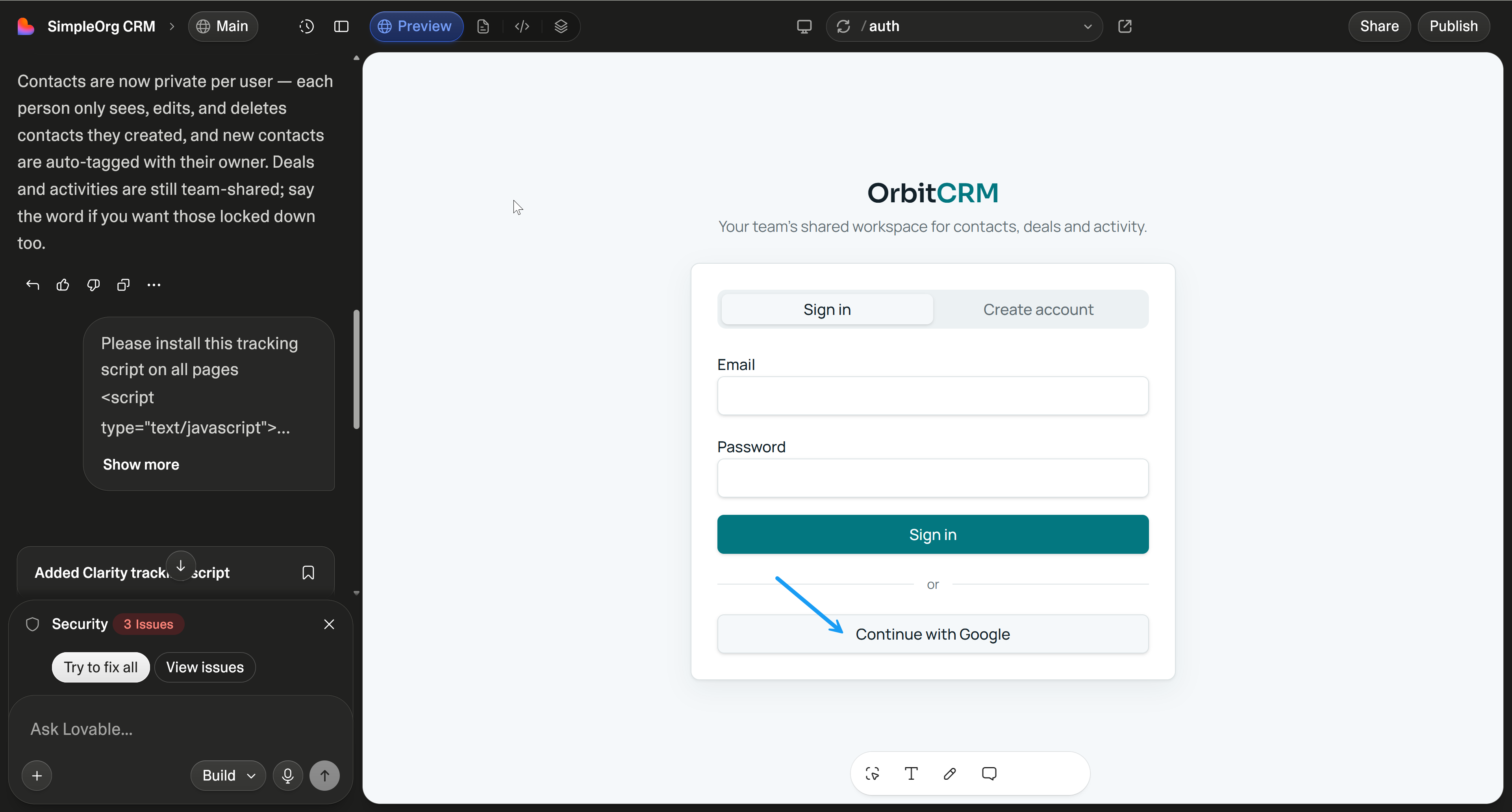
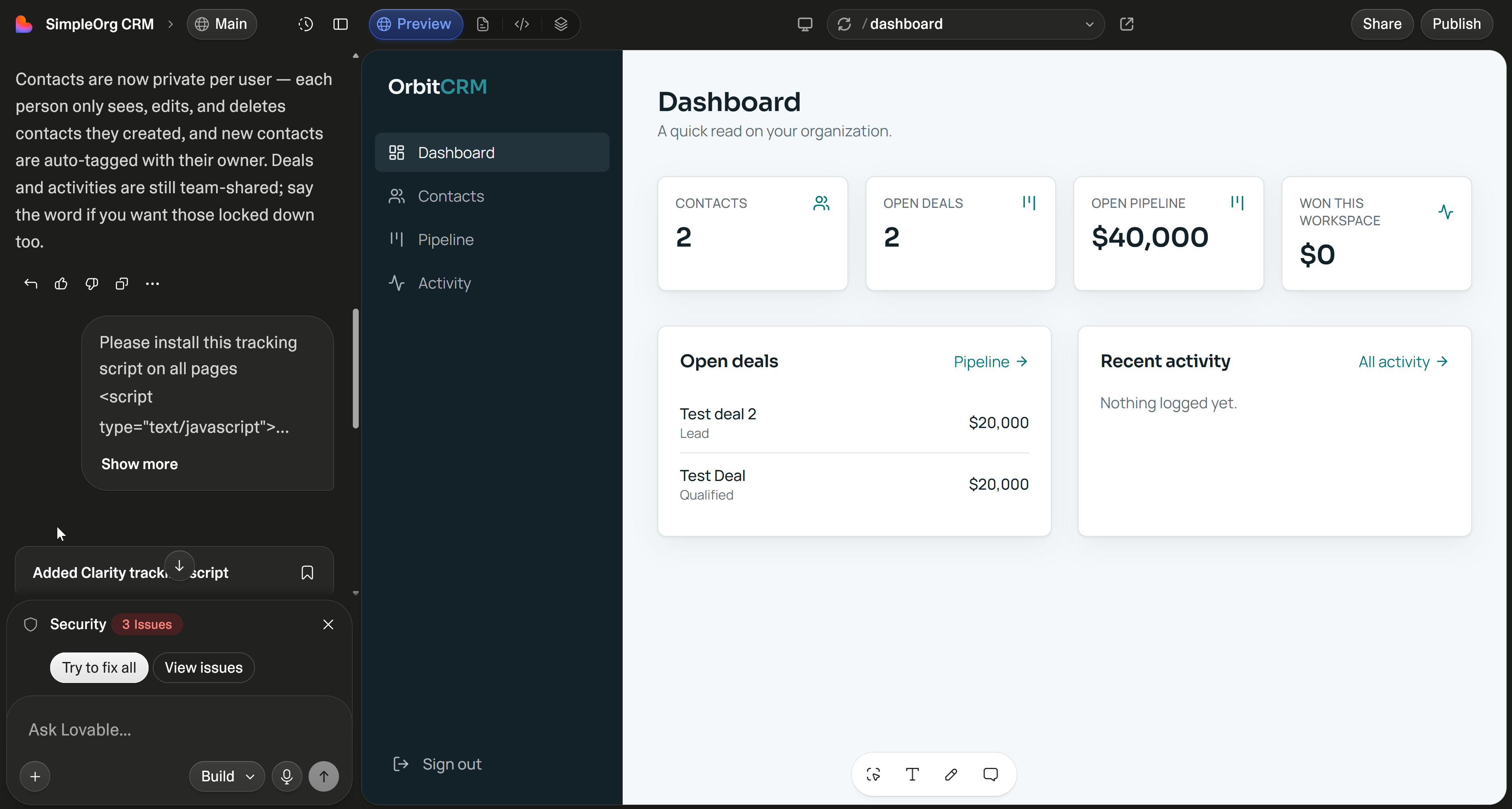
Google authentication comes with Lovable Cloud. When I implemented Accredia, I used a custom Supabase and I had to wait ~2 weeks for Google to approve the app. Here, it just works from the start.
I added a couple of contacts manually.
Step 4: Check Cloud
Click the project name, then open More → Cloud, next to Code:
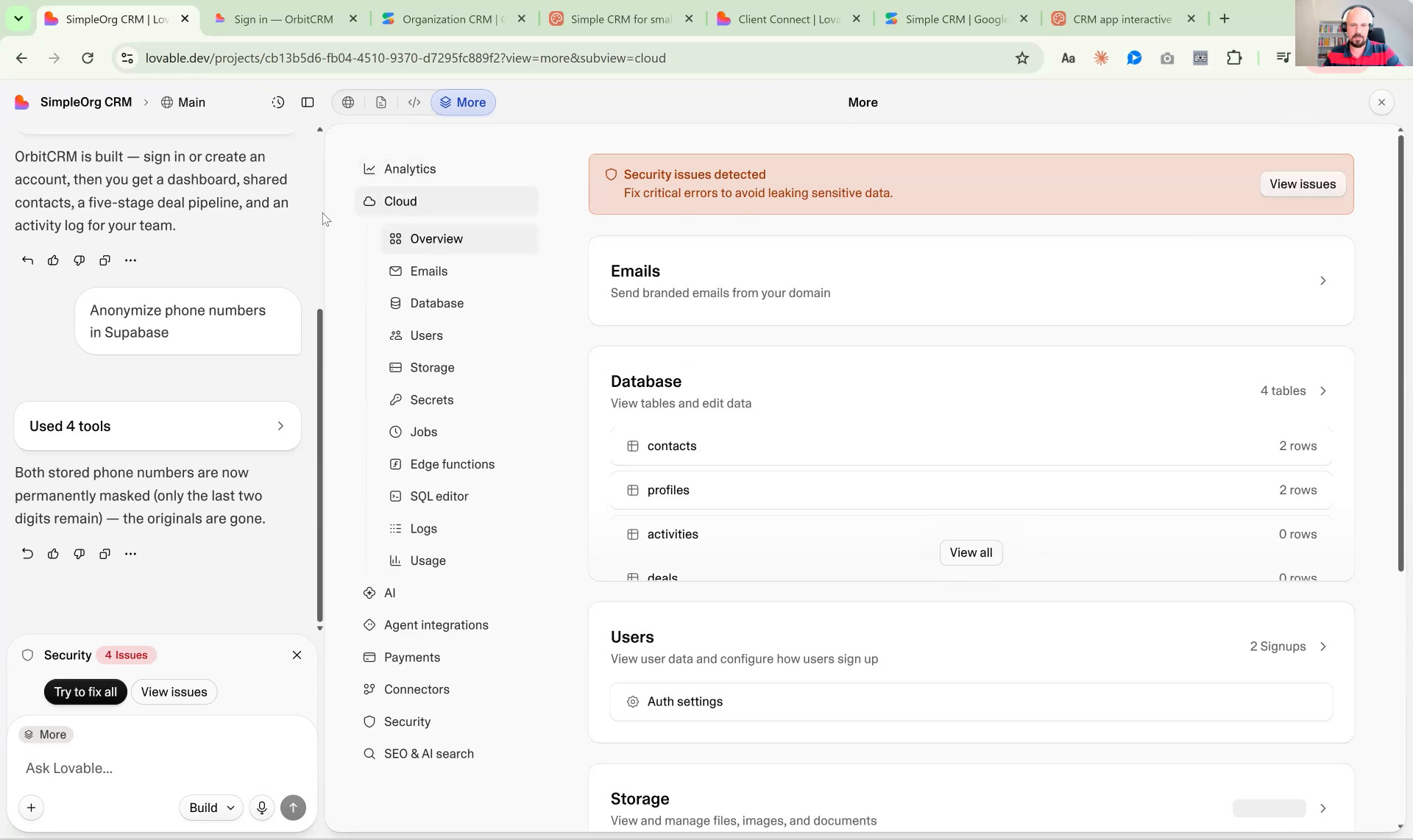
This is the database Lovable created and manages for us. Not a traditional Supabase you can easily access. Your options are limited.
Step 5: Read the RLS policies
Go to More → Cloud and open policies.
RLS is row-level security: who can see which rows.
I had already answered the interview: a small team, shared data. That is not the same as the policy Lovable implemented.
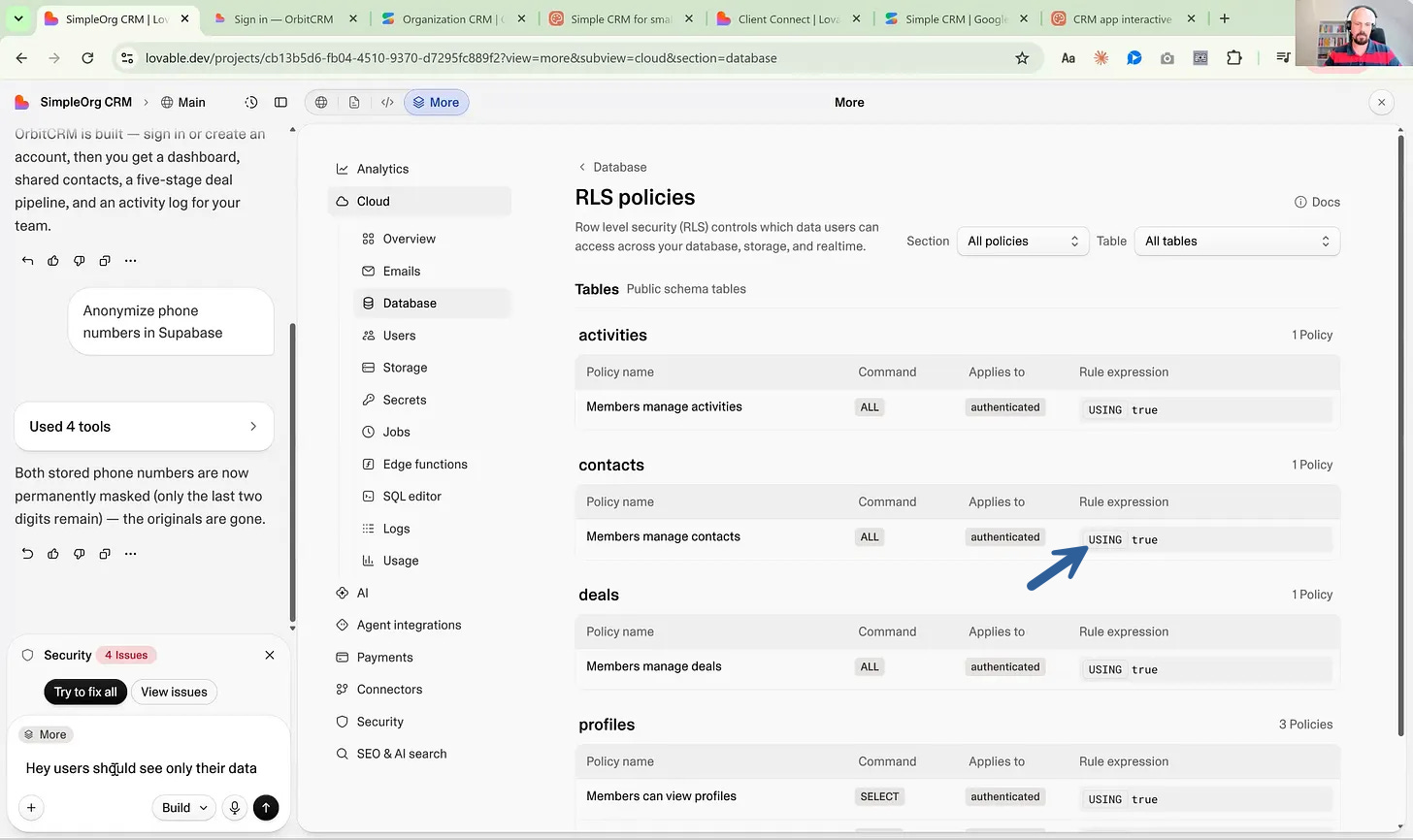
On contacts, mine was USING true, which means any signed-in user, not just my team. Shared with the team and anyone with a Google login are not the same thing.
It seemed to me that right now anyone can see any data. You don’t have to overthink your prompts. Just ask:
Hey, users should see only their data. Ensure that's the case.And Lovable fixed the RLS:
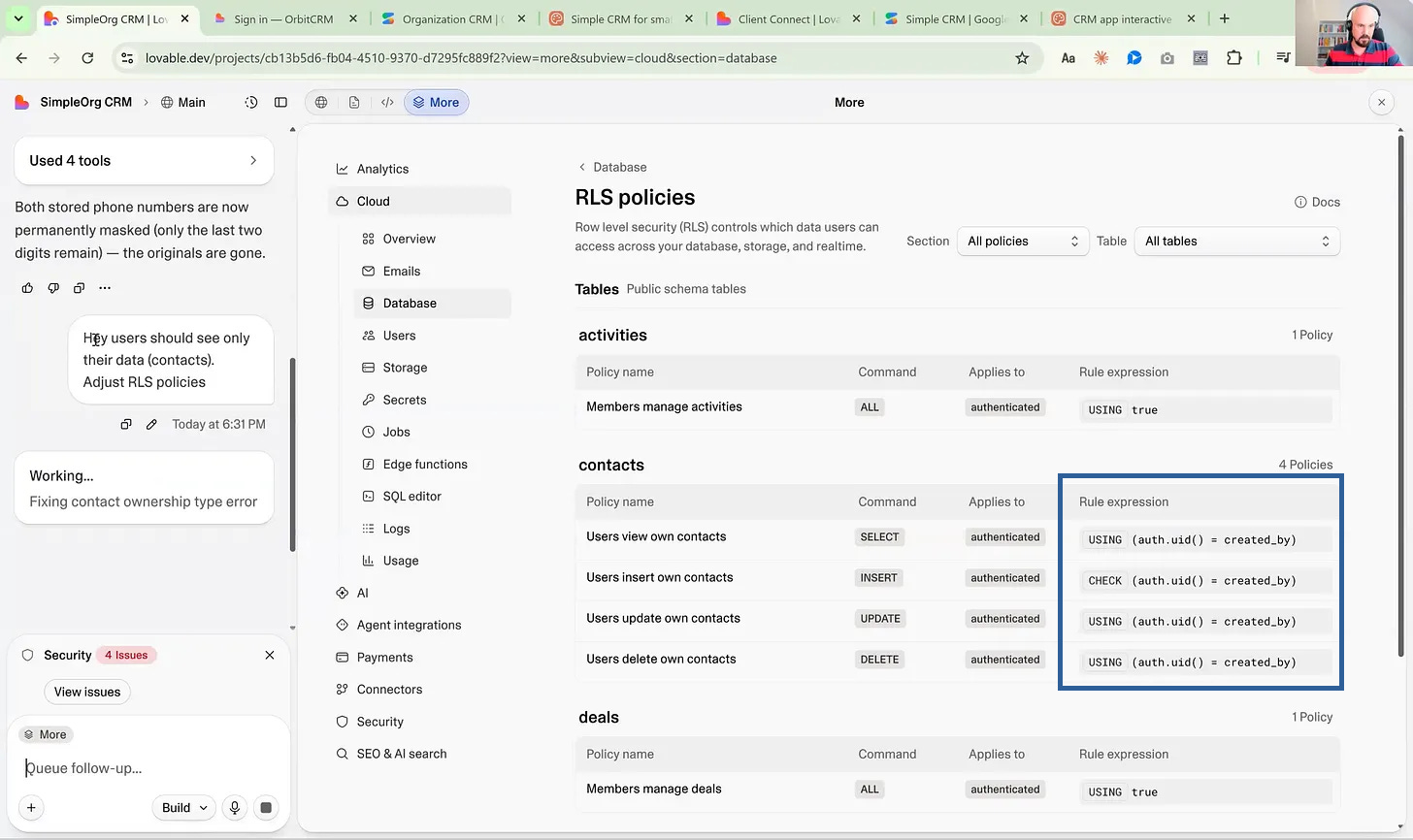
I opened it in incognito and signed in with a different Google account: empty contact list. Users are isolated. An attendee confirmed it from the outside, 62 seconds after I shared the link. I should have done it before publishing.
Answering the interview is not the same as setting the policy. Ask what users can see in the chat, test the app using different accounts, and consider opening Cloud → policies before you publish anything.
Step 6: Publish
Click Publish, and the app is available to anyone with the link.
Mine: https://hearth-home-crm.lovable.app
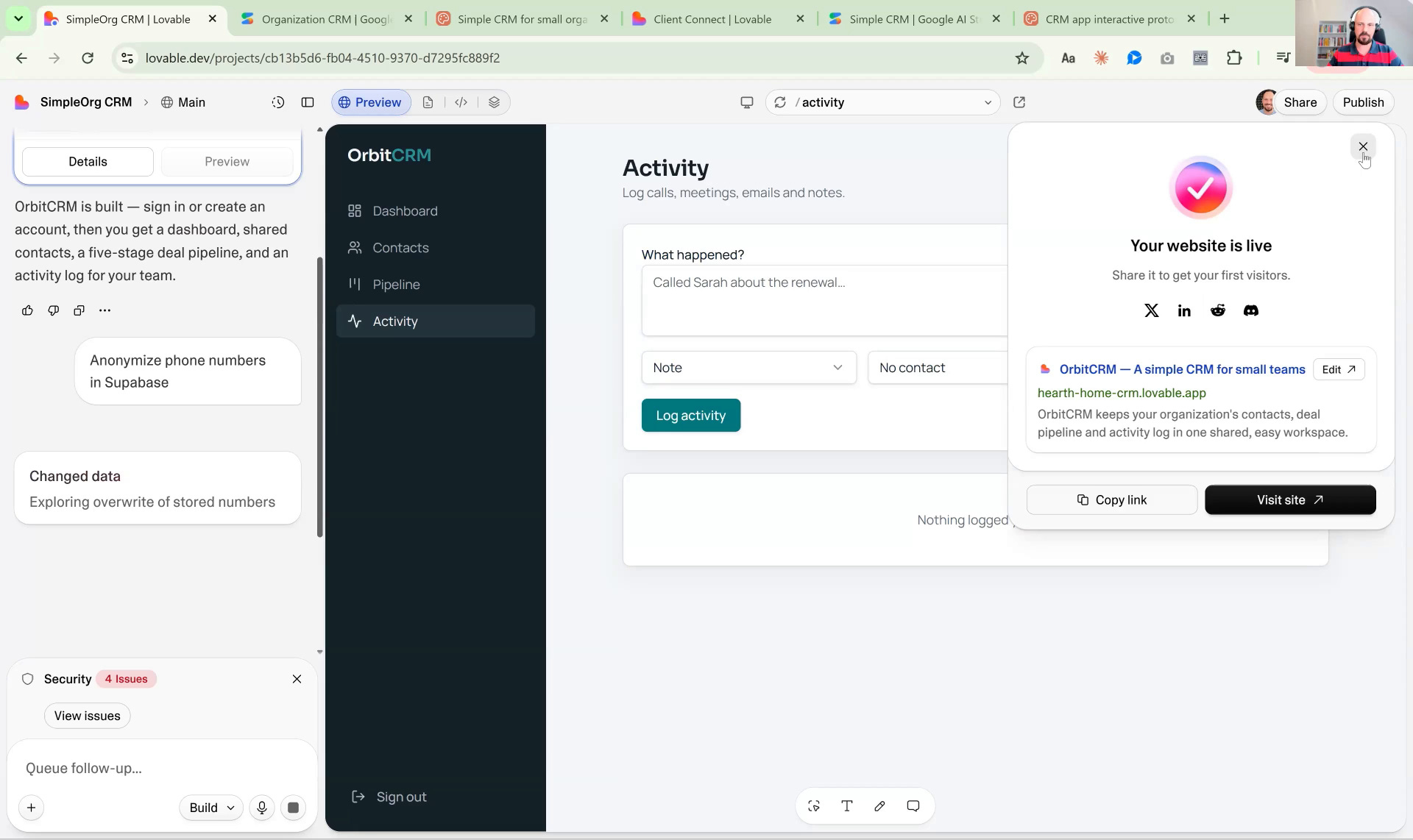
You can point your own domain, but theirs is often enough for testing. To make it look less like a prototype, hide the Lovable badge in the settings.
Lovable Cheat Sheet
Use it when: you need a link today, with Google auth and a database.
Skip it when: engineers will take this over. There is no click that says "I want to stop using Lovable Cloud." Also skip if you’re looking for a budget solution.
Watch for: RLS (
USING trueis not "my team"). One database for every environment (no DEV / STAGING / PROD separation). Unknown LLM model.
5. Google AI Studio: Good Enough to Prototype
Google AI Studio is no longer only a user interface tool. It can create a database in Firestore, and it can authenticate your users. I'm on the Pro license, but there is also a free version.
Step 1: Open Build and paste the prompt
Open aistudio.google.com and switch to Build:
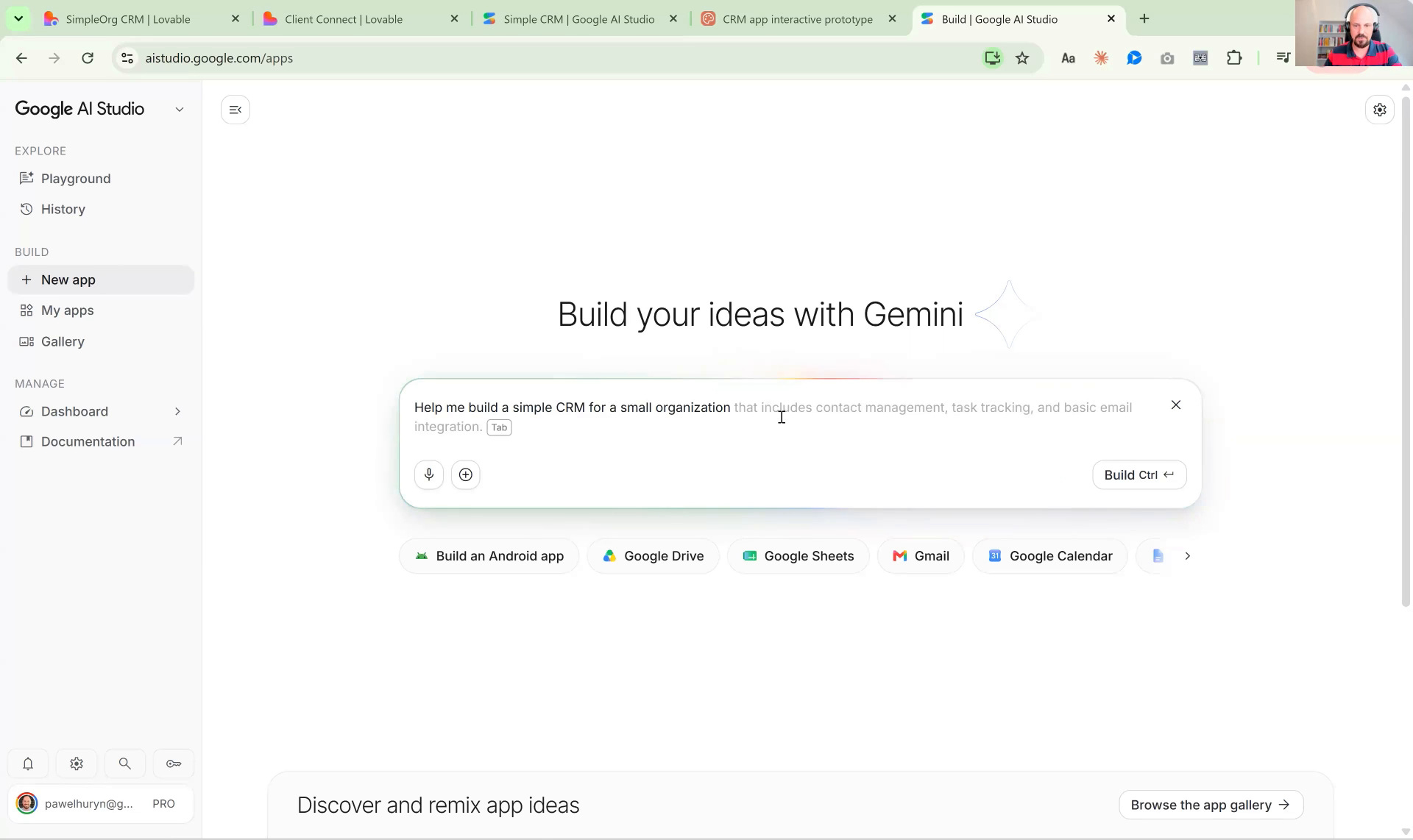
Help me build a simple CRM for a small organization that includes contact management, task tracking, and basic email integrationStep 2: Enable Firebase when it asks
It asked me if I want to enable Firebase. This is the database that Google can host, so I agreed:
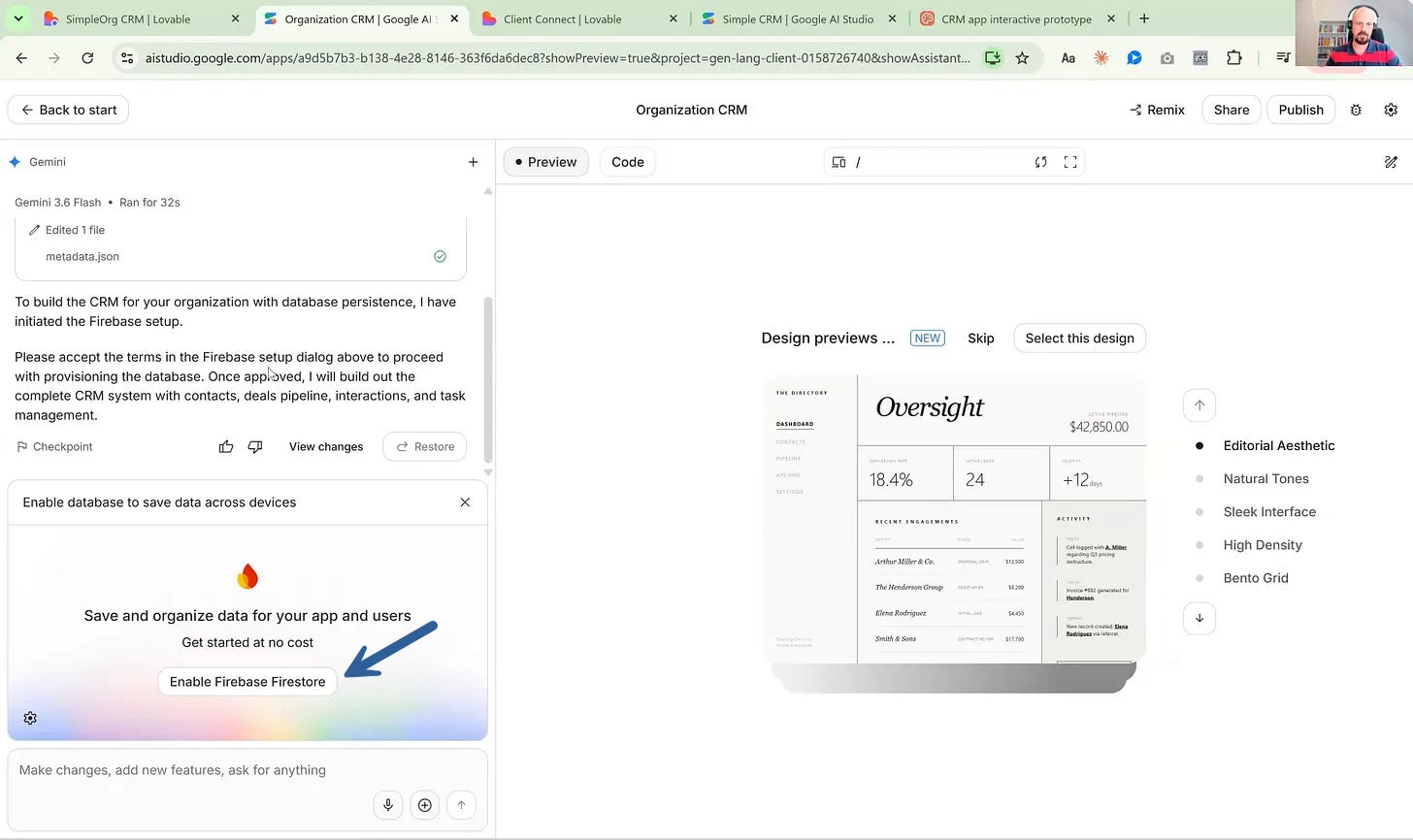
Step 3: Pick a visual style and confirm
I like this slick interface, so let's select this design:
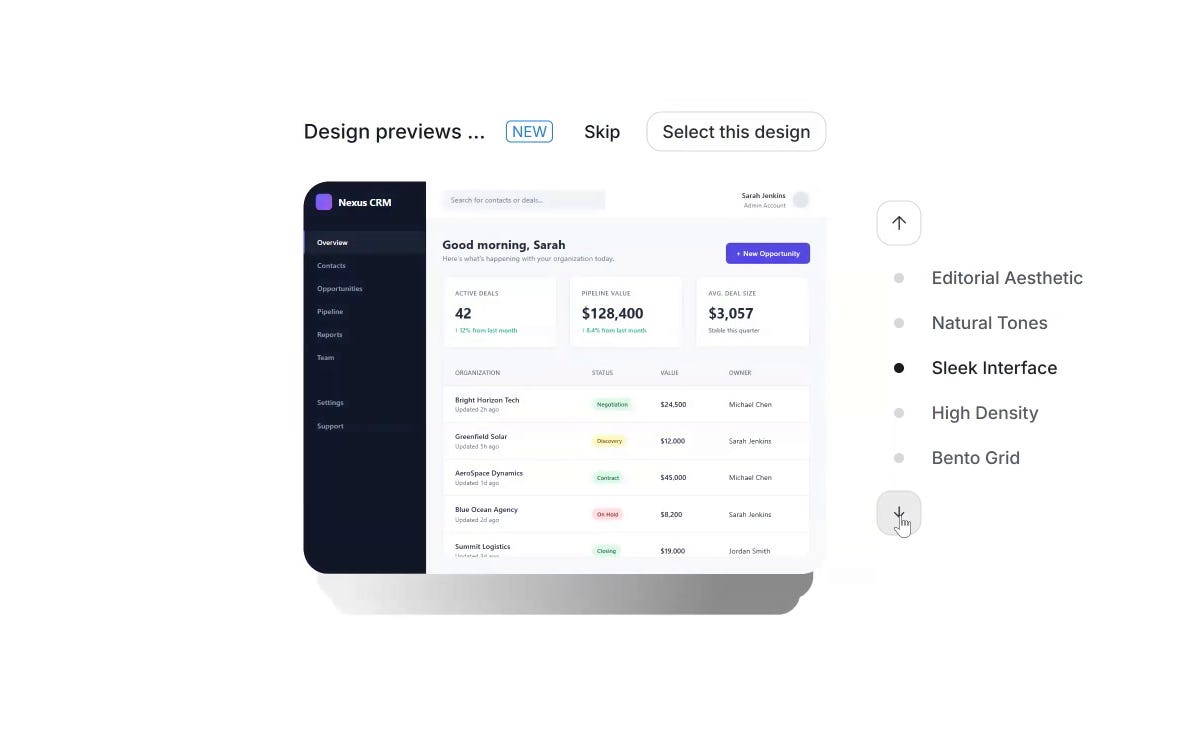
Once you confirm, the build is more technical than Lovable's. You will see file names going by, but you don't have to open any of them.
Step 4: Seed the data
The first dashboard is empty, so click Seed Demo Data. Then you get a pipeline, contacts, and tasks you can click through:
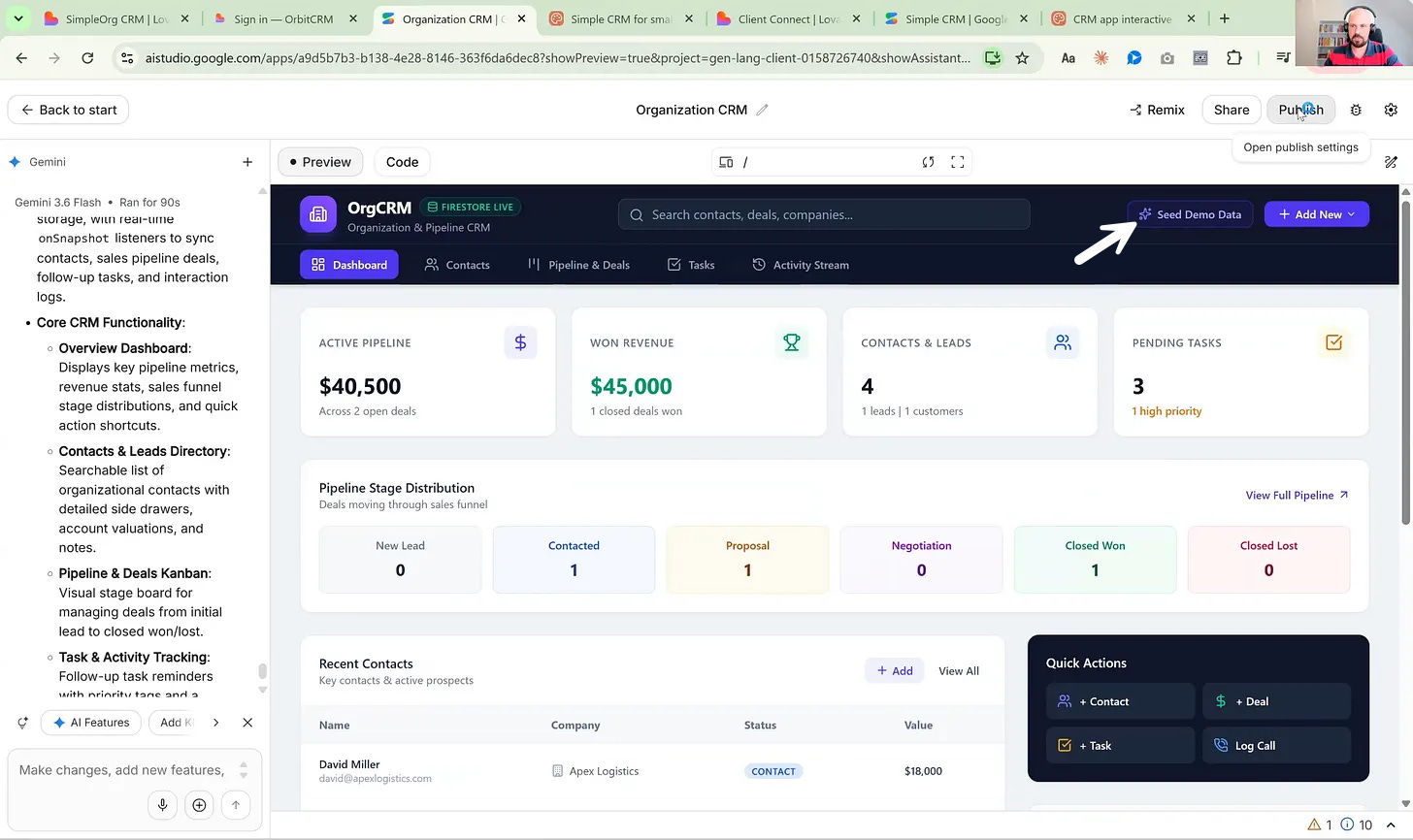
I don’t really like how Google designs interfaces. I selected what seemed the best. Still, not a Lovable level. Their default model is Gemini Flash.
But for prototyping, it is often all that you need. And you can steer it with prompts or by giving examples / screenshots of the products you like.
Step 5: Publish
Click Publish, and you get a nice URL to share.
Mine: https://organization-crm.ai.studio/
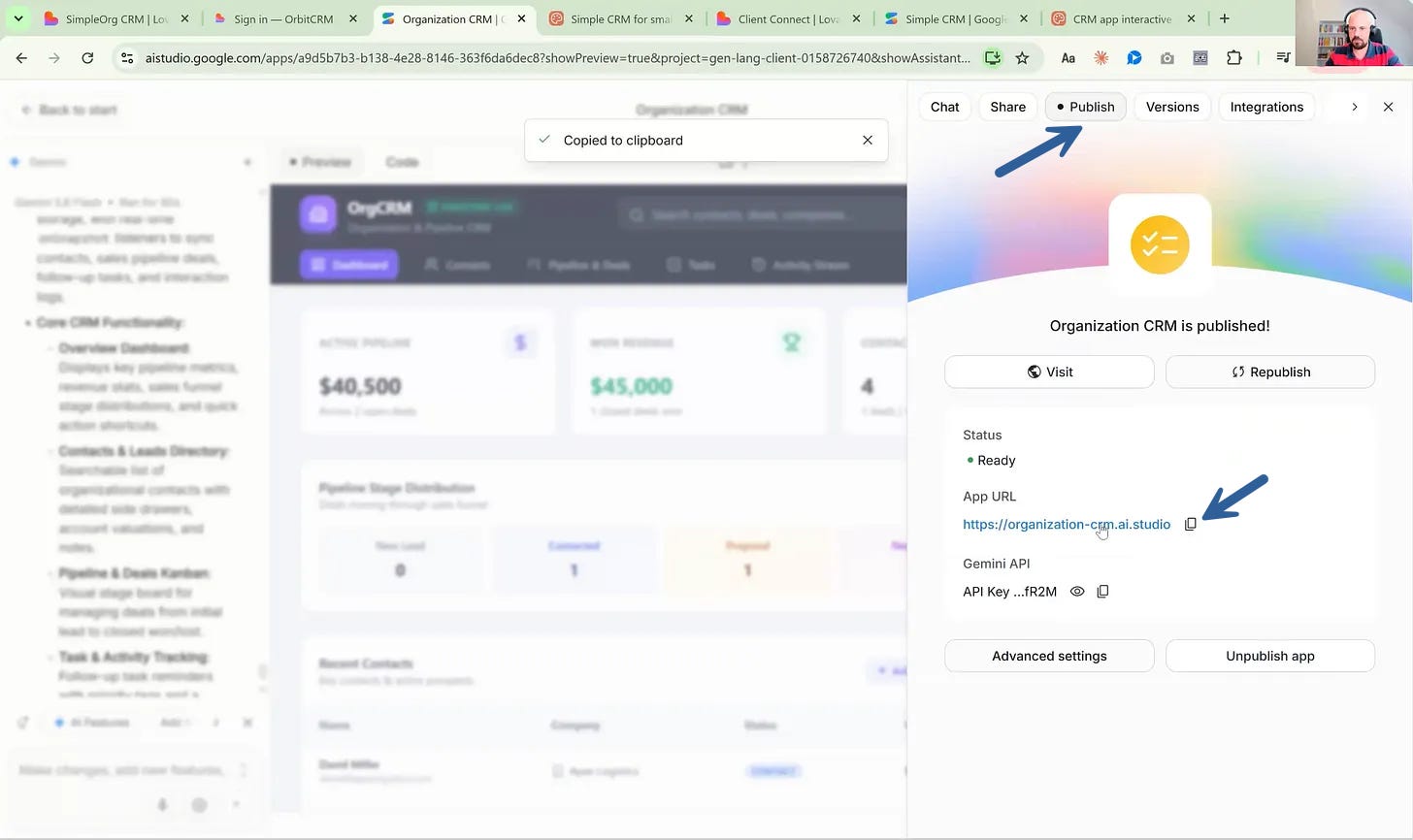
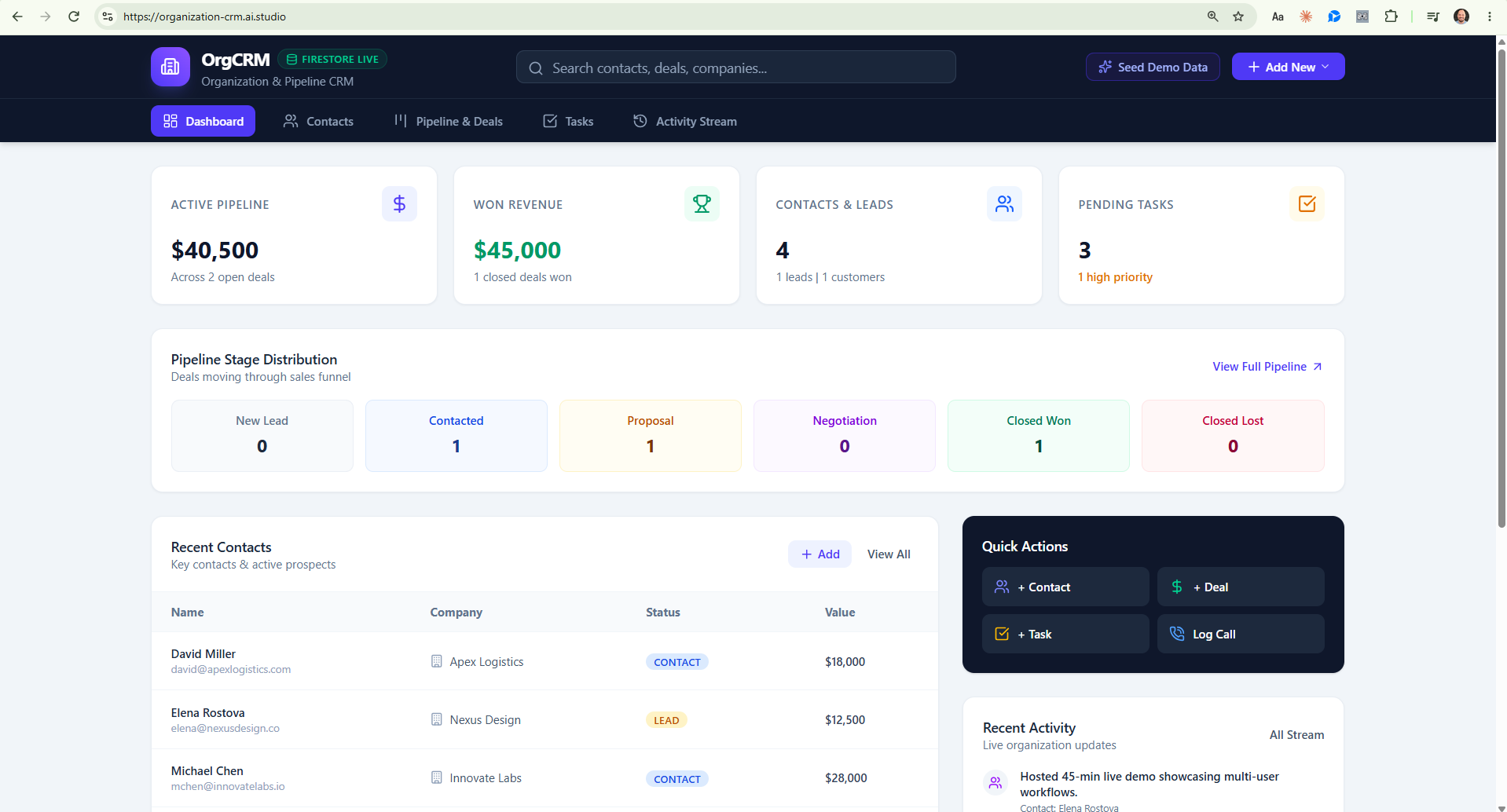
You can also sync the project with GitHub in the settings. Then you can open the same project in Claude or in Codex and continue there.
AI Studio Cheat Sheet
Use it when: you want to test an idea today. Free version exists.
Skip it when: you need a top-notch design.
Watch for: Google ecosystem. Swapping Firestore is not that straightforward (for an agent, probably one day).