The Claude Dispatch Guide: 48 Hours Running AI Agents From My Phone
Real PM workflows, honest gotchas, and why the biggest insight has nothing to do with Dispatch itself.
Claude now has 4 ways to run from your phone. Most people will try one, hit friction, and give up. Here's what actually works — and how it changed how I structure my day.
Dispatch is the newest surface — and the one most likely to change how you work as a PM. Not because it’s the most powerful, but because it turns every gap in your day into a window for directing real work. Dog walks, coffee, the passenger seat, standing at the sidelines of a bounce house — all become productive without being “always on.”
I tested this for 48 hours straight, building real PM workflows from my phone. What you’re reading is everything I found — the workflows that actually work, the friction points nobody warns you about, and the architectural insight that matters more than any single feature Anthropic ships.
What You’ll Learn
What Dispatch actually is — and the difference from “Claude chat on your phone”
How to set up and start your first Dispatch session
The real 48-hour timeline — how async direction reshapes your day
Every gotcha I hit, with tested workarounds
When to use Dispatch vs. Web Sessions vs. Channels vs. Code
Why the knowledge layer matters more than any single surface
The single highest-leverage investment for PMs building with AI
If you haven't read the earlier parts of this series, they help but aren't required — this post stands alone:
Claude Cowork Guide — the desktop agent Dispatch controls remotely
Claude Code: The Complete PM Guide — how to start
The Self-Improving Claude System — the knowledge architecture that makes all of this compound
1. What Dispatch Is (And Isn’t)
Dispatch isn’t “Claude chat on your phone.” You already have that.
Dispatch is an orchestrator. From a single conversation on your phone, you spawn and manage multiple Cowork task sessions running simultaneously on your desktop. Each session runs independently — its own context, its own file access, its own connectors.
Your phone is the command chair. Your desktop does the heavy lifting.
Think of the difference between texting someone a request and sitting in a control room with multiple screens. Each screen is a task session running on your desktop. Your phone directs all of them from one conversation thread.
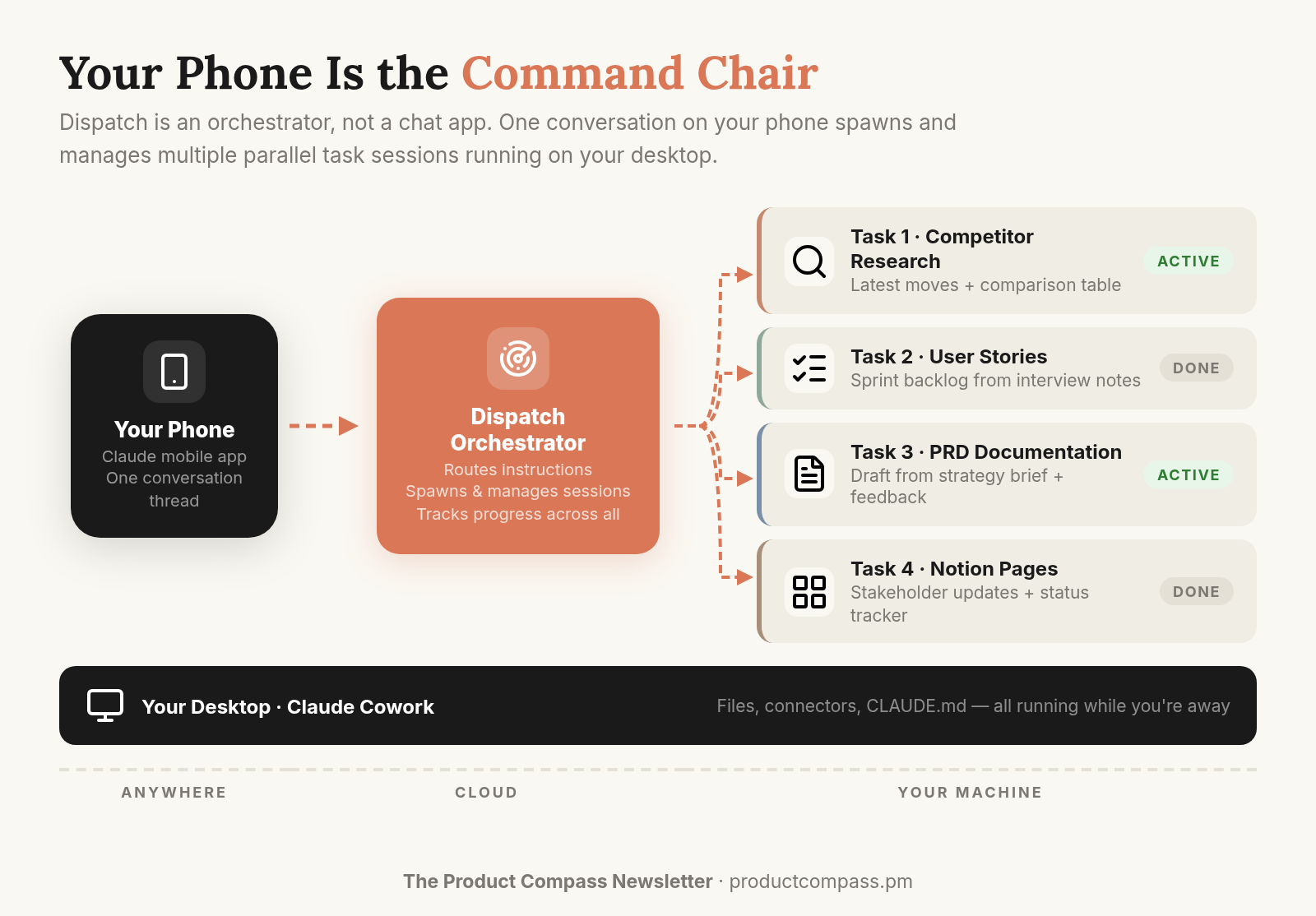
For PMs: This maps to something you already do — running multiple workstreams simultaneously. One analyst pulling competitor data. Another drafting the stakeholder email. A third organizing research notes. Dispatch is that, except the analysts are AI sessions on your desktop and the command chair is in your pocket.
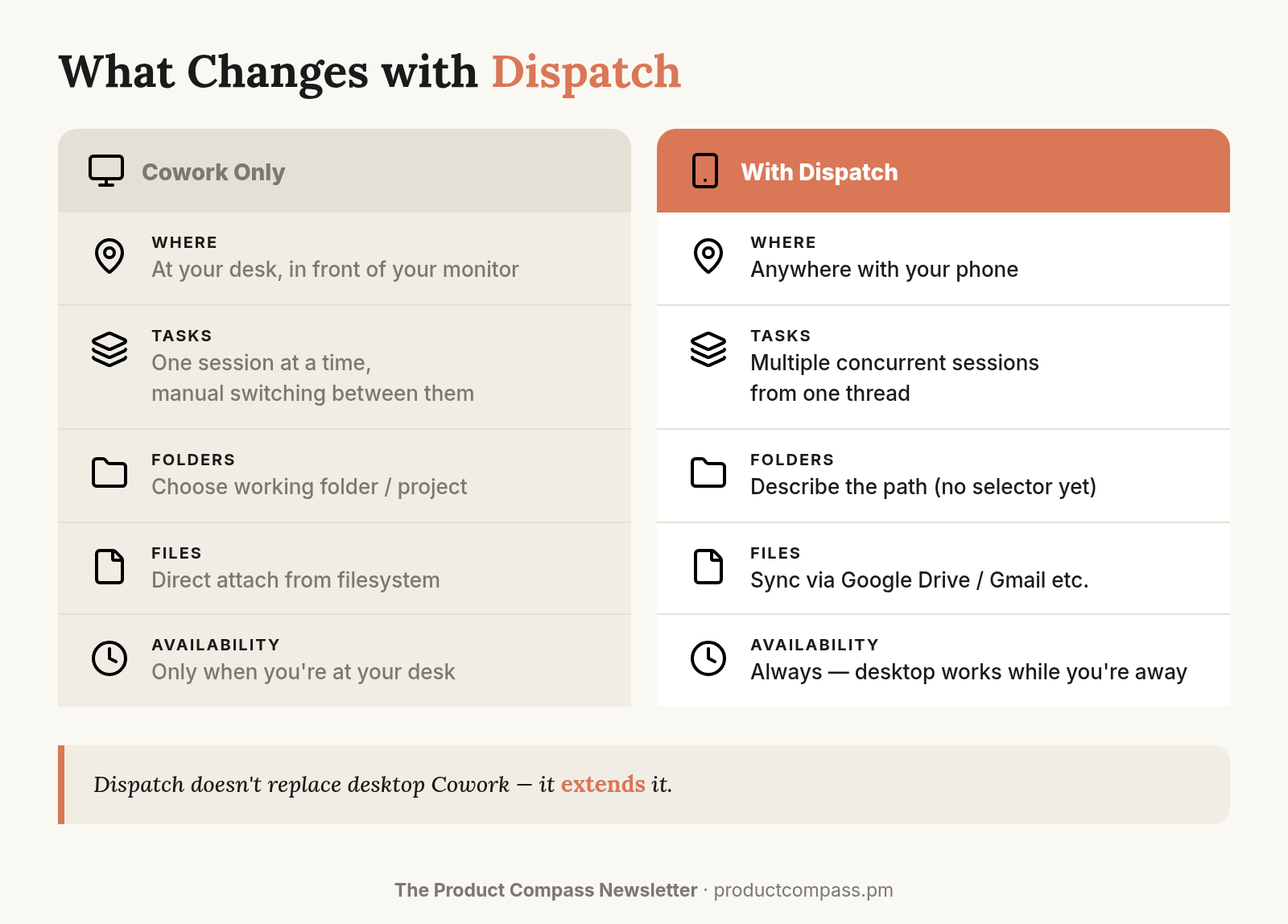
Every Cowork connector you've configured — Gmail, Notion, Slack, all of them — works through Dispatch because Dispatch delegates to Cowork.
2. How to Set Up Claude Dispatch
Step 1: Set up Cowork on your desktop with the connectors you use — Gmail, Notion, Slack, whatever your stack is. Everything must be configured on desktop first. Then, keep your desktop awake and Claude app running.
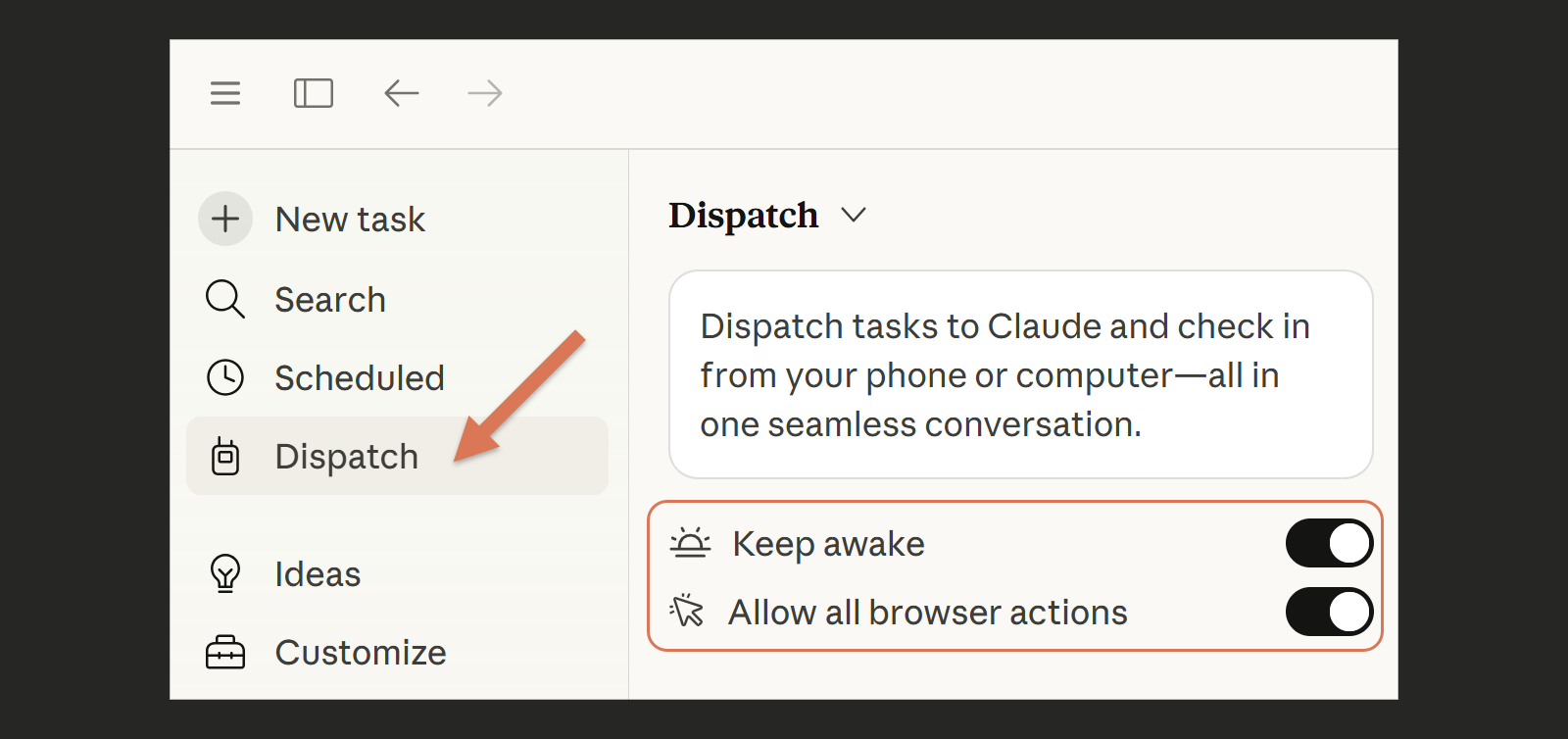
Step 2: Open the Claude mobile app. You’ll see the Dispatch tab. Start a conversation and tell it to run a Cowork task.
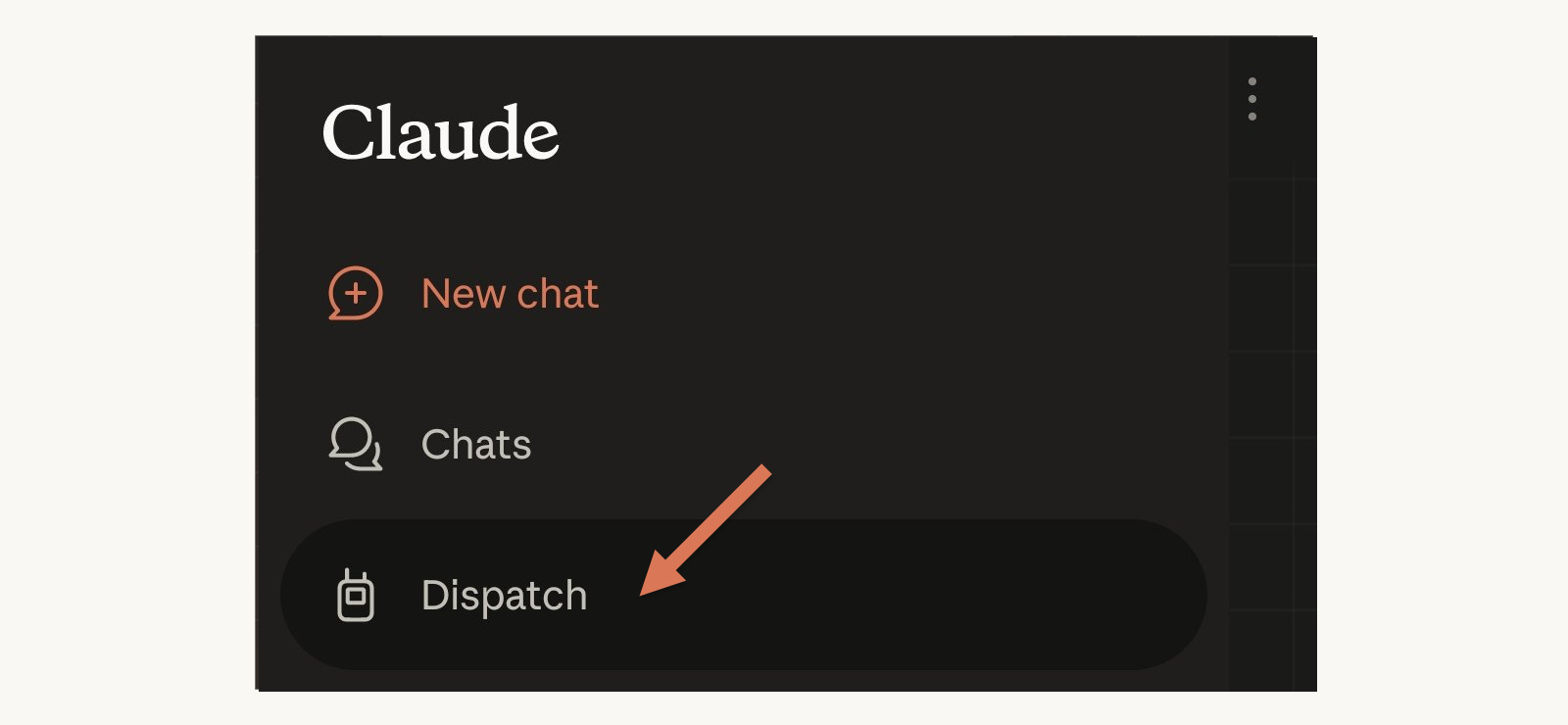
Step 3: Start small. One task (e.g., “summarize unanswered emails from the last week”). See the output. Then try running two tasks from the same conversation to feel the parallel workflow.
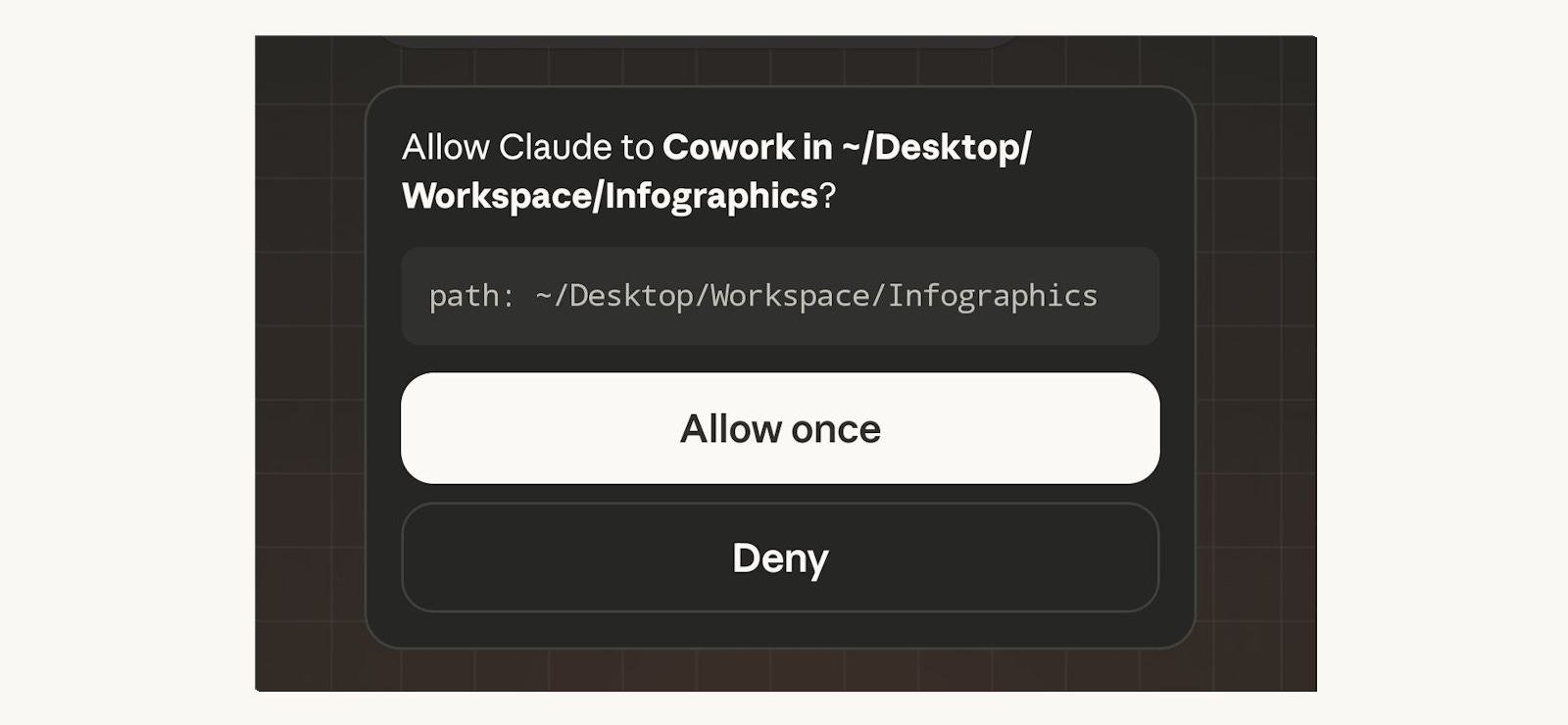
Step 4: To work with files, grant folder access — describe the folder naturally (”go to workspace/editor”) or use a shortcut you’ve defined. Start with the folder that has your CLAUDE.md and knowledge files.
Step 5: Set up your workarounds early:
If your workspace syncs via Google Drive/Dropbox/iCloud, check that files appear on your phone — this eliminates the file transfer problem entirely
Define folder shortcuts (”editor mode,” “workspace”) so you describe folders naturally instead of typing paths
3. Real PM Workflows With Claude Dispatch (48-Hour Test)
Dispatch didn't fill my dead time. It changed how I structured my day. I went to the jump arena with my kid because I could direct work async from the sidelines. The model isn't "grind during gaps." It's "design your day differently because the work runs without you sitting in front of it."
Here's what that looked like:
Morning coffee at home. Kids aren’t up yet. Start Task 1: “Pull the latest competitor updates, summarize changes since last week.” Start Task 2: “Draft the sponsor collaboration page using the Notion database.” Both tasks running on my desktop in the other room. I’m drinking coffee.
Walking the dog. Check Task 1 on my phone — competitor summary done. “Add a comparison table against our current roadmap.” Redirect takes 10 seconds, one-handed. Task 2 is still running. Dog doesn’t care.
Wife driving, I’m in the passenger seat. Review the sponsor Notion page draft. “Too formal. Pull the engagement metrics from the last campaign and make the value prop sharper.” Start Task 3: gap analysis on the article draft. Three parallel tasks running at home. I’m watching traffic.
Kid at the jump arena. Standing on the side, phone in hand, 45 minutes. This is where the infographic iterations happened. "Move the icons left." "Change the color on the third section." "Make the header bolder." Four rounds of creative direction on a visual asset — from the sidelines of a bounce house.
Back at my desk. Everything waiting. Review, adjust, ship. The actual direction time across all of these gaps: maybe 25 minutes total. The Claude execution running in parallel: 3+ hours of work.
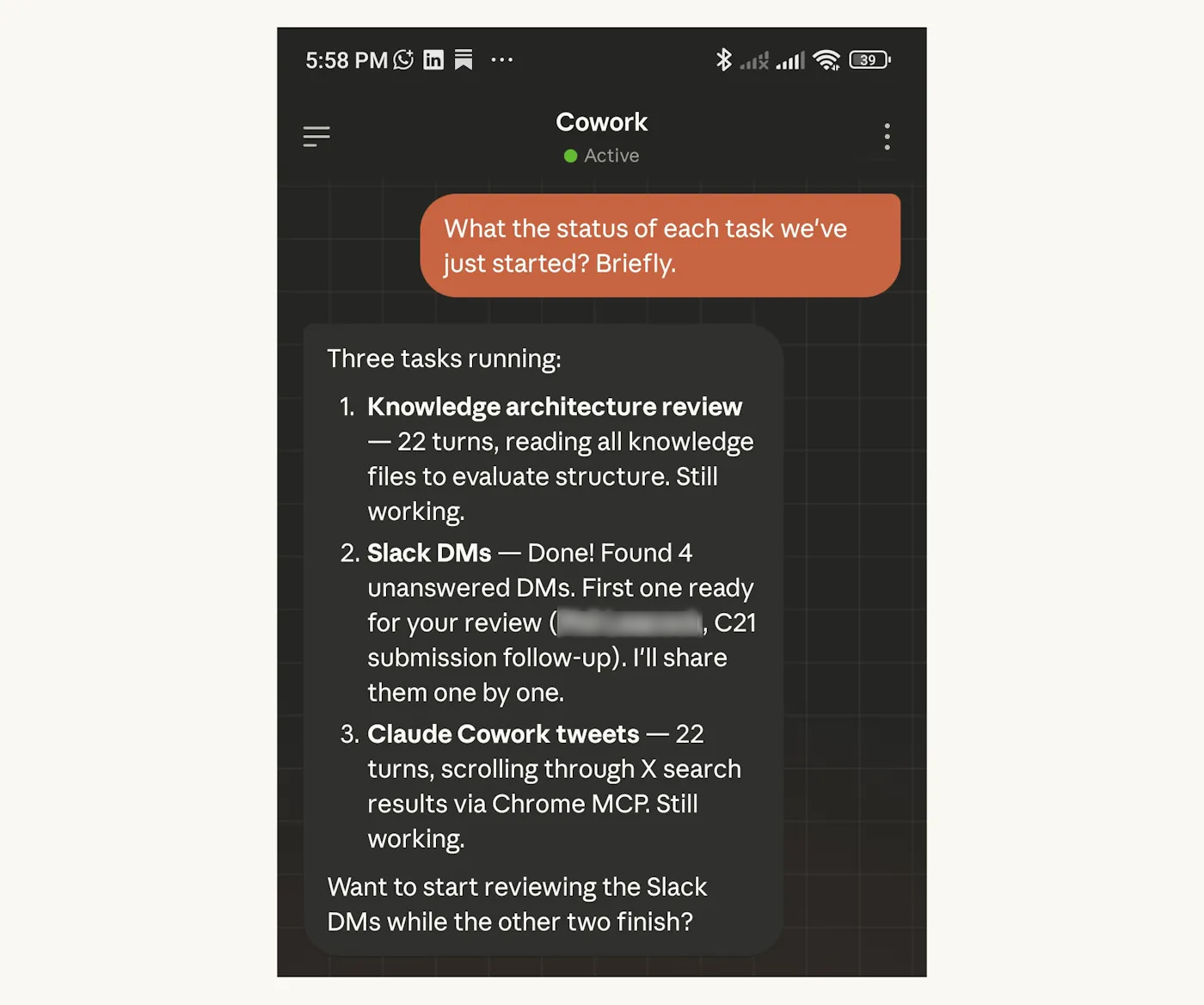
At the end of the 48 hours, I asked Claude to summarize what we'd built. Here's its list:
The key mechanic: in a single Dispatch conversation, you start Task 1 (research), then immediately start Task 2 (drafting), then check progress on Task 1, redirect Task 2, start Task 3 — all from one thread on your phone. Each task runs in its own sandboxed session. They don't interfere with each other. They don't share context unless you explicitly bridge them.
For PMs: You don't do one thing at a time. You're tracking competitive moves while waiting for a stakeholder response while preparing sprint artifacts. Dispatch lets AI match that rhythm instead of forcing sequential mode. The ceiling isn't your output speed — it's how many parallel tracks you can direct at once.
And here's the session summary — 60+ task sessions directed from my phone, with a clear split between what I did and what Claude did:
The insight isn't "use Dispatch during your commute." It's that async direction from your phone reshapes how you structure your day. Some outputs I reviewed and refined at my desk. Others — X posts, infographics, comment replies — shipped entirely from my phone without ever sitting down.
4. The Dispatch Gotchas (Tested Over 48 Hours)
Every tool has friction. Here's where Dispatch's friction actually lives — tested over 48 hours, not 48 minutes. Every gotcha has a workaround or an explicit acknowledgment that none exists yet.
Folder access requires typing paths
On desktop Cowork, you click a folder icon to grant file access. On Dispatch, there’s no folder picker UI on mobile. You type the path: “Give yourself access to ~/Desktop/Workspace/Editor.”
Workaround: Describe the folder naturally — “go to workspace/editor” works. You can also define shortcuts like “editor mode” that Claude remembers across sessions. No need to memorize exact paths. This friction fades fast.
Each subtask requests folder access separately
Every subtask Dispatch delegates will request folder access on your desktop. You need to approve each one. There’s no workaround — it’s how the security model works. Just keep that in mind before putting your phone in your pocket.
File transfer isn’t built in yet
You can’t attach files from your phone to Dispatch, and Dispatch can’t send outputs directly to your phone either. Two separate problems, one solution.
For inputs (phone screenshots, photos), I started emailing them to myself and having Claude pull them from Gmail. For outputs, I noticed early that Dispatch couldn’t deliver files to my phone — so I started checking Google Drive.
Then it clicked: sync your Cowork workspace folder with Google Drive. Everything Claude saves appears on your phone automatically. Everything you drop into that folder from your phone appears on your desktop. One sync solves both directions.
CLAUDE.md delegation needs a specific order
If you just start delegating tasks, the orchestrator may formulate imprecise instructions for subtasks — it hasn’t internalized your rules yet.
The fix: ask Dispatch to read your CLAUDE.md before delegating any tasks. Once it has your rules loaded, the instructions it writes for each subtask are sharper.
5. Claude Dispatch vs. Remote Control vs. Web Sessions vs. Channels: When to Use Each
Anthropic shipped 4 remote access surfaces in 5 months, the last 3 in ~23 days. Here's the quick decision framework — not the full deep dive, just what you need to pick the right surface right now.
Two corrections since the first wave of Dispatch coverage on X. Getting things wrong publicly and fixing them publicly is part of how this works:
Channels are bidirectional. They push events INTO a running session AND send responses back via Telegram or Discord. My framing was imprecise.
Channels support scheduled tasks — but only within active sessions. Events only arrive while the session is running.
Also, someone noticed that Dispatch allows you to run Code sessions too. I tested it and it doesn’t really work yet. The flow isn’t fully wired up (Dispatch’s words). For remote coding/prototyping, I recommend Web Sessions.
6. The Knowledge Layer That Makes Every Claude Surface Compound
Anthropic shipped three new remote surfaces in ~23 days — Dispatch, Channels, and Remote Control — on top of Web Sessions from October. That's four ways to run Claude without sitting at your desk. If your AI setup lives inside a single surface, every new one means starting over.
Also, they are shipping updates like crazy. Only yesterday (Sunday): two changes to Claude Code — a 7-day /loop and an improved /init command.
The fix: store your knowledge in a GitHub repo. CLAUDE.md (your instructions file — voice, rules, workflows) plus knowledge files (templates, hypotheses, research). Every surface reads it from your machine. Web Sessions clone it.
The surfaces change. Your knowledge layer compounds.
Picture this: Two PMs. Same company. Same AI tools. Same access. One builds a knowledge system around them — CLAUDE.md, skill libraries, structured workflows that improve with every use. The other uses them when stuck. Within months, one is shipping at 5x the pace.
The full architecture — CLAUDE.md structure, knowledge file organization, the self-correction loop — is in the Self-Improving System post.
7. The Highest-Leverage Investment for PMs Using AI
Here's the actual split from those 48 hours — who contributed what:
Look at the pattern. Thinking: 90% me. Takes and opinions: 100% me (Claude may have exaggerated). Research and formatting: 90% Claude. The AI handled speed and breadth. I handled judgment and direction.
This is the part most people skip. Use AI to amplify your thinking, not to replace it.
In writing, if you have nothing to say before you open Claude, you get polished slop.
For PMs, the implication is the same. Building a knowledge system is an investment. CLAUDE.md files, skill libraries, workflow patterns — they take time. But they learn from you. Every correction you make, every rule you add, every draft you kill compounds into a system that gets sharper with use.
Right now — this year, next year — the single highest-leverage investment isn't learning a new AI tool. It's building the judgment, the systems, and the domain knowledge that make you a better orchestrator of whatever tool comes next.
Every infographic in this post was created, iterated, and exported via Dispatch — from my phone.
Tests, opinions, what matters, and direction are mine.
Start building. Stop theorizing.
P.S. If you want the full system — CLAUDE.md instructions, knowledge architecture, the self-correcting loop — that’s in The Self-Improving Claude System. This post gives you Dispatch. That post gives you the system that makes Dispatch actually compound.
Thanks for Reading The Product Compass
It’s amazing to learn and grow together.
Consider subscribing, if you haven't already. This helps me focus more on research and do this full time.
Have a great week ahead,
Paweł


