

I pointed Claude Design at accredia.io’s GitHub repo and asked it to build admin onboarding for a new organization.
10 minutes later I had a fully interactive prototype I could iterate on.
Not a mockup. Not a screenshot. A clickable flow built on top of my real design system, ready to share, comment, refine, and implement. Two examples:
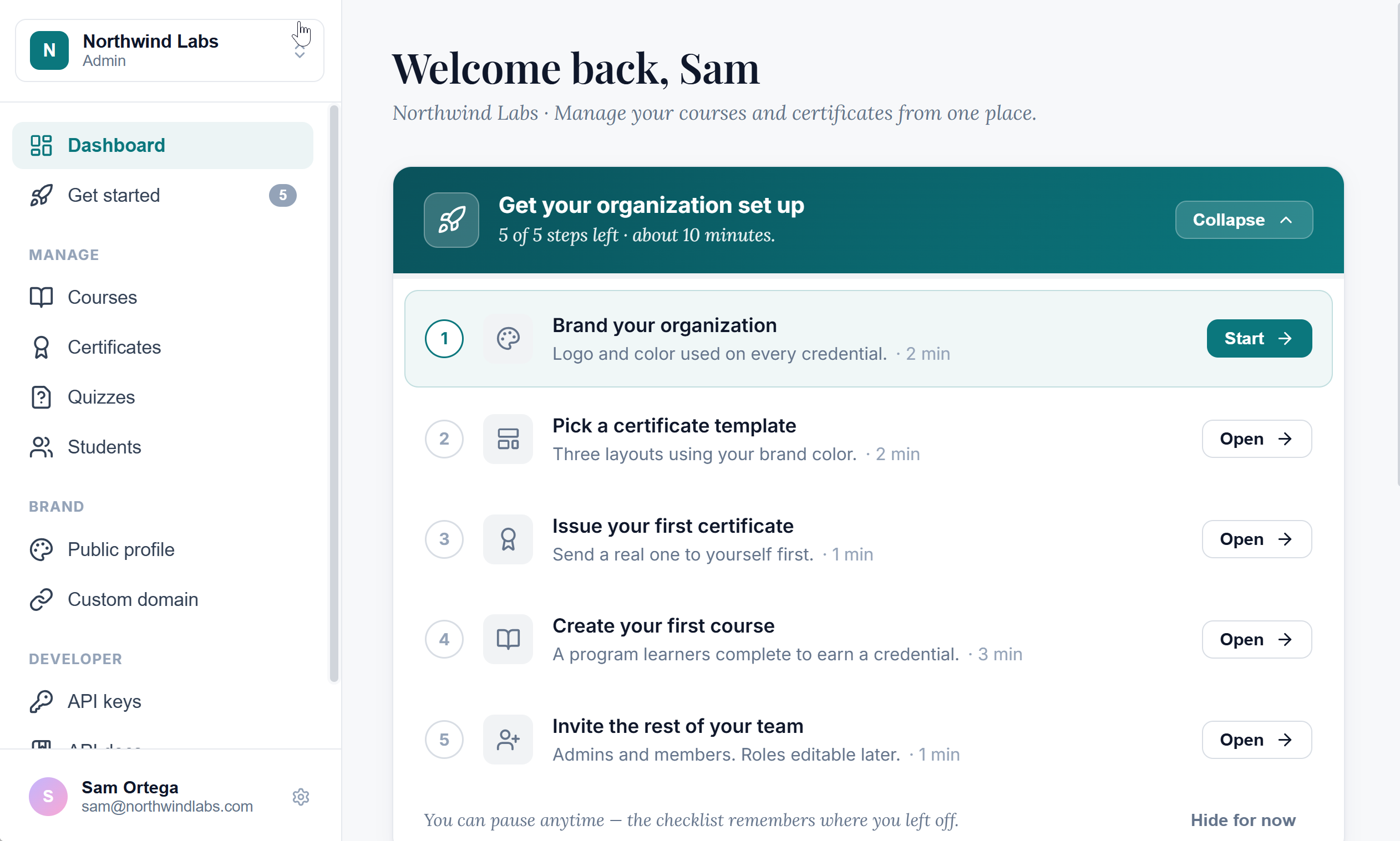
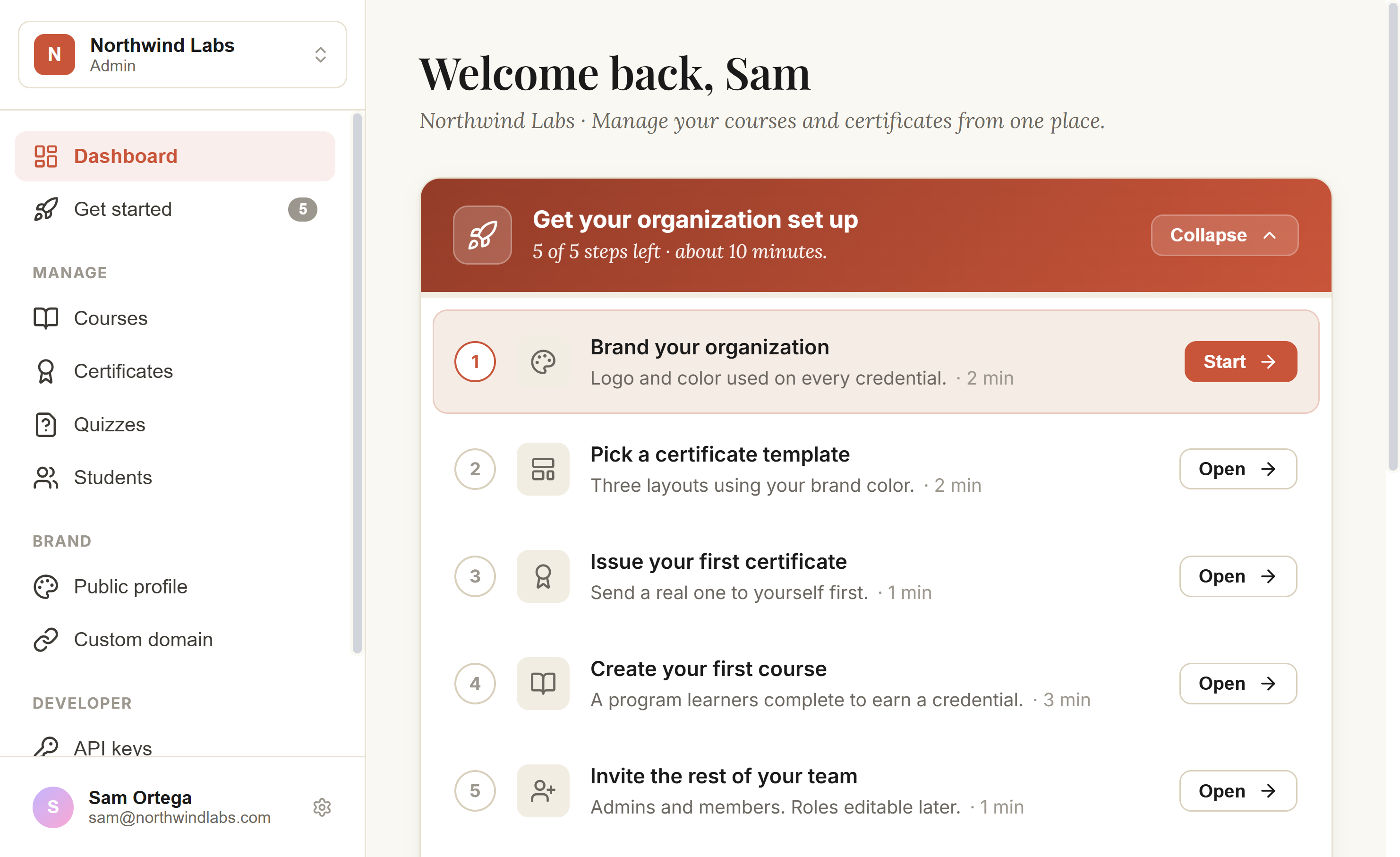
Some compare Claude Design to Figma speed when iterating on the canvas. That framing misses the point.
What matters for a product team is Time to Learn - the time from “we should try X” to “we have evidence it works or fails.” And Claude Design can radically reduce it.
What you’ll learn:
How to import or reverse-engineer your design system
The PM context Claude Design needs to ship a usable first cut
How to modify an existing production feature
How to run the workflow with the product team and stakeholders
What this means for product discovery, hiring, and the shape of senior roles
1. What Changes for Your Team
I loved working with my designers. Ideating, challenging usability, sharing clickable prototypes with the business, running experiments. But sometimes I wished I had more of their time.
I didn’t enjoy Jira handoffs. In particular, keeping everything in sync as decisions changed and waiting for designers to verify the implementation is aligned with Figma.
Claude Design compresses two parts of the workflow:
Idea → prototype:
Old: several days with a dedicated designer. Weeks if you don’t have capacity.
New: same afternoon. Iterate in hours via chat, comments, or sketch.
Approved design → code in production:
Old: weeks. You hand Figma to engineers. Engineers rebuild in code. Implementation drifts. Back-and-forth on what the design “really” meant.
New: days. Engineers continue from the prototype and design system through Claude Code. No rebuild.
Some argue that Figma is faster for experienced designers. That might be true, but the difference is smaller than these two compressions. And can be radically reduced by selecting the right model - Sonnet for small fixes.
Designers should adopt this too. Cleaner handoff to engineering. More time on the work that needs design judgment instead of checking pixels.
The same design system also generates slide decks, motion videos, and custom templates. Marketing, sales, and support reuse the brand without rebuilding it.
2. How to Define Your Design System
Most product teams I’ve worked at had a design system in some form. A Figma library, a Storybook, a brand doc. Start by importing what you have.
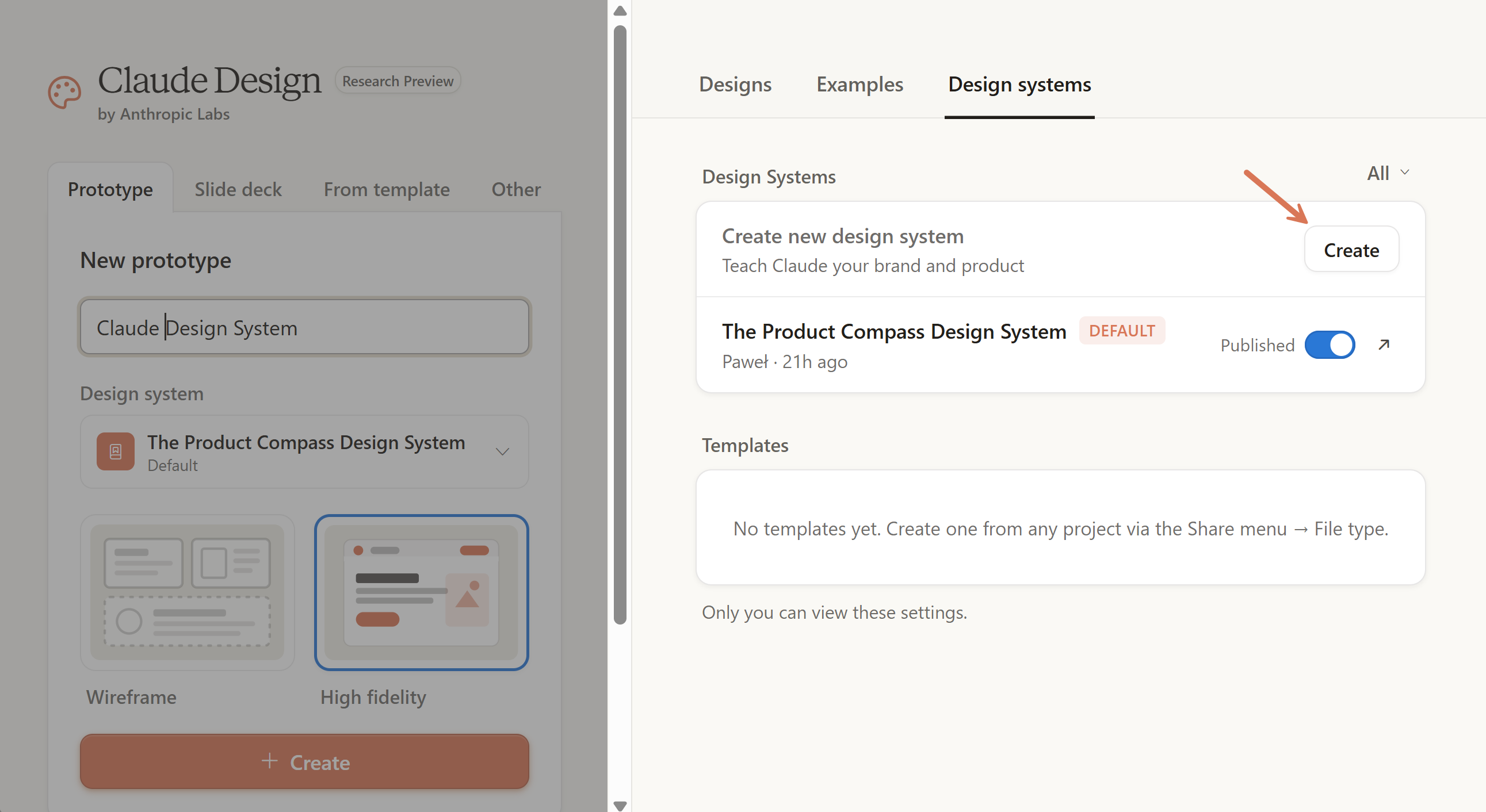
Step 1: Open Claude Design > Design systems > Create
Go to https://claude.ai/design:
Step 2: Provide company name, examples, and sources
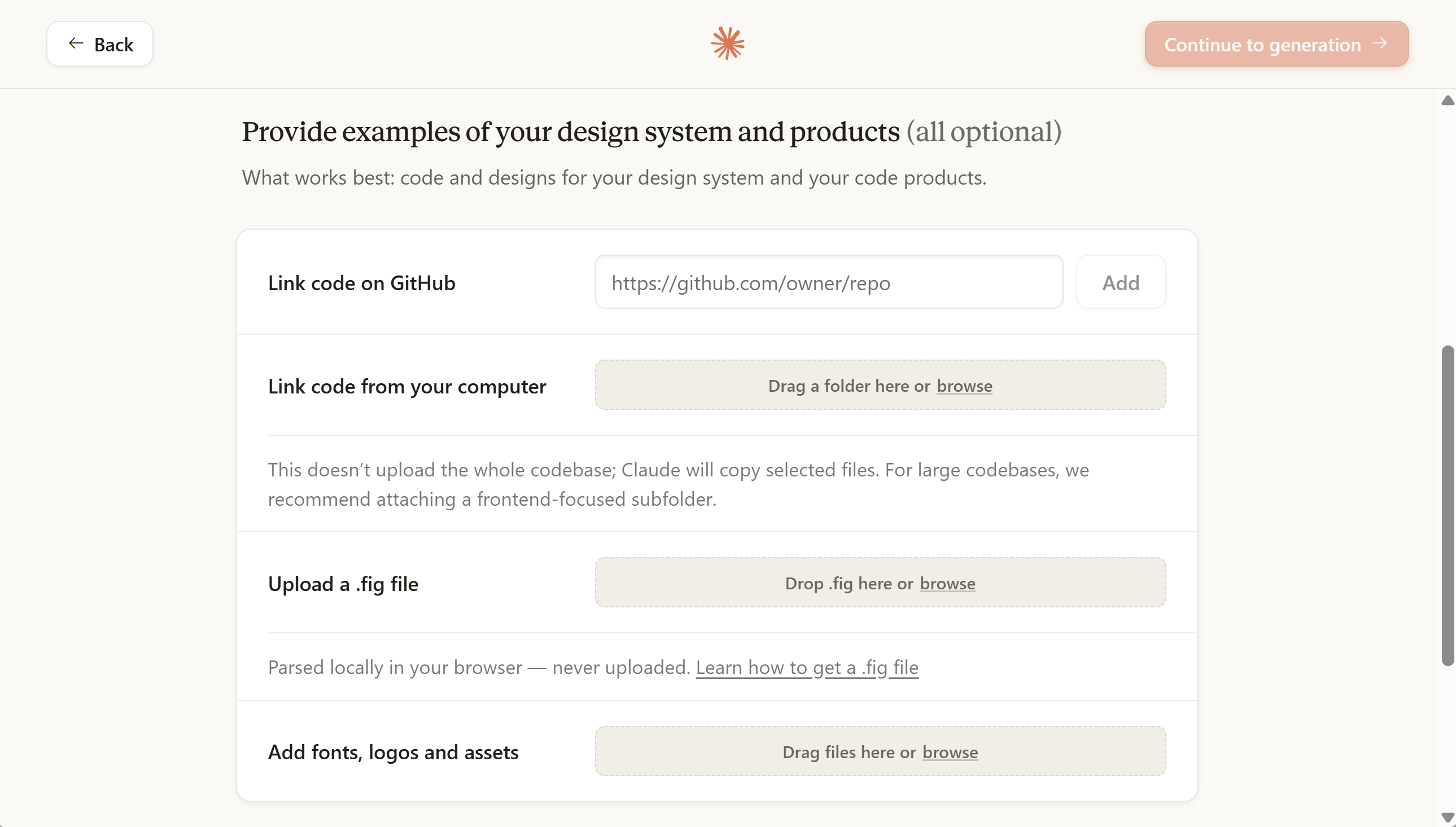
You can mix multiple sources and also drop in sketches, screenshots, photos, fonts, logos, and a text description of voice and brand. Claude Design can also pull context from the open web.
I tested reverse-engineering my existing codebase. According to multiple user reports, code wins when both code and Figma exist.
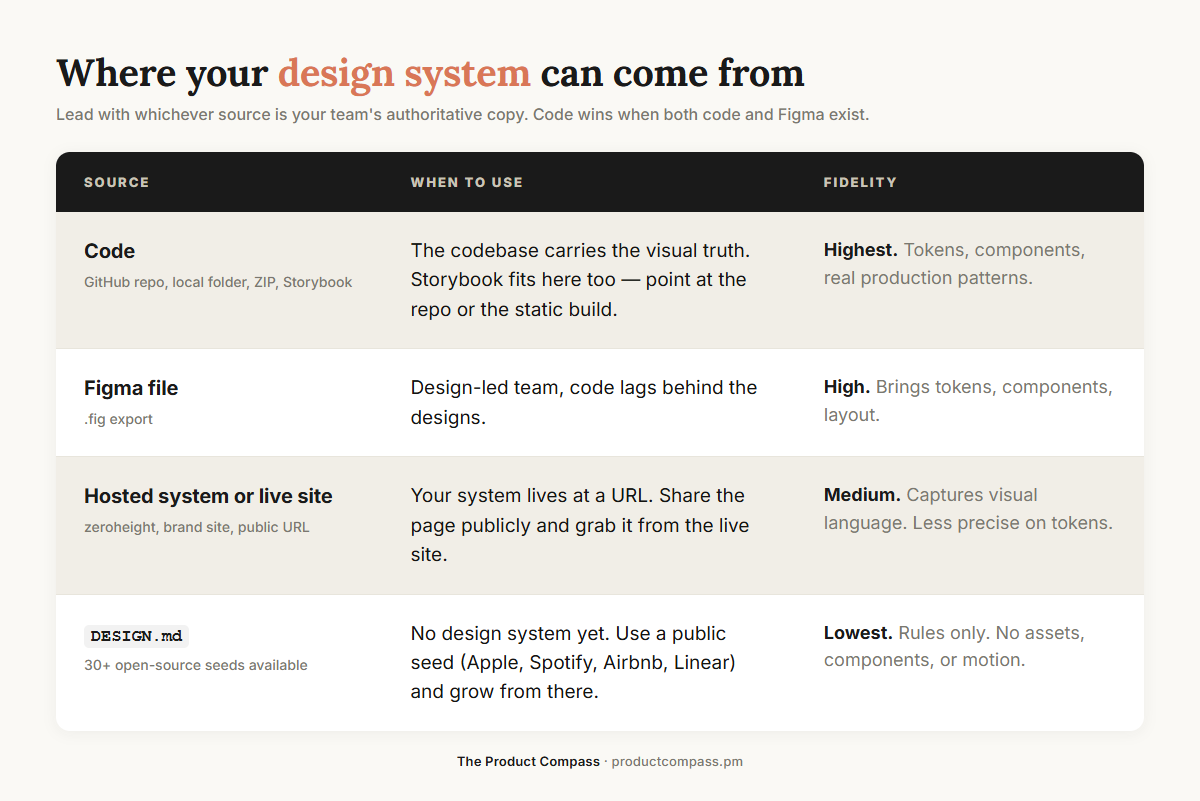
Note: DESIGN.md, introduced by Google is the lowest-fidelity option in the table because it’s rules-only - no assets, no components, no motion, and not all layout patterns. It’s a fast seed when you have nothing. Move to a codebase or .fig file as soon as you have one.
Tip: For a new product without a system yet, you can clone an existing brand you admire (Ferrari, Apple, Linear) and iterate from there 🙂 Faster than starting from a moodboard, and you keep refining until it’s yours.
You can also run multiple design systems in parallel. Useful if you ship across product lines, or if you’re testing a brand refresh without breaking production.
Step 3: Click “Continue to generation”
Three artifacts:
Design System. UI kit, type, colors, spacing, components, brand. Every prototype anchors on this.
Design Files. Assets, HTML, images, stylesheets you can preview.
Skill.md. A skill Claude Design generates as a representation of the design system. The agent uses it to keep every new design consistent with your brand.
You can review your design system, iterate via chat, set permissions, and share with the team. Comments work the same way they do in Figma.
Step 4: (Optional) Export your design system as a skill
When you export your design system as a .zip archive, it becomes a skill you can give to any agent (Claude Code, Cowork, Codex, etc.). The skill is a complete representation of the system and contains all design files.
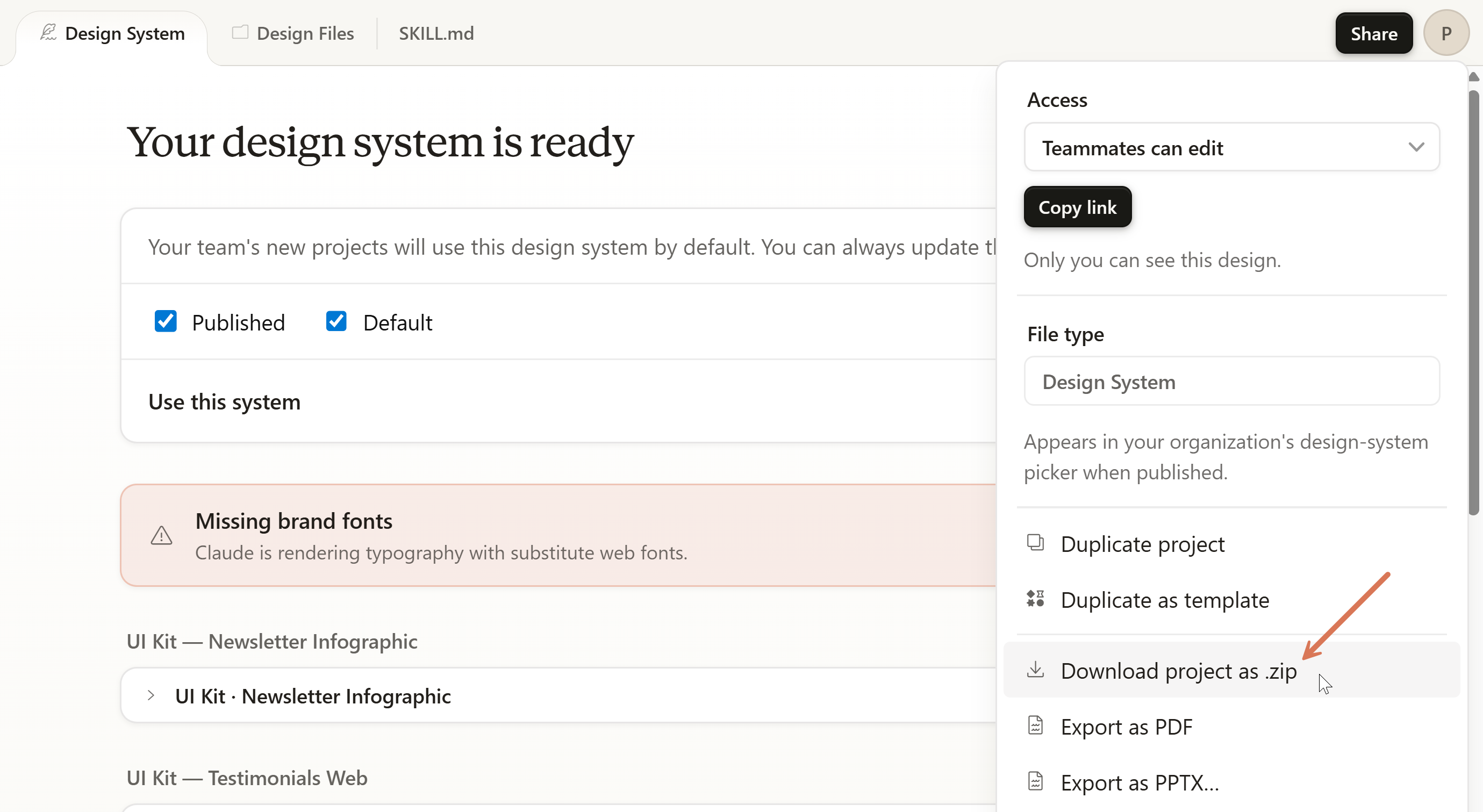
That’s the theory. In my tests, I faced errors. Waiting for a fix.
3. How to Prototype a Product or Feature
Same flow whether you're prototyping something new or modifying what already ships. The difference is what you point Claude Design at on the way in.
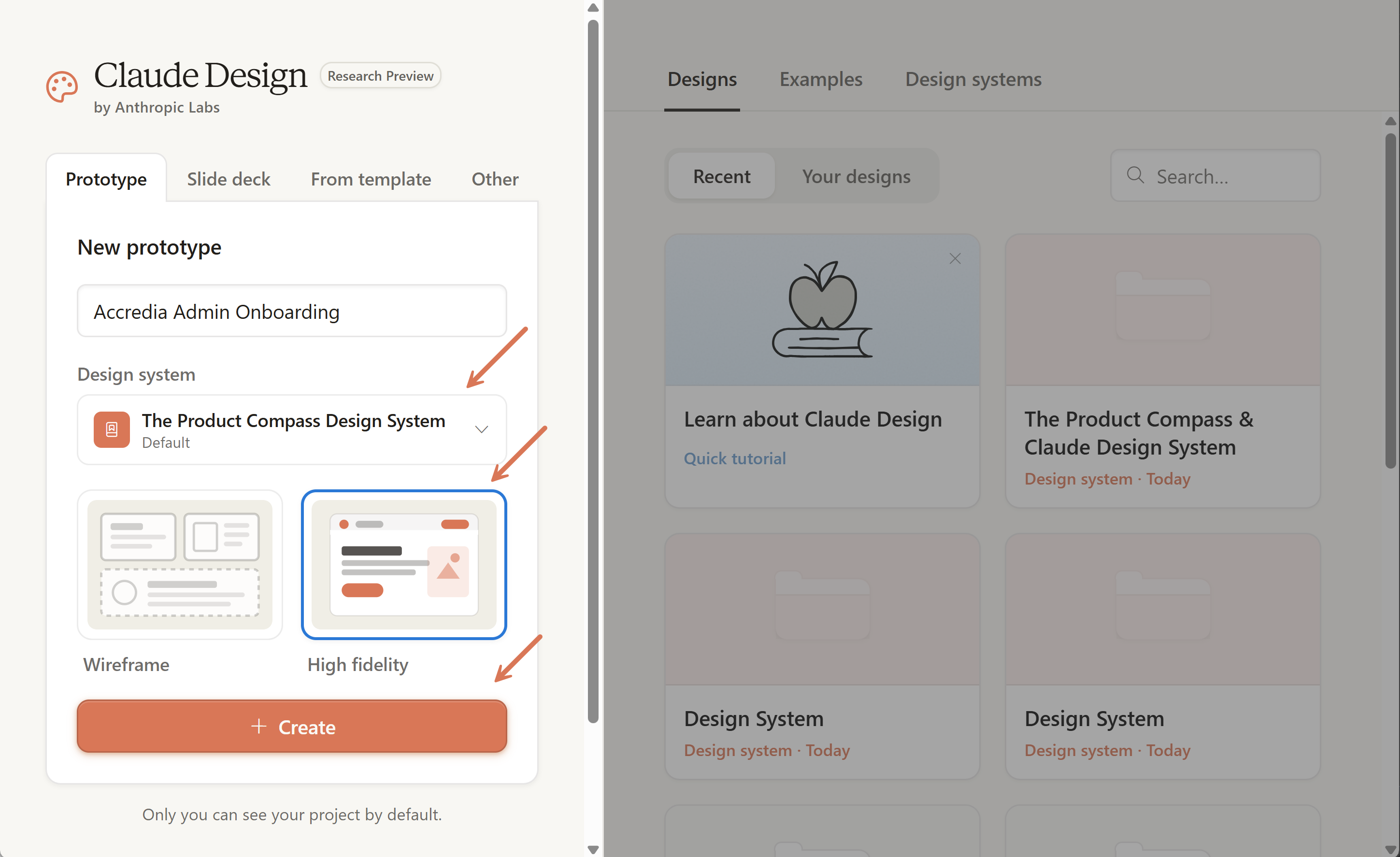
Step 1: Open Claude Design > New prototype > Create
Pick the design system you generated in §2 and name your prototype.
Step 2: Provide Context
Depending on what you’re prototyping:
New feature. Brief Claude Design from scratch.
Existing feature. Point at the codebase, or branch from a previous Claude Design version.
You can also include screenshots, Figma files, web elements, or reference Claude Design projects (via “Import”).
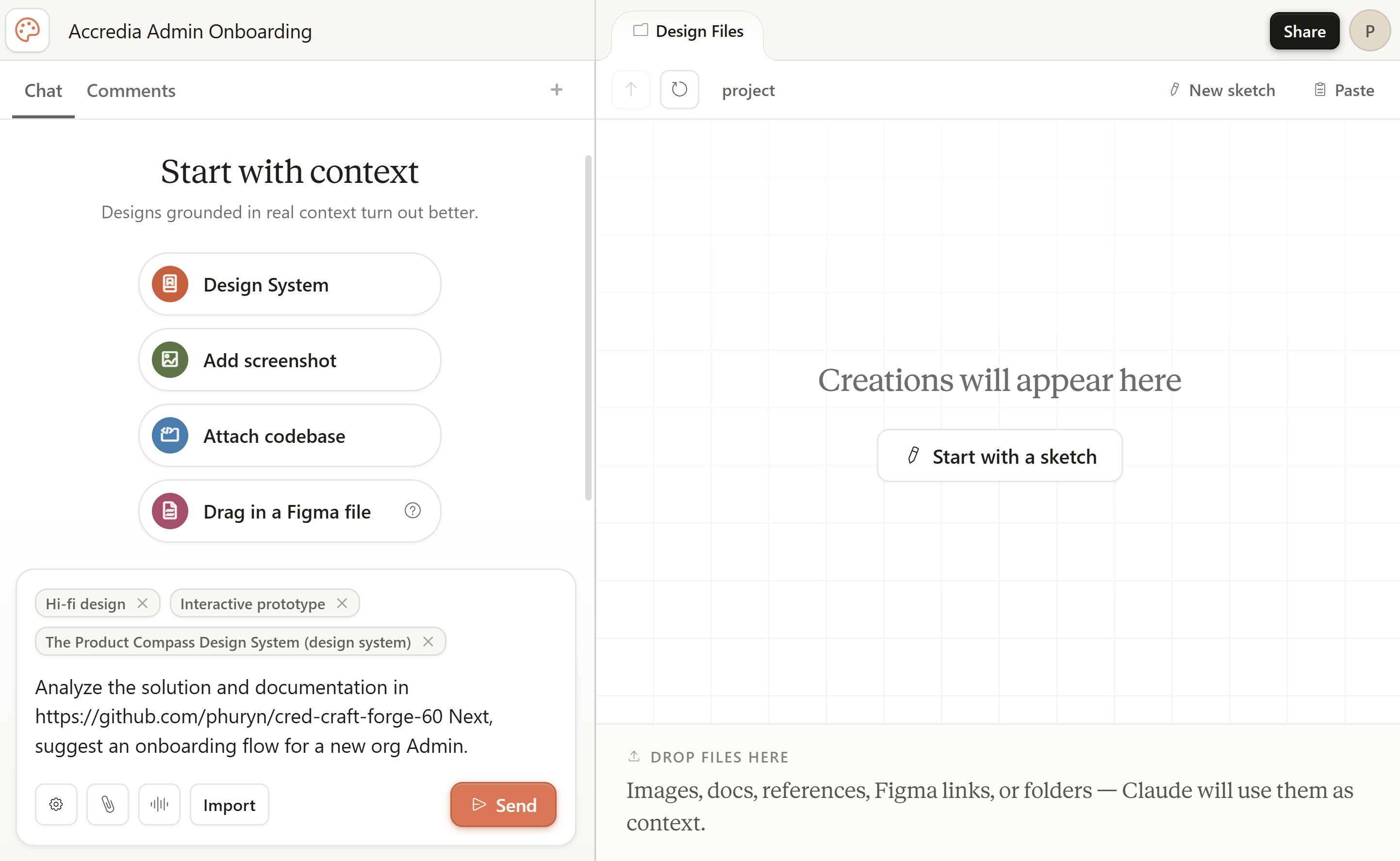
What to brief it on:
Objective. Should explain why it’s important and how the success will be measured. Often implicit, especially when you have a well-documented system.
Persona. Who’s actually using this. Not the buyer. The person inside the screen.
Value proposition. What this screen is supposed to deliver to that person.
Job to be done. The underlying task they’re trying to complete.
Common actions. What they’ll do most often. If you have product analytics, lead with those numbers. If not, your best assumptions.
Notes:
There is no GitHub repo selector, but after connecting GitHub you can provide Claude Design with a GitHub URL.
I specified a GitHub repo for a new feature because my agents maintain a full strategic context in the repo.
This isn’t just prompt engineering. It’s instrumenting business context for the agent beyond the current objective. For more, see the Intent Engineering Framework for AI Agents and my Opus 4.7 guide.
Step 3: Answer the Questions > Continue
If you forgot about the context, don’t worry. Claude Design interviews you before taking action:
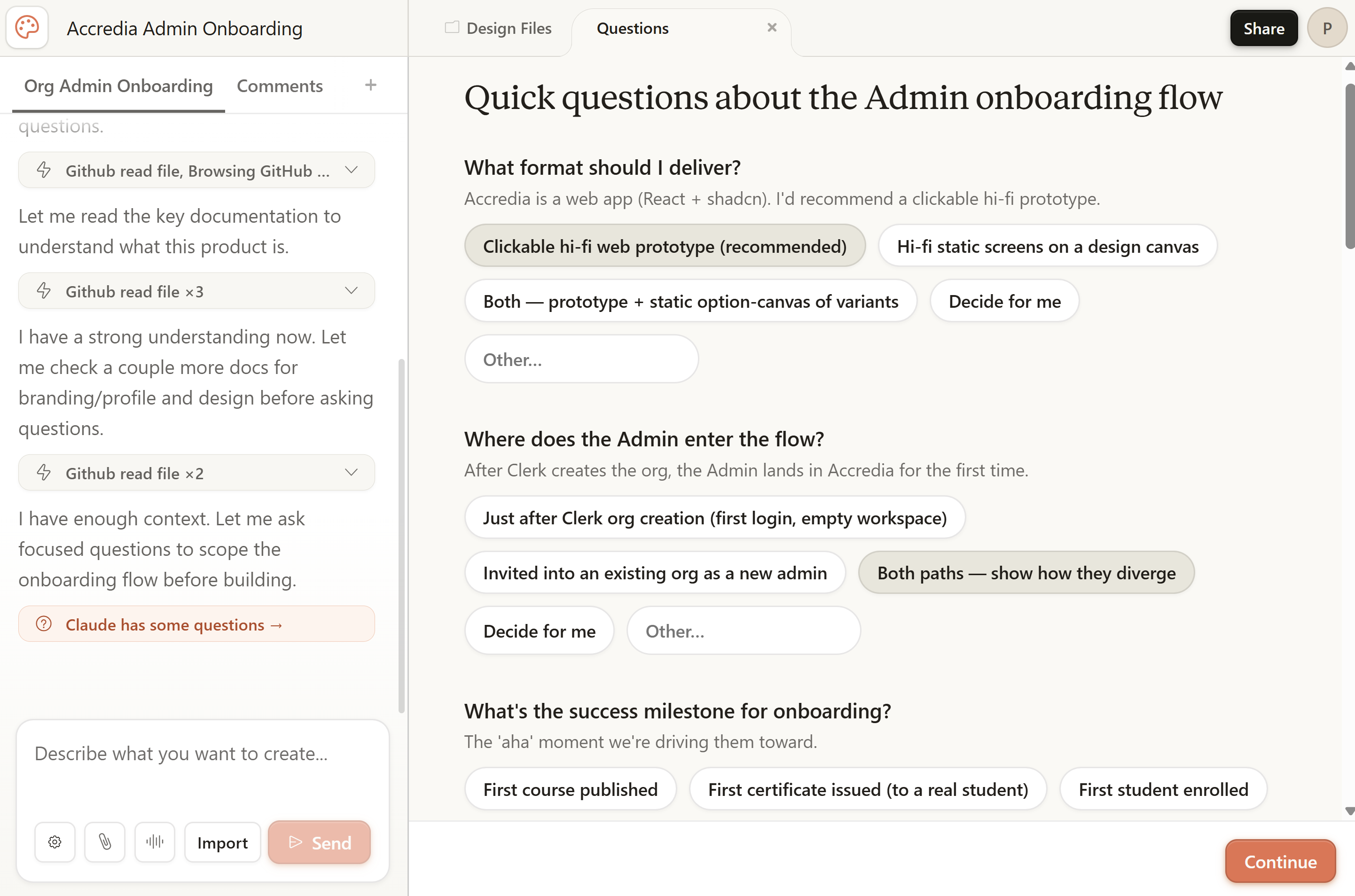
Step 4: Review and refine in the canvas
5–10 minutes for the first generation. Once the prototype exists, switch to a faster model in chat. Iteration drops to seconds. An example result:
Once the prototype exists, PMs can run small fixes like copy edits, button placement, or empty-state polish without pulling in a designer for every adjustment.
Four refinement tools:
Chat. Refine via natural language (”make the empty state more inviting”).
Comments. Figma-style threaded notes. Anyone you share it with can drop them.
Sketch. Draw directly on the prototype. Useful when “move that there” is faster than typing.
Edit. Applying changes directly in the system. I would use it primarily for text adjustments:
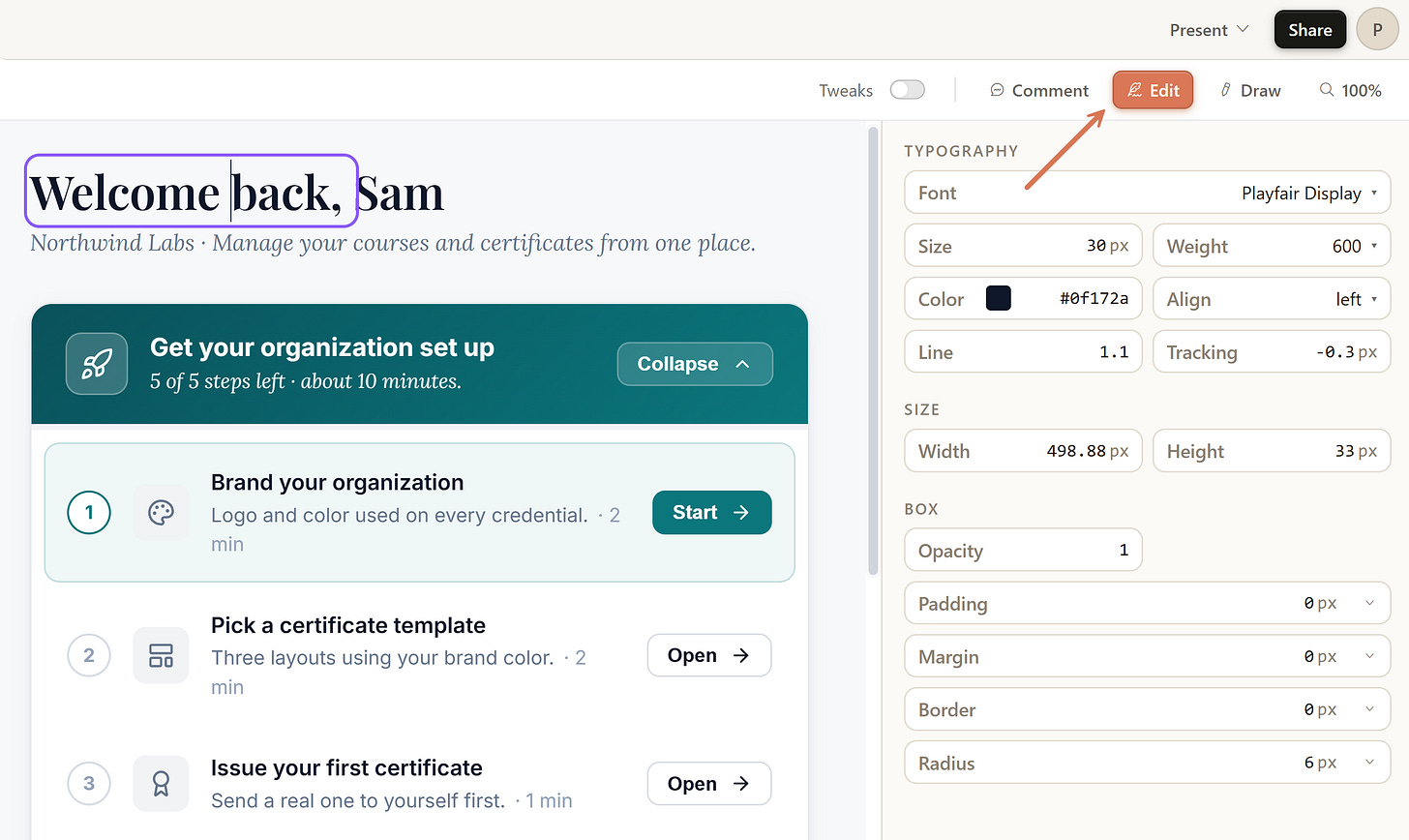
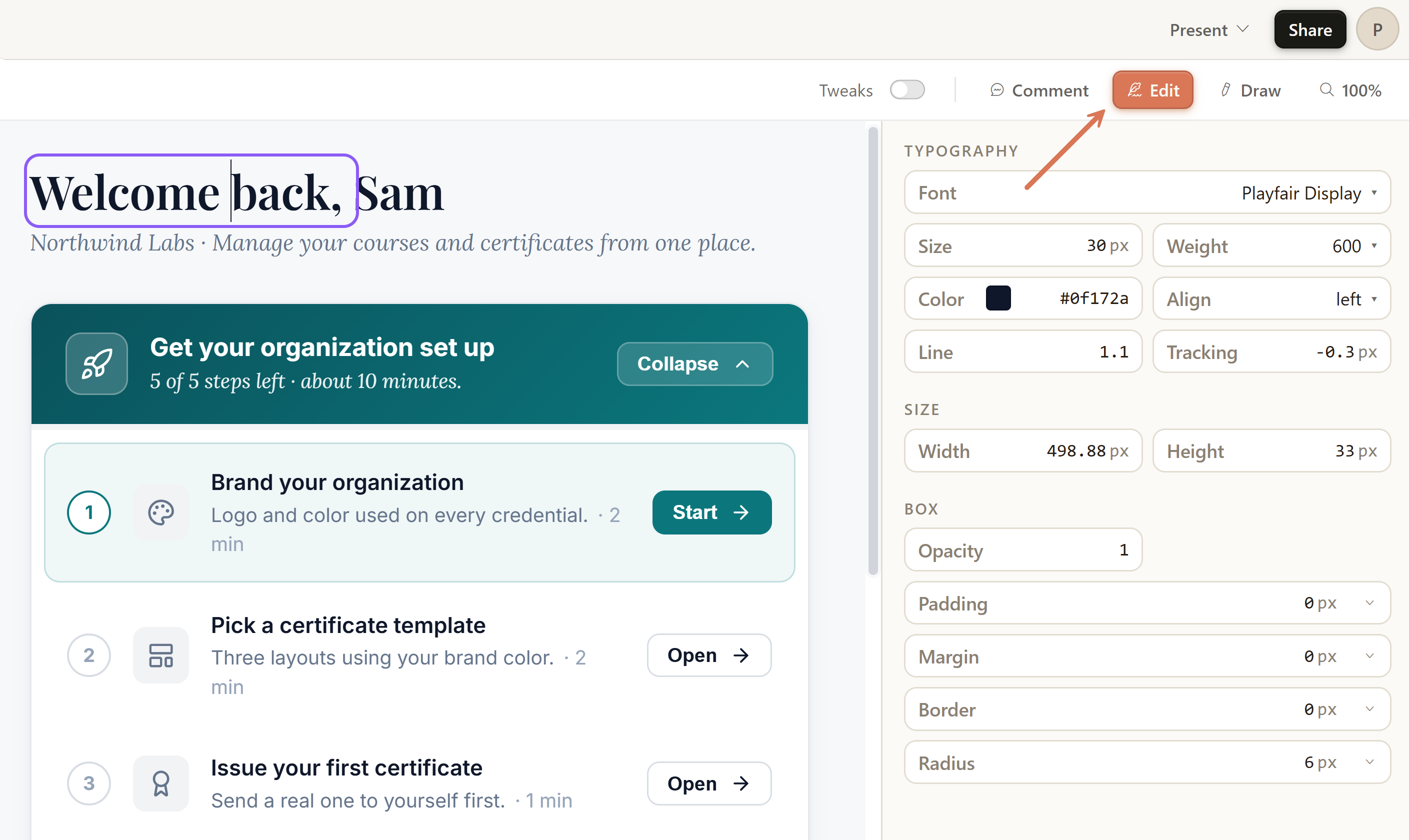
Each prototype can have multiple variants on the same canvas. They are called tweaks. Just ask in the Chat. Claude Design adds them to the Tweaks panel. For example, here I asked for an Anthropic variant:
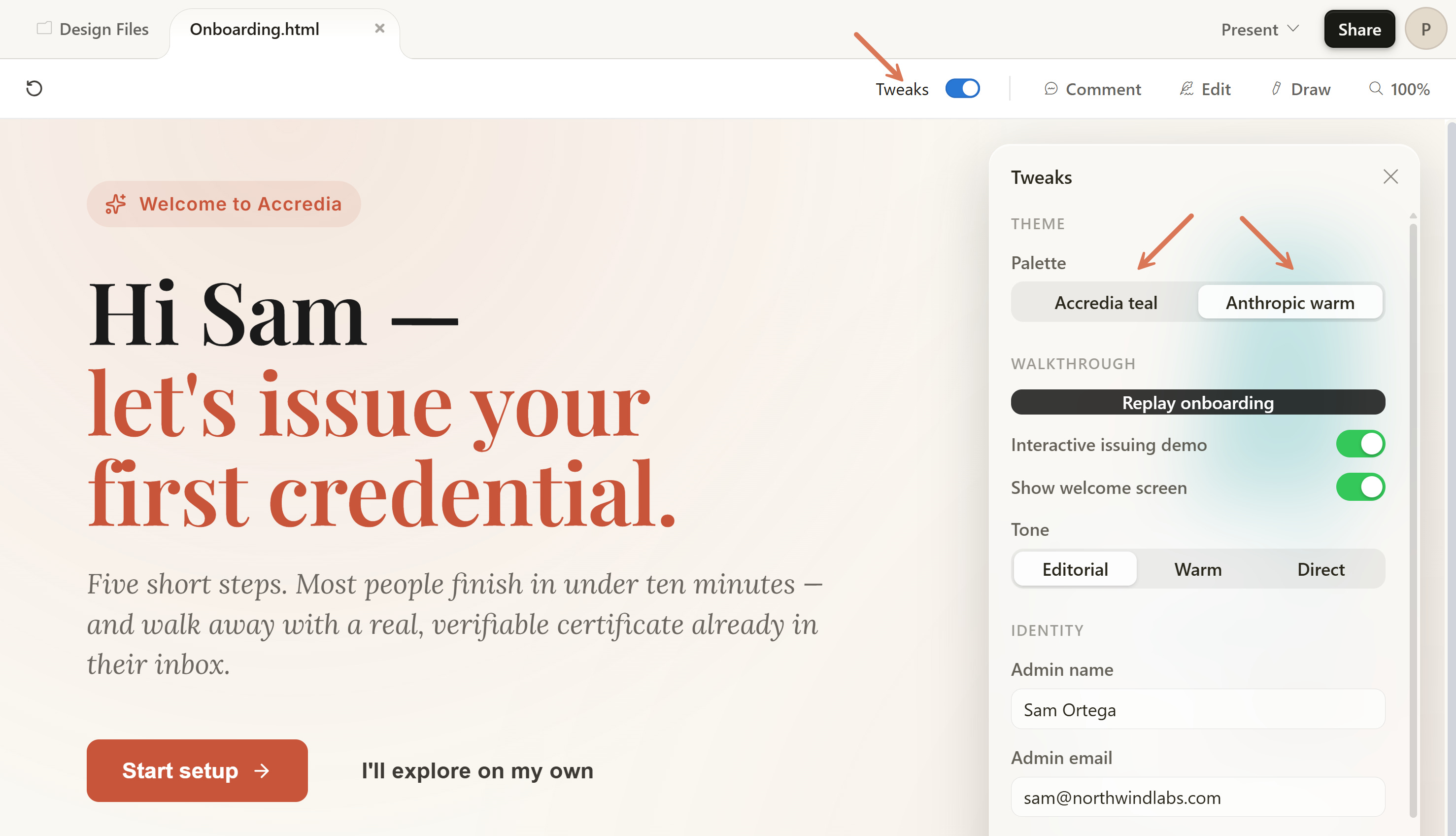
Step 5: Export and handoff
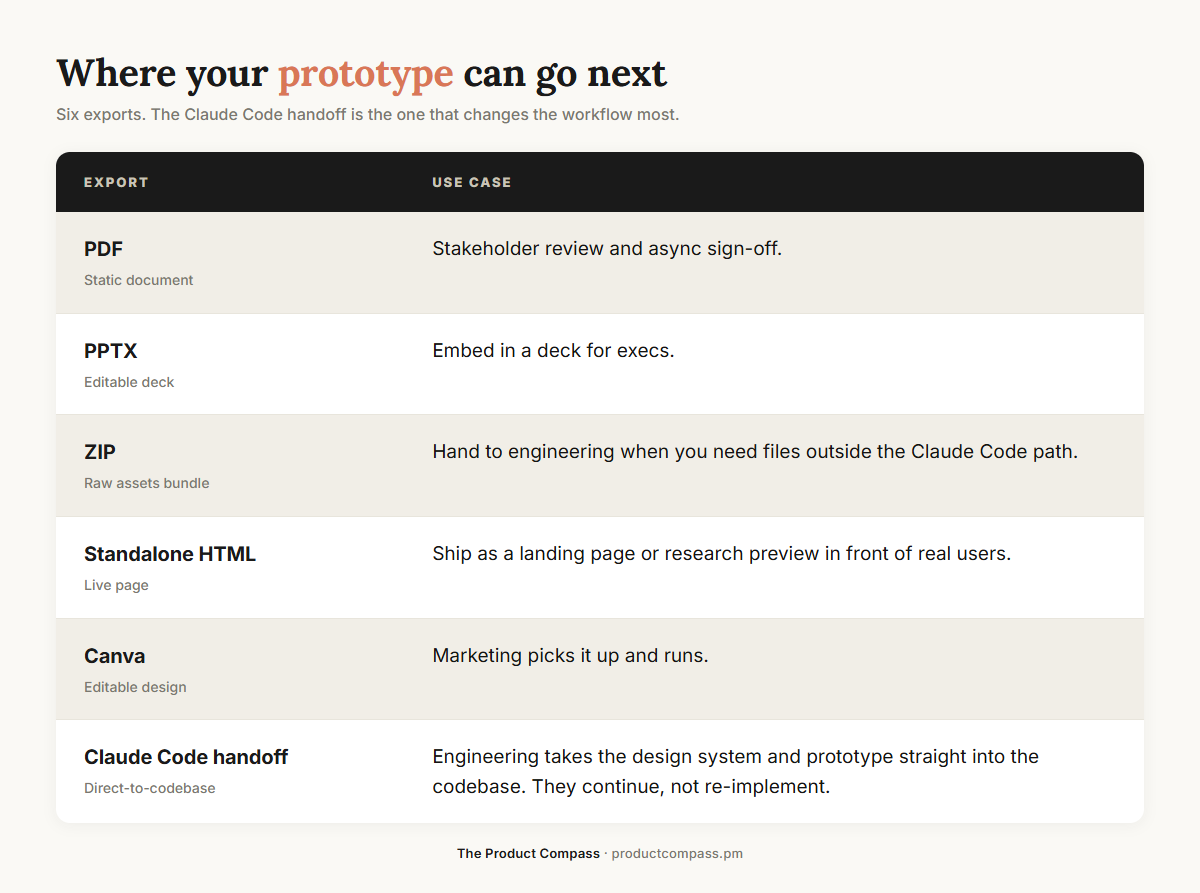
The Claude Code handoff is what changes the workflow the most. Your prototype isn’t a deliverable engineers re-implement. It’s a starting point they continue from.
I’ll come back to working with the trio and the deeper context inputs for modifying existing features in the paid section.
I built and shipped products for 10+ years. I talk to PMs every week. Next, a set of suggested workflows for your team based on my work in accredia.io:
How to collaborate in the Product Trio.
How to test assumptions and when you can just ship.
What to do about Jira/Linear tickets.
What this means for the future or product jobs. 👇