
Yes, you can run Claude Code on a VPS, and it is the cleanest answer to the question underneath: how do I keep it working after I close the laptop? Claude Code is a command-line agent. It runs where you start it and it stops with the machine that started it. Anthropic's own Remote Control lets a phone drive a session, but the session still lives on a machine that has to stay awake. Put the session on a small Linux server instead and the laptop stops mattering. This page is the setup, the one rule Anthropic imposes on hosted Claude Code, and the ways to get a phone in front of it. One of those ways is AFK Pilot, which I build, and since September 2026 it comes with the machine, so I will say where that fits and where a VPS of your own is the better pick.
I build the AFK Pilot extension (previously Grok Build for VS Code), which runs Claude Code alongside Grok Build, Muse Code and Codex, and, experimentally, Google's Antigravity (off by default, on your own computer only, not on Cloud machines). AFK Pilot also includes the remote control and the Cloud machines described below. Anthropic's Remote Control and Claude Code on the web are Anthropic's. Nothing here is affiliated with or endorsed by Anthropic.
Last updated: October 16, 2026.
At a Glance
The machine. A Linux VPS on KVM (a real virtual machine, not a shared container). Ubuntu 24.04 LTS is the least surprising choice. Size it for your project's builds, not for the CLI.
The account. A Claude Pro or Max subscription, or an API key billed separately. Team and Enterprise work too.
Install. One command with Anthropic's native installer, which updates itself. Or npm on Node.js 22 or later.
Sign in.
claude auth loginon the server, then paste the code Anthropic shows you. Anthropic's terms require the sign-in to complete on the machine where Claude runs; copying a token from your laptop is not the shortcut it looks like.Keep it alive. tmux, or a systemd service. An SSH session that drops takes a bare process with it.
From the phone. A terminal app over SSH, Anthropic's Remote Control running on the VPS, or a browser UI. The browser route is AFK Pilot.
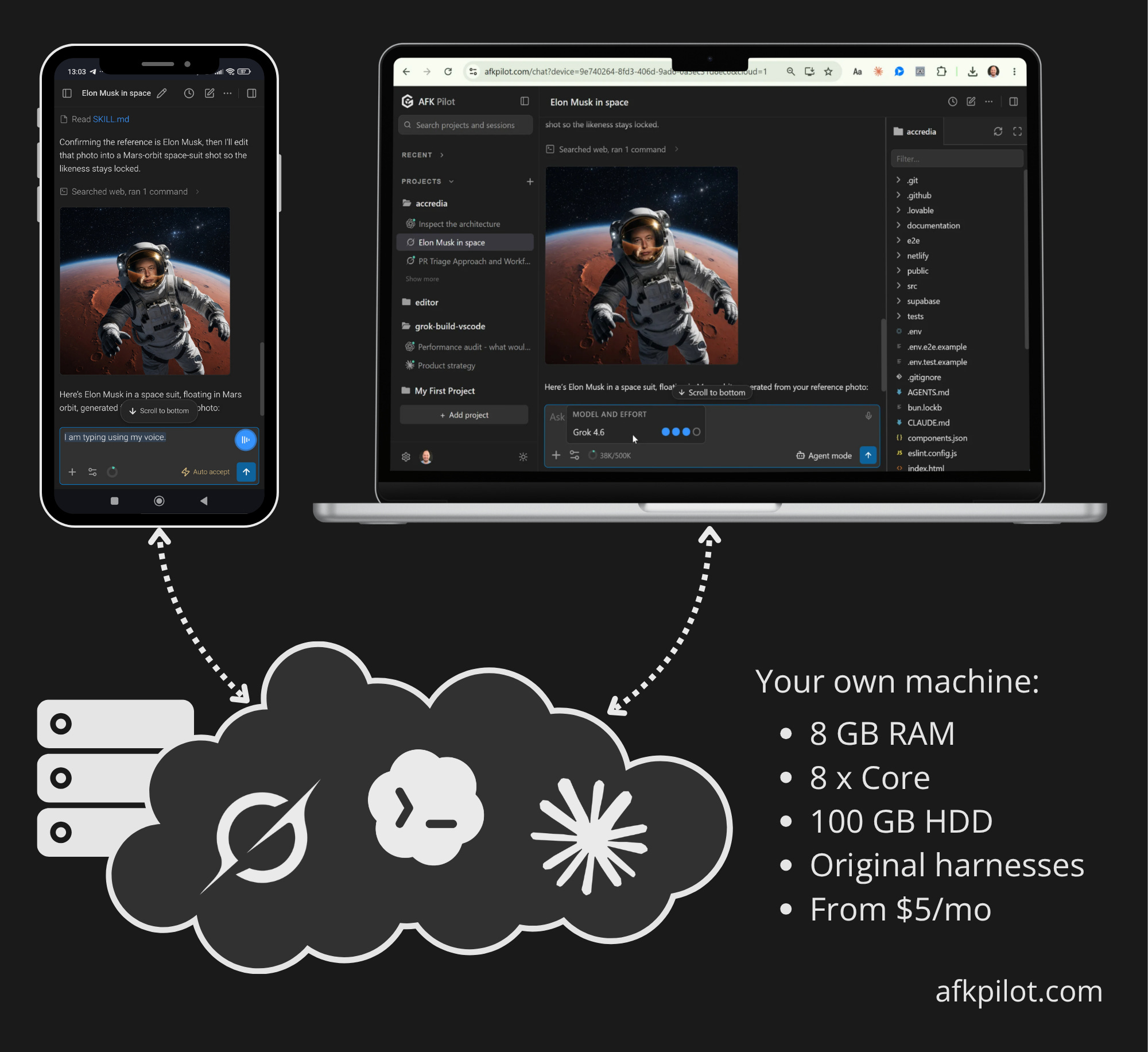
The managed version. AFK Pilot Cloud: a dedicated Linux machine, 8 CPU cores, 8 GB of RAM, about 100 GB of disk, with Claude Code, Codex, Grok Build and Muse Code preinstalled. It sleeps when idle and wakes when you open it. In preview, included with Remote Max.
Why a VPS and Not Anthropic's Own Remote Options
Anthropic gives you two remote things, and neither one is a server. Remote Control, on Pro, Max, Team and Enterprise plans, is a window into a session running on your own machine: your files, your MCP servers, your tools, driven from a phone. If the laptop sleeps, the session waits. Anthropic's docs say it reconnects when your machine comes back online, which is honest, and is the limit. Claude Code on the web runs in Anthropic's cloud sandbox on a clone of your repository, which is fine for work that ends in a pull request and is not your environment.
A VPS is the third thing: an always-on machine of your own, with your environment on it, that no laptop has to keep alive. Everything below is about making that machine boring to run.
Pick the VPS
KVM, not OpenVZ or a shared container. Claude Code is a native binary that spawns your shells, package managers and test runners; a KVM virtual machine behaves like a real computer and lets you install whatever the project needs without asking the host. Most providers' standard tiers are KVM now, and the plan page says so. Ubuntu 24.04 LTS is the least surprising base.
Size it for the project, not the CLI. The agent itself is light. The test suite you ask it to run is not. 2 vCPU and 4 GB of RAM is a comfortable floor for a web app; go bigger if the project builds containers. The hosting comparisons that rank for this query are mostly affiliate lists, and none of them changes the setup below. Pick a provider with a data center near you and move on.
Install and Sign In
Create a user. Do not run an agent as root.
adduser dev && usermod -aG sudo dev, then work as that user from here on.Install Claude Code with the native installer, which keeps itself updated (commands just below these steps).
Sign in on the server. Run
claude auth login. It prints a URL. Open that URL on your phone or laptop, sign in to your Claude account, and Anthropic shows you a code. Paste the code back into the terminal on the server.claude auth statusprints{"loggedIn": true}when it worked. That is the whole flow; there is no browser on the VPS and none is needed.Keep the session alive. Start Claude inside tmux (
tmux new -s claude) so that a dropped SSH connection does not end the run, or run it as a systemd user service if you want it back after a reboot without touching it.Get your code on it. Clone with the GitHub CLI (
gh auth login, thengh repo clone owner/repo) or a deploy key. Private repositories need one or the other.
curl -fsSL https://claude.ai/install.sh | bash
# or, on Node.js 22+: npm install -g @anthropic-ai/claude-code
Both installs put the same native binary on the machine; the npm package downloads it. Anthropic's setup page has the platform notes. Two things worth knowing: the native install updates itself in the background, and Anthropic says not to run the npm install with sudo.
The Rule Anthropic Imposes on Hosted Claude Code
Anthropic is explicit about hosting, so it is worth quoting rather than paraphrasing. From Claude Code's legal and compliance page: nothing prevents “an end user from signing in to the unmodified Claude Code binary with their own Claude subscription, including where a platform hosts Claude Code.” Hosting is allowed. The conditions are that the binary is unmodified, no built-in sign-in method is removed, and the host does not intermediate: “developers may not collect, store, or intermediate Claude.ai credentials or session tokens — sign-in to a Claude account must complete through Anthropic's own flow.”
So “log in on the laptop and copy the token to the server” is not an option, however convenient it looks. The sign-in has to complete on the machine where the agent runs, which is why step 3 above runs the login on the VPS rather than forwarding anything from your machine. It is also just good practice: a token that never moves is a token that cannot leak in transit. The other path is an API key in ANTHROPIC_API_KEY, billed separately from a subscription, which is the right choice for automation and the wrong one for a person who already pays for Max.
Reach It From Your Phone
Three ways, in increasing order of comfort.
A terminal app over SSH. Termius, Blink, or any SSH client, then
tmux attach. It works, and it is a terminal on a 6-inch screen: permission prompts are keystrokes, diffs are scrolled, and a fat finger sends the wrong answer. Fine for checking in, tiring for steering.Anthropic's Remote Control, on the VPS. Run
claude remote-controlin the project directory on the server, inside tmux, and open the session URL on your phone. You get Anthropic's own phone UI for the session, with the always-on machine underneath instead of a laptop. Needs a Pro, Max, Team or Enterprise login; API keys are not supported. This is the underrated combination, and it is what I would use on a VPS I ran myself.A browser UI over the same CLI. The AFK Pilot extension runs Claude Code through the Agent Client Protocol, with permission cards, diffs, a file panel and a projects rail, and links to a phone once. It is built for an editor window, though, not for a headless box, so on a VPS of your own it is not the path I would recommend. The browser route is where the managed version comes in.
The Managed Version: AFK Pilot Cloud
AFK Pilot Cloud is the VPS above, done for you, with the browser UI already attached. It is a dedicated Linux machine that AFK Pilot runs for your account: 8 CPU cores, 8 GB of RAM, about 100 GB of disk, with Claude Code, Codex, Grok Build and Muse Code preinstalled. Under the hood each one is a Fly.io Sprite, a stock Ubuntu virtual machine with a writable disk that suspends between sessions. It is persistent: cloned repositories, installed packages, dotfiles and agent sign-ins are there next time. It sleeps after about ninety seconds of quiet and wakes when you open it. Machines are kept ready, so that usually takes seconds; one built from scratch can take up to 25 minutes, and the page says so while it works.
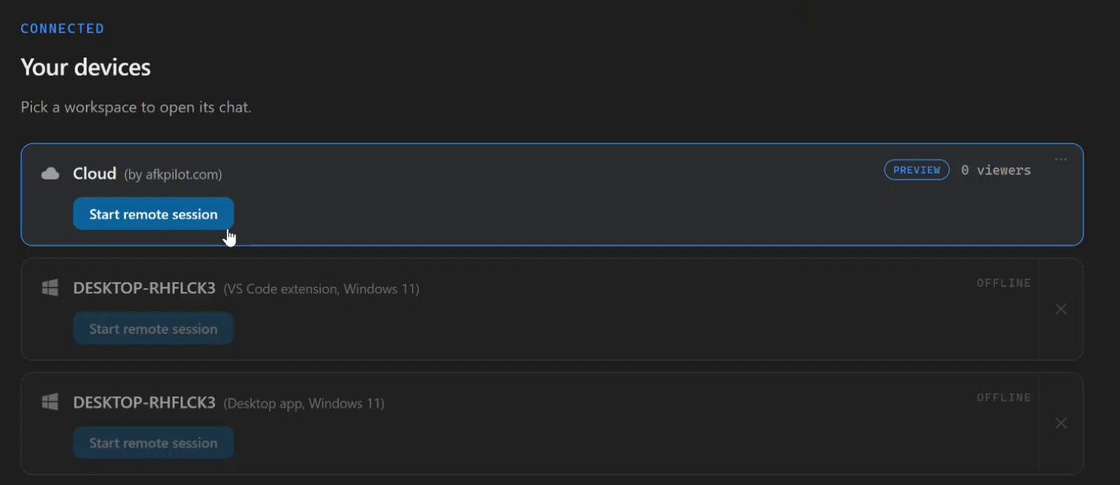
Sign-in follows Anthropic's rule to the letter. You run Claude's own login on that machine, from the browser: the page shows the URL, Anthropic shows you a code, you paste it back, and the token lands on the machine. Nothing about your Claude account is stored by the service, and the relay never sees it. Codex signs in by device code where its CLI and your account allow it, Grok Build by device code always, and Muse Code through Meta's link and short code. Once Claude is connected, the model chip says which model its default is, for example "Default (Opus 5.5)", and new conversations start in Claude Code's own Auto mode unless you pick another mode.
The limits, stated plainly, because they decide whether this is for you. Connectors (MCP apps) work there, signed in from the browser. There are no automatic backups, and a machine can be rebuilt or reclaimed when a preview ends, a subscription lapses, or maintenance needs it, so anything you care about goes to a Git remote. And the host runs on hardware AFK Pilot operates: the privacy separation is a policy it keeps rather than a wall you own, which is exactly the trade a VPS of your own does not make.
In preview it is included with Remote Max; it will get a plan of its own later. Current terms are on afkpilot.com.
Which One Should You Pick?
You already live in a terminal. Your own KVM VPS, tmux, and Anthropic's Remote Control on it. Cheapest, most yours, one more machine to keep patched.
You want a browser UI and no server upkeep. AFK Pilot Cloud. The machine, the agents and the phone interface arrive together.
You want the work in Anthropic's sandbox on a clone of the repo. Claude Code on the web. Not your environment, by design.
You want your laptop's environment from the couch. Anthropic's Remote Control on the laptop, with the laptop awake. No server involved.
FAQ
Can Claude Code run 24/7?
On a machine that stays on, yes. Nothing in the CLI needs a display. Keep the process alive with tmux or a service, and a session left waiting for a permission answer simply waits.
Does Claude Code keep running when I close my laptop?
Not on the laptop. A closed lid suspends on every operating system, and Anthropic's Remote Control reconnects only when the machine comes back online. That is what the VPS, or the Cloud machine, is for.
Does Claude Code support remote control?
Yes. Anthropic's Remote Control works on Pro, Max, Team and Enterprise plans (on Team and Enterprise an Owner turns it on first); API keys are not supported. The machine has to stay on and the claude process has to keep running, because the phone is a window into that session. On a VPS of your own that is easy, and it is the combination I would pick. AFK Pilot works with either a Claude subscription or an API key (billed separately), and a Cloud machine keeps running with your laptop shut.
Can I copy my login from my laptop to the server?
No. Anthropic's terms require the sign-in to complete through their own flow on the machine where Claude runs, and the token is a password in any case. Run claude auth login on the server; the paste-code flow exists for exactly this.
Is running Claude Code on a VPS or remote server allowed by Anthropic's terms?
Yes. Anthropic states that an end user signing in to the unmodified binary with their own subscription is permitted, including where a platform hosts it. What is forbidden is intermediating credentials or reselling usage.
Do I need Node.js?
Not with the native installer. The npm route needs Node.js 22 or later, and either way the thing that runs is the same native binary.
How much RAM does Claude Code need on a VPS?
The CLI is light; your project's builds and tests are what need memory. 4 GB is a comfortable floor for a web app, which is why the Cloud machine has 8.
Can I use my Claude Max subscription on a VPS?
Yes. That is exactly the case Anthropic describes, and your plan's rate limits apply wherever the CLI runs.
KVM or Docker?
A Docker container runs the CLI fine, but the agent expects to install tools and run builds, and a KVM virtual machine with root is less friction for that. Pick the VPS plan that is a real VM.
Can I run Codex, Grok Build or Muse Code the same way?
Yes. All three have headless sign-in paths: Codex by device code where its CLI and your account allow it, Grok Build by device code always, and Meta's Muse Code through its login, which prints Meta's link and a short code. On the Cloud machine all four are preinstalled and connect from the browser. The Grok side of the same setup: Grok Remote Control.
Is there managed Claude Code hosting, so I can skip the setup?
Three things are sold under that name, and only one is hosting in the sense you mean. Hosting providers now list "Claude Code VPS hosting"; read the fine print, which on most of them says self-managed. That is the VPS above with a template, and every step on this page still applies. Anthropic's Claude Code on the web runs in Anthropic's own sandboxes, but a session there is not a machine you keep. AFK Pilot Cloud is the managed, hosted version: a dedicated Linux machine that stays yours between sessions, with Claude Code, Codex, Grok Build, and Muse Code already installed, reached from your phone or any browser. In preview it is included with Remote Max. You still sign in to Claude on that machine yourself, which is what Anthropic's terms require.
AFK Pilot exists because a user asked for it, which is most of what I have to say about product work. I write that up here: what building in the open teaches me, not the tool tour.
AFK Pilot and Grok Build Desktop (Community) are unofficial community projects, not affiliated with or endorsed by SpaceXAI (formerly xAI), Meta, OpenAI, Anthropic or Google. Claude and Claude Code are trademarks of Anthropic. Grok, Grok Build, and xAI are trademarks of xAI; Codex of OpenAI; Muse Code of Meta; Antigravity of Google.