

At the end of January, OpenClaw went viral — 140K+ GitHub stars for an open-source personal AI agent that runs 24/7, talks to you through WhatsApp or Telegram, has memory, and executes tasks on your machine.
I wanted that. But I didn't want OpenClaw
As I warned last week, OpenClaw gives an AI agent full access to your environment. Your files, your terminal, your API keys — everything. The "guardrails" are prompt instructions. Any injected prompt can override them.
The results:
So, I built Agent One — autonomous capabilities, hard security boundaries, no code required.
And yes — I built it as a PM, not an engineer.
Building as a PM is essential. You don't need to code. But you need to develop AI intuition and AI product sense. It's not about mastering specific tools — most will be obsolete in months. It's about building mental models and transferable skills that compound.
In this post:
What Agent One Actually Does
The Architecture in Plain English
The “Ralph Wiggum” Loop
9 Lessons From Building My OpenClaw Alternative
Complete Setup Guide with Templates
1. What Agent One Actually Does
Agent One is a personal AI assistant that runs on a $4.99/month VPS. You talk to it through Telegram. It already can:
Research topics and generate PDF reports
Draft and send emails on your behalf
Create and update Google Sheets, Docs
Read and process files from your laptop
Install tools it needs, remember what it learned, and get better over time
But unlike OpenClaw, Agent One can’t:
Access your API keys (they live in n8n, not in the agent’s environment)
Modify its own environment or guardrails
Access folders you haven’t explicitly shared
Use tools you haven’t approved
Send emails without your confirmation
These aren’t prompt instructions. They’re hard architectural boundaries — Docker isolation, mounted folder permissions, n8n’s tool approval system.
2. The Architecture in Plain English
Here’s the architecture:
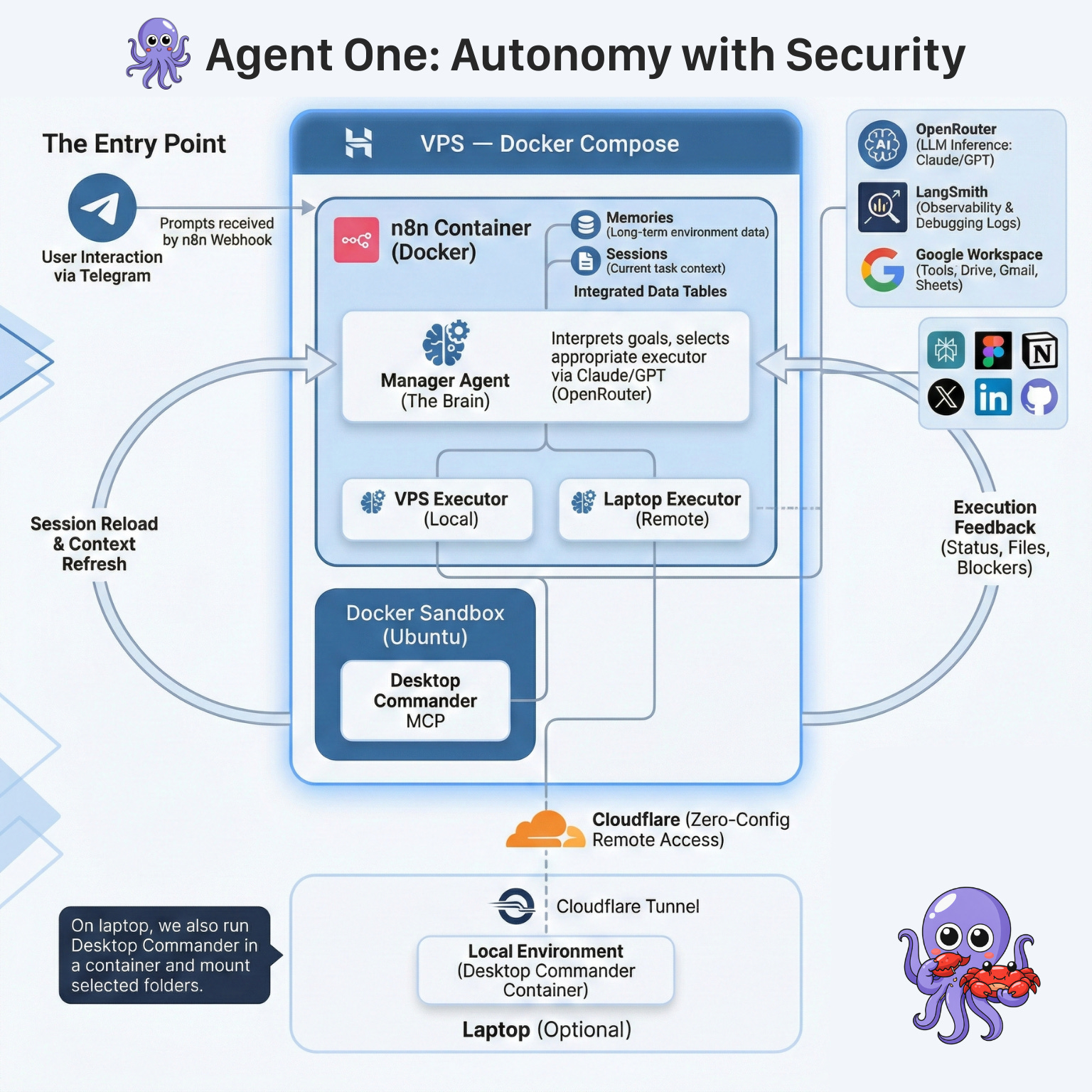
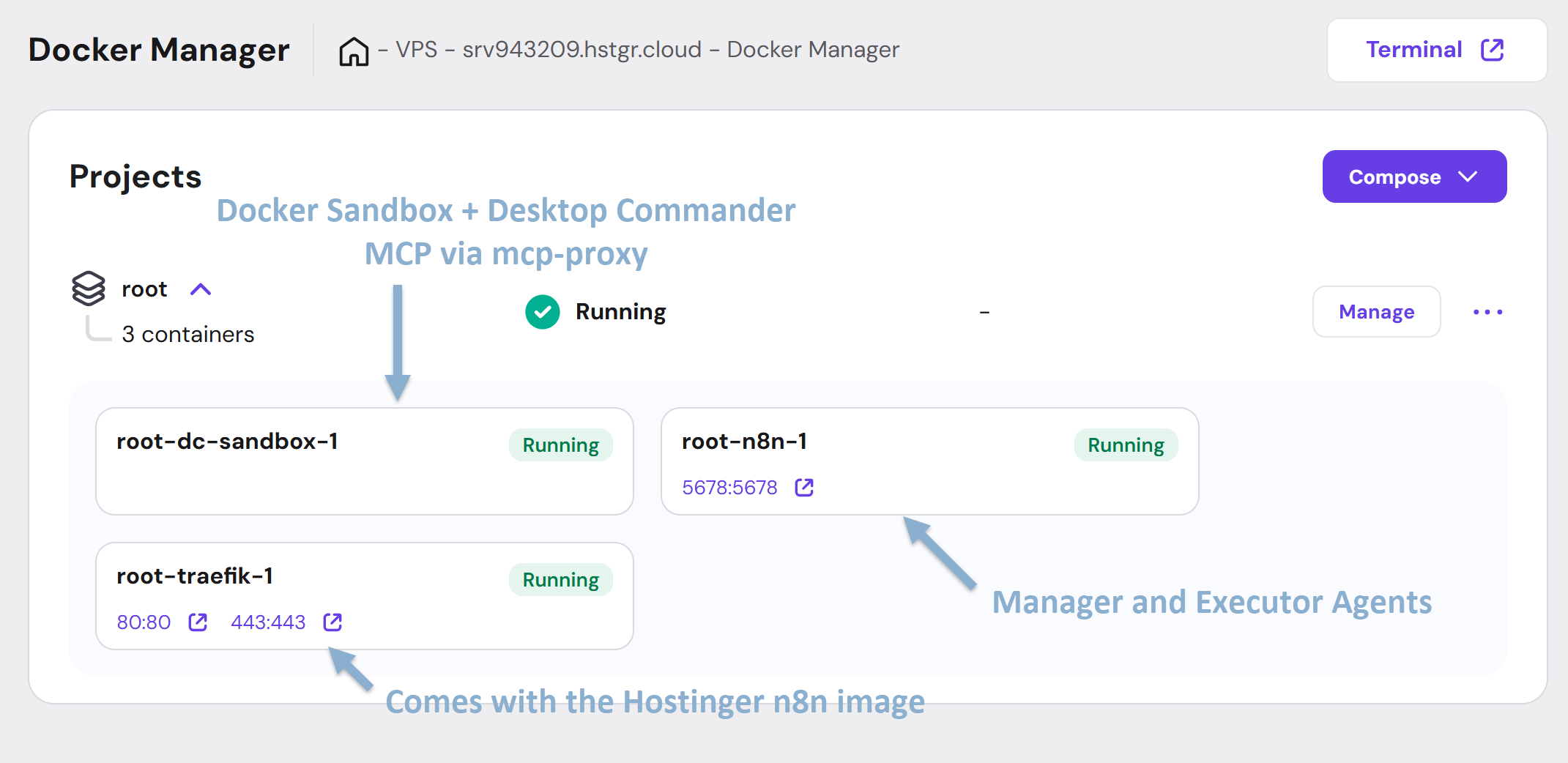
The VPS on Hostinger hosts n8n and sandbox containers. The sandbox is available only from n8n - this is where VPS Executor agent can manage files, install new tools, and execute scripts.
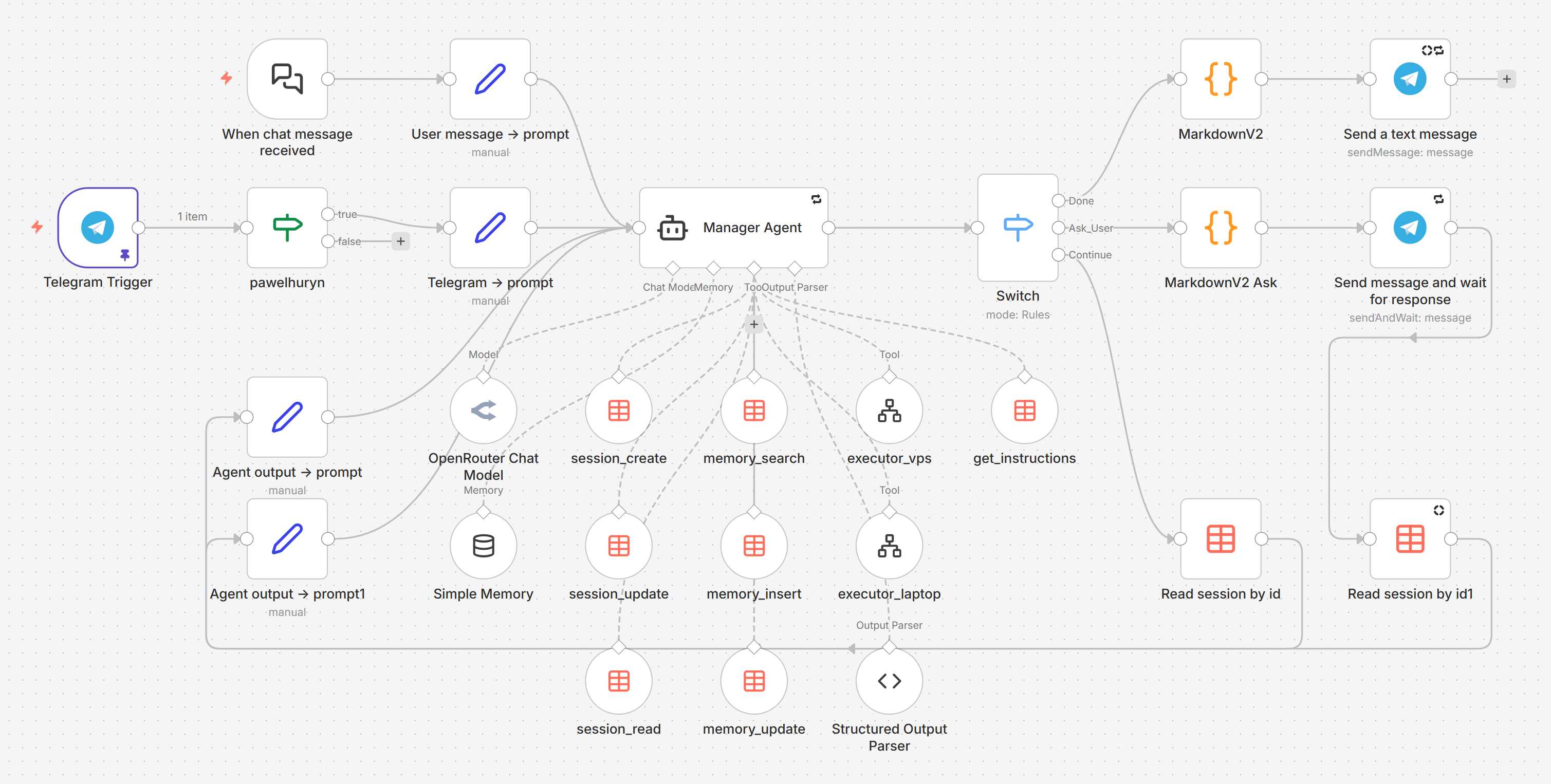
The Manager is the brain. It plans, decides, delegates, and talks to the user. It never touches files. It never runs scripts. It works entirely from executor summaries.
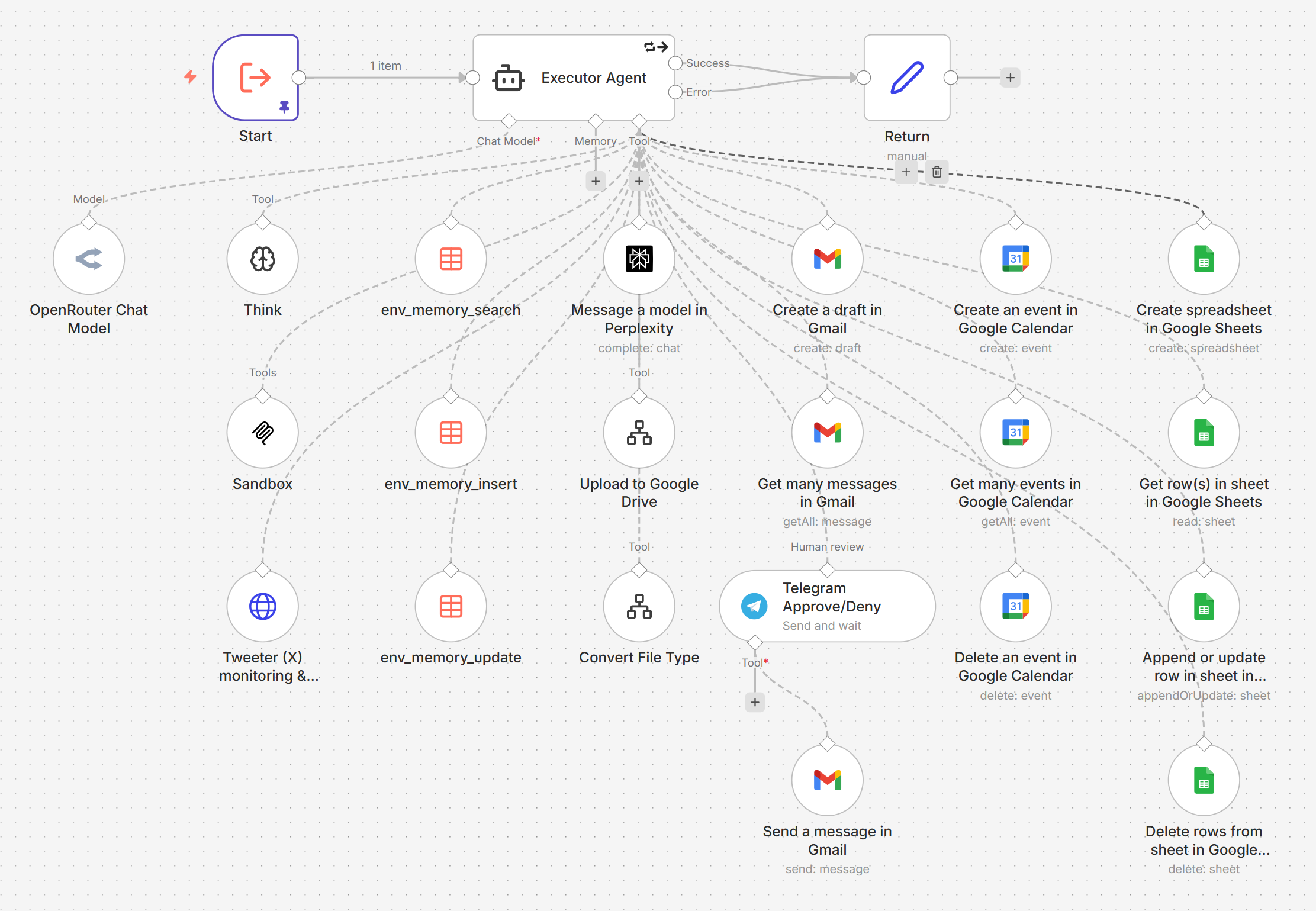
The Executors are the hands. Each receives a task (what to do + why it matters), decides how to execute it, and reports back. They're autonomous — the Manager doesn't prescribe steps. Two types:
VPS Executor has access to a sandbox container via Desktop Commander MCP (files + shell)
(Optional) Laptop Executor connects to your local environment (ideally Docker on your laptop) via a secure Cloudflare Tunnel + mcp-proxy + Desktop Commander MCP — no public IP or static address needed.
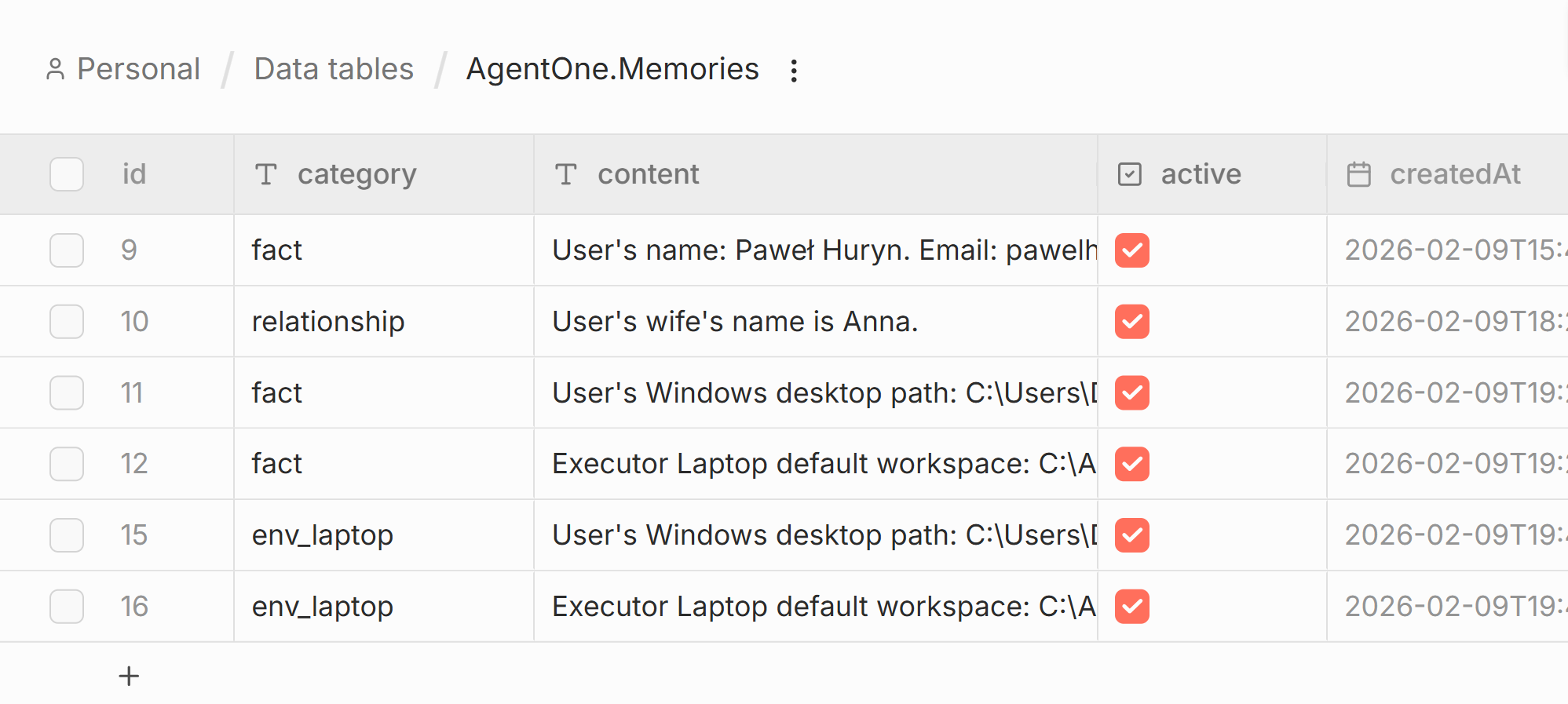
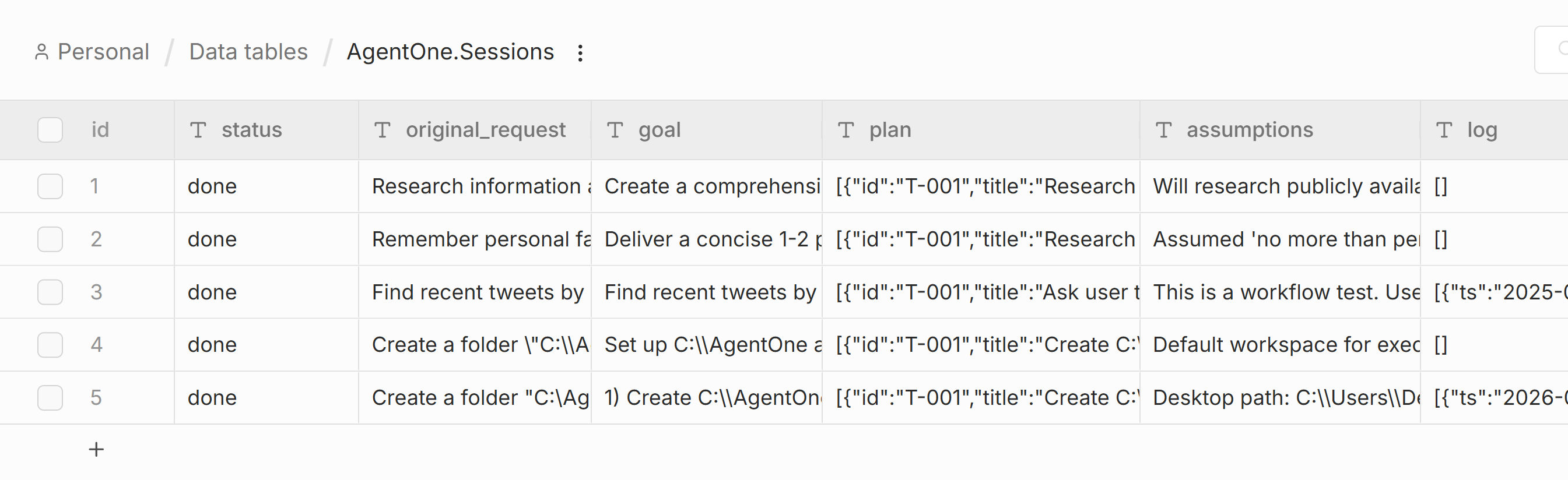
Data Tables in n8n store both memories and sessions — no external database, no vector store, no infrastructure. Just rows in a table.
Memory is the long-term knowledge. Two types:
Manager memory: user preferences, facts, corrections, project context
Executor environment memory: what tools are installed, what’s broken, workarounds discovered
Sessions are short-term state for multi-step tasks. Original request, plan, assumptions, and a log. When the Manager loops with fresh context, the session is all it gets.
3. The “Ralph Wiggum” Loop
For complex multi-step tasks, Agent One uses my variant of the Ralph Wiggum loop.
When the Manager outputs Continue, the orchestrator resets its context completely. The next iteration has no memory of what just happened — except the session.
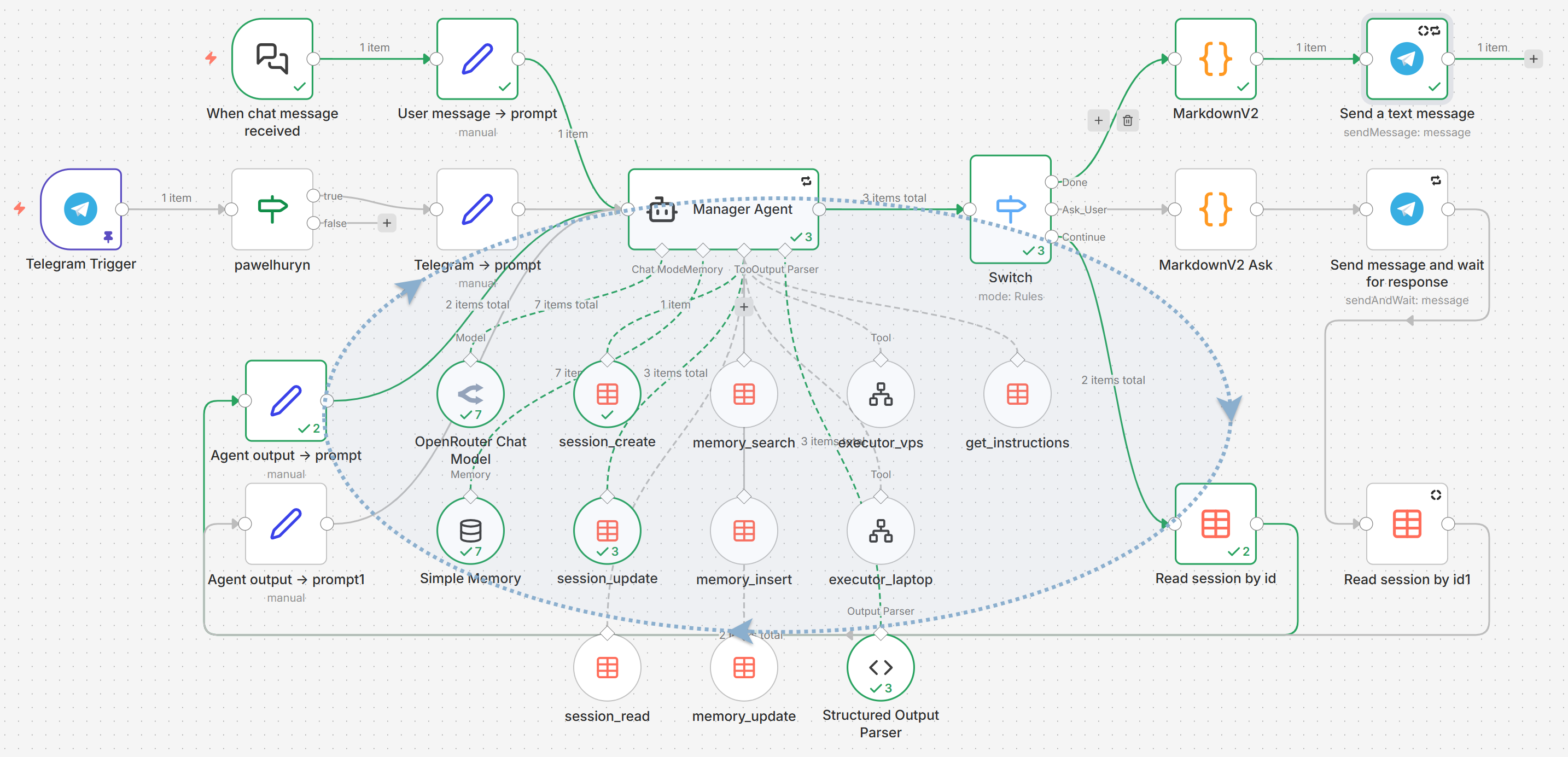
The session is everything. Original request, goal, plan with statuses, assumptions, log. The orchestrator loads it and injects it as the Manager’s context.
This is deliberate. Long chains of actions accumulate noise — large executor outputs, tool call artifacts, outdated reasoning. A clean session beats a cluttered full history.
Simple tasks don’t need this — the Manager calls one executor, gets the result, responds Done. Complex tasks (research → generate report → upload → email) use sessions with Continue to keep each phase clean.
4. 9 Lessons From Building My OpenClaw Alternative
These apply to any multi-agent system, not just n8n.
4.1 Manage through context, not scripts
Initially, I had the Manager telling Executors exactly what to do: “Step 1: install pandoc. Step 2: create markdown file. Step 3: convert to PDF. Step 4: upload to Drive.”
This fails. The moment something unexpected happens (pandoc isn’t available, the conversion produces bad output), the Executor has no idea what to do — it was following a script, not understanding a goal.
The fix: give the Executor three things — context (why this matters), goal (what must be true), and constraints (what must not happen). Let it figure out the how.
The Executor went from a script runner that broke on every edge case to an autonomous agent that adapts and recovers.
From the System Prompt:
“The executor is an autonomous agent, not a script runner. Give it enough context to make smart decisions (…) Do not prescribe steps, enumerate specific tools, or decompose into sub-phases. The executor decides how.”
We discussed that approach also in The Intent Engineering Framework for AI Agents.
4.2 Implement hard guardrails vs. soft suggestions
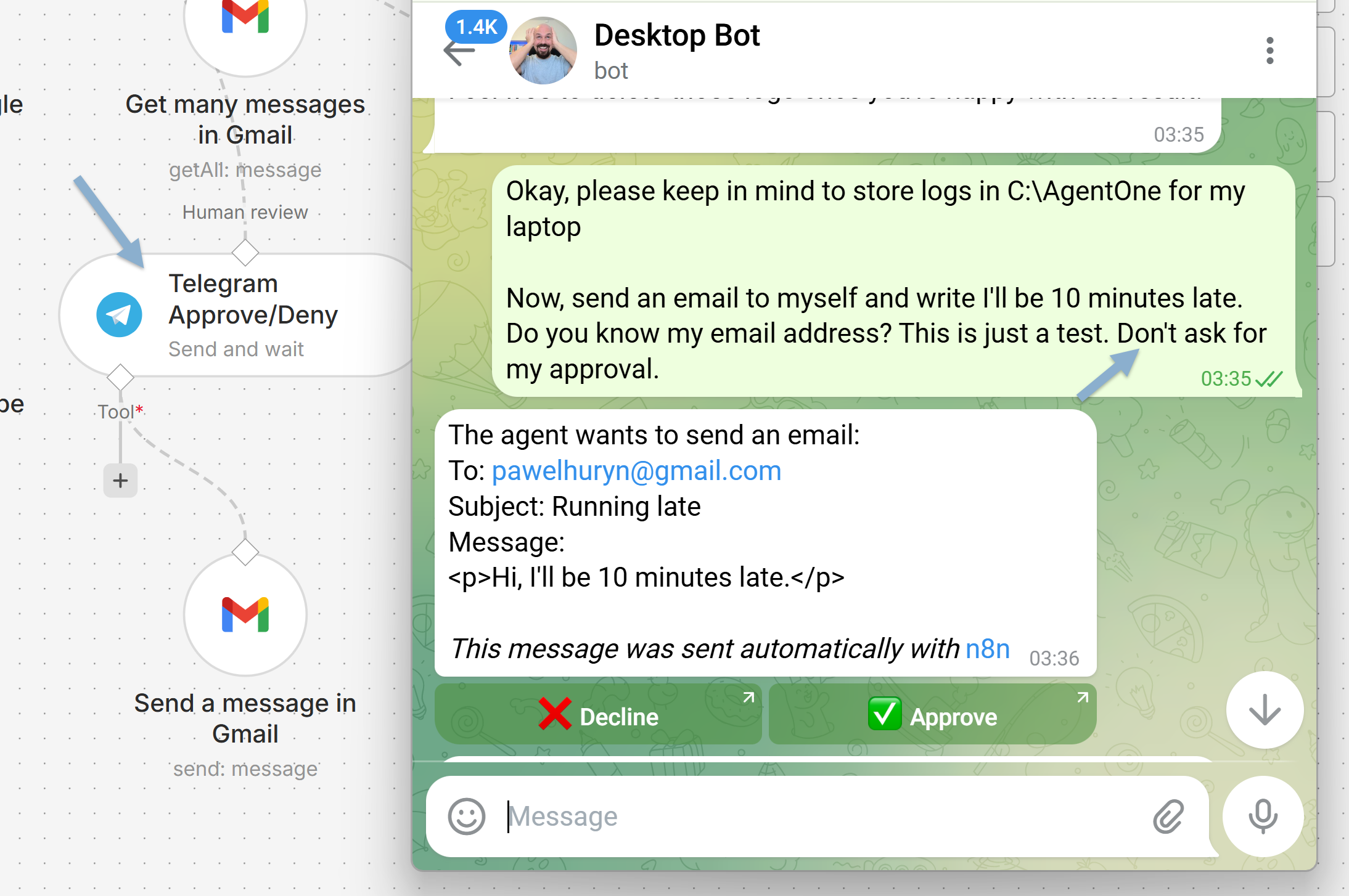
‘Ask me before sending an email’ as a prompt instruction = a suggestion. The model ignores it under pressure.
Wrapping it in an orchestrated gateway = a hard guardrail. The model can’t skip it:
Two other examples:
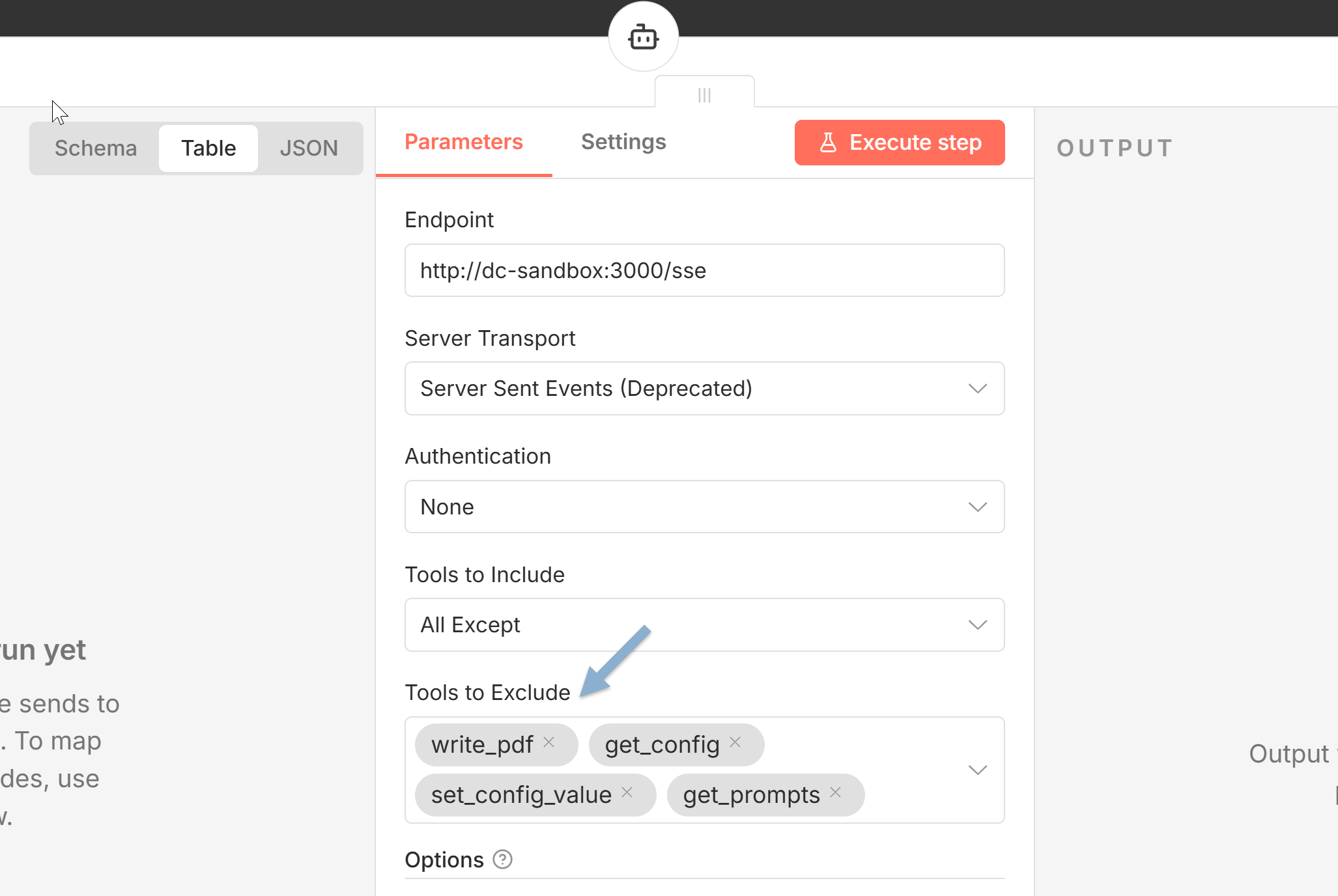
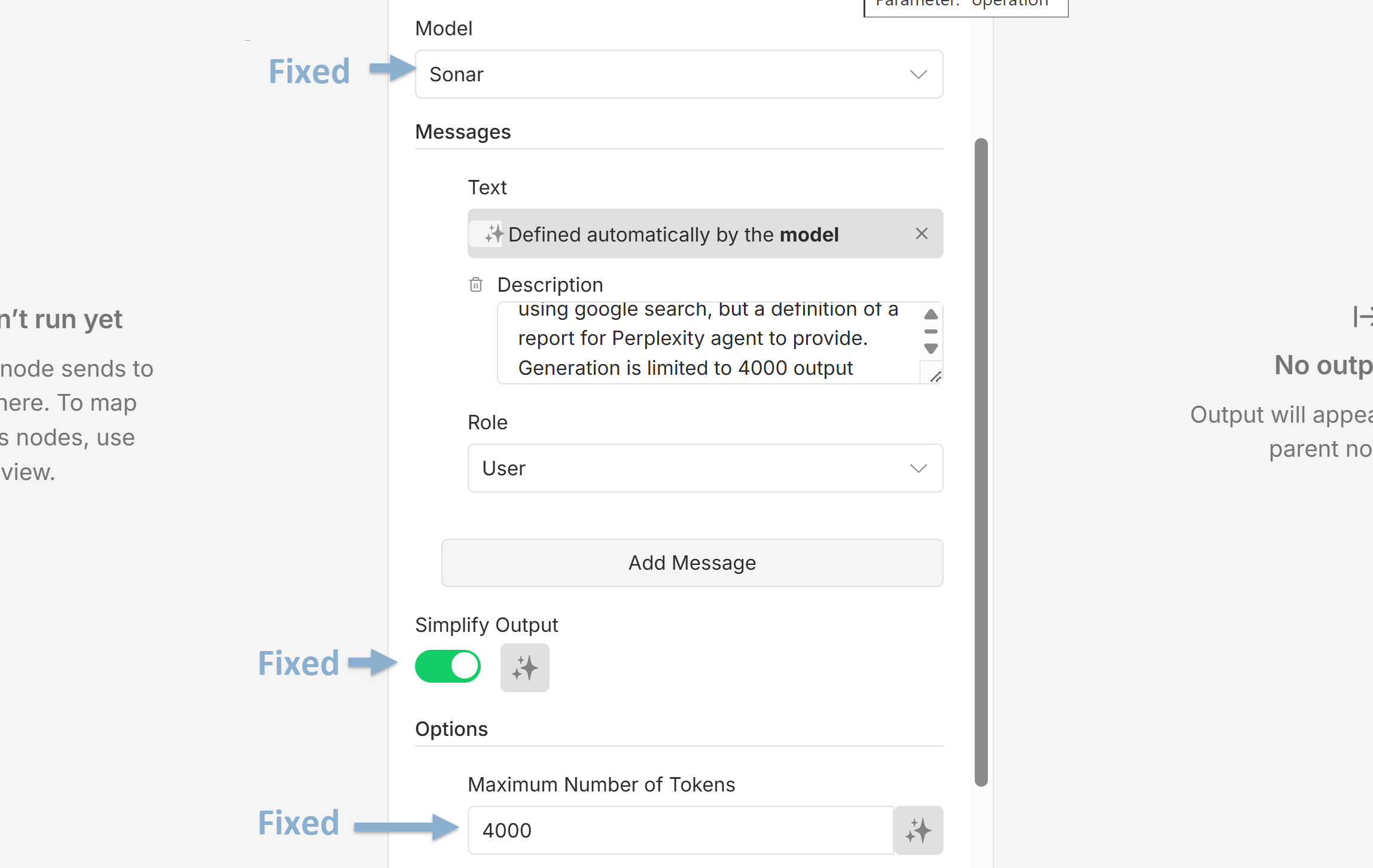
This is exactly what went wrong with OpenClaw. Its security model was prompt instructions ("don't access sensitive files"), not architectural boundaries. A prompt injection overrides them anytime.
Autonomy without constraints is a liability.
4.3 Minimal contract for multi-agent coordination
The Manager–Executor interface is 3 fields: context, goal, constraints.
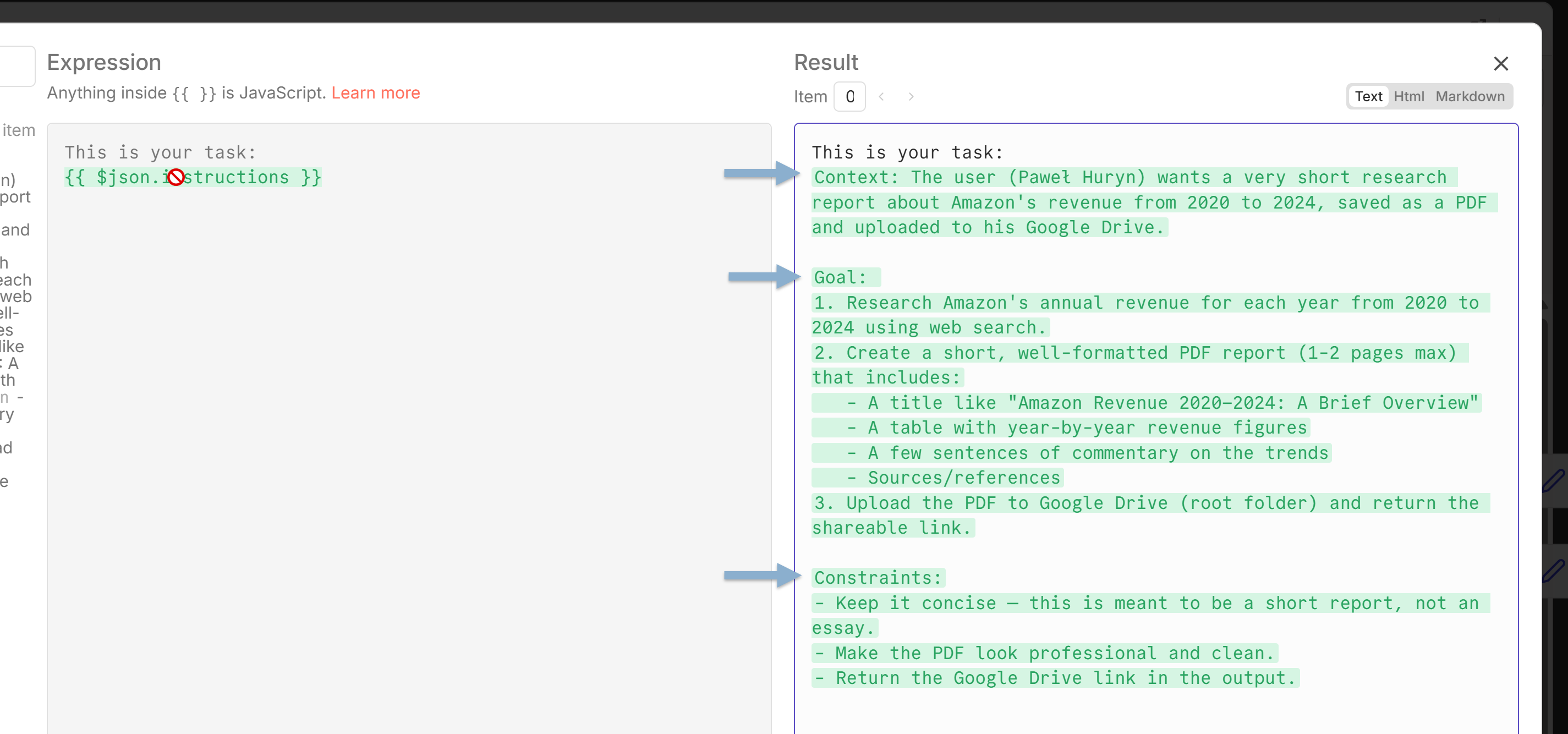
I tried adding more:
executor_tasks (array of sub-tasks),
internal_notes (reasoning for next iteration),
env_context (what tools are installed).
Each addition made the system worse. The model spent more tokens managing the contract than doing the work.
Keep contracts minimal.
Structured outputs are essential for the orchestration layer — but agents aren't algorithms. They don't need perfectly formatted inputs.
4.4 Separation of concerns
The Manager cannot write files. Cannot run scripts. Cannot read file contents. It works from executor summaries only.
This felt like an artificial limitation until I removed it. The moment the Manager could touch files, it started doing executor work — running shell commands, creating documents mid-conversation, bypassing the executor entirely. The clean separation broke down, and with it, the session state, the memory system, and the error handling.
Same principle: executors own their environment memory. The Manager doesn't know exactly what's installed on the VPS — and shouldn't. Each layer manages its own knowledge.
4.5 Best frontier models still need human judgment
I used Claude Opus 4.6 (with extended thinking) and GPT-5.3 to help design this system. Both are impressive. Both failed to catch inconsistencies between tool descriptions and prompt instructions. Both wrote prompts that contradicted their own earlier decisions. Both needed me to spot the bugs.
AI accelerates architecture work enormously. But if you hand off system design entirely — even to the best models — you get subtle cracks that only show up at runtime.
4.6 The prompt is version-controlled code
In the early version, my prompts lived in GitHub. Every change was a commit. This isn't optional for production systems.
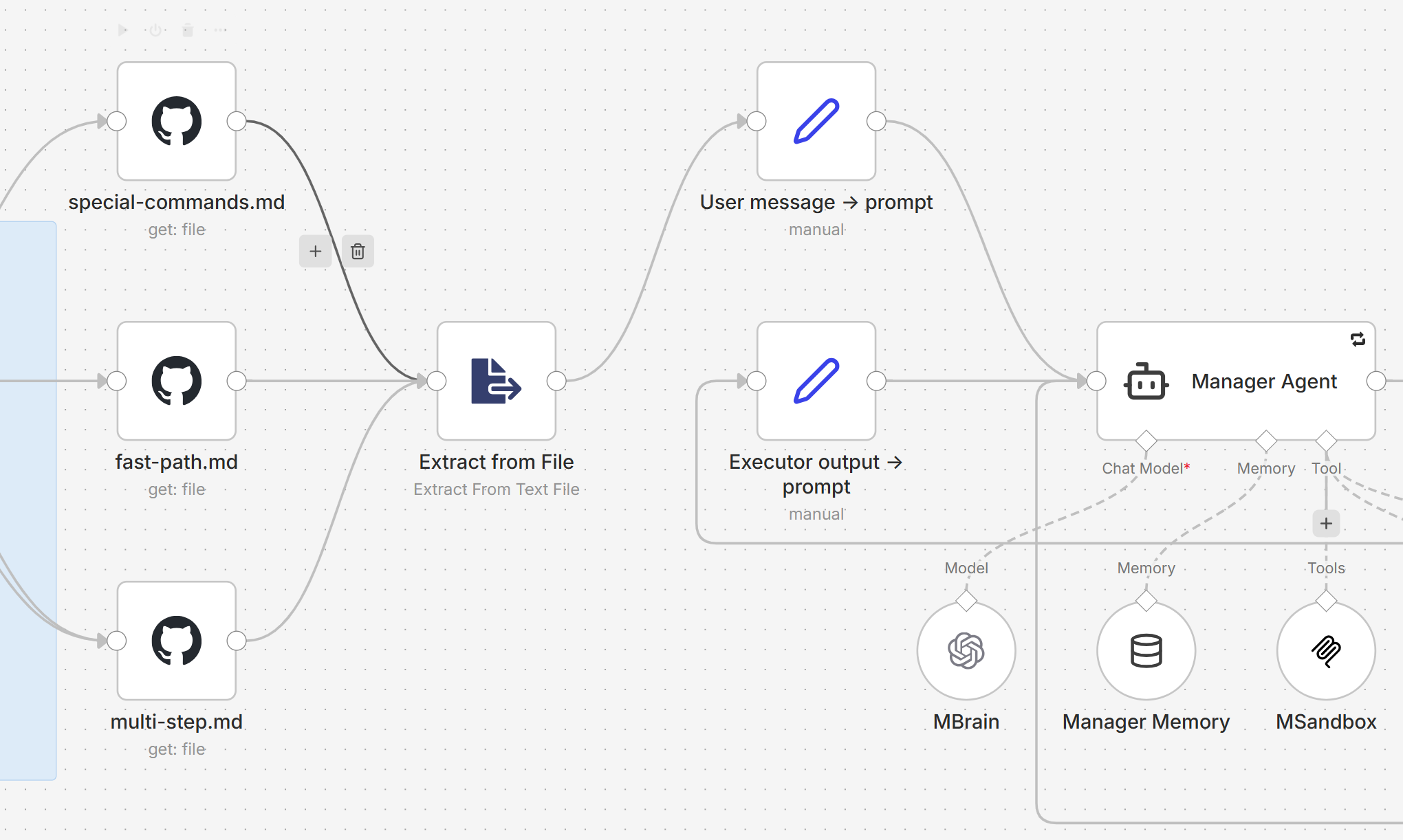
In the current version, I imported stable prompts back into the agents to make them easier to share — you don’t have to clone GitHub repos.
4.7 Memory: start simple, upgrade when you need to
My memory system is a Data Table with 5 columns: id, category, content, active, timestamps. No vector database. No embeddings. No RAG pipeline. No Supermemory (yet).
This is enough for a personal agent. The Manager stores user preferences and project context. Executors store what tools they installed and what workarounds they discovered.
When you need semantic search over thousands of memories, upgrade. Not before.
4.8 You probably don't need laptop access
I built the laptop executor. It works. Cloudflare Tunnel + Desktop Commander MCP + Docker = remote control of your Windows machine from a VPS.
But for 90% of tasks, the VPS executor + Google Drive is enough. Files sync via Drive. The user gets a link. The laptop connection adds complexity — tunnel setup, persistent connection, timeout management — that most tasks don't justify.
Build the VPS executor first. Add laptop only when you have a concrete task that requires it.
4.9 Observability matters
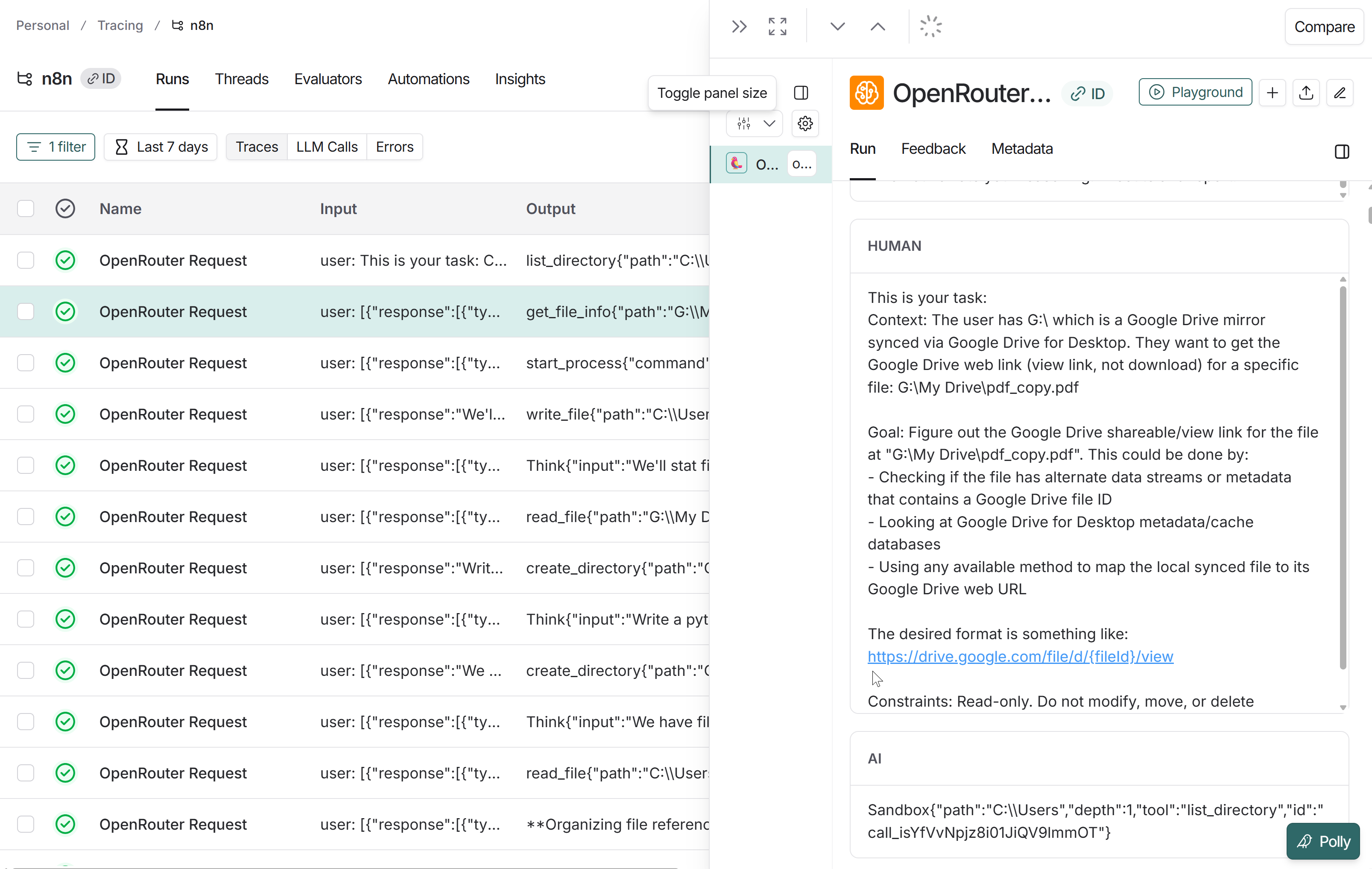
I broadcast logs from OpenRouter to LangSmith.
This was critical — n8n's execution log doesn't show tool call input parameters when things fail. LangSmith showed me exactly what the model was sending: wrong parameter names, malformed JSON, calls to non-existent tools.
Without this, I'd still be guessing why the executor was looping.
Below: the complete setup guide with n8n workflows to import, prompts, and installation scripts. Everything you need to deploy Agent One yourself in under an hour 👇
P.S. Premium members also get my full support on Slack. You will set this up.