

In August, I called Grok Bot a toy. Back then, it really was, even though people were adopting it like crazy.
Recently, it’s improved a lot. The biggest change is guardrails: you can now decide when a bot asks for permission and when it acts on its own.
I spent the last week building a swarm of product bots, each specializing in a different area. While the product has still a few issues that could be improved, I already love those teams of autonomous, self-organizing agents.
Below, I show what works right now and how you can use it. At the end, you can import my entire AI product swarm.
We discuss:
Why You Should Care (and Why Not)
How Grok Bot Works
Example: My PM Swarm
Control and Workarounds
🔒 The PM Swarm Template to Download
1. Why You Should Care (and Why Not)
The first thing to understand is that today Grok Bot is still a compromise.
You trade control for convenience.
You can build powerful multi-agent systems with Claude Code, e.g., in VS Code. But it comes with more configuration and dependencies to manage, and, frankly, working with those agents has more friction.
Grok Bot gives you many more capabilities out of the box.
Two things I liked the most:
Voice: you talk instead of typing. I did most of the work on my phone, with my headphones, without looking at the screen. It’s much more reliable than anything I’ve tried.
Self-organization: bots message other bots and spontaneously collaborate without you having to orchestrate every request.
At the same time, despite what many claim on social media, I’d argue that Grok Bots shouldn't replace your other tools. They cost more than Claude Code, so don’t run them 50 or 100 times a day.
Give them the jobs they are best at:
Grok Bots: high-impact work or work that should run without you. Ideating, working through strategy options, or getting notified about new opportunities, like a routine that monitors competitors, or reviews Slack or a Notion collection once a day.
Claude Code: coding and engineering with agents.
A standard chatbot or agent (Claude.ai, Claude Desktop): everything else.
With that assumption, you can start with SuperGrok ($30/mo).
Note about the “compromise”:
If you're an advanced user of an IDE or the terminal, you may still prefer that interface. But I have no doubt that swarms of autonomous bots will keep improving. In mid-2025, agents weren’t reliable, while people hyped them anyway. We got reliable agents at the end of that year.
Now, a few weeks after the initial hype, autonomous teams of agents already show value. My bots self-organize, take actions, check emails, and tell me about opportunities. In a few months, that might be the primary way we interact with agents. It’s the right moment to learn this.
2. How Grok Bot Works
Each bot is an agent that works on a cloud computer with a browser. All your bots share that computer. If you allow it, they can also use your local machine.
The primary way of configuring bots is talking to them. Yes. It’s really that simple. They’ll remember what matters.
A bot can:
Send and read email from a shared address you claim for your bots.
Use your apps. Connect them once, and every bot has them.
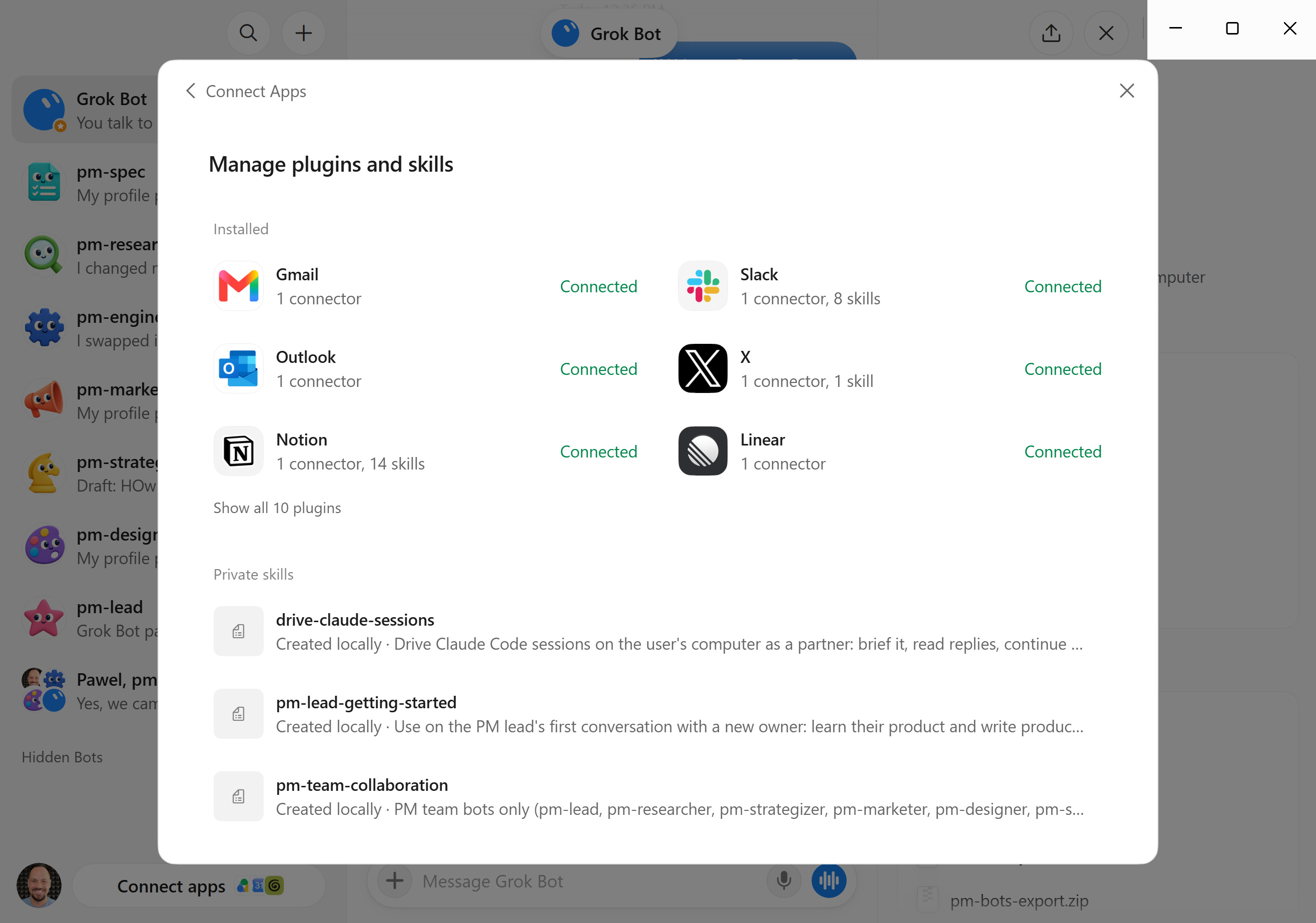
Collaborate with other bots. All bots share the same skills (reusable instructions for specific tasks), apps, and computer.
You talk to a bot in a 1:1 chat, or add several bots to a group chat:
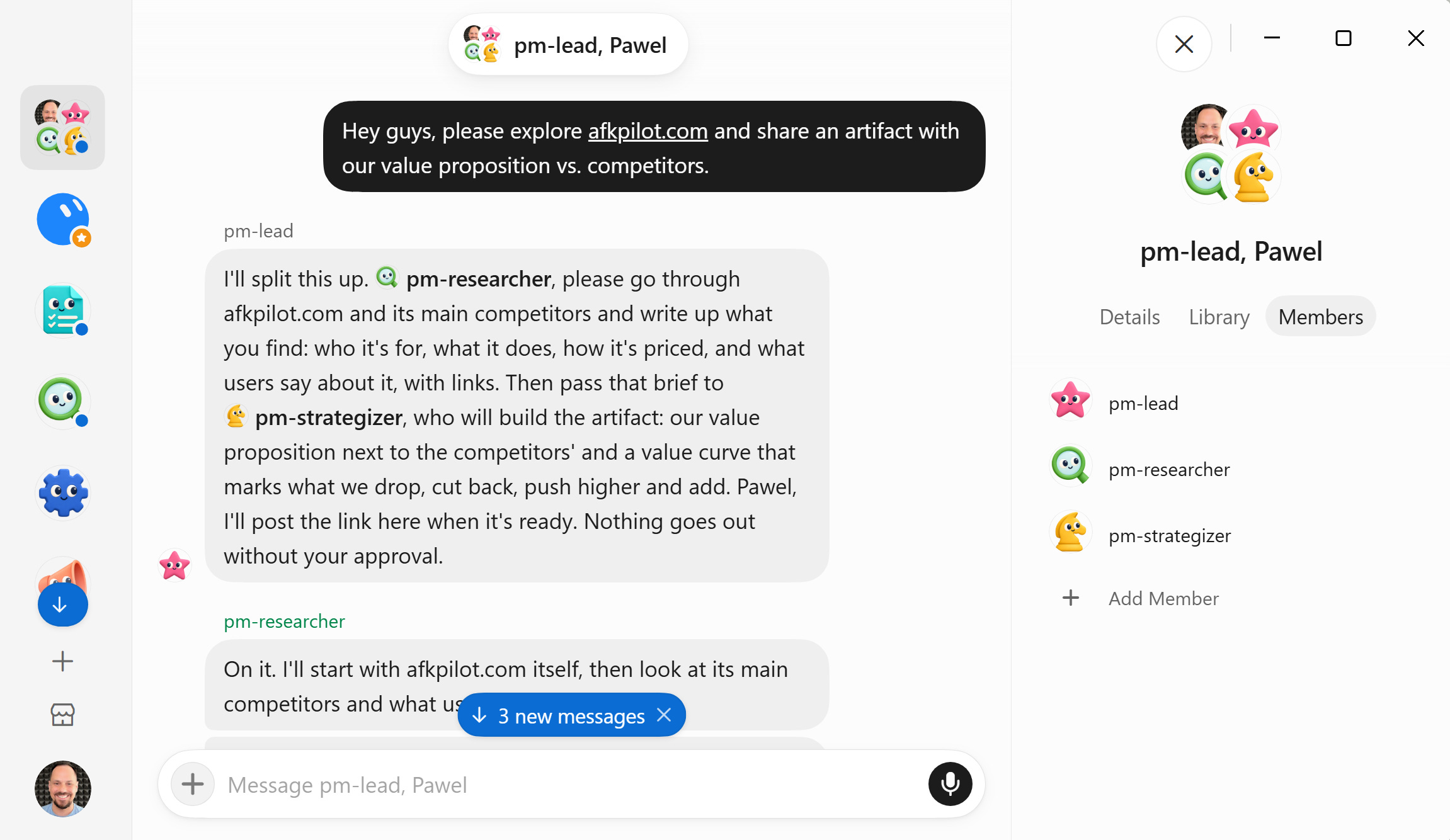
Group chats are great for ideation and planning. Bots pick up topics and either comment or stay quiet. At the same time, there are limitations:
In a group, bots can't ask for permission, so you can’t ask them, e.g., to send an email. Use 1:1 chats instead.
In 1:1 chats, voice is a continuous conversation, not the dictate, send, wait, and read loop you may know from Claude Code or Claude Cowork. A single bot can still contact other bots, when needed.
Grok Bot has no web interface. You need the desktop app (Windows, macOS, Linux) or the mobile app (iOS, Android). Once you sign in, they share the same context.
Who's behind Grok Bot?
Grok Bot comes from Cursor, the AI coding company, not SpaceXAI. SpaceXAI bought Cursor in August.
How does Grok Bot compare to Claude?
An overview from my research:
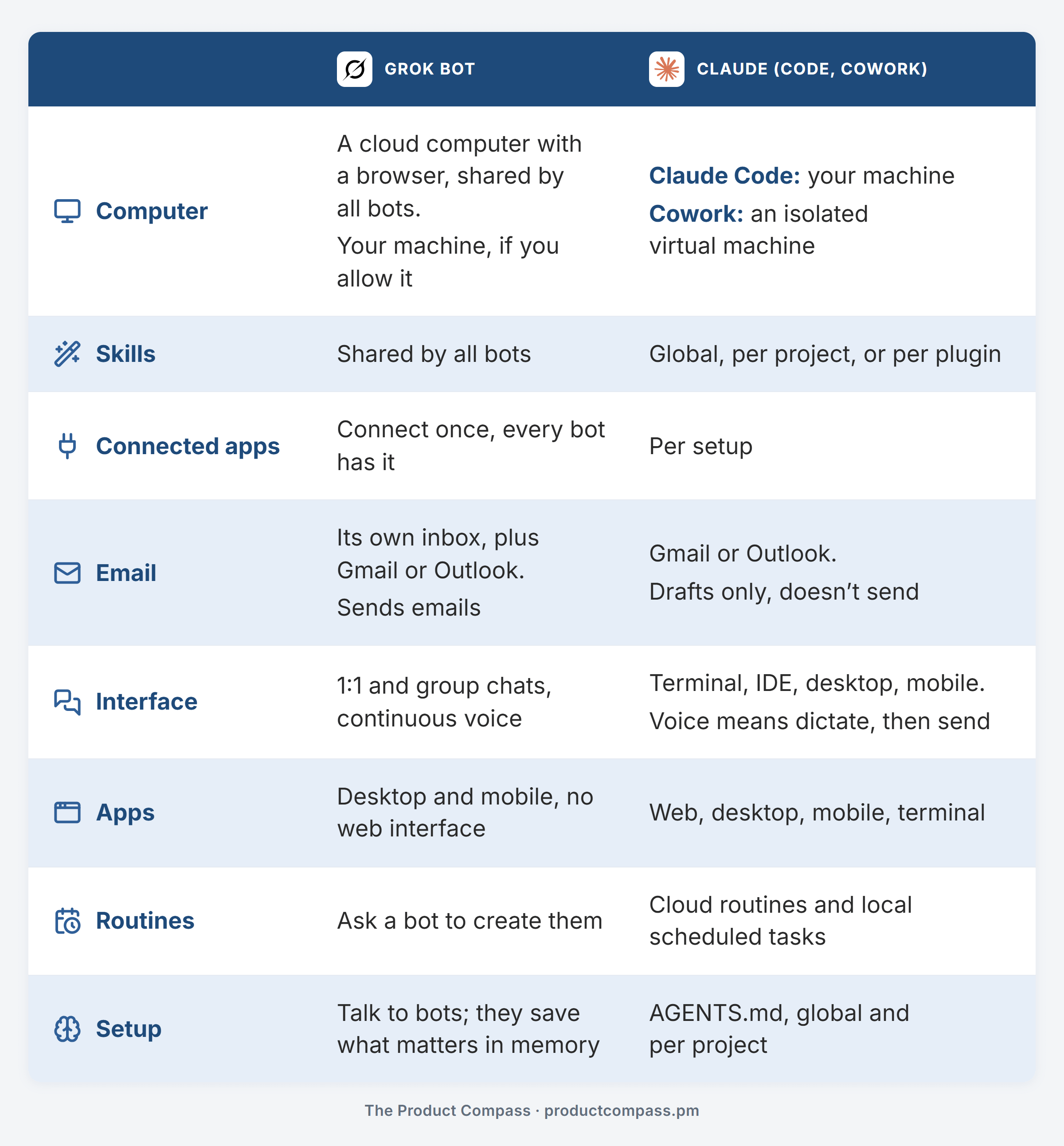
Note: Grok Bot also has an instructions field, but I left it out because it didn't work reliably in my tests (10/12/2026). Ask the bot to remember things instead.
A dedicated email address
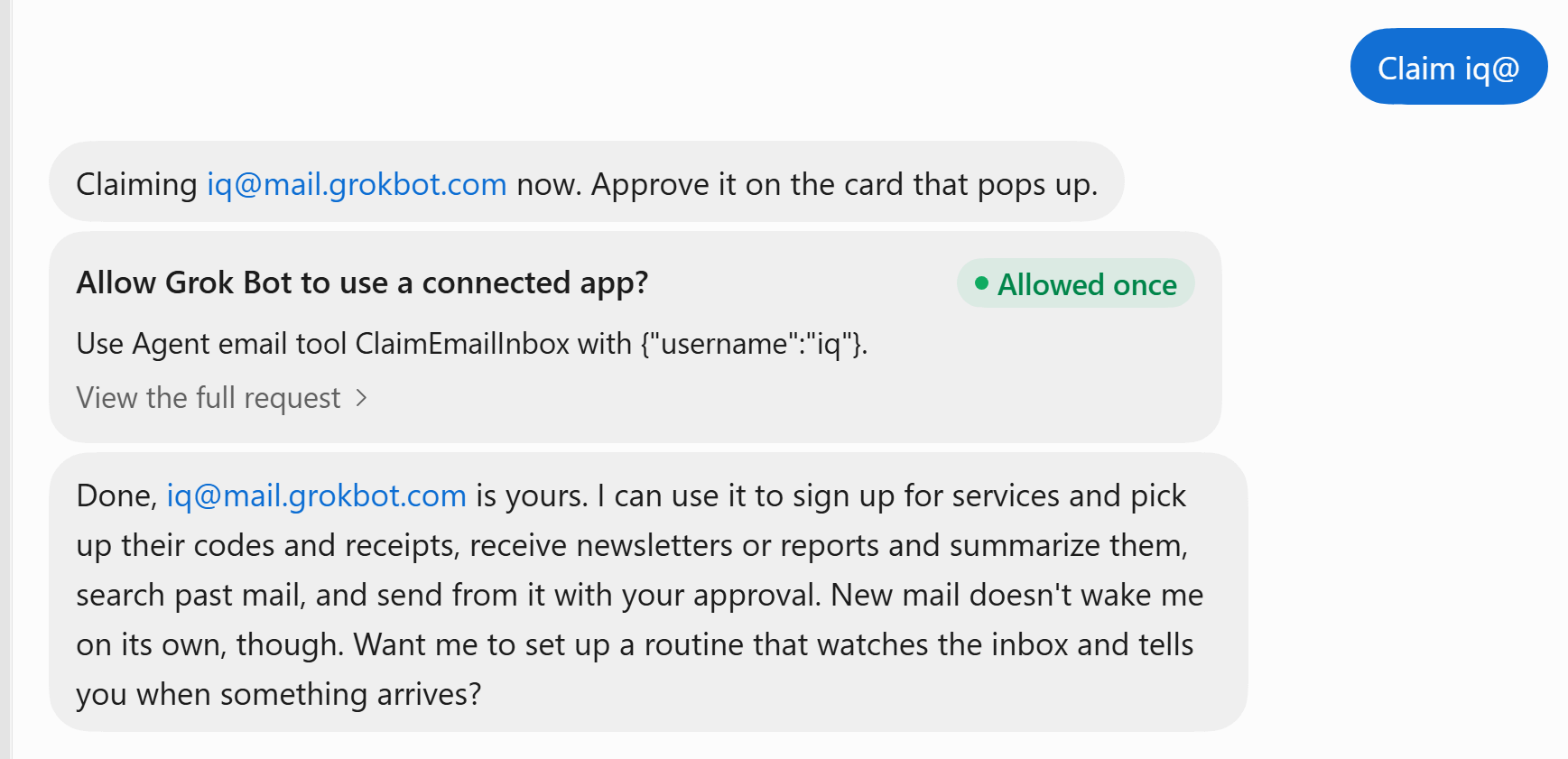
You can ask any bot to claim an email address in the @mail.grokbot.com domain. It’s a shared account all your bots can use to receive and send messages.
All you need to do is ask in the chat:
Routines in Grok Bot
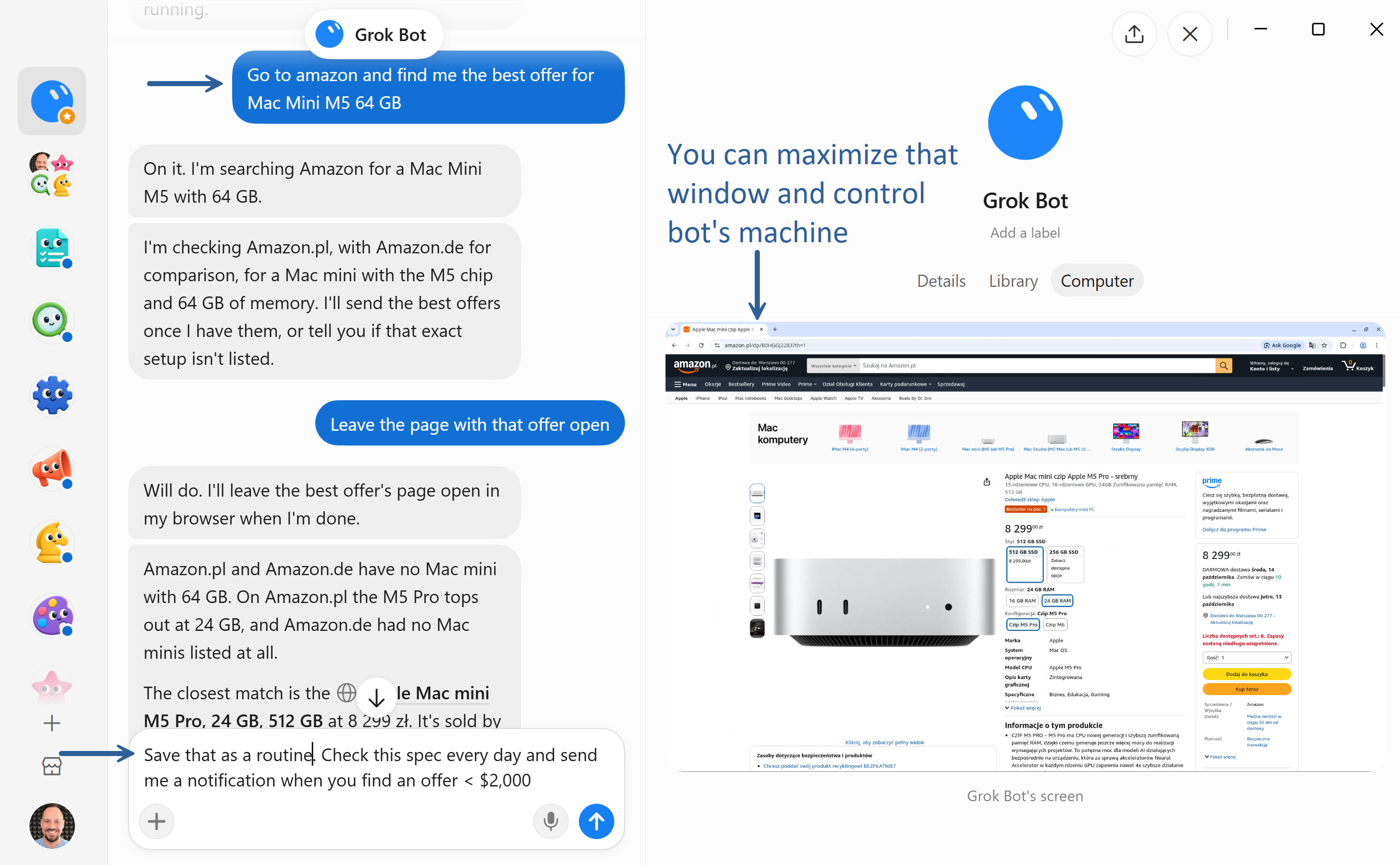
Bots can repeat tasks on a schedule. Some routines react to events, like a new Slack message. The easiest way to create one is to ask a bot.
You can also record a task ("Teach a task"), but in my experience, bots figure out how to do things on their own. What worked best for me:
Ask a bot to perform a task in a chat
Help it when it’s stuck
Take control of its computer when needed, e.g., to sign in to a service
Once it works, ask the bot to save the steps in its memory, so it can repeat them, or to create a routine that runs on a schedule.
3. Example: My PM Swarm
I built a swarm of seven product bots: research, strategy, marketing, design, specs, and engineering, plus a product lead.
They have access to curated product skills and frameworks: the value proposition, the beachhead segment from Crossing the Chasm, growth loops, SEO, design best practices, and so on:
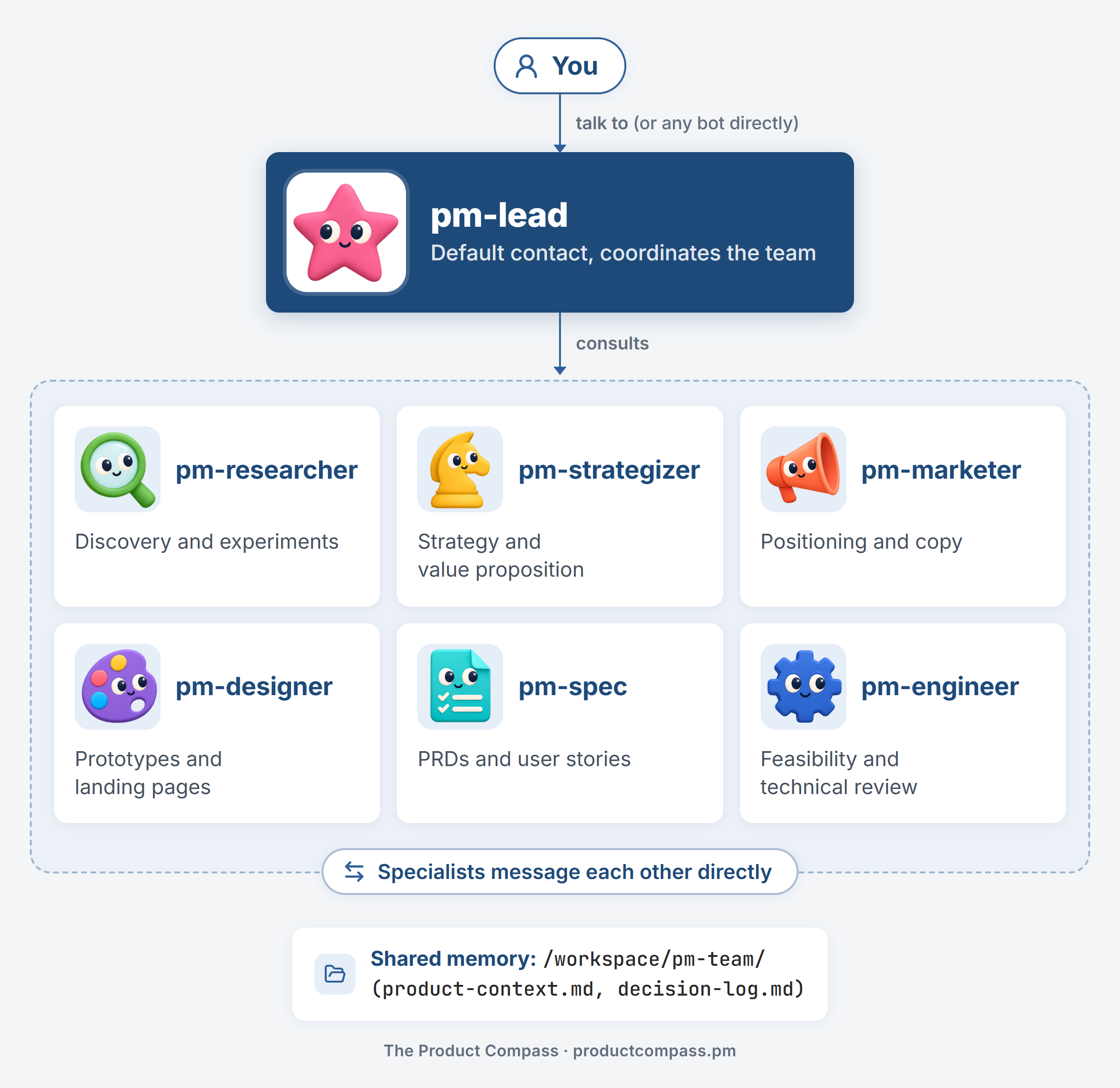
💡 There’s no coder in the swarm. pm-engineer is a consultant: it checks feasibility and can review code in GitHub. Two options:
Export the plan and build it in Claude Code or Codex, with the template from my Product Engineering series.
The pm-engineer has access to my SaaS template and can drive a local Claude Code session. All you need to do is ask.
Best practice: specialized bots that represent real roles
A minimum setup I can think of is PM, designer, and engineer. I decided to split my bots a bit more. That way, each bot focuses on one area and loads only the information it needs, so its context window stays lean.
Bots collaborate and call each other when needed.
Best practice: the default point of contact
You can talk to any bot. But I prefer one point of contact, pm-lead is my default. It consults the specialists and orchestrates the work as needed.
An example conversation:
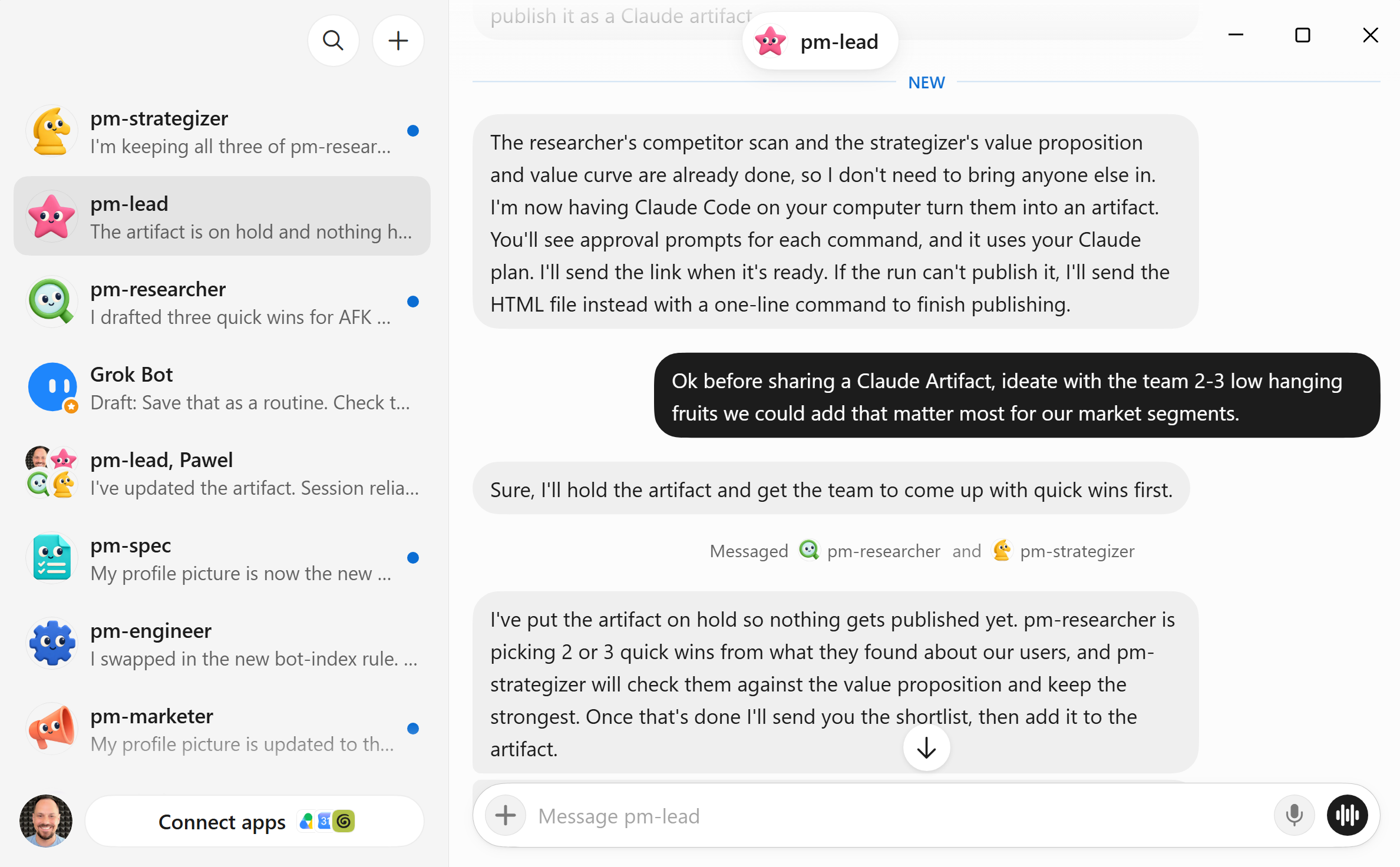
How do they know about their team mates?
A bot sees its teammates’ names and the first words of their descriptions. That didn’t work reliably. That’s why my swarm also shares:
A collaboration skill that teaches them how to work together
Two files that ask as a shared memory: the product context and a decision log
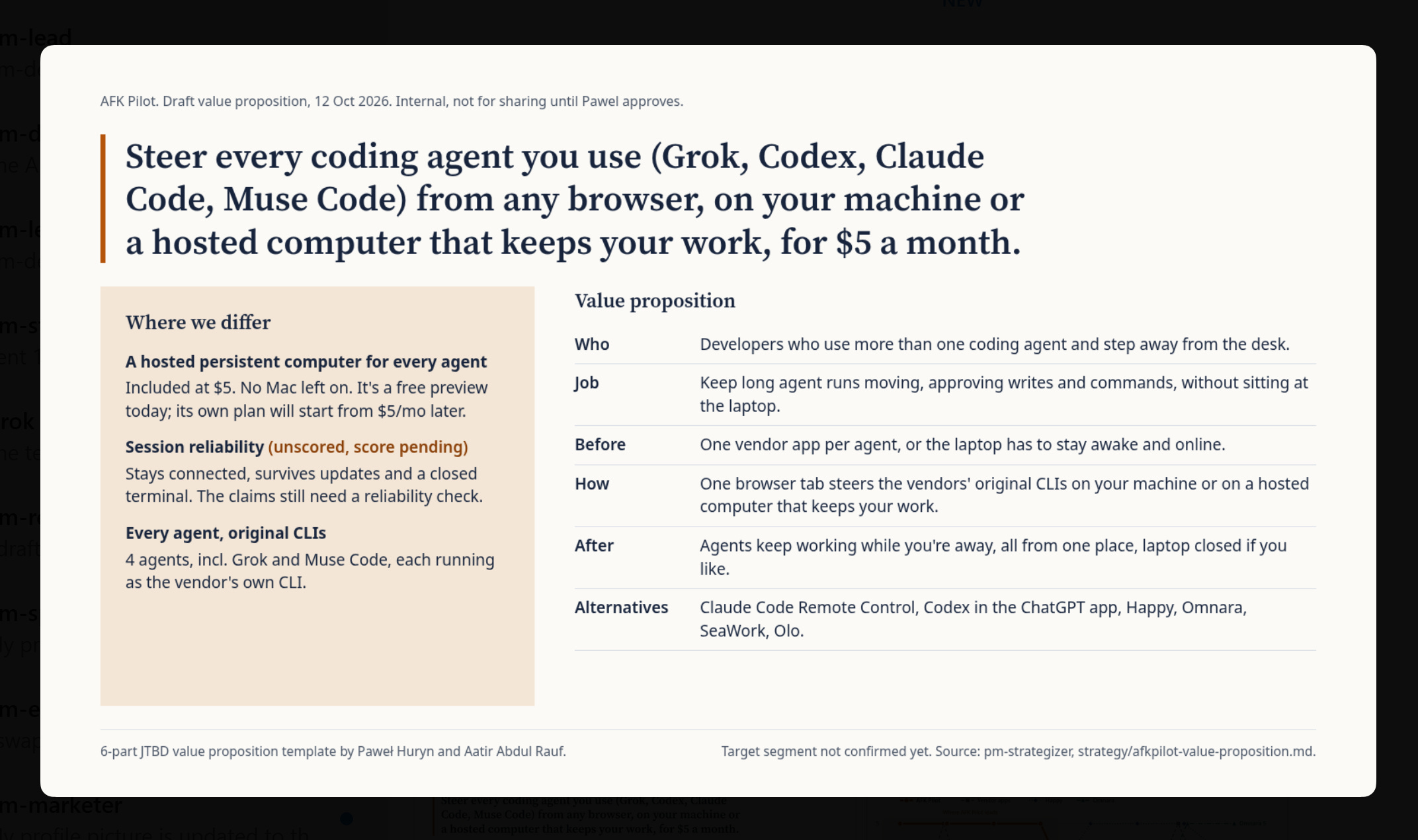
Let’s look at the example. When I asked about our value curve, the pm-lead consulted the pm-designer. It knew that because the shared skill explains who specializes in what:
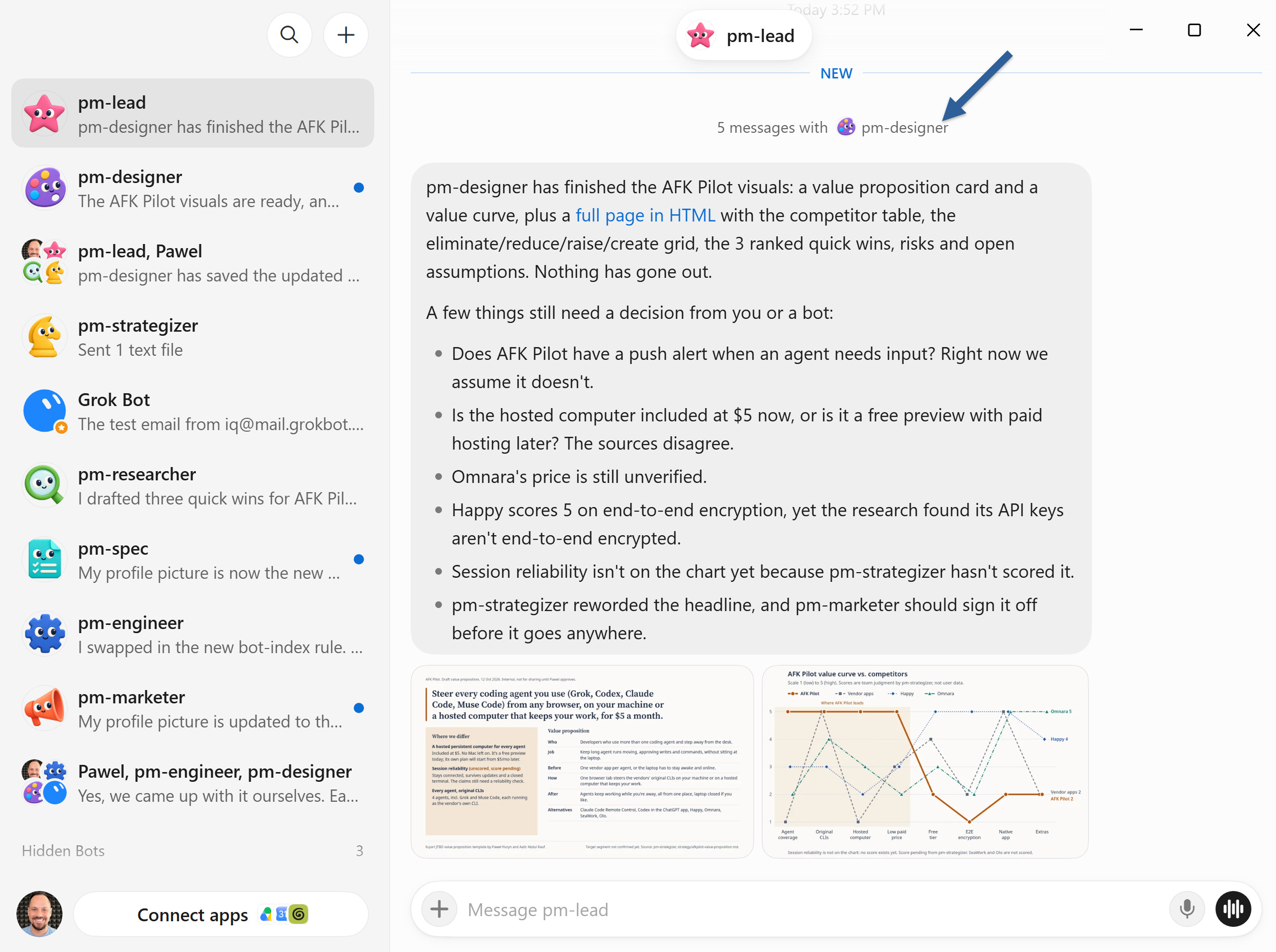
Then, I got high-quality visuals pm-designer knows how to create thanks to dedicated design skills other bot’s don’t have in their memory:
What do Grok Bots do on their own?
This is the part I like most. The bots collaborate, take initiative, and get the work done.
For example, every Monday, pm-researcher checks competitors' pricing pages, changelogs, and posts on X. If nothing changed, it stops. If something did, it tells me why it matters. It can also consult the other bots.
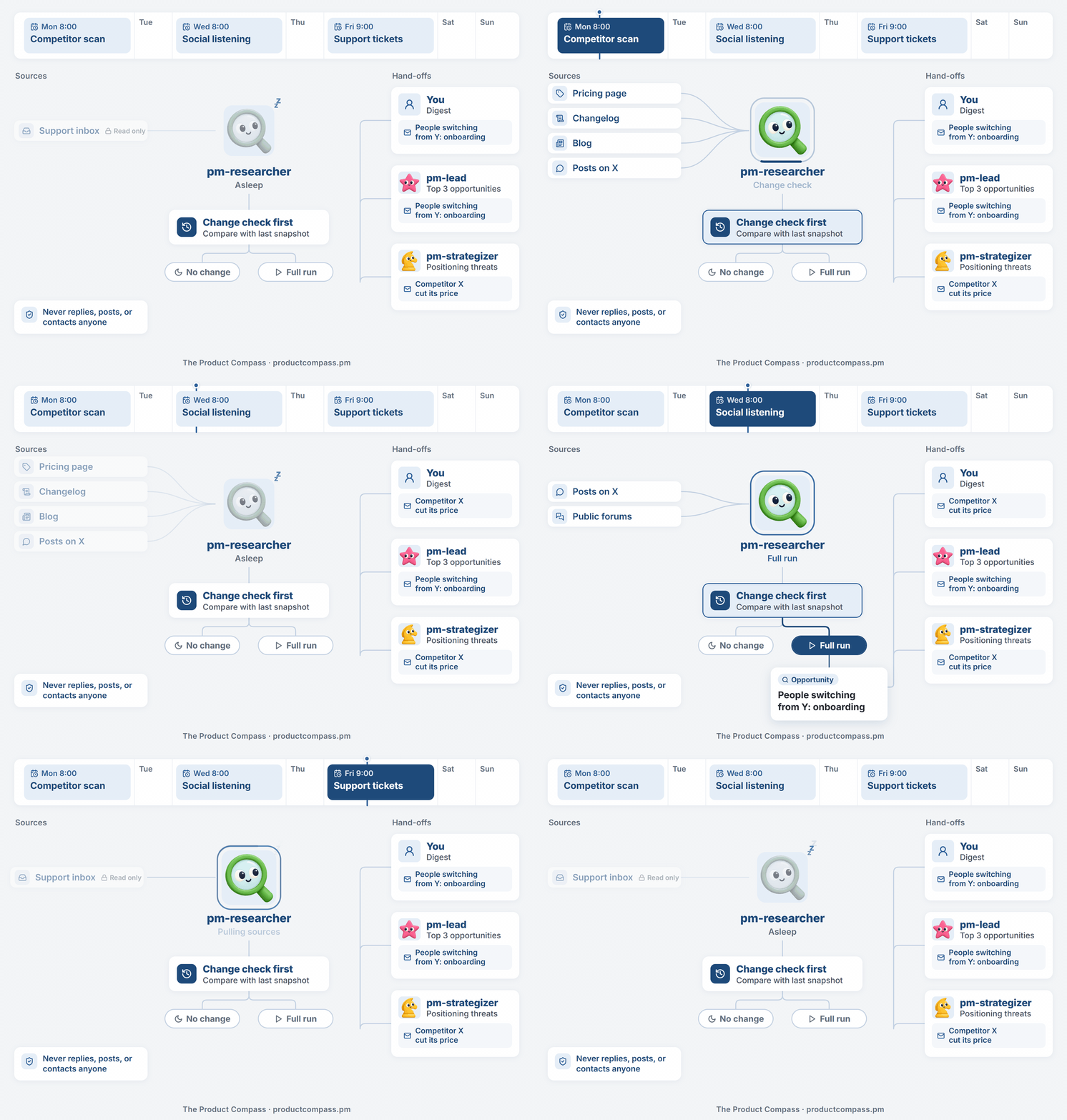
To create a routine, just ask in the chat.
4. Control and Workarounds
How do you control Grok Bots?
Bots can take real actions, so it’s important to set the rules before giving them tools. For each action, you can decide when a bot asks for permission (Settings → General). My rules:
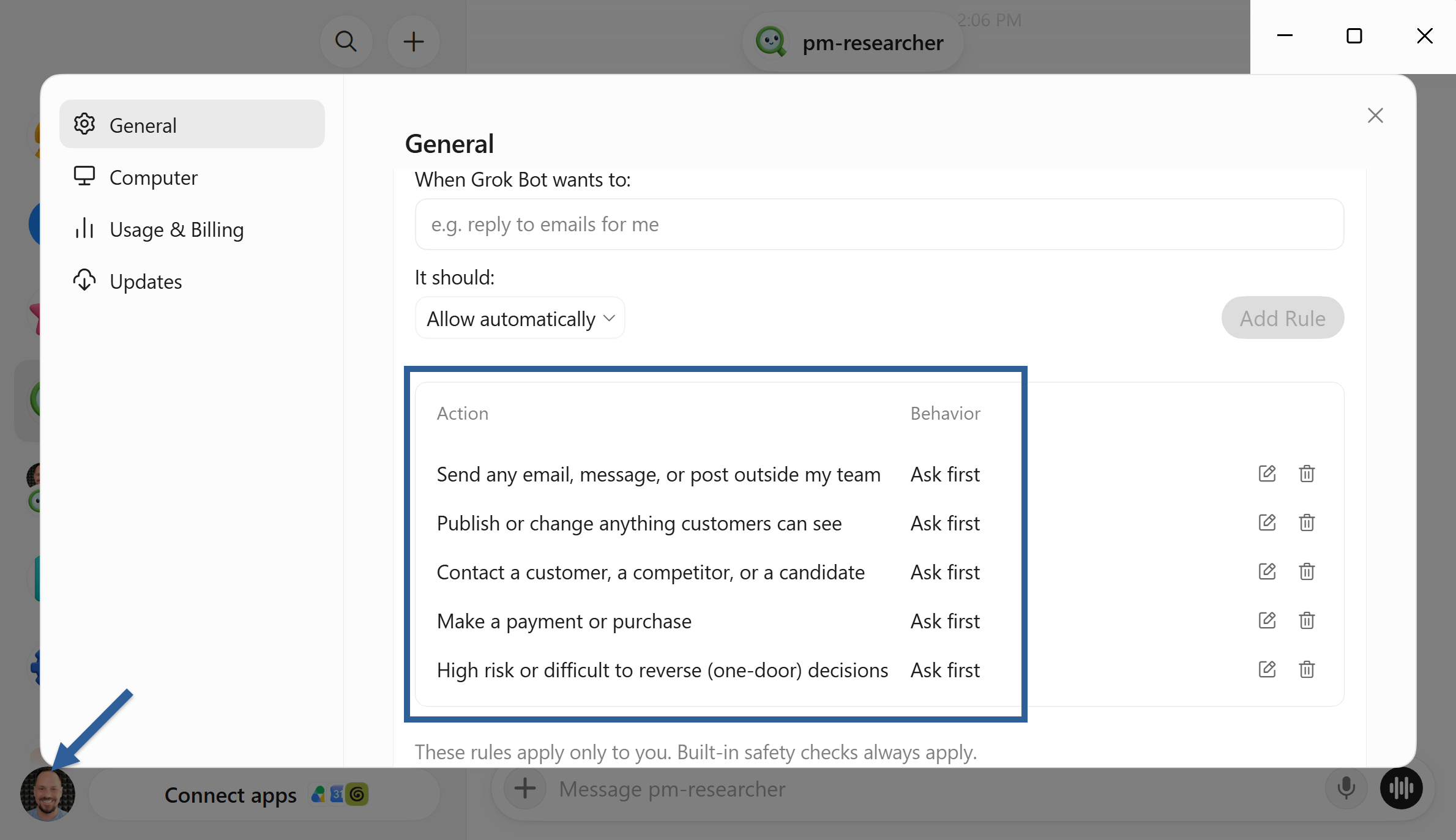
For your convenience, here are the rules you can copy and paste (select “Ask first”):
Send any email, message, or post outside my teamPublish or change anything customers can seeContact a customer, a competitor, or a candidateMake a payment or purchaseHigh risk or difficult to reverse (one-door) decisions
What you hear vs. what I found
There is a lot of hype and not everything works as advertised. Here's what I found, and how I work around it:
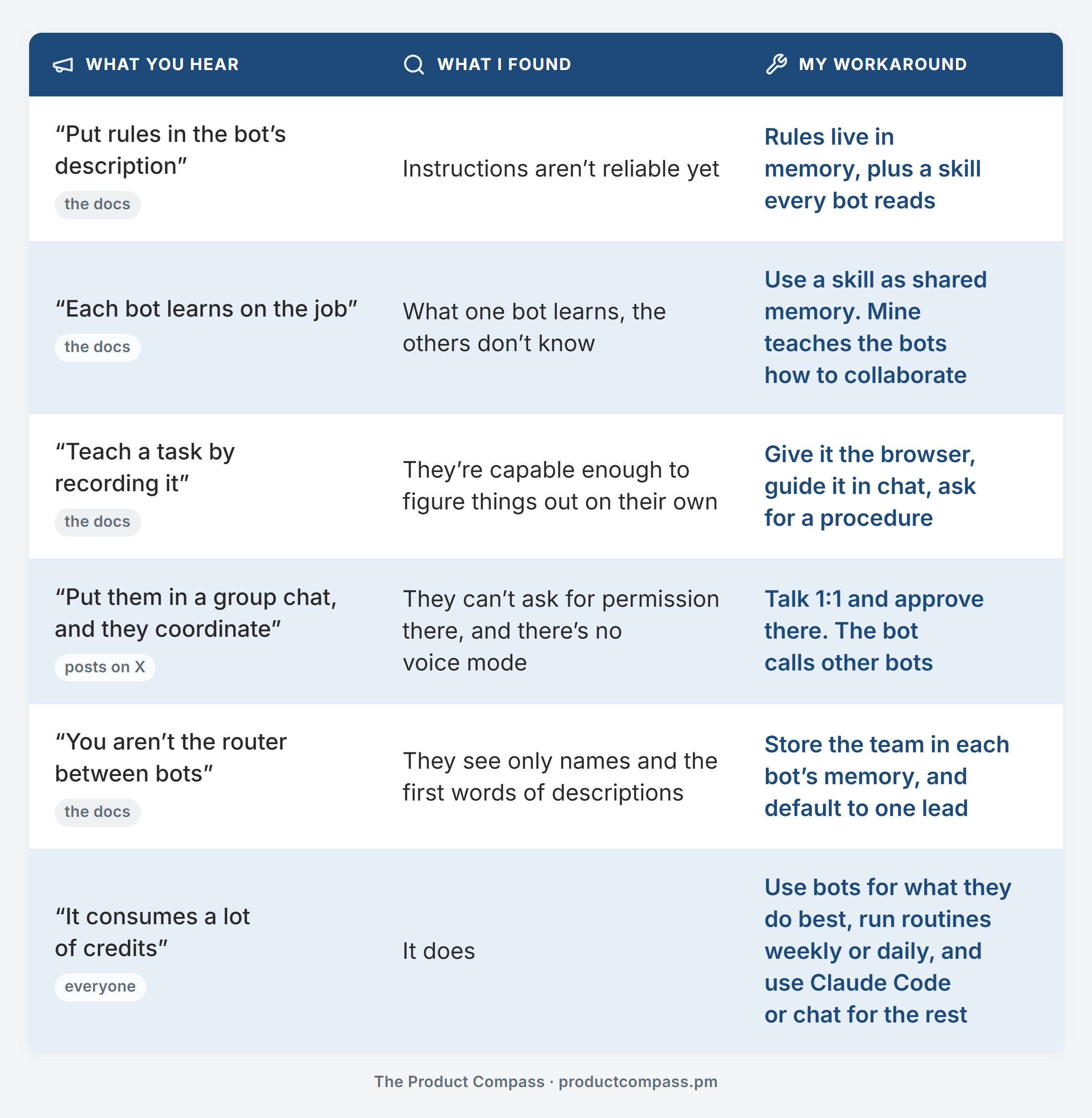
And here's a cheat sheet:
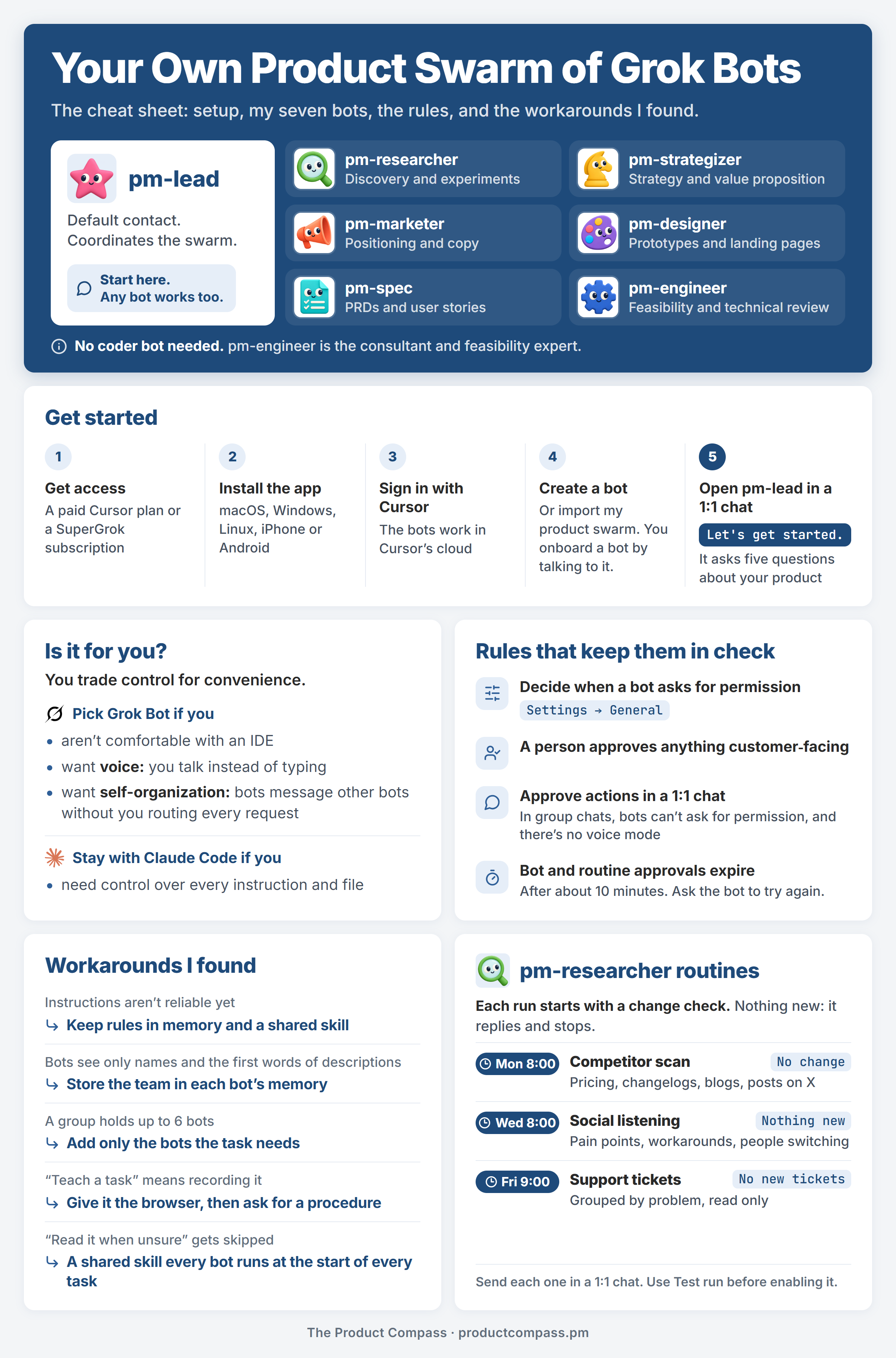
🔒 5. My PM Swarm Template
Everything above is free. Paid subscribers also get the swarm I built: seven bots, with pm-lead as the default contact.
What's unique about it:
Memories included. The bots know their roles from day one.
Shared workflows. They know who to ask, in what order, and who reviews whom.
Curated skills. My PM skills plus popular open-source skills, like the taste skill for design, UX, humanizing texts, or SEO best practices for marketing.
Optimized for tokens. Normally, every bot loads every skill. Mine load skills, even their descriptions, only when needed.
Three weekly routines. pm-researcher scans competitors, flags support tickets, and listens to social media.
Plus, you will analyze how it was built.
The PM Swarm Template is available for paid subscribers. Upgrade to unlock it below. There is also live workshop next Monday. The premium subscription is easily a 100x ROI: 👇