

Hey, Paweł here. Most PMs I talk to are heads-down on Claude (Cowork or Claude Code) and haven't tried Codex properly. The numbers say they probably should.
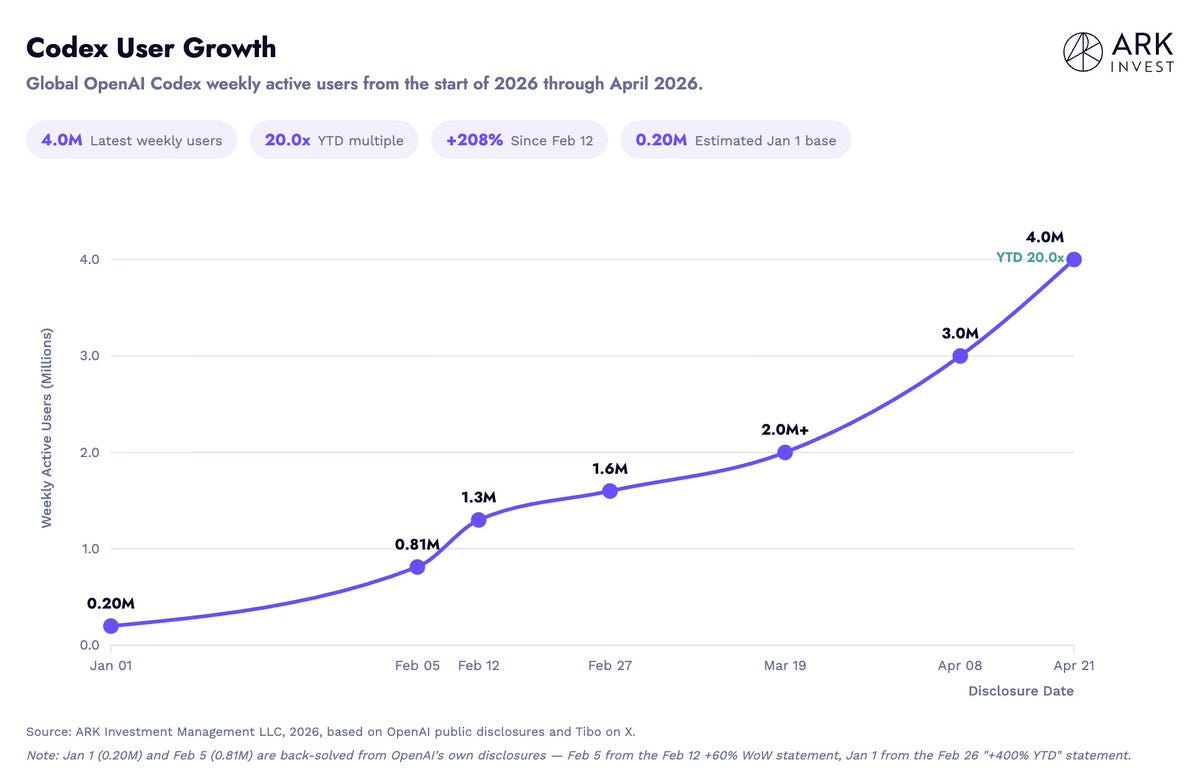
Codex grew from about 200K to roughly 4M weekly active users in four months. Claude Code crossed 2M in early March. If you opened this post, you're probably one of those 2M. The other 4M are on a tool you haven't tried.
And it's not just a developer tool anymore. If VS Code has felt like a wall, the Codex app is a chat window with a file tree, visual diffs, and long-running sessions. PMs who've avoided code repos no longer have to.
ChatGPT Plus is $20/month and includes Codex. The setup takes about five minutes. This guide is the walkthrough.
Updated August 1, 2026. Three things changed since this guide shipped:
The Codex desktop app is now the ChatGPT app, with three modes: Chat, Work (documents, decks, research), and Codex (coding). Where this guide says "Codex app," use the ChatGPT app in Codex mode.
OpenAI cut GPT-5.6 Luna's price by 80%. On my 105-bug benchmark, Luna at max reasoning effort beat every Claude model. Set reasoning effort to max. It's off by default.
The $20 ChatGPT Plus plan now covers serious agent work.
By the end of this guide, you’ll have:
Codex app installed and pointed at your repo
AGENTS.md bridged to CLAUDE.md so both runtimes share one source of truth
Plugins installed for the apps you use, with project skills mirrored if you build with AI
MCPs running in both runtimes, with a one-shot prompt to do the import
Claude Code able to call Codex as a peer for review
A plan for working from your phone (cloud tasks vs. remote control)
Full Cowork / Claude Code / Codex comparison is at the bottom. First, the setup.
1. Why Add Codex as a PM
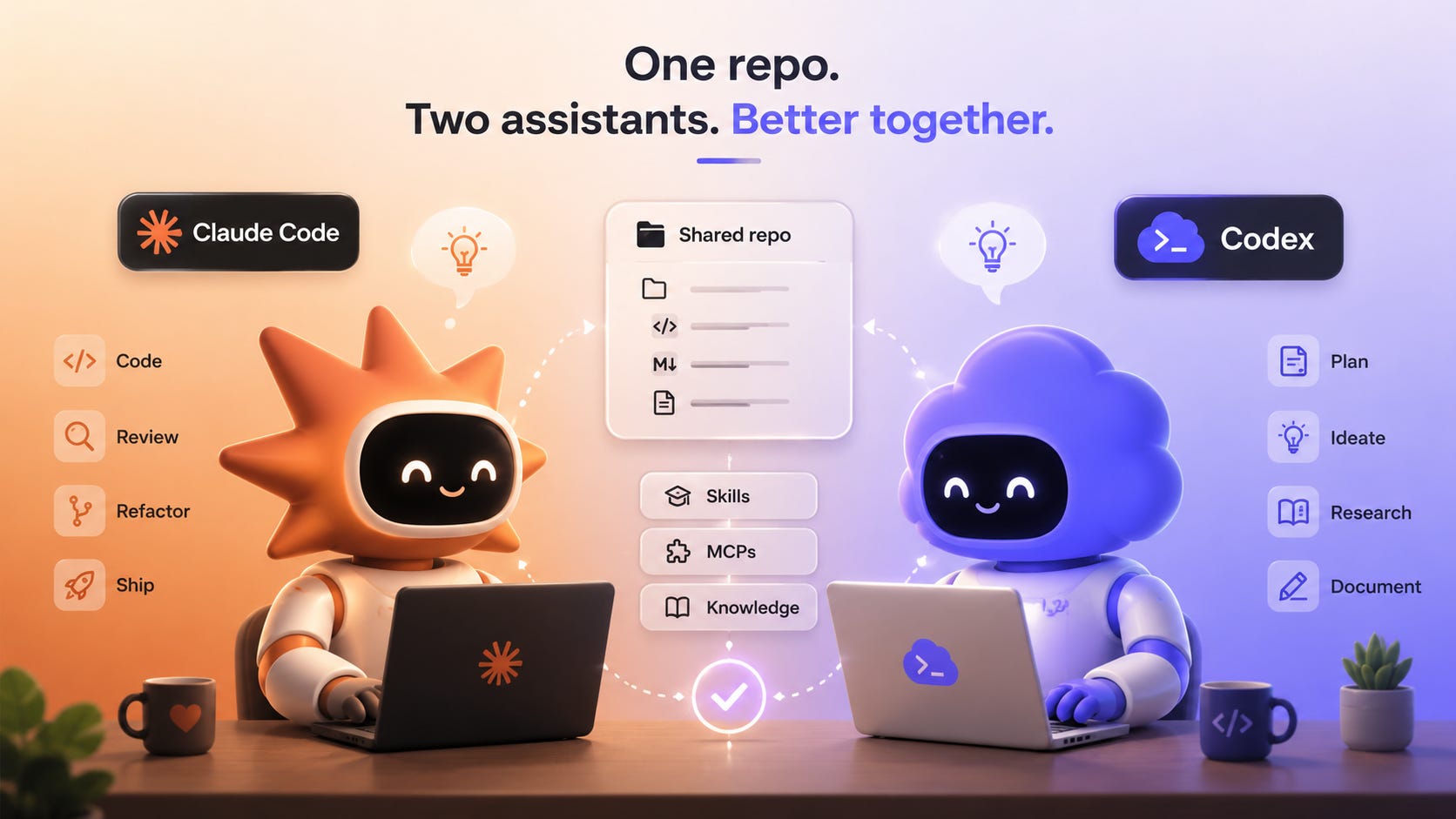
Five reasons I added Codex, in order of how often they show up in my work:
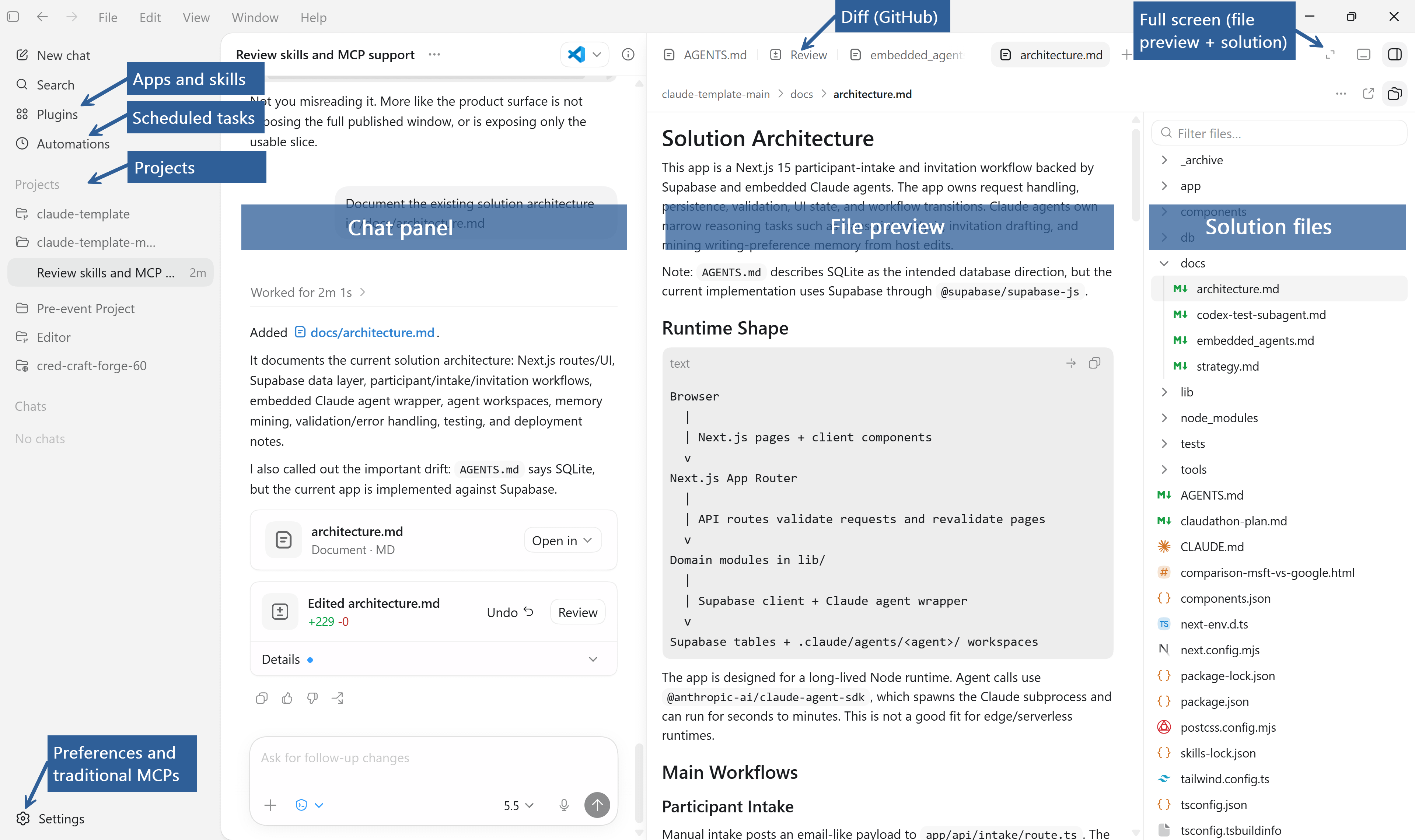
A way into a repo without VS Code. If the IDE has felt like a wall, the Codex app (desktop) is a chat window with a file tree, visual diffs, and long-running chat sessions. No commands to learn, no extensions to wire. You can even edit files by leaving comments for Codex. Cowork is chat-first; no tree, no diffs.
Manual Compact. You decide when to compress the session instead of waiting for the model to hit the wall. In Codex, type c, then /com, and choose Compact when it appears. Claude Code has /compact in the CLI. Cowork does not have an equivalent manual reset. This matters for your budget: Claude Code’s Limits Are Generous. The Problem Is Your Setup.
An extra perspective. When I want a second pair of eyes on a prompt, or a piece of code, I hand it to the runtime that didn’t write it. Different model, different misses.
Image generation in the bundle. The ChatGPT subscription that Codex ships with includes image generation. Claude doesn’t cover that workflow.
Runs next to Claude Code on the same repo. Same files, same skills, same MCPs. Switch runtimes without rebuilding your setup.
2. Install Codex (Desktop App and VS Code Extension)
You'll install two things. Codex app (desktop) is the chat workspace where long sessions and Compact live. Codex for VS Code is the editor extension that lets you call Codex in the same window as Claude Code.
Both share one OpenAI login, both work on the same repo, and you'll use both for different jobs.
Codex app (desktop)
Download Codex app from OpenAI (now named ChatGPT). Sign in with the ChatGPT account that has Plus, Pro, or Business. Codex is bundled with all three.
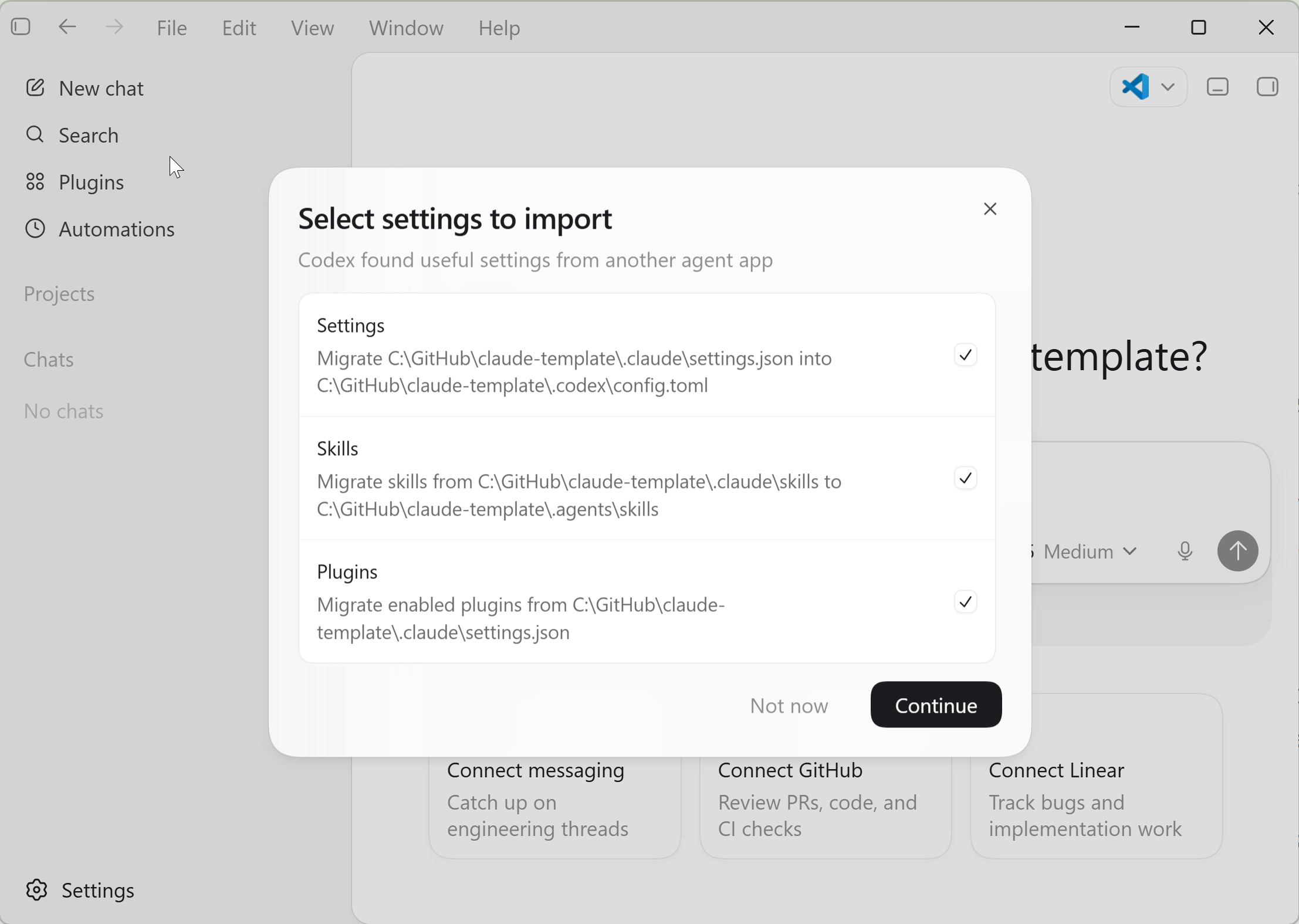
The first prompt asks you to migrate your VS Code settings. I skip it. Not because it’s hard. Because you should know what’s being imported before you click yes. You can always migrate later from Settings or by asking Codex for help.
Open the same project folder you already use with Claude. The file tree loads on the right. Visual diffs appear in the same panel.
Codex for VS Code
Install the Codex extension from the VS Code marketplace and sign in with the same OpenAI account.
If you already use the Claude Code extension in VS Code, both extensions will show up in the activity bar. You can switch between them by tab.
Why both surfaces? The Codex app is for long chat sessions and Compact. Codex for VS Code is for editing the repo, including dot folders (.agents, .codex) that the app’s file picker hides - full dev experience.
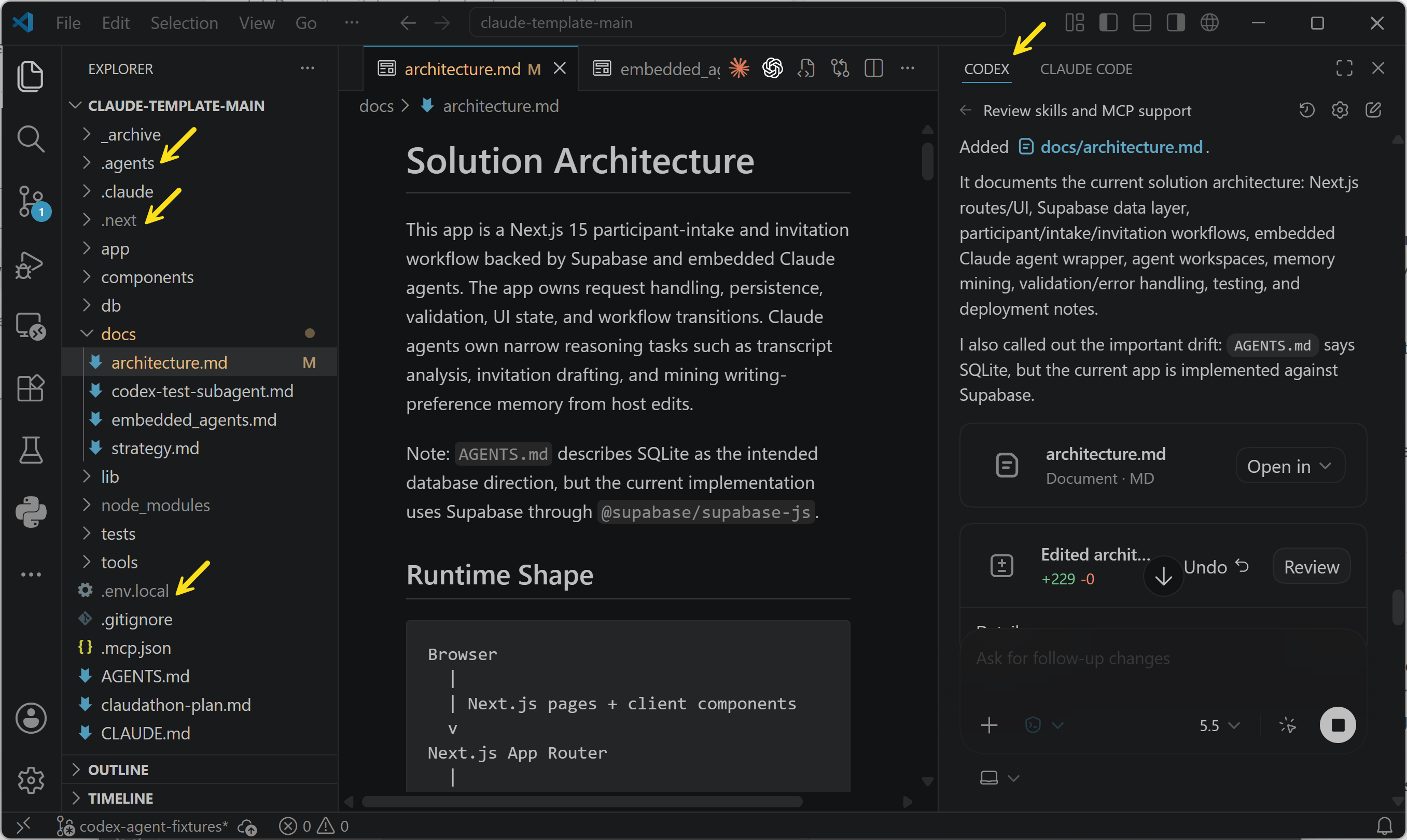
3. Teach Codex Your Repo: AGENTS.md to CLAUDE.md
Codex looks for AGENTS.md at the repo root. Claude Code looks for CLAUDE.md. If you maintain both as separate sources of truth, they drift.
The fix is a one-file bridge. AGENTS.md is a short pointer. CLAUDE.md stays the canonical document. Codex reads AGENTS.md, sees the pointer, follows it.
Drop this at the repo root as AGENTS.md:
# AGENTS.md

This repository keeps its canonical agent instructions in [CLAUDE.md](./CLAUDE.md).

When operating in this repo:

1. Read and follow `CLAUDE.md` as the source of truth.
2. Treat references to "Claude Code" as applying to Codex when you are the acting agent.
3. Do not duplicate `CLAUDE.md` content here. Update `CLAUDE.md` instead.
One file. One source of truth. Both runtimes follow it.
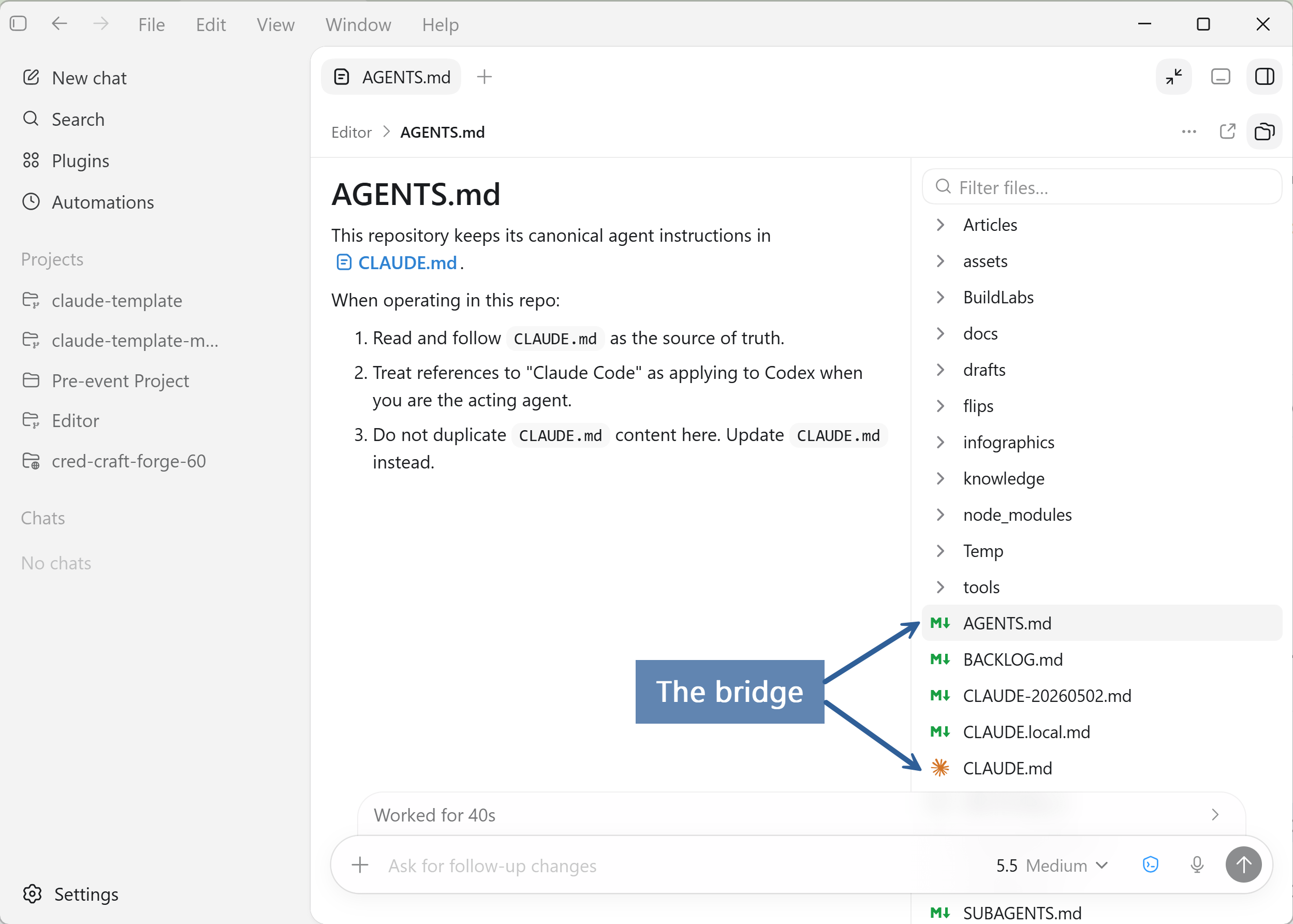
AGENTS.md is the bridge. CLAUDE.md is the long part. The structure I use:
Communication: How the agent should talk, what content it should produce.
[For personal work] About me: Role, audience, social media handles
[For product work] Strategy: Market segments, value propositions, tradeoffs.
Project structure: Where things live, architecture, conventions.
Workflow: How we do things (reviewing, shipping). Not a procedure manual. The rules of engagement.
Progressive disclosure: Links to deeper files (strategy.md, knowledge/INDEX.md, whatever you’ve built) that load on-demand, not on every session.
Each section earns its place when something would otherwise have to be re-explained per session. CLAUDE.md isn’t documentation. It’s the agent’s memory of how you work.
Progressive disclosure matters because context isn’t free. Don’t dump 500 lines of text into CLAUDE.md if 100 of it only matters for one workflow. Keep the core file lean. Link out to the rest.
4. Configure and Share Skills
If you haven’t used skills before, think of them as reusable instruction bundles. A SKILL.md file tells the runtime when to fire and what to do.
Two ways to configure them in Codex.
Start with user skills. The Codex app ships with a Plugins panel. One click installs Gmail, Linear, Jira, Slack, and others. You get the app’s connection and its skills together.
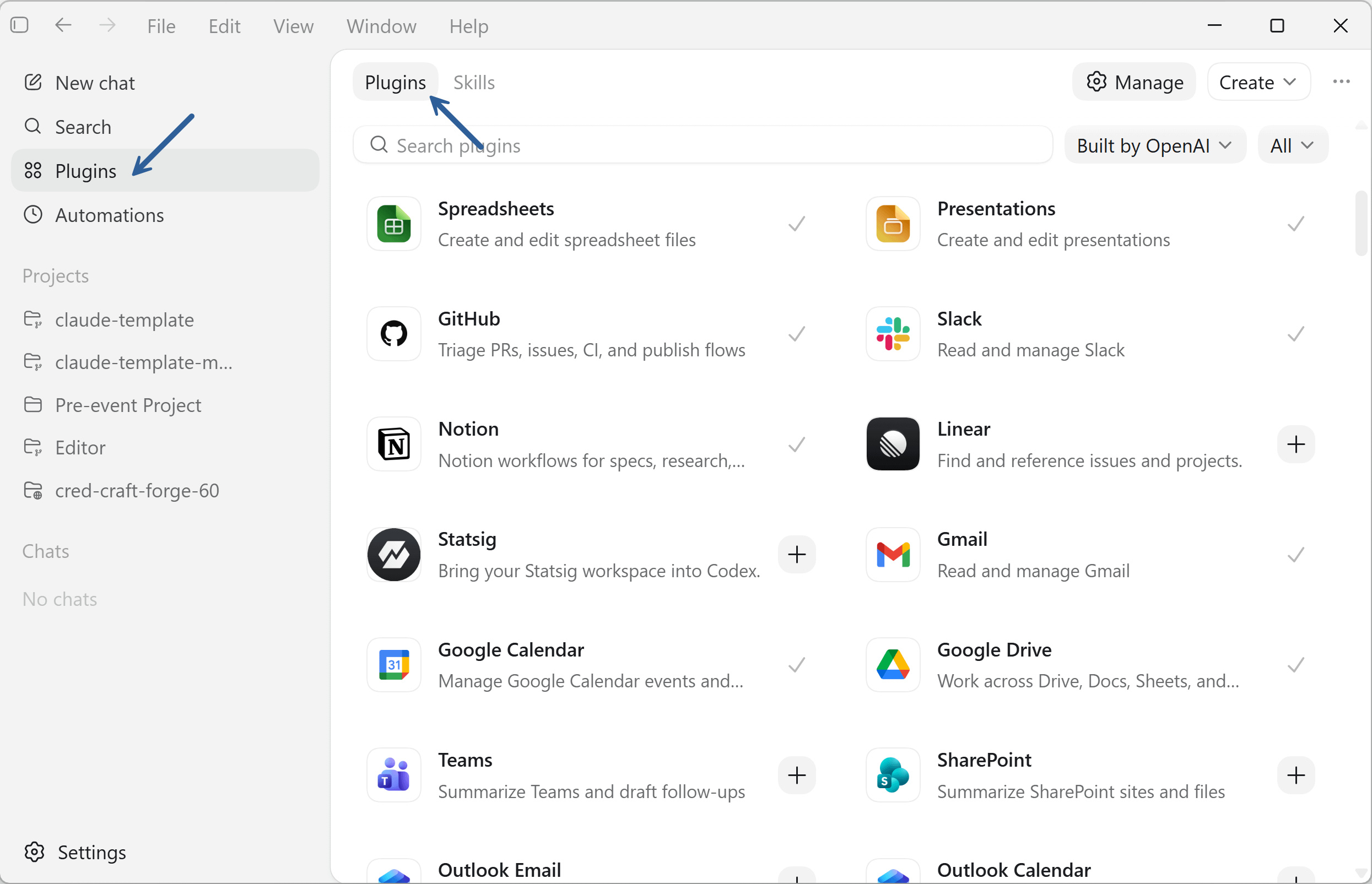
With Plugins installed, Codex reads your CLAUDE.md and talks to the apps you use daily.
That’s the minimum viable Codex setup for a PM.
The next step is making Codex and Claude Code behave like one operating system: curated skills, project skills synced between runtimes, mirrored MCPs, and a repeatable review loop.