

Hey, many subscribers have been asking me about recordings of our Office Hours sessions. I just released the Events Archive with the first 19 session recordings:
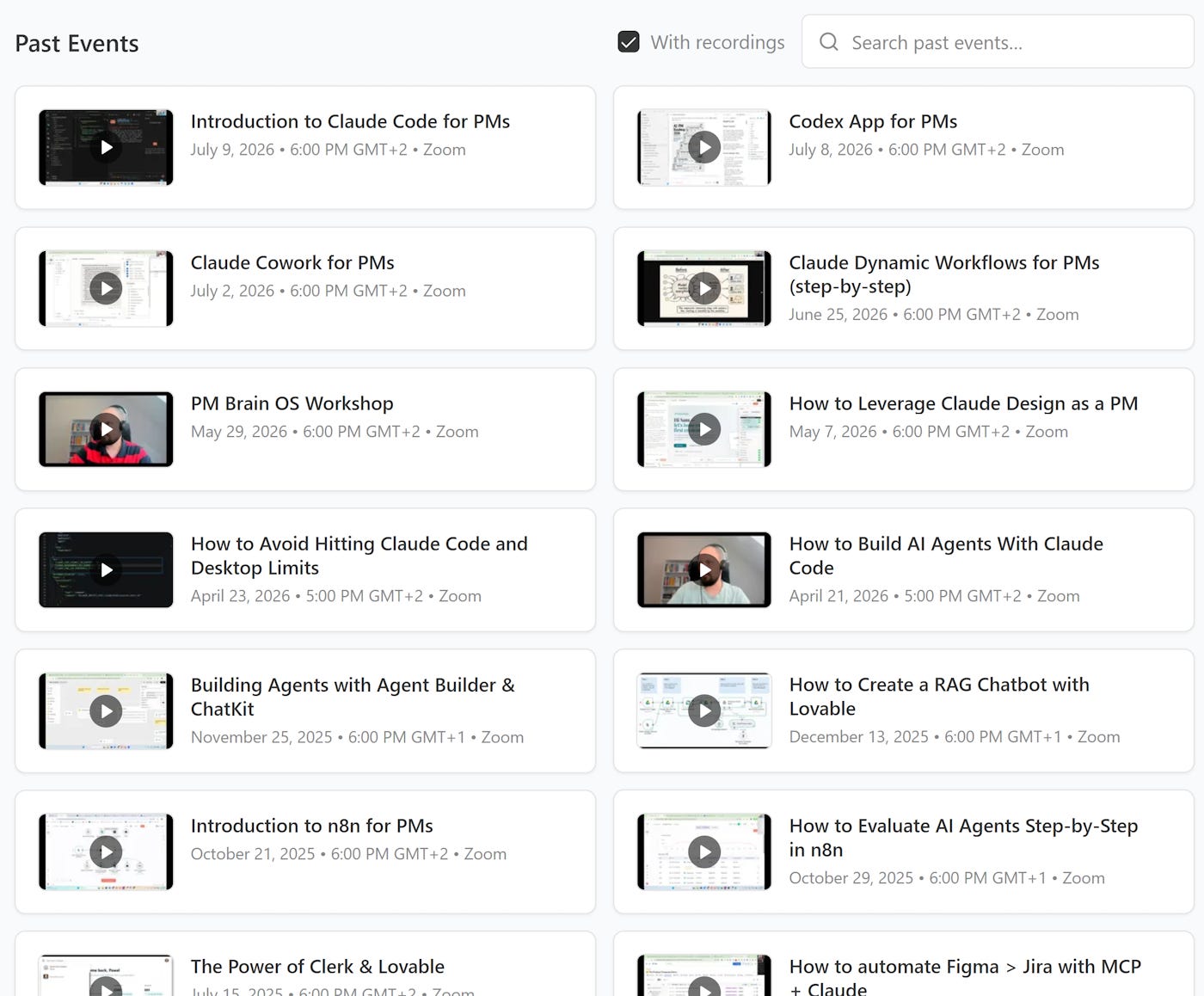
During each of those sessions, I demonstrated a practical use of a tool (sometimes including fixing errors live) and answered your questions.
Event details include timestamps, free templates, and linked resources, for example:
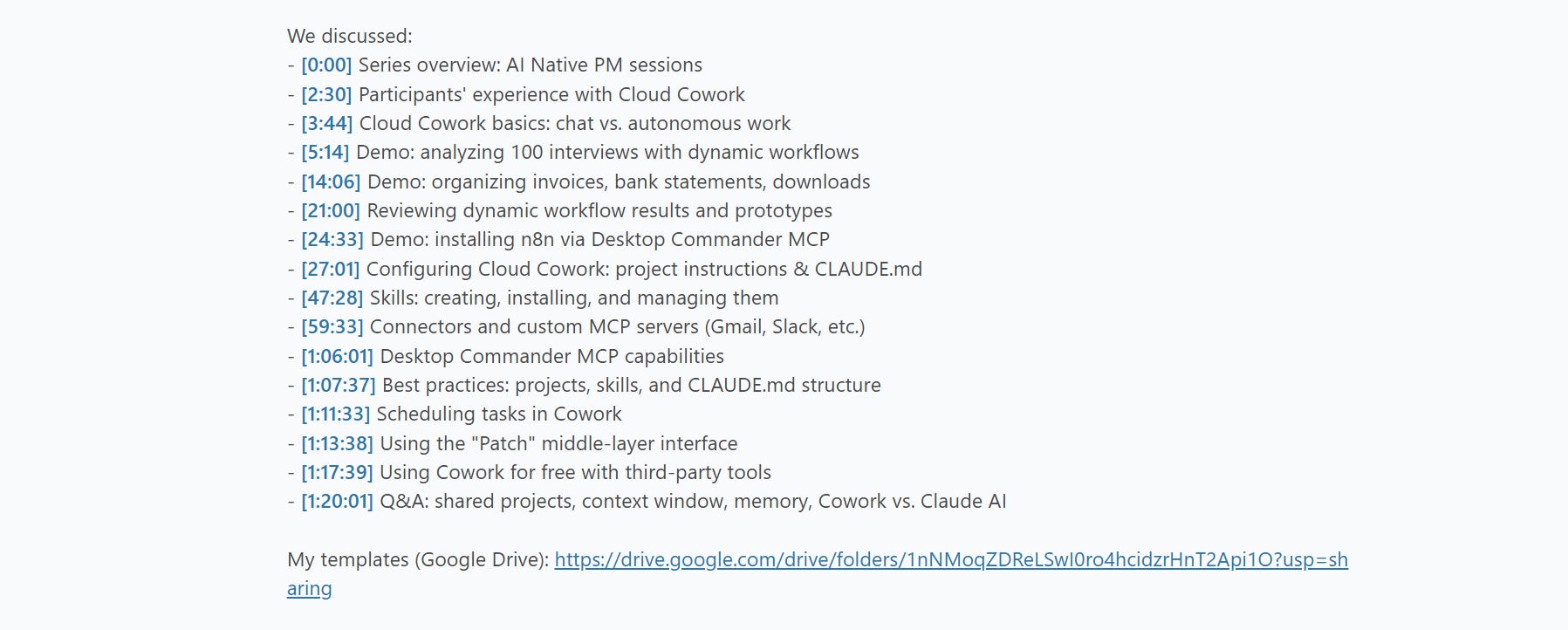
I recommend starting with these three (100% free, highest ROI):
Demo: 100 interviews > hypotheses > prioritized ideas > prototypes
Resources: 6 prompts and 100 synthetic interviews
Demo: Automating browser workflows
Resources: AGENTS.md <> CLAUDE.md sync pattern
Introduction to Claude Code for PMs
Demo: Scan Gmail to Linear > create a skill > use Claude Code for free
Resources: Detailed template with skills, hooks, cost optimization, and more
The 6 upcoming sessions to break into AI PM
In the coming weeks (starting in 2 days), as a paid subscriber you can also attend (and later access the recordings):
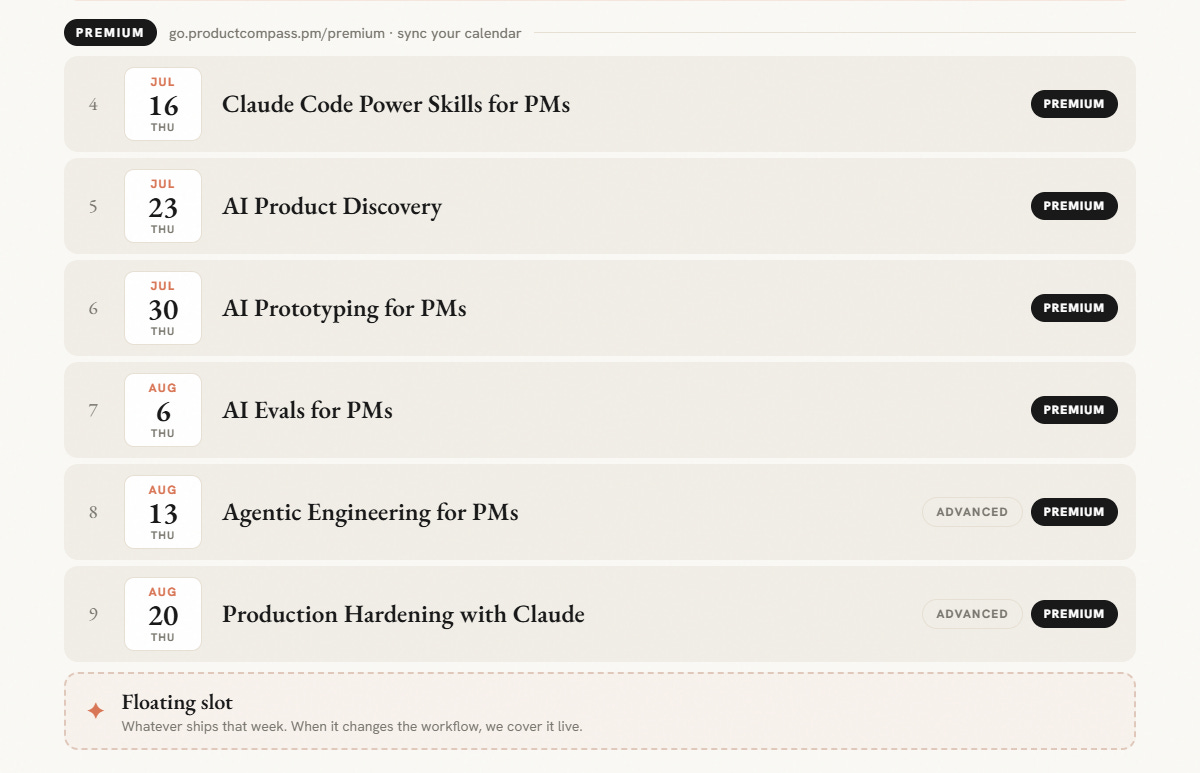
That’s not all. I will host weekly sessions at least until the end of 2026 (then we’ll review what makes sense: weekly or bi-weekly).
19 AI PM sessions you can access today
Premium subscribers can already access the entire archive (19 sessions: n8n, Lovable, multi-agent systems, voice agents, and more).
The AI PM Learning Program
The last 3 (Cowork, Codex, Claude Code) and the upcoming 6 AI PM sessions will extend our AI PM Learning Program.

As a paid subscriber, you can already access:
Tomorrow, I’m announcing:
C30. AI Tools for PMs (free)
C31. AI-Native PM details.
And here, I explained why the program is organized that way:

My Product Hit 20K+ Installs and ~1,500 DAU
A few weeks ago, I made a bet that Grok would catch up to Claude and GPT models. It did. Benchmarks differ, but it’s at the level of Opus 4.8:
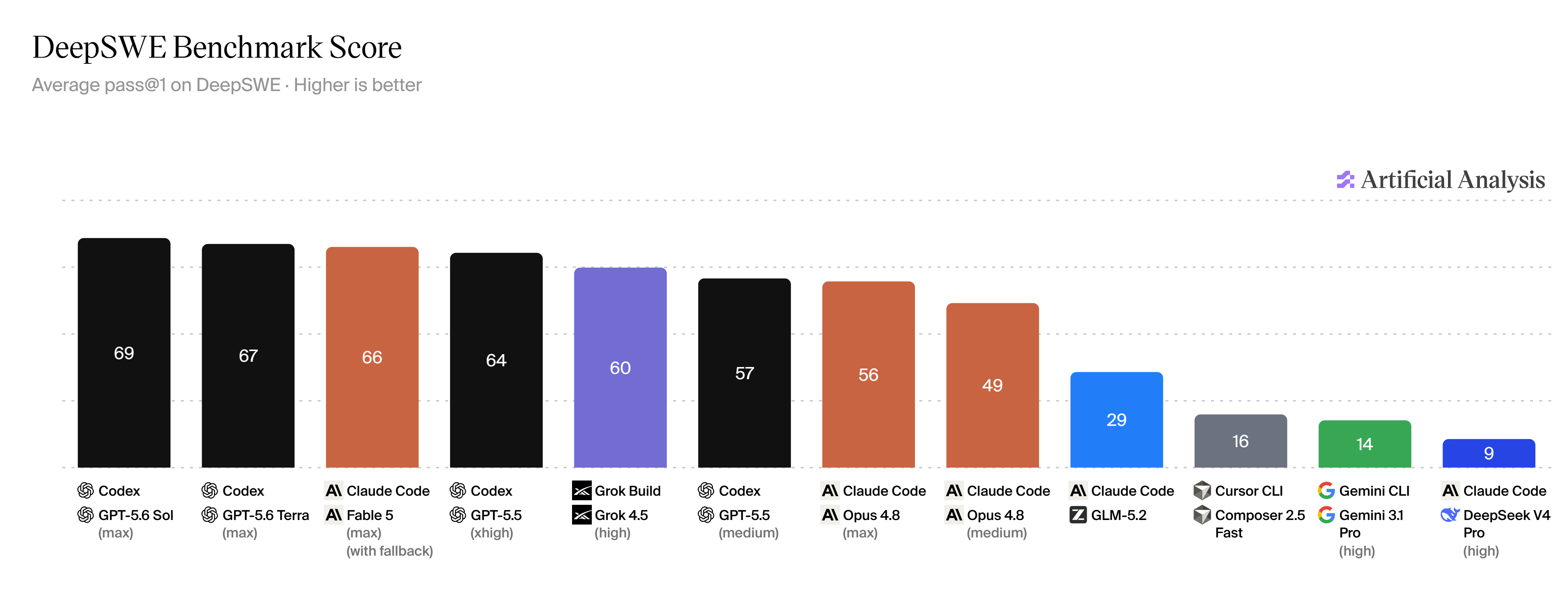
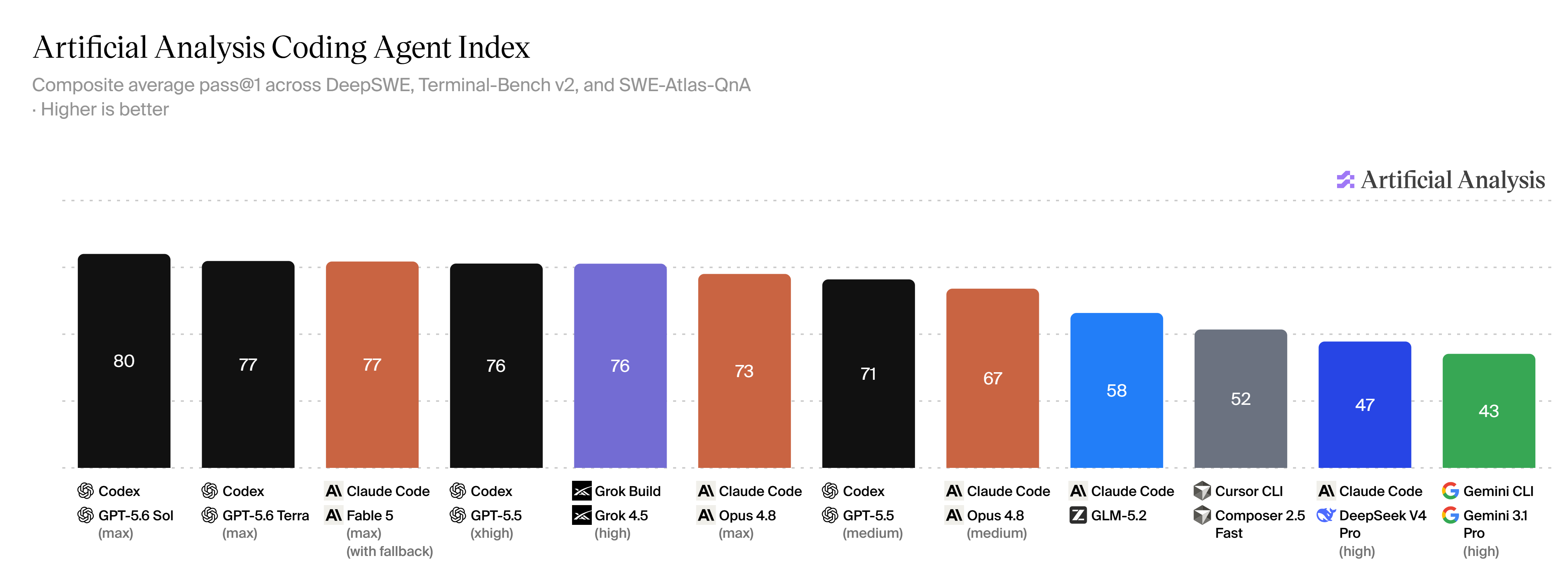
According to my tests, it’s also several times cheaper than the alternatives.
When making a bet, I noticed one issue: Grok Build is a CLI interface and not everyone is a dev living in the terminal.
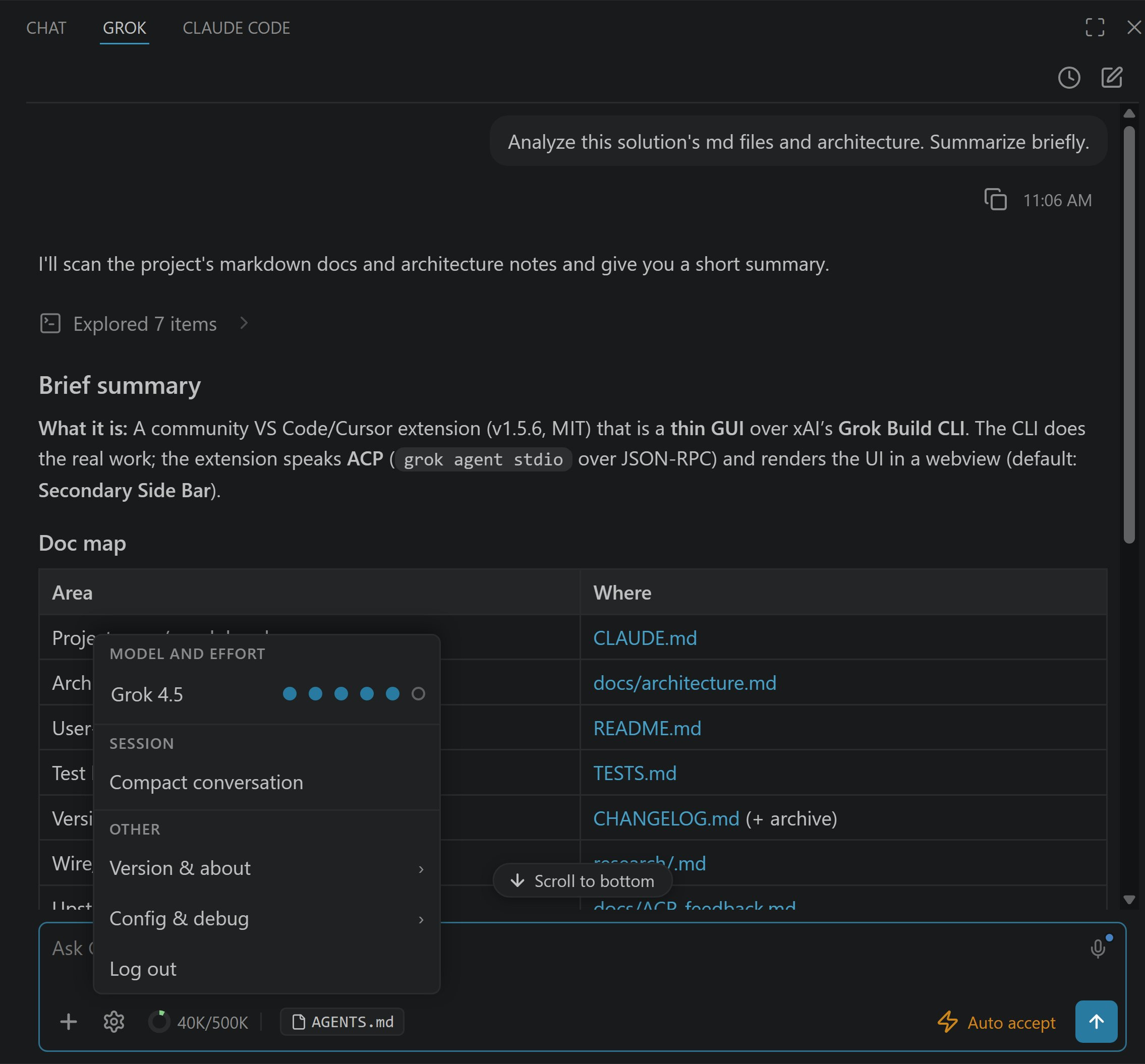
So, I built Grok Build for VS Code. It’s a graphical interface that supports both agentic engineering and knowledge work. Works in Cursor too:
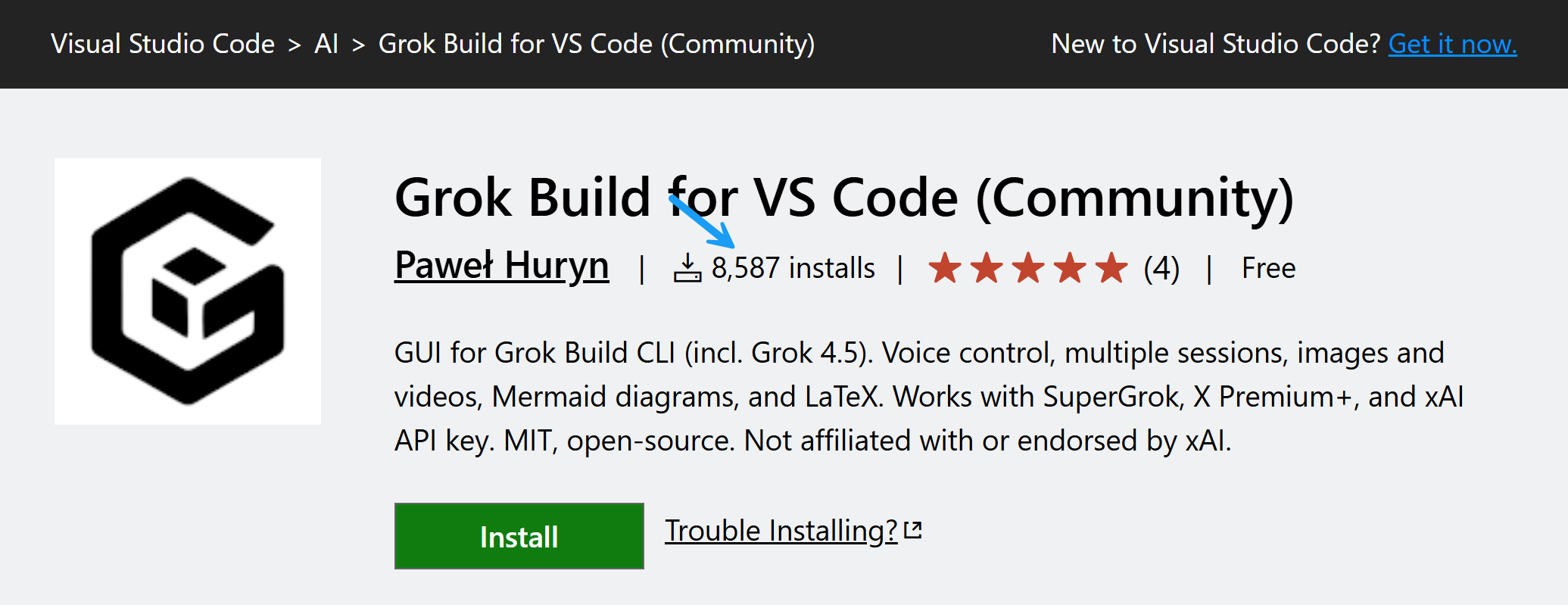
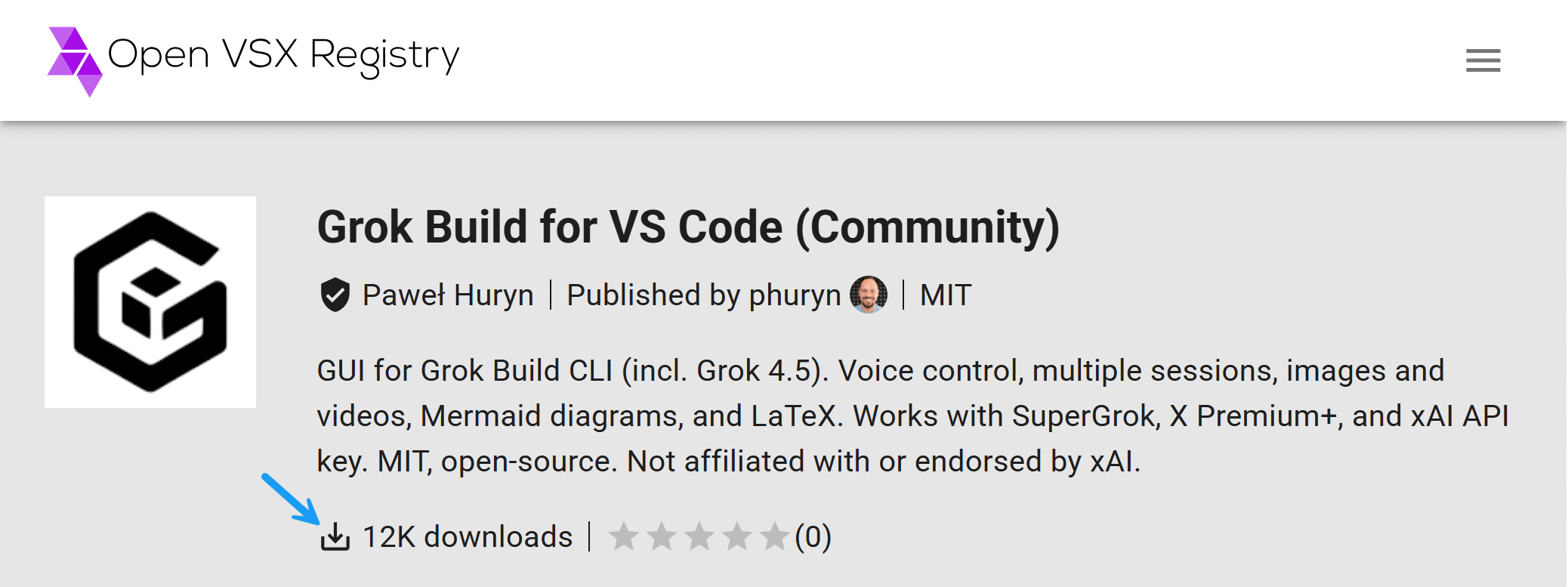
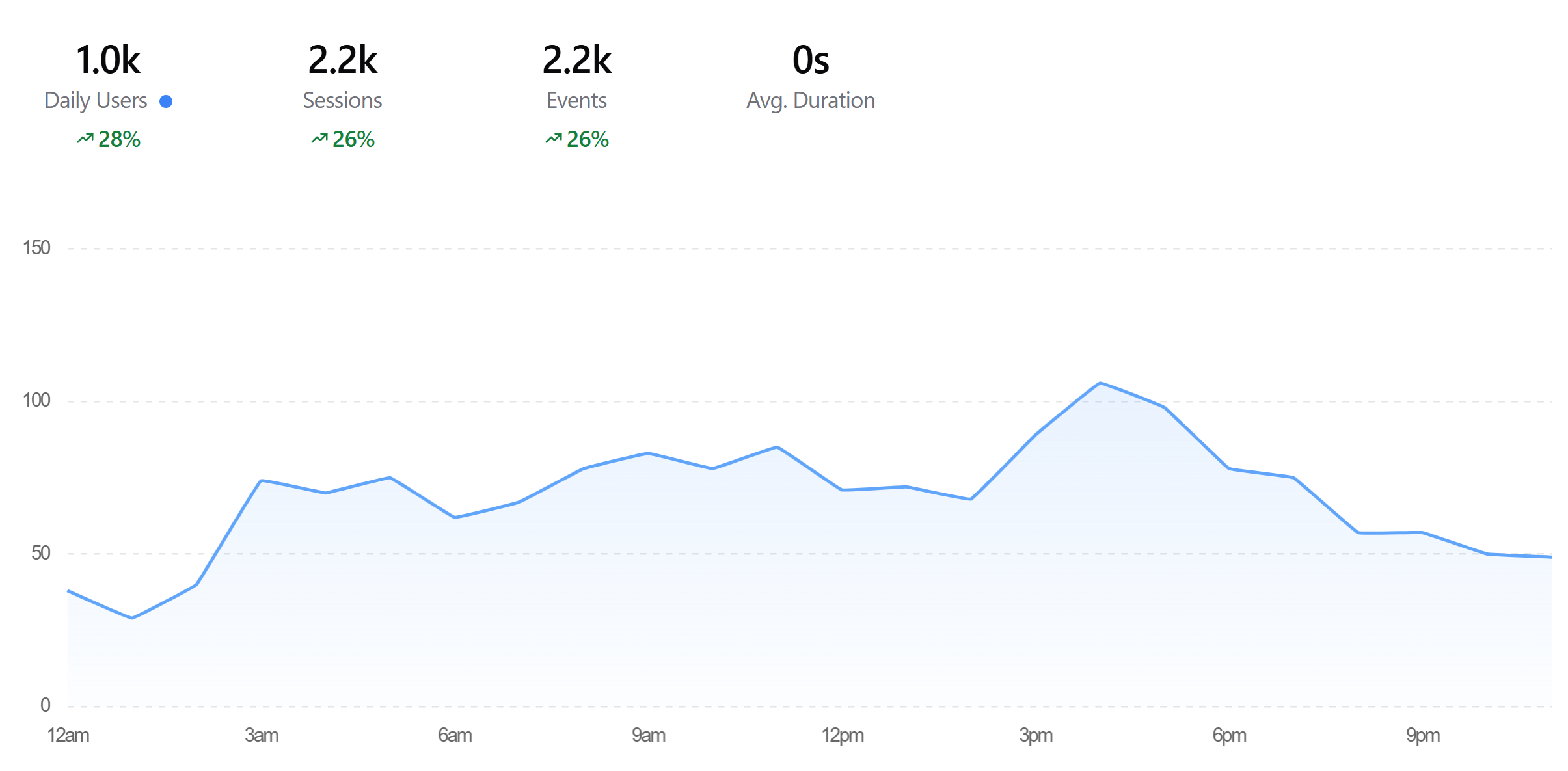
Yesterday, we hit 20K installs across VS Code Marketplace and Open VSX and ~1,400 DAU (estimate, source: Aptabase). Most of the acquisition can’t be attributed to my social media activity: 80% of users discovered or recommended the extension organically.
Want to try it?
Go to “Extensions” in VS Code or Cursor and look for “Grok Build for VS Code (Community).” The extension walks you through installing the grok CLI and signing in. You can also get a free 7-day trial for SuperGrok.
Sharing knowledge
I’ll be sharing what I learned about distribution and agentic engineering (850+ automated tests and 22K+ lines of code of which I reviewed none) during the upcoming video sessions and in my future posts.
Monetization plans
The product is free and open source, but most of the users already pay xAI (high intent, high satisfaction + they use my interface). Product-market fit had to come first.
Thanks for Reading The Product Compass
It’s amazing to learn and grow together.
Have a fantastic rest of the week,
Paweł